Close Menu
itphobia.com
  • Home
  • Free Tools
    • Free Readability Checker
    • Free Search Engine Index Checker
    • Free Meta Tag Checker
  • Services
    • Article writing
    • Lead Generation
    • Link Building
  • Blog
    • Reviews
      • iPhone Reviews
      • Android
      • Camera
      • iPad
      • Tablet
      • Desktop
      • Laptop
      • Gadget
    • Desk Productivity Tech
      • Desk Setup Ideas
      • Tech Reviews
        • Keyboards
      • Desk Accessories
      • Ergonomics & Comfort
      • Smart Desk Tools
      • WFH Setups
      • Buyer’s Guides
    • Apple
    • Apps
    • Business
      • Finance
        • Investing
          • Currencies & Foreign Exchange
      • Business & Industrial
        • Advertising & Marketing
          • Marketing
        • Business Operations
          • Management
        • Business Services
          • E-Commerce Services
            • Food delivery
          • Fire Security Services
          • Hospitality Industry
          • Warehousing
          • Editing & Writing Services
        • Chemicals Industry
          • Coatings & Adhesives
      • Retail Trade
      • Retail Equipment & Technology
    • Computers & Electronics
      • Computer Security
        • Network Security
      • Consumer Electronics
        • Electronics Repair
        • TV & Video Equipment
      • Electronics & Electrical
        • Electronic Components
    • Digital Marketing
      • SEO
      • Social Media
      • Affiliate Marketing
    • Software
    • Gadget
    • Mobile & Smartphones
    • Windows Phone
    • Domain & Hosting
    • Make Money
    • Graphic Design
    • Blogging
    • Content
    • Data Science
    • Programming
    • Crypto
    • Robotics
    • Metaverse
    • Security
    • Networking
    • Tech support
    • Technology
    • Web Design
    • WordPress
    • Windows
    • More

Subscribe to Updates

Get the latest creative news from FooBar about art, design and business.

loader

Email Address*

First Name

Last Name

What's Hot

Amazon Order History: How to Find, Download & Archive Orders

18/04/2026

Amazon Prime Student: Cost, Free Trial & Sign Up Guide

18/04/2026

Amazon Prime Membership: True Costs, Discounts & Cancellation

18/04/2026
Facebook X (Twitter)
itphobia.com
  • Home
  • Free Tools
    • Free Readability Checker
    • Free Search Engine Index Checker
    • Free Meta Tag Checker
  • Services
    • Article writing
    • Lead Generation
    • Link Building
  • Blog
    • Reviews
      • iPhone Reviews
      • Android
      • Camera
      • iPad
      • Tablet
      • Desktop
      • Laptop
      • Gadget
    • Desk Productivity Tech
      • Desk Setup Ideas
      • Tech Reviews
        • Keyboards
      • Desk Accessories
      • Ergonomics & Comfort
      • Smart Desk Tools
      • WFH Setups
      • Buyer’s Guides
    • Apple
    • Apps
    • Business
      • Finance
        • Investing
          • Currencies & Foreign Exchange
      • Business & Industrial
        • Advertising & Marketing
          • Marketing
        • Business Operations
          • Management
        • Business Services
          • E-Commerce Services
            • Food delivery
          • Fire Security Services
          • Hospitality Industry
          • Warehousing
          • Editing & Writing Services
        • Chemicals Industry
          • Coatings & Adhesives
      • Retail Trade
      • Retail Equipment & Technology
    • Computers & Electronics
      • Computer Security
        • Network Security
      • Consumer Electronics
        • Electronics Repair
        • TV & Video Equipment
      • Electronics & Electrical
        • Electronic Components
    • Digital Marketing
      • SEO
      • Social Media
      • Affiliate Marketing
    • Software
    • Gadget
    • Mobile & Smartphones
    • Windows Phone
    • Domain & Hosting
    • Make Money
    • Graphic Design
    • Blogging
    • Content
    • Data Science
    • Programming
    • Crypto
    • Robotics
    • Metaverse
    • Security
    • Networking
    • Tech support
    • Technology
    • Web Design
    • WordPress
    • Windows
    • More
Facebook X (Twitter)
0 Shopping Cart
itphobia.com
Home»Blog»Desk Productivity Tech»Abode Starter Kit: Essential Genius For Students

Abode Starter Kit: Essential Genius For Students

Desk Productivity Tech
Share
Facebook Twitter Pinterest Email

Published on: 27/09/2025 | Updated on: September 27, 2025

The Abode Starter Kit offers students a smart, secure, and surprisingly affordable way to automate their living spaces, bringing peace of mind and enhanced convenience to dorm rooms and off-campus apartments with AI-powered insights.

The transition to college life often means navigating new living arrangements, from bustling dorms to independent apartments. Among the many adjustments, ensuring your personal space is secure and convenient can feel like a daunting task, especially when budgets are tight. Many students worry about leaving valuables behind or managing home systems from afar. This is where smart home technology steps in, offering intelligent solutions that are both accessible and effective. The Abode Starter Kit is designed to be your first step into this world, providing a powerful yet user-friendly system that brings essential genius right to your doorstep. Get ready to discover how this kit can transform your student living experience.

Why the Abode Starter Kit is a Student’s Best Friend

The Abode Starter Kit is more than just a collection of devices; it’s an intelligent ecosystem designed to enhance security, convenience, and even energy efficiency in your living space. For students, this translates to fewer worries about break-ins, the ability to control lights and thermostats remotely, and the peace of mind that comes with a connected home. Its AI-powered features learn your habits, offering proactive alerts and optimizing your environment without constant manual input. This makes it an invaluable tool for busy students who need their living space to work for them, not against them.

Understanding the Core Components of the Abode Starter Kit

Generate an ultra-luxurious, modern, photorealistic 16:9 featured image for a blog article on the to

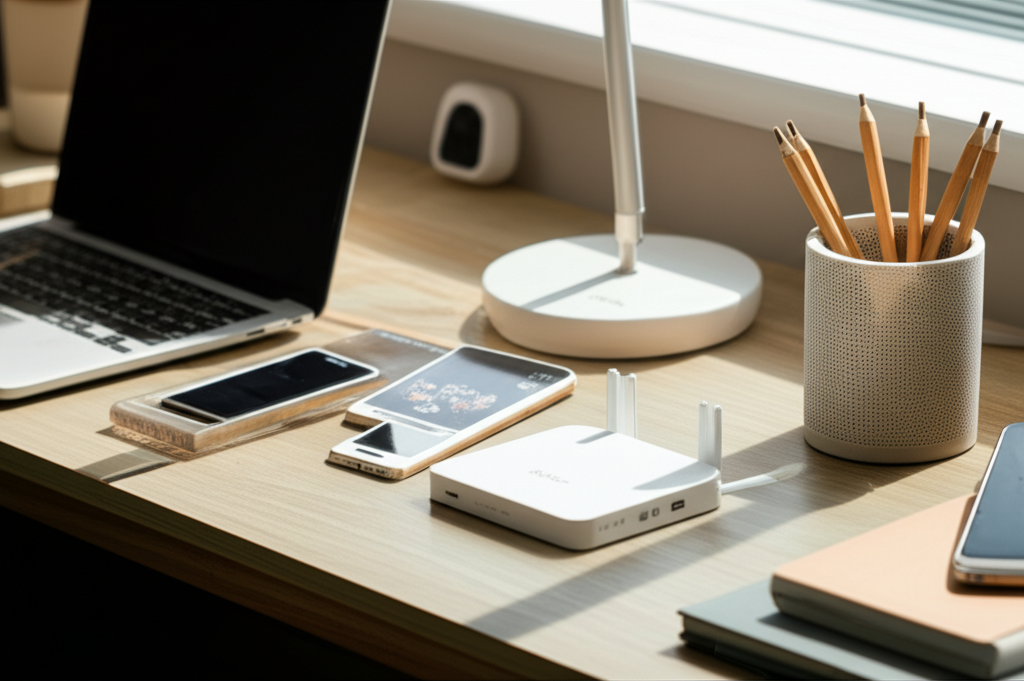
At its heart, the Abode Starter Kit is built around a central hub that acts as the brain of your smart home. This hub connects to various sensors and devices, allowing them to communicate and work together seamlessly. You’ll typically find a motion sensor to detect movement, a door/window sensor to alert you when entry points are opened, and a key fob for easy arming and disarming of the system. The beauty of the Abode system lies in its expandability, allowing you to add more devices as your needs and budget grow.

The AI Advantage: How Abode Learns and Protects

Artificial intelligence is a cornerstone of the Abode Starter Kit’s effectiveness, particularly for student living. The system’s AI analyzes patterns in your daily life, such as when you typically leave and return home. This allows it to intelligently arm and disarm the system, reducing false alarms and ensuring you’re protected when you need it most. Furthermore, AI helps distinguish between normal activity and potential threats, sending you more relevant notifications and reducing notification fatigue. This proactive approach ensures your safety without adding to your academic stress.

Setting Up Your Abode: A Student’s Guide to Simplicity

One of the most significant advantages of the Abode Starter Kit for students is its straightforward setup process. Unlike complex professional installations, Abode is designed for DIY enthusiasts. You’ll typically connect the gateway to your home’s Wi-Fi network, then pair each sensor and device through the intuitive Abode mobile app. The app guides you through each step, making it easy to get your smart home up and running in under an hour, even if you have no prior experience with smart home technology.

Setup Steps:

1. Unbox and Connect: Unpack your Abode gateway and connect it to power and your home router using the provided Ethernet cable.
2. Download the App: Install the Abode mobile app on your smartphone or tablet from your device’s app store.
3. Create Account & Pair Gateway: Open the app, create an Abode account, and follow the on-screen instructions to pair your gateway.
4. Add Sensors: Follow the app’s prompts to add your door/window sensors and motion detector, usually by pressing a button on each device.
5. Test Your System: Once all devices are added, perform a test to ensure all sensors are communicating correctly with the gateway.

Securing Your Dorm or Apartment: Abode’s Peace of Mind Features

For students, particularly those living in shared spaces or off-campus apartments, security is paramount. The Abode Starter Kit provides robust security features that offer unparalleled peace of mind. The door and window sensors immediately alert you if any entry point is breached while the system is armed. The motion sensor can detect movement within your living area, providing an extra layer of protection. With instant mobile notifications, you’ll know immediately if something is amiss, no matter where you are on campus or at home.

Beyond Security: Smart Automation for Student Life

The Abode Starter Kit’s intelligence extends far beyond just security. It can significantly enhance the convenience and efficiency of your daily student life. Imagine automatically turning off lights when you leave for class or adjusting the thermostat to save energy while you’re out. These automations, powered by the Abode app and its integration capabilities, can streamline your routine and even help reduce utility bills. This smart automation frees up your time and mental energy, allowing you to focus more on your studies and less on managing your living space.

Expanding Your Smart Home: Future-Proofing Your Investment

While the starter kit provides a solid foundation, Abode’s true strength lies in its scalability. As a student, your needs might evolve, and the Abode system can grow with you. You can easily add more sensors, smart locks, cameras, and even integrate with other popular smart home devices and platforms like Amazon Alexa or Google Assistant. This modular approach means you’re not locked into a basic system; you can build a comprehensive smart home tailored to your specific requirements and budget, making it a smart long-term investment.

Integrating with Other Smart Devices: The Power of Connectivity

The Abode Starter Kit shines in its ability to integrate with a vast ecosystem of other smart devices and platforms. This connectivity is crucial for creating a truly automated and intelligent living environment. For students, this means the potential to link your security system with smart lights that illuminate your path when you arrive home, or voice assistants that can arm your system with a simple command. Such integrations elevate the functionality beyond basic security, turning your student dwelling into a responsive and convenient smart space.

Popular Integrations:

Amazon Alexa: Control your Abode system with voice commands, arm/disarm, and check status.
Google Assistant: Similar to Alexa, offering voice control and integration into Google Home routines.
IFTTT (If This Then That): Create custom applets to automate complex tasks across different smart devices and services.
Smart Lighting: Integrate with Philips Hue, LIFX, and other smart bulbs to trigger lights based on sensor activity.
* Smart Thermostats: Connect with Nest or ecobee to manage your home’s temperature efficiently.

Is the Abode Starter Kit Worth It for Students? A Verdict

Considering the affordability, ease of use, robust security features, and smart automation capabilities, the Abode Starter Kit presents a compelling case for students. It addresses common concerns about security and convenience in student housing while offering a gateway into the exciting world of smart home technology. The ability to expand the system over time ensures it remains relevant and valuable throughout your academic career and beyond. For students seeking an intelligent, reliable, and budget-friendly solution, the Abode Starter Kit is an exceptional choice.

Frequently Asked Questions about the Abode Starter Kit for Students

What is the main benefit of the Abode Starter Kit for students?

The primary benefit is enhanced security and peace of mind for student living spaces like dorms and apartments, coupled with smart automation features that increase convenience and potentially save energy, all at an accessible price point.

Does the Abode Starter Kit require a professional installation?

No, the Abode Starter Kit is designed for easy DIY installation, guided by a user-friendly mobile app that walks you through connecting the hub and pairing sensors within minutes.

Can I monitor my Abode system when I’m not home?

Yes, through the Abode mobile app, you can remotely monitor your system’s status, receive real-time alerts for any triggered sensors, and even view camera feeds if you have compatible cameras added.

What happens if there is a power outage or internet disruption?

The Abode gateway has a battery backup that can keep the system operational for a limited time during power outages. For cellular monitoring plans, the system can communicate with the monitoring center even if your home internet goes down.

Can I add more sensors or devices to the Abode Starter Kit later?

Absolutely. Abode systems are highly expandable, allowing you to add a wide range of compatible sensors, cameras, smart locks, and other devices to customize and grow your smart home setup as needed.

Is there a monthly fee for using the Abode Starter Kit?

The basic functionality of the Abode Starter Kit, including local notifications and app control, does not require a monthly fee. However, Abode offers optional professional monitoring and cellular backup plans for a monthly subscription fee, which significantly enhances security and reliability.

Conclusion: Smart Living, Smarter Studies with Abode

The Abode Starter Kit truly embodies “essential genius” for the modern student. It tackles the fundamental needs of security and convenience with intelligent, AI-driven solutions that are both effective and incredibly user-friendly. From securing your personal space in a shared dorm to automating simple tasks that save precious time, this kit empowers you to create a smarter, safer, and more efficient living environment. Its affordability and scalability make it an ideal entry point into smart home technology, ensuring that your investment grows with your needs. By choosing the Abode Starter Kit, you’re not just buying a gadget; you’re investing in peace of mind and a more streamlined student life, allowing you to focus on what truly matters – your education.

Belayet Hossain
Belayet Hossain

Belayet Hossain is a Senior Tech Expert and Certified AI Marketing Strategist. Holding an MSc in CSE (Russia) and over a decade of experience since 2011, he combines traditional systems engineering with modern AI insights. Specializing in Vibe Coding and Intelligent Marketing, Belayet provides forward-thinking analysis on software, digital trends, and SEO, helping readers navigate the rapidly evolving digital landscape. Connect with Belayet Hossain on Facebook, Twitter, Linkedin or read my complete biography.

Share. Facebook Twitter Pinterest LinkedIn Tumblr Email

Recommened for You

Vexinat Smart RGB LED Corner Lamp Review: Pros, Cons & Setup Guide

05/02/2026

Dell Dual Monitor Setup: The Complete Guide to Two Screens

05/02/2026

Customizable Desk Organizer: Essential Genius for Students

04/01/2026

Customizable Desk Accessories: Essential, Transformative Upgrades

04/01/2026

Cute Desk Gadgets: Essential & Irresistible Picks

04/01/2026

Customizable Desk Accessories: Your Essential Study Upgrade

04/01/2026

Leave a ReplyCancel reply

This site uses Akismet to reduce spam. Learn how your comment data is processed.

BIG Discounts at Amazon !
Save 50.0% on select products from TECKNET with promo code F7E6Q3GE, through 2/16 while supplies last.
Save 50.0% on select products from KIGJU with promo code KIGJU150, through 2/20 while supplies last.
Latest Updates
  • Amazon Order History: How to Find, Download & Archive Orders
  • Amazon Prime Student: Cost, Free Trial & Sign Up Guide
  • Amazon Prime Membership: True Costs, Discounts & Cancellation
  • Uncovering Overlooked Threats: Finding the Hidden Cybersecurity Risks in Plain Sight
  • Your Guide to the Top Buccal Fat Removal Surgeon in Sydney
  • Trusted Art Classes for Teens in Vaughan to Develop Strong Artistic Foundations
  • Cancel Amazon Prime: Step-by-Step Guide to Unsubscribe Fast
  • Top Tax Mistakes Young Entrepreneurs Make (And How to Avoid Them)
  • Smart Call Management with an AI Receptionist: Complete Guide
  • Amazon My Account Guide: Login, Security & Order Management
Subscribe for Updates
loader

Email Address*

First Name

Last Name

Top Reviews
Blog

5 Best Underwater Camera for Ice Fishing in 2026

The best underwater camera for ice fishing lets you see fish in real time, even…

4 Cost-Effective Smart Home Upgrades for Your Rental Unit

10/07/2024

Exploring the Topmost 5 Ultrasonic Parts Cleaner

27/05/2024

Boosting Social Media Management with Best Laptop for Social Media Manager

24/10/2023
Business Tech

Top Tax Mistakes Young Entrepreneurs Make (And How to Avoid Them)

18/03/2026

Comprehensive Tutorial on Sending Bitcoin via Cash App

18/02/2024

Building Bridges for Seamless Cross-Chain Connectivity

25/01/2024

Exploring Free CPT Code Lookup for Curious Minds

24/01/2024
All Categories
  • Accounting & Auditing (3)
  • Advertising & Marketing (11)
  • Affiliate Marketing (26)
  • Agriculture & Forestry (1)
  • Android (21)
  • Apple (32)
  • Apps (24)
  • Aquaculture (1)
  • Autos & Vehicles (1)
  • Beaches & Islands (1)
  • Billing & Invoicing (3)
  • Blog (1,697)
  • Blogging (17)
  • Business (203)
  • Business & Industrial (33)
  • Business & Productivity Software (11)
  • Business Operations (11)
  • Business Services (8)
  • Business Travel (1)
  • Camera (9)
  • Chemicals Industry (1)
  • Cloud Storage (3)
  • Coatings & Adhesives (1)
  • Colleges & Universities (1)
  • Computer Drives & Storage (3)
  • Computer Hardware (9)
  • Computer Peripherals (2)
  • Computer Science (2)
  • Computer Security (12)
  • Computer Servers (1)
  • Computers & Electronics (65)
  • Consumer Electronics (17)
  • Consumer Resources (2)
  • Content (51)
  • Crypto (106)
  • Currencies & Foreign Exchange (16)
  • Customer Services (1)
  • Data Management (7)
  • Data Science (6)
  • Desk Accessories (1)
  • Desk Productivity Tech (2,221)
  • Desktop (6)
  • Development Tools (2)
  • Digital Culture (1)
  • Digital Marketing (173)
  • Domain & Hosting (27)
  • E-Commerce Services (4)
  • Earn money (1)
  • Editing & Writing Services (4)
  • Editor's Choice (1)
  • Education (4)
  • Education (2)
  • Educational Software (1)
  • Electronic Accessories (2)
  • Electronic Components (2)
  • Electronic Spam (1)
  • Electronics & Electrical (4)
  • Electronics Repair (16)
  • Email & Messaging (2)
  • Engineering & Technology (1)
  • Enterprise Technology (11)
  • Ergonomics & Comfort (1)
  • ERP (1)
  • Finance (19)
  • Food delivery (3,418)
  • Gadget (58)
  • Graphic Design (13)
  • HealthTech (3)
  • Helpdesk & Customer Support Systems (1)
  • Home Automation (3)
  • Hospitality Industry (1)
  • Hotels & Accommodations (1)
  • How-To (8)
  • Human Resources (4)
  • Identity Theft Protection (1)
  • Internet & Telecom (22)
  • Internet Software (3)
  • Investing (16)
  • iPad (6)
  • iPhone (15)
  • iPhone Reviews (2)
  • IT Careers (2)
  • Java (1)
  • Jobs & Education (5)
  • Keyboards (2)
  • Laptop (9)
  • Laptops & Notebooks (3)
  • Latest Posts (2)
  • Linux (3)
  • Machine Learning & Artificial Intelligence (6)
  • Make Money (25)
  • Management (5)
  • Marketing (17)
  • Mathematics (1)
  • Medical Devices & Equipment (1)
  • Metals & Mining (1)
  • Metaverse (1)
  • Mobile & Smartphones (1,540)
  • Monitor Stand (1)
  • Monitoring Software (1)
  • More (72)
  • Multimedia Software (1)
  • Multimedia Software (3)
  • Network Security (10)
  • Networking (10)
  • Networking Equipment (1)
  • Online Communities (1)
  • Open Online Courses (1)
  • Operating Systems (1)
  • Operating Systems (1)
  • Outsourcing (1)
  • Packaging (1)
  • Power Supplies (2)
  • Printing & Publishing (1)
  • Programming (58)
  • Retail Equipment & Technology (1)
  • Reviews (47)
  • Robotics (2)
  • Science (5)
  • Scripting Languages (1)
  • Search Engine Optimization & Marketing (9)
  • Security (38)
  • Senior Living & Care Technology (1)
  • SEO (89)
  • Shipping & Logistics (6)
  • Shopping (2)
  • Social Media (71)
  • Social Networks (1)
  • Software (121)
  • Specialty Travel (1)
  • Statistics (1)
  • Tablet (2)
  • Tech News (15)
  • Tech Reviews (2)
  • Tech support (78)
  • Technology (2,319)
  • Text & Instant Messaging (1)
  • Tools (3)
  • Tourist Destinations (1)
  • Training & Certification (1)
  • Travel & Transportation (4)
  • TV & Video Equipment (2)
  • Vacation Rentals & Short-Term Stays (1)
  • Vehicle Codes & Driving Laws (1)
  • Vehicle Licensing & Registration (1)
  • Video (3)
  • Vocational & Continuing Education (1)
  • Warehousing (1)
  • Web Design (40)
  • Web Design & Development (9)
  • Web services (19)
  • Windows (19)
  • Windows Phone (3)
  • WordPress (12)
  • Writers Resources (10)
Navigation
  • Blog
  • Subscribe now
  • Write For Us | Become A Contributor
  • Our Partners
  • Affiliate Disclaimer
  • Contact us
About Us
About Us

IT Phobia is a comprehensive technology media hub and digital solutions provider. We deliver expert insights across SEO, Web Development, Crypto, and Digital Marketing while offering in-depth troubleshooting guides for Android, Windows, and Enterprise Tech. From the latest industry news to actionable tutorials, we empower businesses and tech enthusiasts to navigate the digital landscape with confidence.

Email Us: admin@itphobia.com

Learn More About Us

Get Tech Tips Straight to Your Inbox
loader

Email Address*

First Name

Last Name

© 2015 - 2026 IT Phobia. All Rights Reserved.
  • Home
  • Tech Blogs Trending Now!
  • Write For Us | Become A Contributor
  • Privacy Policy
  • Terms of use

Type above and press Enter to search. Press Esc to cancel.