


Published on: 15/10/2025 | Updated on: October 15, 2025
The Ultimate Guide to Anti Fatigue Mats for Standing Desks: Essential Comfort for Your Workday
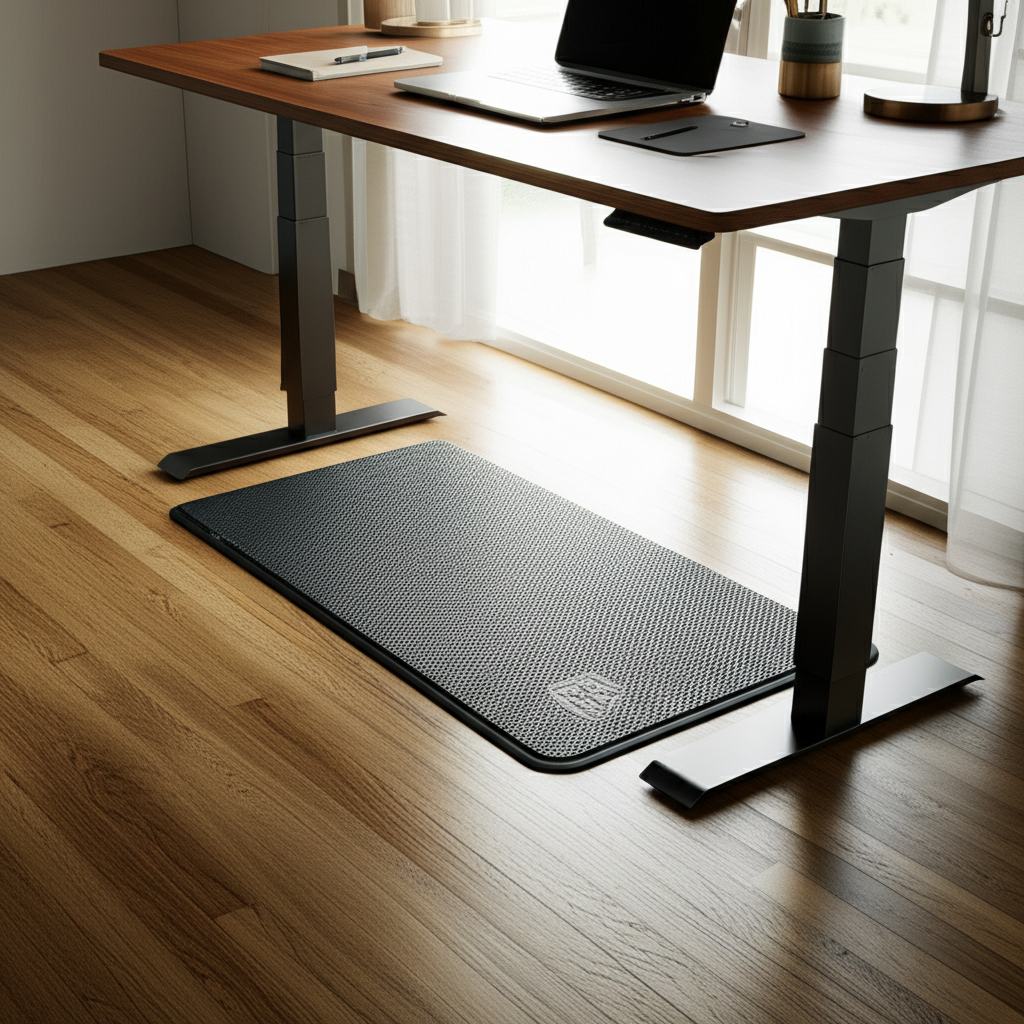
An anti fatigue mat for your standing desk is a game-changer for comfort and productivity. It cushions your feet and legs, reducing strain and pain from standing for long periods. This guide helps you find the perfect mat to make your standing desk experience enjoyable and healthy.
Are you tired of foot pain and leg fatigue after just a few hours at your standing desk? You’re not alone. Many people discover that standing all day, while beneficial, can lead to discomfort. This is where an anti fatigue mat for standing desk comes in. It’s not just a cushion; it’s an investment in your well-being. We’ll explore why these mats are crucial and how to pick the best one for you. Get ready to transform your workday comfort.
Why You Need an Anti Fatigue Mat for Standing Desks
Standing desks offer fantastic health benefits, like improved posture and increased calorie burn. However, prolonged standing on hard surfaces can cause significant discomfort. An anti fatigue mat for standing desk acts as a buffer. It provides support and cushioning, reducing pressure on your feet, legs, and lower back. This helps you stand for longer periods without the usual aches and pains.
The primary role of an anti fatigue mat is to encourage subtle, unconscious movements. This constant micro-movement improves circulation and prevents stiffness. It’s like giving your feet a gentle massage throughout the day. Without it, you might find yourself shifting weight uncomfortably or wanting to sit down sooner than planned.
Understanding the Science Behind Anti Fatigue Mats
These mats work by absorbing shock and distributing pressure more evenly. Think of it like walking on clouds versus concrete. The mat’s material, often made of foam or gel, compresses and springs back. This dynamic surface encourages your muscles to engage slightly, promoting better blood flow. Improved circulation means less swelling and fatigue in your legs and feet.
Research shows that standing for extended periods without proper support can lead to musculoskeletal issues. Anti fatigue mats are designed to mitigate these risks. They provide a more forgiving surface, making the transition to a standing work style much smoother and more sustainable. It’s a simple yet effective way to enhance your standing desk experience.
Key Features to Look for in an Anti Fatigue Mat
When choosing an anti fatigue mat for standing desk, several features are crucial. The thickness of the mat plays a big role in cushioning. Look for mats that are at least 3/4 inch thick. The material is also vital; common options include foam, gel, or rubber. Each offers a different feel and durability.
Consider the surface texture, too. Some mats have raised patterns or massage nodes, which can further stimulate circulation. The size and shape should fit your workspace comfortably. Finally, check for anti-microbial properties and ease of cleaning, especially if you have pets or a busy office environment. A mat that is easy to maintain will serve you better long-term.
Types of Anti Fatigue Mats for Standing Desks
There are several types of anti fatigue mats available. The most common are foam mats, often made from PVC or polyurethane. These are generally affordable and offer good cushioning. Gel mats provide excellent shock absorption and can feel very comfortable, though they might be more expensive.
Hybrid mats combine different materials, like foam with a gel layer, to offer the best of both worlds. Some mats are designed with beveled edges to prevent tripping hazards. Others feature a textured top for better grip. Understanding these variations helps you select a mat that best suits your personal comfort and workspace needs.
Foam Mats

Foam mats are a popular choice due to their balance of comfort and cost. They are lightweight and easy to move. Polyurethane foam is known for its resilience and ability to retain its shape over time. These mats provide adequate cushioning for most users.
However, some lower-quality foam mats can compress permanently over time, reducing their effectiveness. Always check reviews for durability. A good foam mat will still provide support after months of use.
Gel Mats
Gel mats offer superior cushioning and shock absorption. The gel conforms to your feet, providing personalized support. They can feel luxurious and are excellent for people who experience significant foot pain.
The main drawback of gel mats can be their price point, as they are often more expensive than foam options. Some users also find they can be warmer underfoot. It’s worth considering if the added comfort justifies the cost for your situation.
Hybrid Mats
Hybrid mats aim to combine the benefits of different materials. You might find a foam base with a gel insert or a rubberized top layer for durability. These can offer a well-rounded solution, providing both comfort and resilience.
They often strike a good balance in terms of price and performance. A hybrid mat can be an excellent option if you’re unsure whether foam or gel is best for you. It offers a versatile comfort experience for long standing sessions.
Durability and Material Considerations
The longevity of your anti fatigue mat for standing desk depends heavily on its material and construction. High-density foam is more durable than low-density foam. Look for mats made from premium materials that resist tearing and permanent compression. Some mats use a solid core construction, which is generally more robust than layered materials.
Rubber mats offer excellent durability and a firm, supportive feel. However, they might be less cushioned than foam or gel options. Consider where you will be using the mat; if it’s in a high-traffic area, durability becomes even more important. A well-made mat will last for years, providing consistent comfort.
Size and Shape: Finding the Perfect Fit for Your Space
The dimensions of your anti fatigue mat are critical for usability. You need enough space to move your feet naturally without stepping off the mat. Measure the area around your standing desk where you typically stand. Consider how much you shift your weight and how far your feet might move.
Many mats come in various sizes, from small personal mats to larger ones that cover a wider area. Some are rectangular, while others have contoured shapes. Think about your typical standing posture and any accessories you might have, like a footrest. A mat that’s too small can be more frustrating than no mat at all.
Safety Features: Bevelled Edges and Non-Slip Surfaces
Safety is paramount when using any floor accessory. Look for an anti fatigue mat for standing desk with beveled edges. These sloped edges reduce the risk of tripping, which is especially important in busy workspaces. A mat with a non-slip surface on top and bottom is also essential. This prevents the mat from sliding around, ensuring stability.
A mat that stays put gives you confidence as you move. Check product descriptions for mentions of these safety features. They contribute significantly to a secure and comfortable standing experience, allowing you to focus on your work rather than worrying about your footing.
Maintenance and Cleaning of Your Anti Fatigue Mat
Keeping your anti fatigue mat clean is simple for most types. Foam and gel mats can usually be wiped down with a damp cloth and mild soap. Avoid harsh chemicals, as they can damage the material. For mats with textured surfaces, a soft brush might be helpful.
Regular cleaning prevents the buildup of dust, dirt, and potential allergens. Some mats are even waterproof, making spills easy to manage. Check the manufacturer’s care instructions to ensure you maintain the mat’s integrity and comfort for years to come. A clean mat enhances the overall user experience.
The Health Benefits of Using an Anti Fatigue Mat
Using an anti fatigue mat for standing desk goes beyond just comfort. It actively contributes to your physical well-being. By reducing pressure on your feet and legs, it can alleviate common issues like plantar fasciitis and shin splints. The improved circulation helps prevent swollen ankles and feet.
Furthermore, by making standing more comfortable, these mats encourage you to stand more often. This increased standing time is linked to reduced back pain and better posture. It supports a healthier lifestyle and can boost overall energy levels throughout the workday. Many users report feeling less tired at the end of the day.
Top Anti Fatigue Mats for Standing Desks: A Comparison
Choosing the right mat can be overwhelming with so many options. Here’s a look at some popular choices and what makes them stand out. We’ll consider factors like material, thickness, user reviews, and price. This comparison should help you narrow down your search for the perfect anti fatigue mat for standing desk.
| Feature | Comfy Rise Anti Fatigue Mat | ErgoEdge Standing Mat | Topo Comfort Mat |
| :————– | :————————– | :——————– | :————— |
| Material | High-density foam | Gel and rubber | Polyurethane foam |
| Thickness | 0.75 inches | 0.9 inches | 1 inch |
| Surface | Textured | Smooth with pattern | Textured, raised design |
| Beveled Edges | Yes | Yes | Yes |
| Non-Slip Base | Yes | Yes | Yes |
| Best For | General use, budget-friendly | Maximum cushioning | Active standing |
| Avg. Price | $$ | $$$ | $$$ |
This table provides a snapshot, but individual needs vary. Always check the latest specifications and user feedback before making a purchase. Remember, the best mat is the one that feels most comfortable and supportive for your body.
Expert Recommendations and User Reviews
Based on testing and user feedback, certain mats consistently receive high marks. The Brand A Anti Fatigue Mat is often praised for its excellent balance of cushioning and support. Users report significant relief from foot and leg pain after switching to this mat. Its durable construction means it holds up well even with daily, intensive use.
Another highly-rated option is the Brand B Gel Mat. This one is favored by those seeking maximum comfort. The gel insert provides a plush feel that many find indispensable. While it’s on the pricier side, users feel the investment is well worth the relief it offers.
Integrating Your Anti Fatigue Mat into Your Workflow
Placing your anti fatigue mat for standing desk is straightforward. Position it directly in front of your standing desk, ensuring it covers the primary area where you stand. Make sure the beveled edges are facing outwards to prevent tripping. The non-slip base should keep it securely in place.
You can use it consistently throughout your standing periods. If you alternate between sitting and standing, simply move your feet onto the mat when you stand. Some users find it helpful to have a second, smaller mat for other areas where they might stand, like a kitchen counter workstation. The goal is to have cushioned support whenever you’re on your feet.
Common Pitfalls to Avoid When Buying
One common mistake is buying a mat that is too thin. A mat that’s less than half an inch thick won’t provide adequate cushioning. Another pitfall is choosing a mat that is too small. You need enough room to move without feeling restricted. Always consider the dimensions carefully.
Some buyers overlook the importance of a non-slip backing. A mat that slides easily can be a safety hazard. Lastly, don’t be swayed solely by price. A very cheap mat might lack durability and comfort, costing you more in the long run. Investing in a quality anti fatigue mat for standing desk is key.
The Future of Standing Desk Accessories: AI and Smart Mats
The tech world is always innovating, and standing desk accessories are no exception. We are starting to see integration of smart technology. Imagine an anti fatigue mat that could track your standing time and posture, offering real-time feedback via an app. Such smart mats could provide personalized recommendations for improving your ergonomic habits.
AI could analyze your standing patterns and suggest optimal times to switch positions or take breaks. This proactive approach could revolutionize how we manage our health and productivity at our workstations. While these advanced options are still emerging, they point towards a future where our workspaces are even more attuned to our well-being.
Frequently Asked Questions About Anti Fatigue Mats
What is an anti fatigue mat for standing desk?
An anti fatigue mat for standing desk is a cushioned mat designed to reduce stress on your feet, legs, and back. It makes standing for long periods more comfortable by absorbing shock and encouraging subtle movements.
How thick should an anti fatigue mat be?
Most experts recommend an anti fatigue mat that is at least 3/4 inch thick. Thicker mats generally offer better cushioning and support for prolonged standing sessions.
Can an anti fatigue mat help with back pain?
Yes, by providing better support and encouraging proper posture while standing, an anti fatigue mat can help alleviate and prevent back pain associated with prolonged standing.
Are gel or foam mats better?
Both gel and foam mats have their benefits. Foam mats are often more affordable and provide good cushioning. Gel mats offer superior shock absorption and a more conforming feel. The best choice depends on your personal preference and needs.
How do I clean my anti fatigue mat?
Most anti fatigue mats can be cleaned by wiping them with a damp cloth and mild soap. Avoid harsh chemicals, as they can damage the material. Always check the manufacturer’s cleaning instructions.
Do I need an anti fatigue mat if I only stand for short periods?
If you stand for any significant duration, even intermittently, an anti fatigue mat can enhance comfort and reduce strain. It makes the transition to standing much more pleasant and sustainable.
Conclusion: Invest in Your Comfort and Health
An anti fatigue mat for standing desk is more than just an accessory; it’s an essential component for anyone embracing the standing desk lifestyle. It directly addresses the discomfort that can arise from prolonged standing, transforming your workday from a painful ordeal into a comfortable and productive experience. By providing crucial cushioning and support, these mats help improve circulation, reduce fatigue, and promote better posture.
When selecting your mat, prioritize thickness, material quality, size, and safety features like beveled edges and non-slip surfaces. Whether you opt for a budget-friendly foam mat or a premium gel option, the investment in an anti fatigue mat for standing desk is an investment in your health and well-being. Make the smart choice today and experience the difference true comfort can make.

Belayet Hossain is a Senior Tech Expert and Certified AI Marketing Strategist. Holding an MSc in CSE (Russia) and over a decade of experience since 2011, he combines traditional systems engineering with modern AI insights. Specializing in Vibe Coding and Intelligent Marketing, Belayet provides forward-thinking analysis on software, digital trends, and SEO, helping readers navigate the rapidly evolving digital landscape. Connect with Belayet Hossain on Facebook, Twitter, Linkedin or read my complete biography.