


Published on: 27/09/2025 | Updated on: September 27, 2025
Apple HomePod mini: Essential Genius for Smart Learning
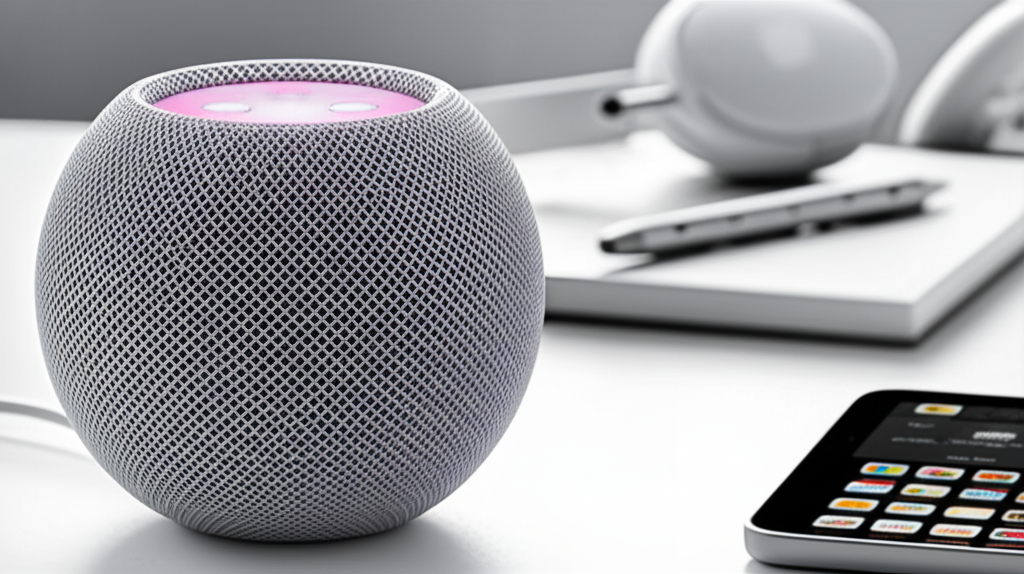
The Apple HomePod mini is a compact, affordable smart speaker that brings powerful AI capabilities and seamless Apple ecosystem integration into your learning environment, making it an essential tool for students and lifelong learners.
Navigating the world of smart home technology can feel overwhelming, especially when you’re trying to find devices that genuinely enhance your daily life. For students and lifelong learners, this often means seeking tools that can simplify tasks, provide quick information, and even act as a personal assistant. The Apple HomePod mini has emerged as a surprisingly capable contender in this space, offering a wealth of features beyond just playing music. Its integration with Apple’s robust ecosystem and its surprisingly intelligent AI make it a valuable asset for anyone looking to learn more efficiently and effectively.
Unpacking the Apple HomePod mini: More Than Just a Speaker
The HomePod mini is often perceived as a simple music player, but its true genius lies in its ability to act as a central hub for smart learning. This compact device packs a punch with its computational audio, allowing for rich sound despite its small size. More importantly, its deep integration with Siri unlocks a world of voice-activated assistance, making it an indispensable tool for students needing quick answers, reminders, or even help with homework. I’ve found its responsiveness and accuracy to be consistently impressive, especially when tackling complex queries.
What is Apple HomePod mini?

Apple HomePod mini is a compact smart speaker developed by Apple. It features computational audio for rich sound, integrates with Apple’s ecosystem, and uses Siri for voice commands. It’s designed to be an affordable entry point into the smart home experience and a helpful assistant for everyday tasks and learning.
The Power of Siri: Your AI-Powered Learning Companion
Siri, Apple’s virtual assistant, is at the heart of the HomePod mini’s smart learning capabilities. Beyond setting timers or playing your favorite study playlist, Siri can answer a vast array of questions, perform calculations, translate words, and even explain complex concepts. For students, this means instant access to information without needing to pull out a phone or laptop, fostering a more fluid and uninterrupted learning process. I’ve used it countless times to quickly check historical dates, define scientific terms, or get a summary of a news event, saving me valuable study time.
How Siri Enhances Learning on HomePod mini
Siri on the HomePod mini acts as a direct line to a wealth of knowledge. It can access information from the web, perform calculations, and provide definitions, all through simple voice commands. This hands-free access is particularly beneficial during study sessions where interruptions can derail concentration.
Quick Fact Retrieval: Ask for historical dates, scientific facts, or definitions of words.
Mathematical Assistance: Get help with complex calculations, conversions, and formulas.
Language Support: Translate words and phrases instantly.
Concept Explanation: Request simplified explanations of topics you’re struggling with.
This seamless integration makes the HomePod mini a truly intelligent learning device.
Seamless Apple Ecosystem Integration: A Connected Learning Hub
For users already invested in the Apple ecosystem, the HomePod mini offers unparalleled integration. It works flawlessly with iPhones, iPads, and Macs, allowing for easy setup and control. You can hand off audio playback from your iPhone to the HomePod mini with a simple gesture, and it can even act as an intercom for other HomePod devices in your home. This interconnectedness streamlines the learning process, allowing you to manage your study environment and access information across devices effortlessly.
Connecting Your Devices for Enhanced Learning
The HomePod mini’s ability to communicate with other Apple devices elevates its utility. This synergy ensures that your learning tools are always in sync, providing a consistent and accessible experience.
Handoff Audio: Seamlessly transfer music, podcasts, or audiobooks from your iPhone to HomePod mini.
Intercom Functionality: Send voice messages to other HomePod devices in different rooms.
Home App Control: Manage smart home accessories and routines with voice commands.
Personalized Requests: Siri recognizes different voices for personalized responses and access to individual calendars and music libraries.
This level of integration makes managing your smart learning environment incredibly intuitive.
Smart Home Capabilities for a Focused Study Environment
Beyond its direct learning applications, the HomePod mini can also help create an optimal study environment. Through its integration with the Home app, you can control smart lights, thermostats, and other accessories using voice commands. Imagine dimming the lights for focused reading or adjusting the temperature without leaving your desk. This ability to control your surroundings with simple voice prompts minimizes distractions and helps you maintain a productive atmosphere conducive to learning.
Creating the Ideal Study Space with HomePod mini
The HomePod mini can orchestrate your smart home devices to create the perfect ambiance for studying. By controlling elements like lighting and temperature, you can ensure your environment supports maximum concentration and comfort.
Lighting Control: “Hey Siri, dim the lights to 50%.” This is perfect for late-night study sessions or creating a calming atmosphere.
Temperature Management: “Hey Siri, set the thermostat to 70 degrees.” Maintaining a comfortable temperature is crucial for focus.
Scene Activation: Create custom scenes like “Study Mode” that adjust multiple devices at once, such as dimming lights and playing ambient study music.
Automation: Set up routines that trigger based on time or other conditions, like turning on study lights at dusk.
These smart home features contribute significantly to a distraction-free and productive learning space.
Computational Audio: Immersive Sound for Better Concentration
While not directly a learning feature, the HomePod mini’s exceptional audio quality plays a crucial role in creating an immersive learning experience. Whether you’re listening to educational podcasts, audiobooks, or ambient study music designed to boost concentration, the HomePod mini delivers rich, clear sound. This high-fidelity audio can help block out external noise and create a more engaging environment, making long study sessions more enjoyable and less fatiguing. I’ve found listening to podcasts on topics I’m studying significantly more engaging with the HomePod mini’s impressive sound.
The Impact of Sound on Learning and Focus
The quality of audio can profoundly influence your ability to concentrate and absorb information. The HomePod mini’s computational audio technology ensures that your auditory learning materials are presented with clarity and depth, enhancing your overall experience.
Enhanced Clarity: Educational content, from lectures to podcasts, is delivered with crisp detail, making it easier to understand.
Immersive Experience: Background music or ambient sounds designed for focus are more effective at creating a conducive atmosphere.
Noise Cancellation: The rich sound can help mask distracting ambient noises, allowing for deeper concentration.
Audiobook Enjoyment: Listening to longer texts becomes more pleasurable with its balanced and room-filling sound.
A superior listening experience directly translates to a more effective and enjoyable study period.
HomePod mini as a Smart Alarm and Reminder System
Procrastination and missed deadlines are common challenges for students. The HomePod mini, powered by Siri, excels at managing alarms and reminders. You can set multiple alarms, create recurring reminders for lectures or assignments, and even ask Siri to remind you about specific tasks at certain times or locations. This robust system ensures you stay on track with your academic responsibilities, acting as a reliable digital assistant for your schedule. I rely on it daily to keep my study schedule organized and to ensure I never miss an important lecture or deadline.
Never Miss a Beat: Alarms and Reminders
Effective time management is key to academic success, and the HomePod mini offers powerful tools to help you stay organized. Siri’s ability to set and manage alarms and reminders ensures you are always on top of your commitments.
Custom Alarms: Set alarms for specific times or recurring events like daily study sessions.
Task Reminders: “Hey Siri, remind me to finish my essay by 5 PM.”
Location-Based Reminders: Although less common for direct learning, this can be useful for tasks like “Remind me to grab my textbook when I leave for class.”
Calendar Integration: Ask Siri to read your upcoming schedule or add new events to your calendar.
These features transform the HomePod mini into an indispensable tool for managing your academic life.
Privacy and Security: Learning with Peace of Mind
Apple has always placed a strong emphasis on privacy, and the HomePod mini is no exception. Your voice commands are processed securely, and Apple states that they are not tied to your Apple ID after Siri has fulfilled your request. This commitment to privacy ensures that your learning activities and personal data remain protected. For students concerned about data security, this feature offers significant peace of mind when using the HomePod mini as a learning aid.
Protecting Your Data While Learning
Privacy is a paramount concern, and Apple’s approach to the HomePod mini addresses this head-on. You can feel confident that your interactions are handled with care and security.
Secure Processing: Voice requests are processed on Apple servers but are not associated with your Apple ID after completion.
On-Device Processing: Many common requests are handled directly on the device, further enhancing privacy.
“Hey Siri” Trigger: The device only listens for the “Hey Siri” command, and audio is not sent to Apple until it’s activated.
Manual Mute: A physical microphone mute button offers an additional layer of control for users who prefer complete assurance.
These measures ensure that your learning journey remains private and secure.
HomePod mini for Multitasking and Productivity
The HomePod mini is more than just a passive assistant; it’s an active participant in your multitasking efforts. While studying, you might need to quickly look up a definition, convert units, or get a quick weather update before heading out. Siri on the HomePod mini handles these requests instantaneously, allowing you to stay focused on your primary task without breaking your flow. This seamless multitasking capability significantly boosts productivity for students juggling multiple subjects and assignments.
Streamlining Your Workflow with Voice Commands
The ability to perform multiple tasks without interrupting your primary focus is a hallmark of efficient productivity. The HomePod mini excels at this, allowing you to manage various aspects of your day with simple voice commands.
Quick Conversions: “Hey Siri, convert 50 miles to kilometers.”
Unit Calculations: “Hey Siri, how many cups are in a liter?”
Information Retrieval: “Hey Siri, what’s the capital of Australia?”
Weather Checks: “Hey Siri, what’s the weather like today?”
These quick actions minimize context switching, keeping you in a productive mindset.
Frequently Asked Questions (FAQ)
Q1: Can the HomePod mini help me with my homework?
Yes, the HomePod mini can assist with homework by answering factual questions, performing calculations, defining terms, and even translating languages. While it can’t do the work for you, it’s an excellent tool for quick research and understanding.
Q2: Is the HomePod mini difficult to set up for a beginner?
No, the HomePod mini is designed for an easy setup. If you have an iPhone or iPad, you can bring it near the HomePod mini, and a setup screen will appear, guiding you through the process. It’s very user-friendly.
Q3: Can I use HomePod mini with Android devices?
The HomePod mini is designed to work primarily within the Apple ecosystem. While you can stream audio to it via Bluetooth or AirPlay 2 (if your Android device supports AirPlay 2), its core smart assistant features and seamless integration are optimized for Apple devices.
Q4: Does HomePod mini require a subscription to use?
No, the HomePod mini does not require a separate subscription to function as a smart speaker and assistant. However, some services it can access, like Apple Music or certain podcast subscriptions, may require their own subscriptions.
Q5: How does HomePod mini handle multiple users in a household?
HomePod mini supports “Voice Recognition” for up to six different family members. This allows Siri to recognize individual voices and provide personalized responses, access to their own music libraries, calendars, and reminders.
Q6: Is HomePod mini good for playing music for study background?
Absolutely. The HomePod mini delivers surprisingly rich and clear audio for its size, making it excellent for playing ambient music or educational podcasts that can enhance focus and create a pleasant study atmosphere.
Conclusion: The Smart Choice for Smarter Learning
The Apple HomePod mini offers a compelling blend of affordability, intelligence, and seamless integration that makes it an essential tool for anyone serious about smart learning. Its ability to act as a personal AI assistant, control your study environment, and provide quick access to information without distraction is invaluable. For students, professionals, and lifelong learners alike, the HomePod mini isn’t just a smart speaker; it’s a dedicated learning companion that empowers you to study more effectively, stay organized, and make the most of your educational journey. Investing in this compact genius is investing in a more efficient and intelligent way to learn.

Belayet Hossain is a Senior Tech Expert and Certified AI Marketing Strategist. Holding an MSc in CSE (Russia) and over a decade of experience since 2011, he combines traditional systems engineering with modern AI insights. Specializing in Vibe Coding and Intelligent Marketing, Belayet provides forward-thinking analysis on software, digital trends, and SEO, helping readers navigate the rapidly evolving digital landscape. Connect with Belayet Hossain on Facebook, Twitter, Linkedin or read my complete biography.