


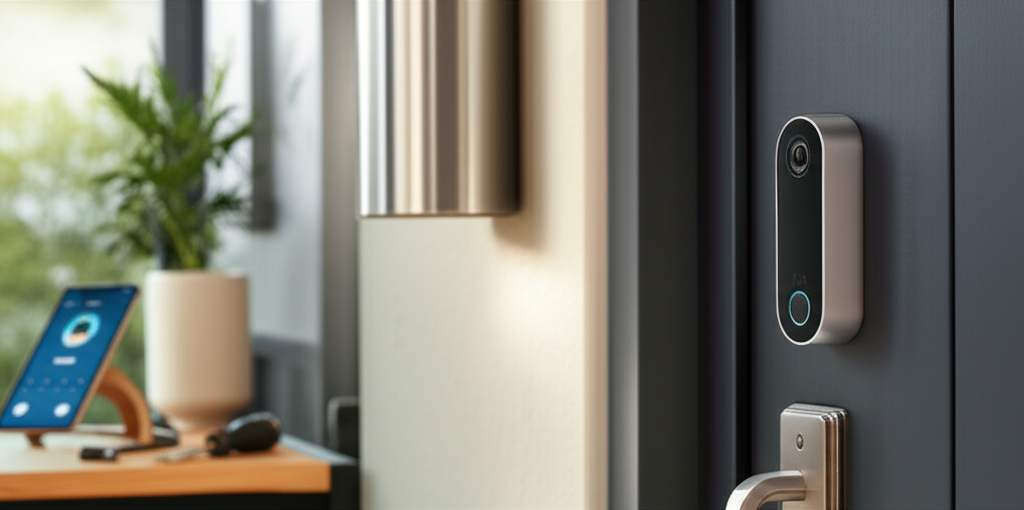
Published on: 26/09/2025 | Updated on: September 26, 2025
The Arlo Essential Wire-Free Video Doorbell offers advanced security features, seamless integration, and AI-powered insights to protect your home. This comprehensive guide explores its setup, features, and how to maximize its potential for unparalleled peace of mind.
Welcome to your ultimate guide to the Arlo Essential Wire-Free Video Doorbell! In today’s world, home security is more important than ever, and a smart video doorbell is a cornerstone of modern protection. Many of us worry about package theft, unwanted visitors, or simply not knowing who’s at the door. The Arlo Essential Wire-Free Video Doorbell aims to solve these anxieties by providing clear video, instant alerts, and smart detection right to your smartphone.
This guide will walk you through everything you need to know to make the most of your Arlo Essential Wire-Free Video Doorbell, from understanding its core functionalities to advanced tips for maximizing your home’s security. We’ll break down its features, explore installation, and reveal how its AI capabilities can truly transform your peace of mind. Get ready to unlock the full potential of your smart home security.
Why Choose the Arlo Essential Wire-Free Video Doorbell?
The Arlo Essential Wire-Free Video Doorbell stands out in the crowded smart home market due to its robust feature set and wire-free convenience. It offers a compelling blend of advanced technology and user-friendly design, making it an attractive option for homeowners seeking reliable and flexible security solutions. Its ability to operate without permanent wiring simplifies installation and offers placement versatility.
This device is designed to provide clear, wide-angle views of your doorstep, ensuring you never miss a moment. With its motion detection, two-way audio, and integration capabilities, it acts as your vigilant digital doorman. It’s a smart investment for anyone prioritizing proactive home protection and convenience.
Key Features of the Arlo Essential Wire-Free Video Doorbell

The Arlo Essential Wire-Free Video Doorbell is packed with innovative features designed to enhance your home security. Its high-definition video quality ensures you can clearly see who is at your door, day or night. The two-way audio allows for direct communication, adding another layer of interaction and security.
Beyond the basics, it offers intelligent alerts and customizable activity zones, helping you focus on what matters most. The wire-free design means easy installation and flexibility in placement. These features collectively make it a powerful tool for monitoring your home’s entry points.
1080p HD Video: Crystal-clear video resolution allows for detailed viewing of visitors and surroundings.
180-Degree View: A wide field of view captures more of your doorstep and approach areas.
Two-Way Audio: Speak directly with visitors through your smartphone app.
Wire-Free Design: Easy installation without the need for existing doorbell wiring.
Night Vision: Clear video footage even in low-light or complete darkness.
Motion Detection Alerts: Receive instant notifications on your phone when motion is detected.
Weather-Resistant: Built to withstand various environmental conditions.
Rechargeable Battery: Long-lasting battery life with easy recharging options.
The Power of AI in Arlo’s Smart Detection
Artificial Intelligence is at the heart of many modern smart home devices, and the Arlo Essential Wire-Free Video Doorbell is no exception. Arlo leverages AI to provide more intelligent and actionable alerts, significantly reducing nuisance notifications. This smart detection allows the doorbell to differentiate between various types of motion, such as people, animals, or vehicles.
By understanding the context of detected motion, Arlo can send you more relevant alerts, helping you prioritize responses. This intelligent filtering is crucial for managing notifications effectively and ensuring you are alerted to genuine security events. The AI capabilities truly elevate the doorbell from a simple camera to a proactive security system.
Setting Up Your Arlo Essential Wire-Free Video Doorbell: A Step-by-Step Guide
Getting your Arlo Essential Wire-Free Video Doorbell up and running is a straightforward process, even for those new to smart home technology. The wire-free design eliminates the complexities of electrical wiring, making installation accessible to almost anyone. Following these steps will ensure a smooth setup and immediate access to your new security device.
The initial setup involves charging the battery, downloading the Arlo app, and connecting the doorbell to your Wi-Fi network. Once connected, you can mount the doorbell and begin customizing its settings to suit your home and security needs. This entire process is designed to be user-friendly and efficient.
1. Charging the Battery
Before you begin, ensure your Arlo Essential Wire-Free Video Doorbell’s battery is fully charged. This will prevent any interruptions during the setup process and ensure your doorbell is ready to go. Connect the included USB charging cable to the doorbell and plug it into a power source. A full charge typically takes a few hours.
The LED indicator on the doorbell will signal when the battery is charging and when it’s complete. A solid white light usually indicates a full charge. It’s essential to have a fully charged battery for the initial Wi-Fi connection and setup.
2. Downloading the Arlo App and Creating an Account
The Arlo app is your central hub for managing your doorbell and all other Arlo devices. Download the Arlo app from your smartphone’s app store (available for both iOS and Android). Once installed, open the app and follow the on-screen prompts to create a new Arlo account or log in if you already have one.
This account will be used to control your doorbell, view live streams, access recordings, and manage settings. Make sure you have a stable internet connection on your smartphone during this step. A strong Wi-Fi signal is crucial for seamless device integration.
3. Connecting the Doorbell to Wi-Fi
With the app open and your account ready, it’s time to connect your Arlo Essential Wire-Free Video Doorbell to your home Wi-Fi network. In the Arlo app, select “Add Device” and choose the doorbell. The app will guide you through a simple process to pair the doorbell with your network.
You’ll need to have your Wi-Fi network name (SSID) and password handy. Ensure your doorbell is within range of your Wi-Fi router for a strong connection. A stable Wi-Fi connection is vital for reliable video streaming and timely alerts.
4. Mounting Your Doorbell
Once your doorbell is connected to Wi-Fi, you can mount it outside your home. The Arlo Essential Wire-Free Video Doorbell comes with a mounting bracket and screws. Choose a location that provides a clear view of your entryway and approach. Arlo recommends mounting it at a height of about 4 feet (1.2 meters) from the ground.
Use the included mounting plate and screws to secure it to your wall or doorframe. For optimal viewing angles, consider using the optional angled mount if your entryway is not directly facing the doorbell’s intended position. Ensure the mount is secure to prevent tampering.
Maximizing Security with Arlo’s Intelligent Features
The true power of the Arlo Essential Wire-Free Video Doorbell lies in its intelligent features that go beyond basic motion detection. These advanced capabilities allow you to customize your security, reduce false alarms, and stay informed about what’s happening at your doorstep. Understanding and utilizing these features is key to unlocking its full potential.
Arlo’s smart detection, activity zones, and customizable alert settings work together to create a personalized security experience. This proactive approach ensures you’re alerted to important events without being overwhelmed by unnecessary notifications. Let’s explore how to leverage these powerful tools.
Understanding and Configuring Smart Detections
Arlo’s smart detection capabilities are designed to differentiate between various types of motion. This means you can choose to receive alerts specifically for people, packages, vehicles, or animals, depending on your priorities. This intelligent filtering significantly reduces the number of false alerts you receive from non-human or non-threatening movements.
To configure these settings, navigate to the “Device Settings” within the Arlo app. Under “Motion Detection,” you can enable or disable specific detection types. For instance, if you’re primarily concerned about visitors, you can select “People” detection. This allows you to tailor notifications precisely to your needs, ensuring you’re alerted to events that matter most.
Setting Up Custom Activity Zones
Activity zones allow you to designate specific areas within the camera’s field of view where you want motion to be detected. This is particularly useful if your doorbell camera captures areas you don’t need to monitor, like a busy street or a neighbor’s property. By defining these zones, you can further refine your motion detection and minimize irrelevant alerts.
Within the Arlo app’s “Device Settings,” find the “Activity Zones” option. You can draw custom shapes on the video feed to define your zones. For example, you might create a zone that covers only your porch and walkway, ignoring the sidewalk beyond. This targeted monitoring ensures that only motion within your designated areas triggers an alert.
Leveraging Two-Way Audio for Communication
The two-way audio feature on the Arlo Essential Wire-Free Video Doorbell is more than just a communication tool; it’s a security asset. It allows you to speak with anyone at your door from anywhere using the Arlo app on your smartphone or tablet. This is incredibly useful for greeting expected visitors, directing delivery drivers, or deterring unwanted guests.
When someone rings the doorbell or motion is detected, you’ll receive an alert. Tapping the alert will open the live view, and you can then press and hold the microphone icon to speak. This immediate communication capability adds a layer of control and interaction to your home security.
Arlo Essential Wire-Free Doorbell vs. Competitors: What Sets It Apart?
The smart doorbell market is competitive, with many brands offering similar features. However, the Arlo Essential Wire-Free Video Doorbell distinguishes itself through its unique combination of wire-free convenience, AI-powered smart detection, and a user-friendly app interface. While other brands may offer wired options or different AI functionalities, Arlo’s focus on a seamless, wire-free experience is a significant advantage for many users.
When comparing, consider the ecosystem integration, battery life, and subscription service costs. Arlo’s ecosystem of cameras and security devices can offer a cohesive smart home security solution. The wire-free aspect simplifies installation, appealing to those who prefer DIY setups without electrical work.
Here’s a brief comparison of the Arlo Essential Wire-Free Video Doorbell with other popular options:
| Feature | Arlo Essential Wire-Free Video Doorbell | Ring Video Doorbell 3 | Google Nest Doorbell (Battery) |
| :——————– | :————————————– | :——————– | :—————————– |
| Power Source | Rechargeable Battery | Rechargeable Battery | Rechargeable Battery |
| Video Resolution | 1080p HD | 1080p HD | 1080p HD |
| Field of View | 180° | 160° | 130° |
| Two-Way Audio | Yes | Yes | Yes |
| AI Smart Detection | Yes (People, Packages, Vehicles, Animals) | Yes (with subscription) | Yes (People, Animals, Vehicles) |
| Wire-Free Installation | Yes | Yes | Yes |
| Cloud Storage | Subscription Required | Subscription Required | Subscription Required |
| Ecosystem Integration | Strong with other Arlo devices | Strong with Ring/Alexa| Strong with Google Home |
The Arlo Essential Wire-Free Video Doorbell often excels in its wide field of view and its straightforward setup process for a wire-free device. Its AI features, while potentially requiring a subscription for full functionality, are robust and can significantly improve the user experience by filtering alerts. Its compatibility with the broader Arlo security ecosystem is also a major plus for those looking to build a comprehensive smart home setup.
Arlo Secure Subscription: Unlocking Advanced Features
While the Arlo Essential Wire-Free Video Doorbell offers a robust set of features out-of-the-box, unlocking its full potential often involves subscribing to Arlo Secure. This subscription service provides cloud storage for your video recordings, advanced AI detection capabilities, and other premium features that enhance your security and convenience. It’s an important consideration for users looking to maximize their investment.
The Arlo Secure subscription is designed to provide continuous recording and intelligent alerts, transforming your doorbell into a more comprehensive security system. Without a subscription, you can still view live streams and receive motion alerts, but access to recorded footage and advanced detection features is limited. This makes the subscription a key component for serious home security.
What’s Included with Arlo Secure?
Arlo Secure provides a suite of benefits that significantly enhance the functionality of your Essential Wire-Free Video Doorbell. The most crucial aspect is cloud storage, allowing you to review recorded footage of events that have occurred at your doorstep. This is invaluable for reviewing incidents or simply checking in on deliveries.
Beyond storage, Arlo Secure unlocks advanced AI detection features. This includes person detection, package detection, vehicle detection, and animal detection, allowing for highly specific and actionable alerts. You also get cloud-based e911, which can automatically call emergency services to your registered address if a smoke or CO alarm is detected by an Arlo camera.
Cloud Storage: Access recorded video clips for up to 30 days.
Advanced AI Detections: Person, package, vehicle, and animal detection.
Rich Notifications: View alerts with live video previews directly on your phone.
Cloud e911: Enhanced emergency response capabilities.
* Customizable Modes: Tailor device behavior for different situations.
Understanding Subscription Plans and Costs
Arlo offers different tiers of Arlo Secure plans, typically catering to individual devices or multiple devices. The Essential Wire-Free Video Doorbell often comes with a trial period for Arlo Secure, allowing you to experience its benefits firsthand. After the trial, you can choose a plan that best suits your needs and budget.
The cost of Arlo Secure varies, but it’s generally competitive within the smart home security market. Monthly or annual payment options are usually available, with annual plans often offering a discount. It’s advisable to check the official Arlo website for the most up-to-date pricing and plan details. Investing in a subscription can greatly enhance the value and functionality of your Arlo doorbell.
Integrating Your Arlo Doorbell with Smart Home Ecosystems
The Arlo Essential Wire-Free Video Doorbell isn’t just a standalone device; it’s designed to be a part of your broader smart home ecosystem. Seamless integration with platforms like Amazon Alexa and Google Assistant allows for voice control and enhanced automation. This interoperability makes managing your home security more convenient and intuitive.
By connecting your Arlo doorbell to your preferred smart home assistant, you can use simple voice commands to view your camera feed, arm or disarm your system, and more. This level of integration streamlines your daily routines and adds a new dimension to your smart home experience. It’s a key benefit for anyone invested in building a connected home.
Working with Amazon Alexa
For users invested in the Amazon ecosystem, the Arlo Essential Wire-Free Video Doorbell offers excellent compatibility with Amazon Alexa. Once linked, you can use Alexa-enabled devices, like Echo Show smart displays, to view your doorbell’s live feed simply by asking. This means you can see who’s at the door without even reaching for your phone.
To set this up, you’ll need to enable the Arlo skill in the Alexa app and link your Arlo account. After that, you can ask Alexa to show you your front door, backyard, or any other camera you’ve named. This voice-activated viewing is incredibly convenient, especially when your hands are full.
Connecting with Google Assistant
Similarly, if you use Google Assistant and Google Home devices, your Arlo Essential Wire-Free Video Doorbell can be integrated. This allows for voice commands through Google Assistant-enabled speakers and displays. You can ask Google to show you your doorbell camera feed, providing quick and easy access to your doorstep’s view.
The process involves linking your Arlo account to your Google account through the Google Home app. Once connected, you can use commands like “Hey Google, show me the front door.” This integration enhances the usability of your doorbell, making it a more accessible part of your smart home.
Troubleshooting Common Issues with Your Arlo Doorbell
Even with advanced technology, occasional issues can arise with smart home devices. Fortunately, most common problems with the Arlo Essential Wire-Free Video Doorbell are easily resolvable with a few simple troubleshooting steps. Whether it’s a connectivity issue, a notification problem, or a battery concern, there are solutions available.
The key to effective troubleshooting is to systematically address potential causes. Often, issues stem from Wi-Fi connectivity, app settings, or battery management. By understanding these common pain points, you can quickly restore your doorbell’s optimal performance.
Connectivity Problems: Wi-Fi and Network Issues
Connectivity issues are among the most common challenges with any Wi-Fi-enabled device. If your Arlo Essential Wire-Free Video Doorbell is offline or not streaming properly, the first step is to check your home Wi-Fi network. Ensure your router is powered on and broadcasting a signal.
Try restarting your router and modem, then reboot your Arlo doorbell by removing and reinserting the battery. Check the Wi-Fi signal strength in the Arlo app; if it’s weak, consider moving your router closer to the doorbell or using a Wi-Fi extender. A stable internet connection is paramount for the doorbell’s functionality.
Battery Life and Charging Concerns
While the Arlo Essential Wire-Free Video Doorbell boasts a long-lasting battery, usage patterns and settings can affect its longevity. If you’re experiencing rapid battery drain, review your motion detection settings and activity zones. More frequent motion detection and longer recording times will consume more power.
Ensure you are using the correct Arlo charger and that the charging port is clean. If the battery still drains quickly, consider reducing the sensitivity of motion detection or limiting the duration of recorded clips. For consistently low battery, you might need to investigate replacing the battery pack, though this is rarely needed for a few years.
Notification Delays or Missed Alerts
If you’re not receiving timely notifications or missing alerts altogether, several factors could be at play. First, check your smartphone’s notification settings to ensure that the Arlo app has permission to send notifications. Also, verify that your notification settings within the Arlo app itself are configured correctly.
Ensure that “Smart Notifications” or specific detection types (like People or Motion) are enabled in the app. If you’re using a subscription service, confirm that it’s active. Sometimes, a simple app or phone restart can resolve temporary glitches affecting notification delivery.
Arlo Essential Wire-Free Video Doorbell: Enhancing Package Security
Package theft is a growing concern for many households, and the Arlo Essential Wire-Free Video Doorbell offers a proactive solution. Its ability to detect packages and provide instant alerts can significantly deter theft and ensure you’re aware of deliveries. This feature adds a crucial layer of protection to your incoming mail and parcels.
By leveraging its advanced AI and wide field of view, the Arlo doorbell can specifically identify when a package is delivered to your doorstep. This allows you to receive timely notifications and take appropriate action, whether it’s retrieving the package promptly or remotely communicating with a delivery driver. It brings peace of mind to online shopping.
How Arlo Detects Packages
The package detection feature is powered by Arlo’s intelligent AI algorithms, which are trained to recognize the shape and context of packages left at your door. When the doorbell’s camera detects a new object that fits the profile of a package within its field of view, it triggers a specific alert. This is distinct from general motion detection, providing a more focused notification.
This feature requires an active Arlo Secure subscription to function. Once subscribed and enabled in the app, the doorbell will automatically identify and alert you to package deliveries. The camera’s wide 180-degree view is particularly effective, capturing deliveries even if they are placed slightly off-center.
Tips for Securing Your Deliveries with Arlo
To maximize the effectiveness of your Arlo Essential Wire-Free Video Doorbell for package security, consider a few key strategies. Ensure the doorbell is positioned to have a clear view of where packages are typically left. If possible, communicate with delivery services about preferred drop-off locations that are easily visible to your camera.
You can also use the two-way audio feature to instruct delivery drivers on where to place packages or to confirm a delivery has been made. If you receive a package alert while away, you can remotely check on the delivery and decide if any action is needed. This proactive approach helps safeguard your valuable shipments.
Frequently Asked Questions (FAQ)
Here are some common questions about the Arlo Essential Wire-Free Video Doorbell to help you get the most out of your device.
Q1: Does the Arlo Essential Wire-Free Video Doorbell require a subscription?
A: While the doorbell functions for live viewing and direct alerts without a subscription, Arlo Secure is required to access recorded video clips, advanced AI detection (like person, package, vehicle, and animal detection), and cloud storage.
Q2: How long does the battery last on the Arlo Essential Wire-Free Video Doorbell?
A: Battery life varies depending on usage, Wi-Fi signal strength, and settings. Arlo estimates it can last several months on a single charge under typical conditions, but frequent motion events and long recording times will reduce this.
Q3: Can I install the Arlo Essential Wire-Free Video Doorbell myself?
A: Yes, the wire-free design makes it very easy to install yourself. The process involves charging the battery, downloading the Arlo app, connecting to Wi-Fi, and mounting the bracket.
Q4: What is the field of view for the Arlo Essential Wire-Free Video Doorbell?
A: The Arlo Essential Wire-Free Video Doorbell features a wide 180-degree diagonal field of view, allowing you to see more of your doorstep and surroundings.
Q5: How does the Arlo doorbell alert me to visitors?
A: You will receive an instant notification on your smartphone via the Arlo app when someone rings the doorbell or when motion is detected.
Q6: Can I use multiple Arlo Essential Wire-Free Video Doorbells with one account?
A: Yes, you can add multiple Arlo devices to a single Arlo account and manage them all through the Arlo app.
Conclusion: A Smarter Way to Secure Your Entrance
The Arlo Essential Wire-Free Video Doorbell represents a significant leap forward in home security, offering a blend of convenience, advanced technology, and intelligent features. Its wire-free design simplifies installation, making robust home monitoring accessible to everyone. The crystal-clear HD video, wide field of view, and two-way audio provide essential visibility and communication at your doorstep.
Furthermore, Arlo’s commitment to AI-powered smart detection, particularly with an Arlo Secure subscription, elevates this doorbell beyond basic surveillance. By intelligently identifying people, packages, vehicles, and animals, it ensures you receive relevant alerts, reducing noise and enhancing your security focus. Integrating with smart home ecosystems like Alexa and Google Assistant adds another layer of convenience, allowing for voice control and seamless automation. For anyone looking to enhance their home security with a smart, reliable, and feature-rich video doorbell, the Arlo Essential Wire-Free Video Doorbell is an excellent choice, offering peace of mind and smarter protection for your home’s most important entry point.

Belayet Hossain is a Senior Tech Expert and Certified AI Marketing Strategist. Holding an MSc in CSE (Russia) and over a decade of experience since 2011, he combines traditional systems engineering with modern AI insights. Specializing in Vibe Coding and Intelligent Marketing, Belayet provides forward-thinking analysis on software, digital trends, and SEO, helping readers navigate the rapidly evolving digital landscape. Connect with Belayet Hossain on Facebook, Twitter, Linkedin or read my complete biography.