


Published on: 27/09/2025 | Updated on: September 27, 2025
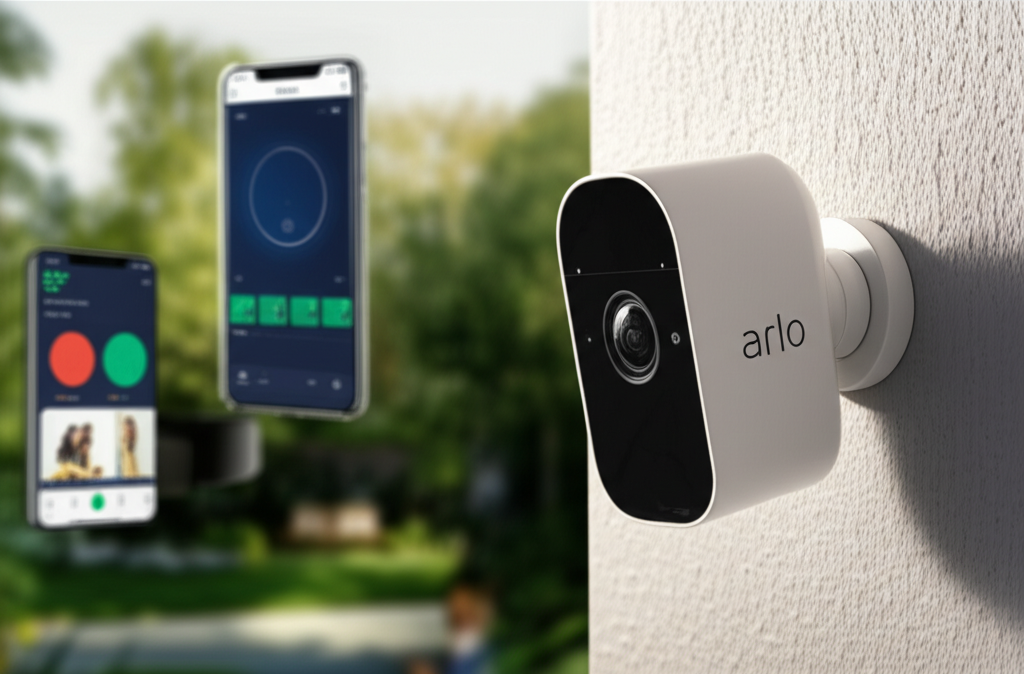
The Arlo Pro 3 offers robust smart home security with impressive features like 2K HDR video and a wide field of view, all designed for a surprisingly simple setup process that anyone can manage. Discover how this advanced system can protect your home with ease.
Welcome to the world of smarter home security. In today’s fast-paced digital age, keeping our homes safe and secure is more important than ever. But the thought of complex installations and confusing interfaces often deters people from adopting advanced security solutions. That’s where the Arlo Pro 3 steps in, promising essential security features wrapped in an incredibly user-friendly package. I’ve spent considerable time with this system, and I’m excited to show you just how effortless it can be to secure your home.
Why Arlo Pro 3 is Your Next Smart Security Upgrade
The Arlo Pro 3 is designed to be the intelligent guardian of your home, blending cutting-edge technology with unparalleled ease of use. It addresses the common frustration of overly complicated security systems by offering a plug-and-play experience that even the least tech-savvy individuals can master. This system ensures you’re always connected and aware, providing peace of mind without the hassle.
Understanding the Arlo Ecosystem: More Than Just Cameras

Arlo isn’t just about individual cameras; it’s a comprehensive smart home security ecosystem. The Arlo Pro 3 is a central piece, but its true power lies in how it integrates with other Arlo devices and smart home platforms. This interconnectedness allows for a more robust and customizable security setup, adapting to your specific needs.
The Arlo ecosystem is built around its smart hub (or direct Wi-Fi connection for some models), which acts as the brain for your security cameras. This hub manages communication, ensures secure data transmission, and allows for local storage options, giving you control over your footage. It’s this holistic approach that sets Arlo apart in the competitive smart home market.
Key Features of the Arlo Pro 3 That Shine
The Arlo Pro 3 boasts a suite of impressive features designed to provide comprehensive security and convenience. From its advanced video capabilities to its smart detection and integration, it’s built to impress. Understanding these features is the first step to appreciating its value.
2K HDR Video: Experience crystal-clear footage with vibrant colors and sharp details, even in challenging lighting conditions. This higher resolution captures more, ensuring you don’t miss critical details.
Wide 160° Field of View: Monitor larger areas with a single camera, reducing the number of devices needed to cover your property. This expansive view provides better situational awareness.
Integrated Spotlight & Siren: Deter unwanted visitors with a built-in spotlight that illuminates dark areas and a siren that can be triggered remotely. These active deterrents provide an immediate response to potential threats.
Color Night Vision: See what’s happening at night in full color, offering a more detailed and informative view than traditional black-and-white night vision. This feature greatly enhances nighttime surveillance.
Two-Way Audio: Communicate with visitors or warn off intruders directly through the camera using the built-in microphone and speaker. This interactive feature adds another layer of control.
Weather-Resistant Design: Built to withstand the elements, the Arlo Pro 3 is ready to perform in rain, snow, heat, or cold. Its rugged construction ensures reliable operation outdoors.
Wire-Free Convenience: Enjoy flexible placement options thanks to its wire-free design, powered by a rechargeable battery. This eliminates the need for complex wiring, simplifying installation.
These features combine to create a powerful yet accessible security solution for modern homes. The focus on clarity, control, and convenience makes the Arlo Pro 3 a compelling choice for anyone looking to enhance their home security.
Effortless Setup: Making Smart Security Accessible to Everyone
One of the most significant advantages of the Arlo Pro 3 is its commitment to an effortless setup experience. Arlo understands that not everyone is a tech expert, and they’ve designed the system to be intuitive from the moment you unbox it. This focus on simplicity is a game-changer for home security.
The process typically involves connecting the Arlo SmartHub (if applicable) to your router, charging the camera batteries, and then following the guided setup within the Arlo mobile app. The app walks you through each step, making it incredibly straightforward. You’ll be up and running in minutes, not hours.
Step-by-Step: Your Arlo Pro 3 Installation Guide
Let’s break down the installation process into simple, manageable steps. Following these instructions will ensure your Arlo Pro 3 system is set up correctly and ready to protect your home.
1. Unbox and Charge: Carefully unpack your Arlo Pro 3 cameras and the Arlo SmartHub (if included). Connect the cameras to their respective power adapters and charge the batteries fully. This usually takes a few hours.
2. Connect the SmartHub: Plug the Arlo SmartHub into your internet router using the provided Ethernet cable. Then, connect the SmartHub’s power adapter. Wait for the indicator lights on the SmartHub to turn solid, indicating a stable connection.
3. Download the Arlo App: On your smartphone or tablet, download the free Arlo app from the Apple App Store or Google Play Store. Create an Arlo account or log in if you already have one.
4. Add the SmartHub to the App: In the Arlo app, tap the ‘+’ icon and select ‘Add Device’. Follow the on-screen prompts to add your SmartHub. The app will guide you through scanning a QR code or entering a serial number.
5. Sync Cameras: Once the SmartHub is added, it’s time to sync your cameras. Press the sync button on the SmartHub, then press and hold the sync button on each camera until it chimes and the LED indicator flashes. The app will confirm when each camera is successfully added.
6. Mount Your Cameras: Choose strategic locations around your home for optimal viewing angles. Use the included mounting hardware to secure the cameras. The wire-free nature of the Arlo Pro 3 means you can place them almost anywhere without worrying about power outlets.
7. Configure Settings: Once all cameras are installed and connected, use the Arlo app to adjust motion detection zones, notification settings, and video quality. You can also set up schedules and explore advanced features like activity zones.
This streamlined process ensures that setting up a robust security system doesn’t require professional installation or extensive technical knowledge. The Arlo Pro 3 truly lives up to its promise of effortless setup.
Troubleshooting Common Setup Glitches
While the Arlo Pro 3 setup is generally smooth, occasional hiccups can occur. Knowing how to address common issues can save you time and frustration. Most problems are easily resolved with a few simple checks.
SmartHub Not Connecting: Ensure the Ethernet cable is securely plugged into both the SmartHub and your router. Try restarting your router and the SmartHub. Check the indicator lights on the SmartHub for error codes.
Camera Not Syncing: Make sure the camera is within range of the SmartHub. Ensure the battery is fully charged and properly seated. Try pressing the sync button on both devices again, following the app’s instructions precisely.
Weak Wi-Fi Signal: If you’re using an Arlo Pro 3 model that connects directly to Wi-Fi without a SmartHub, ensure the camera is placed within a strong Wi-Fi signal range. Consider using a Wi-Fi extender if the signal is weak.
App Not Recognizing Devices: Close and reopen the Arlo app. Ensure your smartphone is connected to the same Wi-Fi network as the SmartHub. Check for app updates, as these often include bug fixes.
Remember, the Arlo support website and community forums are excellent resources for more detailed troubleshooting steps. These resources can often provide solutions for even the most obscure issues.
Enhancing Security: Intelligent Features of the Arlo Pro 3
Beyond its ease of setup, the Arlo Pro 3 excels in providing intelligent security features that actively protect your home. These aren’t just passive surveillance tools; they are designed to detect threats, alert you, and even deter intruders. The AI capabilities embedded within the system are what truly elevate its performance.
The system’s ability to differentiate between various types of motion—like people, animals, or vehicles—significantly reduces false alarms. This intelligent detection means you receive meaningful notifications, allowing you to focus on what truly matters.
Smart Detection and Notifications: Knowing What Matters
Arlo’s smart detection capabilities are a cornerstone of the Pro 3’s effectiveness. Instead of just alerting you to any movement, it can identify specific events, providing more context and reducing alert fatigue. This intelligent filtering is crucial for managing notifications effectively.
With an Arlo Secure subscription, you unlock advanced AI features. These include:
Person Detection: Get alerts specifically when a person is detected, differentiating them from pets or passing cars. This is incredibly useful for monitoring front doors or driveways.
Package Detection: Receive notifications when a package is detected at your doorstep, ensuring you’re aware of deliveries. This feature adds a layer of convenience and security for online shoppers.
Activity Zones: Define specific areas within the camera’s view where you want to focus motion detection. This allows you to ignore movement in less critical areas, like a busy street, and focus on your property.
These intelligent alerts mean you’re less likely to be bothered by trivial events and more likely to be informed about genuine security concerns. This precision is key to making your smart security system truly useful.
The Power of 2K HDR and Color Night Vision
The visual clarity offered by the Arlo Pro 3 is exceptional. Its 2K HDR video resolution captures incredibly detailed images, providing a much clearer picture than standard 1080p cameras. This enhanced detail is invaluable for identifying individuals or specific events.
The High Dynamic Range (HDR) technology ensures that details in both the brightest and darkest areas of a scene are preserved. This means you can see clearly even when the sun is glaring or in dimly lit interiors. Coupled with its color night vision, the Arlo Pro 3 provides a comprehensive visual record, day or night.
The ability to see in color at night is a significant upgrade. Unlike traditional infrared night vision, which produces grayscale images, color night vision provides a more natural and informative view. This can be crucial for identifying colors of clothing or vehicles in low-light conditions.
Integrated Spotlight and Siren: Active Deterrence
The Arlo Pro 3 doesn’t just record; it actively deters potential intruders. The integrated LED spotlight can be triggered by motion, illuminating dark areas and startling unwelcome visitors. You can also manually turn on the spotlight through the Arlo app.
If the spotlight isn’t enough, the built-in siren can be activated remotely. This loud alarm can scare off intruders and alert neighbors to a potential problem. The combination of visual and audible deterrents makes the Arlo Pro 3 a proactive security measure.
These active deterrents are a powerful psychological tool against potential threats. They provide an immediate, on-the-spot response, adding a significant layer of security beyond simple surveillance.
Arlo Pro 3 vs. Competitors: Standing Out in the Crowd
The smart home security market is crowded, with many excellent options available. However, the Arlo Pro 3 consistently stands out due to its unique combination of features, ease of use, and robust performance. Comparing it to other leading brands helps illustrate its strengths.
When considering options like Google Nest Cam, Ring Spotlight Cam, or Eufy cameras, the Arlo Pro 3 often excels in video quality, wire-free flexibility, and its comprehensive ecosystem. While some competitors might offer lower price points, the Arlo Pro 3 provides a premium experience with features that justify the investment.
Feature Comparison: Arlo Pro 3 vs. Key Rivals
Here’s a quick look at how the Arlo Pro 3 stacks up against some popular alternatives:
| Feature | Arlo Pro 3 | Ring Spotlight Cam Plus | Google Nest Cam (Battery) | EufyCam 2 Pro |
| :———————- | :—————————– | :—————————— | :—————————– | :—————————— |
| Video Resolution | 2K HDR | 1080p HDR | 1080p HDR | 2K HDR |
| Field of View | 160° | 140° | 130° | 130° |
| Night Vision | Color | Color | Color | Color |
| Power Source | Rechargeable Battery (Wire-Free) | Rechargeable Battery/Hardwired | Rechargeable Battery | Rechargeable Battery (Wire-Free) |
| SmartHub Required | Yes (for some models) | No | No | No |
| Local Storage | Via SmartHub (USB) | No | No | Via SD Card/Base Station |
| AI Detection | Person, Package, Activity Zones | Person Detection (Subscription) | Person, Package, Activity Zones | Person Detection |
| Integrated Spotlight| Yes | Yes | Yes | No |
| Integrated Siren | Yes | Yes | No | No |
| Subscription Cost | Arlo Secure (Optional) | Ring Protect Plan (Required for some features) | Google Nest Aware (Optional) | Eufycloud (Optional) |
As you can see, the Arlo Pro 3 offers a compelling package, particularly with its 2K resolution, wide field of view, and integrated deterrents like the spotlight and siren. Its optional subscription model also provides flexibility for users who may not need all advanced features constantly.
The Arlo Ecosystem: Expanding Your Security Network
The Arlo Pro 3 is just one part of a larger, interconnected system. Arlo offers a range of cameras, doorbells, and accessories that can all be managed through the same Arlo app. This allows you to build a comprehensive security network tailored to your home.
For instance, you can pair the Arlo Pro 3 cameras with an Arlo Video Doorbell to get a complete view of your property’s entry points. The seamless integration means all your Arlo devices work together, providing unified control and synchronized alerts. Exploring the full range of Arlo products can help you create a truly integrated smart home security solution.
Powering Your Arlo Pro 3: Battery Life and Charging
One of the key advantages of the Arlo Pro 3 is its wire-free design, powered by rechargeable batteries. This offers incredible flexibility in camera placement, allowing you to position them anywhere without being tethered to a power outlet. However, understanding battery life and charging options is crucial for continuous operation.
The battery life can vary significantly based on usage, settings, and environmental conditions. Factors like frequent motion detection, high-resolution recording, and extreme temperatures can impact how long a single charge lasts. Arlo provides tools within the app to monitor battery levels for each camera.
Maximizing Battery Life for Continuous Security
To ensure your Arlo Pro 3 cameras are always ready, optimizing battery life is essential. Simple adjustments can make a noticeable difference in how long your cameras operate between charges.
Adjust Motion Sensitivity: Lowering motion sensitivity can reduce the number of recordings and alerts, thereby saving battery. Use activity zones to focus detection on critical areas only.
Optimize Video Quality: While 2K HDR offers superior clarity, dropping to a lower resolution (if your model supports it) or reducing the frame rate can conserve power. However, this is often a trade-off you might not want to make with the Pro 3.
Limit Live View Sessions: Extended live viewing drains the battery faster. Try to limit unnecessary live streaming sessions.
Manage Spotlight and Siren Usage: Frequent use of the integrated spotlight and siren will consume more battery power. Use these features judiciously.
Consider the Arlo Solar Panel: For continuous power without frequent charging, Arlo offers optional solar panels that can keep your cameras charged when exposed to sunlight. This is an excellent investment for long-term, hassle-free operation.
By implementing these tips, you can extend the time between battery charges, ensuring your Arlo Pro 3 system remains operational with minimal interruption.
Charging Options: Staying Powered Up
When your Arlo Pro 3 batteries do need a recharge, Arlo offers convenient solutions. The standard method involves removing the battery and charging it using the included USB charging cable. You can also purchase additional batteries, allowing you to swap a depleted battery with a fully charged one instantly.
For users who prefer not to remove batteries or want a more automated solution, Arlo offers optional charging accessories. These can include magnetic charging cables that attach to the camera for easier charging or the aforementioned solar panels. Having spare batteries or a reliable charging solution ensures your security system is always ready.
Arlo Secure: Unlocking the Full Potential of Your System
While the Arlo Pro 3 cameras function out of the box, an Arlo Secure subscription unlocks a host of advanced features that significantly enhance their capabilities. This subscription service is designed to provide deeper insights, smarter detection, and more robust cloud storage. It transforms the cameras from good to exceptional.
The Arlo Secure plan offers cloud recording, allowing you to store and access video footage remotely. This is crucial for reviewing events after they occur and for providing evidence if needed. Without a subscription, cloud storage is limited.
What Arlo Secure Offers
An Arlo Secure subscription typically includes:
Cloud Storage: Store weeks of video recordings in the cloud, accessible anytime, anywhere. This ensures you don’t lose footage if your camera or SmartHub is damaged.
Advanced AI Detection: Person, package, and vehicle detection alerts, minimizing false notifications and providing context for events. This intelligent filtering is a major benefit.
Activity Zones: Customize detection areas within the camera’s view to focus on specific points of interest and ignore irrelevant motion. This precision is key to effective monitoring.
24/7 Continuous Recording (for select models): Some plans offer the option for continuous video recording, ensuring you capture every moment.
Extended Warranties and Priority Support: Many plans include extended warranties and priority customer support, offering added peace of mind.
The value of Arlo Secure depends on your needs. For basic monitoring, the cameras work well. However, for comprehensive security and advanced features, the subscription is highly recommended. It truly unlocks the full potential of your Arlo Pro 3 investment.
Integrating Arlo Pro 3 with Your Smart Home
The Arlo Pro 3 isn’t just a standalone security device; it’s designed to be a part of your broader smart home ecosystem. Seamless integration with other smart devices and voice assistants allows for a more convenient and automated experience. This interconnectivity is what makes smart homes truly smart.
Arlo devices are known for their compatibility with major smart home platforms. This means you can control your cameras, view feeds, and even trigger actions using voice commands or through smart home routines. This integration simplifies managing your home’s security and overall functionality.
Voice Assistant Compatibility: Hands-Free Control
The Arlo Pro 3 works effortlessly with popular voice assistants like Amazon Alexa and Google Assistant. This allows for convenient, hands-free control of your security cameras.
With Alexa, you can ask Echo devices to:
“Show me the front door camera.”
“Turn on the backyard spotlight.”
“Record a clip from the driveway camera.”
Similarly, with Google Assistant, you can say:
“Hey Google, display the Arlo Pro 3 feed on my Nest Hub.”
“Hey Google, activate the siren on the garage camera.”
This voice control capability adds a layer of convenience, allowing you to check in on your home without needing to grab your phone. It’s a feature that truly enhances the user experience.
Works with Other Smart Home Devices
Beyond voice assistants, the Arlo Pro 3 can integrate with a wide range of other smart home devices through platforms like IFTTT (If This Then That) or through native integrations within ecosystems like Apple HomeKit (check specific model compatibility).
For example, you could set up an IFTTT applet that:
Triggers your smart lights to turn on whenever motion is detected by your Arlo Pro 3 camera.
Sends a notification to your smart doorbell when the Arlo camera detects a person.
Saves a clip to Dropbox or Google Drive when the Arlo Pro 3 records an event.
These integrations allow you to create personalized automation routines that enhance your home’s security and convenience, making the Arlo Pro 3 a versatile component of any smart home setup.
Frequently Asked Questions About Arlo Pro 3
Here are answers to some of the most common questions beginner users have about the Arlo Pro 3.
Q1: Do I need a SmartHub for the Arlo Pro 3?
A: While many Arlo Pro 3 models are designed to work with the Arlo SmartHub for optimal performance, enhanced security, and local storage options, some newer versions may offer direct Wi-Fi connectivity. Always check the specific product packaging or description for your model.
Q2: Is the Arlo Pro 3 battery truly wire-free?
A: Yes, the Arlo Pro 3 cameras are battery-powered and wire-free, offering maximum flexibility in placement. The batteries are rechargeable, and you can purchase spares for quick swapping.
Q3: How long does the Arlo Pro 3 battery last?
A: Battery life varies greatly depending on usage, settings, and environmental factors, but typically ranges from 3 to 6 months on a single charge. Arlo offers optional accessories like solar panels for continuous charging.
Q4: Does Arlo Pro 3 require a subscription?
A: No, the Arlo Pro 3 cameras function without a subscription. However, an Arlo Secure subscription is required to unlock advanced features like cloud storage, intelligent detection (person, package, vehicle), and activity zones.
Q5: Can I view my Arlo Pro 3 cameras remotely?
A: Yes, you can view your Arlo Pro 3 cameras remotely from anywhere in the world using the Arlo mobile app on your smartphone or tablet, provided your cameras are connected to the internet.
Q6: Is the Arlo Pro 3 suitable for outdoor use?
A: Absolutely. The Arlo Pro 3 is designed with a weather-resistant casing, making it suitable for both indoor and outdoor installation in various weather conditions.
Final Verdict: Arlo Pro 3 – Smart Security Made Simple
The Arlo Pro 3 delivers on its promise of essential security with an emphasis on effortless setup. Its 2K HDR video quality, wide field of view, and intelligent features like color night vision and smart detection provide a robust security solution. The wire-free design and straightforward installation process make it accessible to a wide range of users, regardless of their technical expertise.
From its active deterrents like the integrated spotlight and siren to its seamless integration with smart home ecosystems and voice assistants, the Arlo Pro 3 offers comprehensive protection and convenience. While an Arlo Secure subscription enhances its capabilities, the core functionality provides significant value on its own. If you’re looking for a powerful, reliable, and easy-to-use home security system, the Arlo Pro 3 is an outstanding choice that simplifies advanced technology for everyday peace of mind.

Belayet Hossain is a Senior Tech Expert and Certified AI Marketing Strategist. Holding an MSc in CSE (Russia) and over a decade of experience since 2011, he combines traditional systems engineering with modern AI insights. Specializing in Vibe Coding and Intelligent Marketing, Belayet provides forward-thinking analysis on software, digital trends, and SEO, helping readers navigate the rapidly evolving digital landscape. Connect with Belayet Hossain on Facebook, Twitter, Linkedin or read my complete biography.