
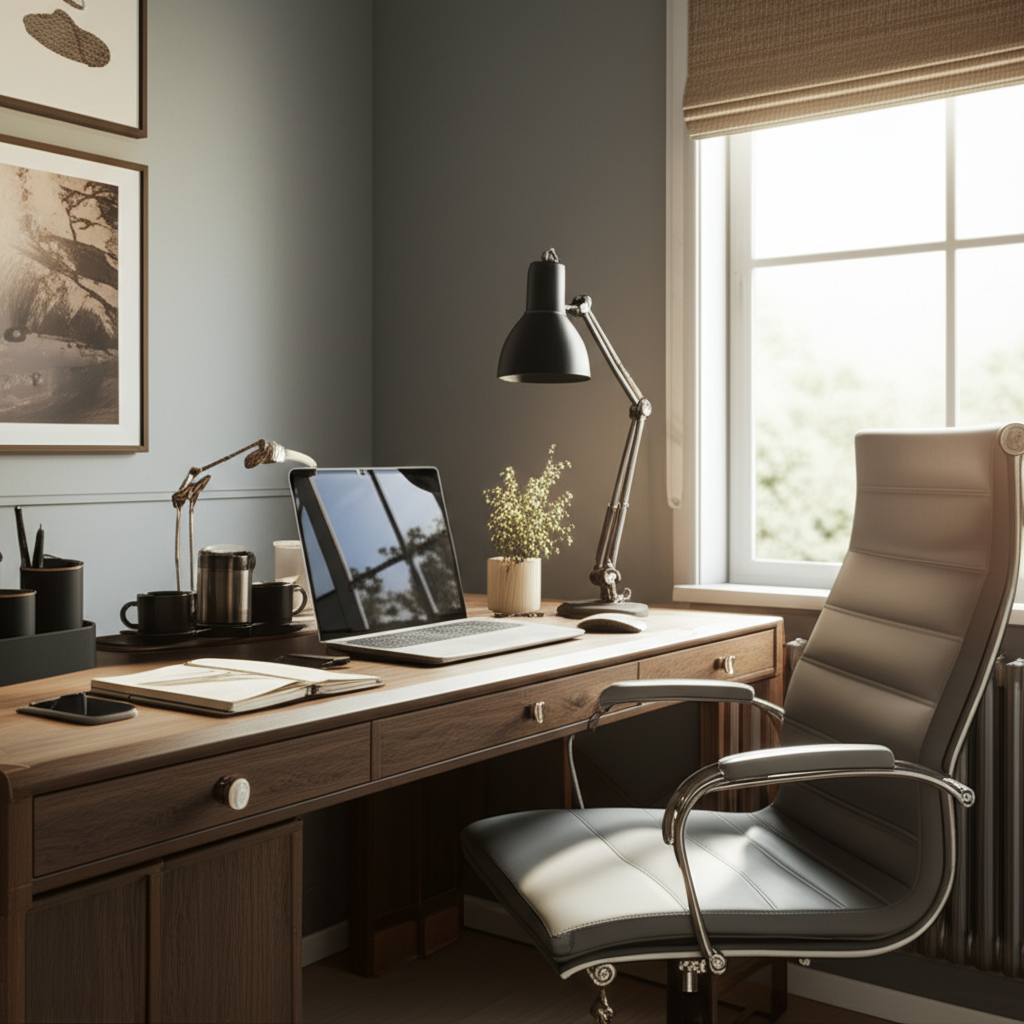
Published on: 19/10/2025 | Updated on: October 19, 2025
At Home Office Desk Ideas: Essential & Genius Designs for Your Productive Space
Transform your workspace with smart at home office desk ideas. Discover essential and genius designs that blend style, function, and comfort to boost your productivity and well-being.
Working from home has become a norm for many. Creating a dedicated and functional home office space is crucial for productivity and mental well-being. A well-designed desk is the heart of any home office. It’s not just a piece of furniture; it’s your command center. This guide will walk you through essential and genius at home office desk ideas to help you build a workspace that’s both inspiring and efficient. We’ll cover everything from layout to smart tech integrations.
Why Your Home Office Desk Matters More Than You Think
Your home office desk is more than just a surface to place your laptop. It’s where ideas are born, tasks are conquered, and your workday unfolds. A poorly designed desk can lead to discomfort, distraction, and reduced productivity. On the other hand, a thoughtfully chosen desk can enhance your focus, improve your posture, and even boost your mood. Investing time in finding the right at home office desk ideas can pay dividends in your daily work life.
This article will explore various at home office desk ideas, focusing on how to optimize your space for maximum efficiency and comfort. We will look at different desk types, ergonomic considerations, storage solutions, and how to integrate smart technology. By the end, you’ll have a clear vision for creating your ideal home office desk setup.
The Foundation: Choosing the Right Desk Type
Selecting the correct desk type is the first step in creating a functional home office. Different desk styles serve different needs and fit various spaces. Understanding these options will help you narrow down the best fit for your at home office desk ideas.
Standing Desks: The Health and Productivity Boost

Standing desks, also known as sit-stand desks, allow you to alternate between sitting and standing throughout your workday. This movement is great for your health, reducing the risks associated with prolonged sitting. Many models are adjustable, letting you easily switch positions.
Standing desks have been shown to improve posture and reduce back pain. Some studies suggest they can also boost energy levels and focus. For instance, a study published in the British Journal of Sports Medicine indicated that reducing sitting time could lead to significant health benefits. They are an excellent addition to any at home office desk ideas list aiming for a healthier lifestyle.
L-Shaped Desks: Maximizing Corner Space
L-shaped desks are perfect for corners and offer a large surface area. They provide ample room for multiple monitors, a printer, and other essentials. This design is ideal for those who need a lot of workspace.
These desks help organize your tasks by dedicating different sections to specific activities. One side could be for computer work, and the other for writing or creative tasks. This organization is a key element in many successful at home office desk ideas.
Compact and Wall-Mounted Desks: For Small Spaces
If you have limited space, a compact or wall-mounted desk is a smart solution. These desks often fold away, making them disappear when not in use. They are minimalist and highly functional for small apartments or rooms.
A wall-mounted desk can be as simple as a floating shelf. It frees up floor space, making the room feel larger. These are brilliant at home office desk ideas for anyone working in a studio apartment or a shared living area.
Executive Desks: Classic Style and Ample Storage
Executive desks offer a traditional, sophisticated look. They are usually large and provide substantial storage with drawers and cabinets. These desks make a statement and offer a robust workspace.
While they can be imposing, they offer a sense of authority and stability. They are a great choice if you value classic design and need plenty of storage for physical documents. Their sturdy build makes them a long-term investment for your at home office desk ideas.
Ergonomics: The Key to Comfort and Health
Ergonomics is about designing the workspace to fit the user. This ensures comfort, safety, and efficiency. Focusing on ergonomic at home office desk ideas prevents strain and injury.
The Importance of Proper Chair and Desk Height
Your chair and desk should be at the right height. Your feet should be flat on the floor, and your knees should be at a 90-degree angle. Your elbows should also rest at a 90-degree angle on the desk or armrests. This alignment reduces stress on your back, neck, and wrists.
Using a supportive chair is as important as the desk itself. Adjustable chairs allow you to fine-tune your seating position. Many office supply stores offer ergonomic assessments to help you find the right setup.
Monitor Placement for Eye Health
The placement of your monitor significantly impacts eye strain. The top of your screen should be at or slightly below eye level. You should be about an arm’s length away from the monitor. This positioning helps prevent neck strain and eye fatigue.
If you use multiple monitors, ensure they are positioned to minimize head turning. Using a monitor arm can help you achieve the optimal position easily. Good monitor placement is a non-negotiable part of smart at home office desk ideas.
Keyboard and Mouse Ergonomics
Your keyboard and mouse should allow your wrists to remain straight. Avoid bending your wrists up, down, or sideways. An ergonomic keyboard and mouse can help maintain a neutral wrist position.
Consider a keyboard tray if your desk is too high. This accessory can bring your keyboard and mouse closer to the ideal ergonomic height. Paying attention to these details makes a big difference in daily comfort.
Smart Storage Solutions: Declutter for Focus
A cluttered desk leads to a cluttered mind. Smart storage is essential for maintaining an organized and productive workspace. These at home office desk ideas focus on keeping your essentials within reach but out of sight.
Drawer Organizers and Inserts
Drawers can quickly become messy. Drawer organizers and inserts help categorize and separate items like pens, clips, and notepads. This makes finding what you need quick and easy.
Many organizers are adjustable to fit different drawer sizes. You can find them made from wood, plastic, or fabric. They are a simple yet effective way to bring order to your desk.
Floating Shelves and Wall Organizers
Utilize vertical space with floating shelves or wall-mounted organizers. These can hold books, files, plants, or decorative items. They keep your desk surface clear while providing accessible storage.
Pegboards are another versatile option. You can customize them with hooks, shelves, and containers to hold various items. This allows for flexible organization tailored to your needs.
Cable Management Systems
Tangled cables are unsightly and can be a tripping hazard. Cable management systems, such as ties, sleeves, or under-desk trays, keep wires neat and organized. This creates a cleaner look and safer workspace.
Smart power strips with USB ports can also reduce the number of adapters needed. This simplifies your setup and reduces cable clutter. Effective cable management is a subtle but vital part of any clean at home office desk ideas.
Lighting: Setting the Mood for Productivity
Good lighting is crucial for reducing eye strain and improving focus. The right lighting can make your workspace more inviting and productive. Consider these at home office desk ideas for illumination.
Natural Light: The Best Source
Position your desk to take advantage of natural light. A window can provide ample illumination and a connection to the outside world. Avoid placing your screen directly in front of or behind a window to prevent glare.
Studies have shown that exposure to natural light can improve mood and sleep patterns. Maximizing natural light is a simple yet powerful way to enhance your workspace. It’s a free and effective part of any at home office desk ideas strategy.
Task Lighting: Focused Illumination
Task lighting, such as a desk lamp, provides focused light for specific activities like reading or writing. Choose a lamp with adjustable brightness and position. An LED lamp is energy-efficient and long-lasting.
A good desk lamp can illuminate your immediate workspace without casting harsh shadows. This is especially important during evening hours or on cloudy days. Consider lamps with different color temperature settings to suit your preference.
Ambient Lighting: Creating Atmosphere
Ambient lighting provides overall illumination for the room. This could be a ceiling light or floor lamps. Soft, diffused ambient light can create a calming atmosphere.
Smart bulbs allow you to adjust the color and brightness of your ambient lighting. You can set different moods for different tasks or times of day. Thoughtful ambient lighting complements your at home office desk ideas for a more pleasant environment.
Integrating Technology: Smart Gadgets for Efficiency
Technology can significantly enhance your home office setup. Smart gadgets can automate tasks, improve communication, and boost productivity. Here are some tech-focused at home office desk ideas.
The All-in-One Smart Display
A smart display, like an Amazon Echo Show or Google Nest Hub, can be a central hub for your workspace. It can manage your calendar, play music, make calls, and control smart home devices. Some models even offer video conferencing capabilities.
These devices can act as a digital assistant, reminding you of tasks and appointments. They help keep your digital life organized without needing to constantly check your phone or computer. This integration is a key part of modern at home office desk ideas.
Wireless Charging Pads and Hubs
Tired of tangled charging cables? A wireless charging pad allows you to power up your compatible devices simply by placing them on the pad. A multi-device charging hub can charge several gadgets at once.
This not only declutters your desk but also ensures your devices are always ready to go. Many desk organizers now incorporate wireless charging capabilities. This seamless integration is a hallmark of efficient at home office desk ideas.
Smart Lighting and Plugs
Smart bulbs and smart plugs allow you to control your lighting and other devices remotely. You can turn lights on or off, adjust brightness, and set schedules using your smartphone or voice commands. This adds convenience and can even save energy.
Imagine your desk lamp turning on automatically as you sit down to work. Or your coffee maker starting before you even get out of bed. These small automations contribute to a smoother workday. They are a simple yet powerful addition to your at home office desk ideas.
Personalization: Making Your Desk Your Own
Your home office should reflect your personality and preferences. Personalizing your workspace can make it more enjoyable and inspiring. These at home office desk ideas focus on adding a personal touch.
Incorporate Plants for Life and Color
Plants add life, color, and a sense of calm to any space. They can also improve air quality. Choose low-maintenance plants like snake plants or ZZ plants for your desk.
A small potted plant or a succulent can make a big difference. It breaks up the monotony of technology and brings a touch of nature indoors. This is a simple yet impactful way to personalize your at home office desk ideas.
Display Inspiring Art or Photos
Surround yourself with things that motivate you. This could be artwork, inspiring quotes, or personal photographs. These items serve as reminders of your goals and passions.
Framed photos of loved ones or a piece of art that speaks to you can create a positive atmosphere. Keep it curated so it doesn’t become distracting. Personal touches make your workspace feel uniquely yours.
Choose Colors That Boost Your Mood
Colors have a significant impact on mood and productivity. Blues and greens are often associated with calmness and focus. Yellows and oranges can promote creativity and energy.
Consider incorporating these colors through desk accessories, stationery, or even a small accent wall. Choose colors that resonate with you and help you feel your best. This is a vital aspect of designing at home office desk ideas that truly work for you.
Desk Setup for Specific Professions
Different professions have unique needs for their home office setups. Tailoring your desk to your work is key. Here are some at home office desk ideas for common professions.
For the Creative Professional (Designer, Writer, Artist)
Creatives often need ample space for sketches, mood boards, or physical materials. A large desk surface is essential. Consider an adjustable-height desk to switch between sitting and standing during long creative sessions.
Good lighting is paramount for detail work. Keep inspiration readily available with pinboards or shelves. Think about easy access to drawing tools, notebooks, and reference materials. These at home office desk ideas prioritize flexibility and inspiration.
For the Tech Professional (Developer, Analyst)
Tech professionals often require multiple monitors for coding, data analysis, or research. A wide desk or an L-shaped desk can accommodate this setup. Invest in a good monitor stand or arm to optimize placement and save space.
Cable management is critical here to keep the setup clean and organized. Consider a desk with built-in USB ports or a docking station for easy connectivity. Ergonomic peripherals like a mechanical keyboard and a precision mouse are also beneficial. This approach focuses on efficiency and minimizing distractions.
For the Student
Students need a workspace that is conducive to studying and organization. A compact desk with built-in storage can be ideal. Prioritize good lighting for late-night study sessions.
A desk that can accommodate textbooks, a laptop, and a notebook is essential. Consider a desk with a whiteboard surface for jotting down ideas or assignments. Keeping study materials organized is a key component of these at home office desk ideas.
The AI Integration: Future-Proofing Your Workspace
Artificial intelligence is rapidly changing how we work and interact with technology. Integrating AI into your home office can boost efficiency and unlock new possibilities. These are forward-thinking at home office desk ideas.
AI-Powered Productivity Apps
Numerous AI-powered apps can streamline your workflow. Tools like Grammarly use AI to improve your writing. Project management software with AI features can help organize tasks and predict deadlines.
AI assistants can schedule meetings, manage emails, and summarize documents. Exploring these applications can help you automate repetitive tasks and focus on higher-value work. This makes your at home office desk ideas smarter and more efficient.
Smart Desk Features and Automation
The concept of a “smart desk” is evolving. Some desks now incorporate built-in wireless chargers, USB ports, and even adjustable lighting. Future desks might integrate AI to adjust settings based on your preferences or work habits.
Imagine a desk that automatically adjusts its height when you’ve been sitting too long or adjusts lighting based on the time of day. These are emerging at home office desk ideas that blend furniture with intelligent technology. Companies like [mention a known smart furniture brand, e.g., Fully, Uplift Desk] are at the forefront of this innovation.
Using AI for Research and Content Creation
AI tools can assist with research, data analysis, and even content generation. Large language models can help brainstorm ideas, draft emails, or summarize complex information. This can significantly speed up your research and writing processes.
When used responsibly, AI can be a powerful co-pilot for many knowledge workers. It allows you to process information faster and generate ideas more readily. Integrating AI assistance is a smart move for anyone looking to maximize their at home office desk ideas.
Creating Your Ideal At Home Office Desk Setup: A Step-by-Step Approach
Building your perfect home office desk setup doesn’t have to be overwhelming. Follow these steps to create a space that works for you. These are practical at home office desk ideas to get you started.
1. Assess Your Space: Measure your available area and note any architectural features like windows or outlets. This will help determine the size and type of desk that will fit best. Consider how much natural light you have.
2. Define Your Needs: What type of work do you do? How much equipment do you need? Do you need storage? Answering these questions will guide your desk choice and accessory selection.
3. Prioritize Ergonomics: Select a chair that provides good support. Ensure your desk height allows for a comfortable posture. Plan your monitor placement for optimal viewing.
4. Plan Your Storage: Decide how you will organize your supplies, documents, and cables. Use drawer organizers, shelves, or cable management solutions. A tidy desk leads to a tidy mind.
5. Consider Lighting: Maximize natural light and supplement with task and ambient lighting. Good lighting reduces eye strain and improves focus.
6. Integrate Technology Wisely: Choose gadgets that genuinely enhance your productivity, like wireless chargers or smart displays. Avoid unnecessary clutter.
7. Personalize Your Space: Add elements that inspire you, like plants or artwork. Make your desk a place you enjoy spending time.
8. Test and Adjust: Once set up, use your desk for a week. Make small adjustments as needed to improve comfort and workflow.
These steps will help you systematically implement your at home office desk ideas for a truly functional and inspiring workspace.
Frequently Asked Questions About Home Office Desk Ideas
What is the most important factor when choosing a home office desk?
The most important factor is ergonomics. Ensuring your desk and chair setup supports good posture prevents discomfort and long-term health issues. It makes your workspace enjoyable and sustainable.
How much space do I need for a home office desk?
You can set up a functional home office in surprisingly little space. Even a small corner can work with a compact desk or a wall-mounted solution. A minimum of 2×3 feet is often sufficient for basic computer work.
Should I get a standing desk?
Standing desks offer significant health benefits by reducing sedentary time. They can improve energy levels and focus. If you spend long hours at your desk, a sit-stand desk is a worthwhile investment for your well-being.
How can I organize cables behind my desk?
Use cable ties, sleeves, or under-desk trays to bundle and hide wires. Cable clips can also attach cords to the desk legs or edges. Keeping cables managed creates a cleaner look and reduces tripping hazards.
What kind of lighting is best for a home office?
A combination of natural light, task lighting (like a desk lamp), and ambient lighting is ideal. Aim for sufficient illumination to prevent eye strain without causing glare on your screen. Adjustable lighting is highly recommended.
Can I use furniture I already own for my home office desk?
Absolutely. A sturdy dining table or even a console table can function as a temporary or permanent home office desk. The key is to ensure it’s at an ergonomic height and provides enough space for your work essentials.
Conclusion: Your Productive Oasis Awaits
Creating an effective home office desk setup is an investment in your productivity and well-being. By considering ergonomic principles, smart storage, optimal lighting, and integrating technology thoughtfully, you can transform any corner into a functional and inspiring workspace. Remember, the best at home office desk ideas are those that cater to your specific needs and preferences, making your workdays more comfortable and efficient. Start with the basics, experiment with different elements, and don’t be afraid to personalize your space. Your ideal productive oasis is within reach!
If you found these at home office desk ideas helpful, consider exploring more ways to optimize your home workspace.

Belayet Hossain is a Senior Tech Expert and Certified AI Marketing Strategist. Holding an MSc in CSE (Russia) and over a decade of experience since 2011, he combines traditional systems engineering with modern AI insights. Specializing in Vibe Coding and Intelligent Marketing, Belayet provides forward-thinking analysis on software, digital trends, and SEO, helping readers navigate the rapidly evolving digital landscape. Connect with Belayet Hossain on Facebook, Twitter, Linkedin or read my complete biography.