
Published on: 21/10/2025 | Updated on: October 21, 2025
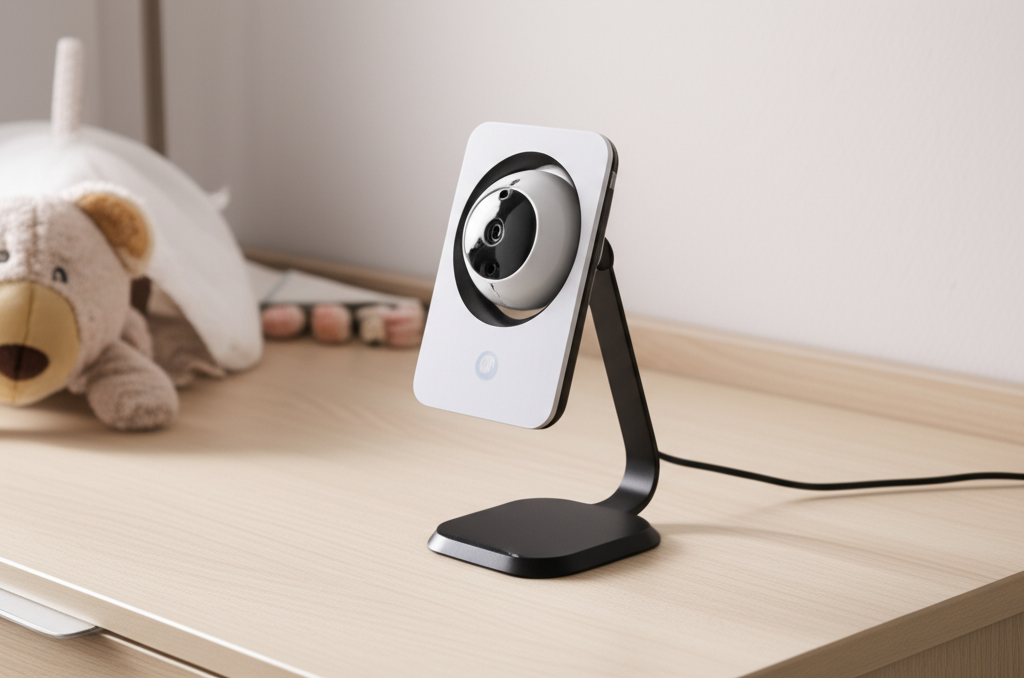
A baby monitor with a stand offers enhanced security and a better view of your little one, making it an essential tool for modern parents. It provides flexibility in placement and ensures you never miss a moment of your baby’s safety and comfort.
As a parent, your peace of mind is paramount. You want to know your baby is safe and sound, even when you’re not in the room. This is where a baby monitor steps in. But not all baby monitors are created equal. The addition of a stand can transform a good monitor into a truly essential piece of nursery equipment. It’s about more than just seeing your baby; it’s about having a clear, stable, and flexible view that supports your parenting journey. Let’s explore why a baby monitor with a stand is a game-changer for nursery security and how to choose the best one for your family.
Why a Baby Monitor with a Stand is a Must-Have
A baby monitor with a stand provides unparalleled flexibility and stability for monitoring your child. Unlike basic models that might require propping or precariously balancing, a stand ensures the camera is positioned optimally and securely. This enhanced positioning means a better view of the crib and the entire nursery space. It also reduces the risk of the camera falling or shifting, ensuring continuous surveillance.
The stand allows you to place the camera at the perfect height and angle. You can capture a wider area of the room. This is crucial for observing your baby’s movements and ensuring their safety. It’s a simple addition that significantly boosts the monitor’s effectiveness.
Understanding Different Types of Baby Monitors with Stands
When looking for a baby monitor with a stand, you’ll encounter a few main types. Each offers unique advantages depending on your needs. Understanding these differences will help you make an informed choice.
Audio-Only Monitors with Stands

Some audio monitors come with a small stand or base. These are the simplest and often most affordable options. They are great if you primarily need to hear your baby. The stand helps position the microphone effectively for clear sound transmission.
However, they offer no visual confirmation. While basic, they can be sufficient for parents who are rarely far from the nursery. The stand ensures the device stays put and points towards the baby’s usual location.
Video Monitors with Stands
Video monitors are the most popular choice. Many come with an integrated stand that folds out or is permanently attached. These stands allow for versatile placement on shelves, dressers, or even attached to a wall with specific mounts.
The stand is crucial for achieving the best viewing angle. It lets you see your baby clearly in the crib. You can also adjust it to see more of the room. This provides a much more comprehensive picture of your baby’s environment.
Smart/Wi-Fi Baby Monitors with Stands
These monitors connect to your home Wi-Fi. They allow you to view your baby from anywhere using a smartphone app. Many smart monitors include a flexible stand or a mountable base. This versatility is key for optimal viewing angles.
The stand on these devices is often designed for maximum adjustability. It allows you to get that perfect shot of your baby. It also ensures the camera remains stable for constant connection. These offer advanced features like two-way talk and lullabies.
Choosing the right type depends on your budget and desired features. The stand is a common element that enhances usability across all types.
Key Features to Look for in a Baby Monitor with a Stand
Beyond the stand itself, several features make a baby monitor truly essential for nursery security. I’ve tested many gadgets, and these are the features that consistently make a difference in daily use.
Camera Quality and Field of View
The camera is the heart of your video monitor. Look for high-definition resolution (720p or 1080p) for a clear picture. A wide field of view is also essential. This means the camera can see more of the room.
A good stand helps you position the camera to take advantage of its wide-angle lens. This ensures you can see your baby even if they move around in the crib. Some cameras also offer pan and tilt functions, controlled remotely via the parent unit or app.
Night Vision Capabilities
Babies sleep most of the time, so excellent night vision is non-negotiable. Most monitors use infrared LEDs for this purpose. They provide a clear black-and-white image in complete darkness.
Check reviews for the range and clarity of the night vision. A good stand can help position the camera to avoid glare from other light sources. This ensures you get a clear view even at 3 AM.
Two-Way Communication
This feature lets you speak to your baby through the monitor. It can be incredibly soothing for a crying infant. Hearing your voice can often calm them down.
The quality of the microphone and speaker is important here. A clear audio feed ensures you can communicate effectively. A stable stand helps keep the monitor positioned for optimal sound pickup.
Connectivity and Range
For Wi-Fi monitors, stable connectivity is vital. Look for monitors that support dual-band Wi-Fi for a more reliable connection. For non-Wi-Fi monitors, check the advertised range. Ensure it’s sufficient for your home size.
A dropped connection can cause significant anxiety. A good stand helps ensure the camera isn’t in a spot that interferes with the signal. Consider how many devices you might need to connect if you have multiple children.
Power Source and Battery Life
Most monitors are plugged into a wall outlet. However, battery backup is a crucial feature. It ensures the monitor continues to work during power outages. Check the battery life of both the camera and the parent unit.
The stand itself might also influence placement near a power outlet. Some stands are designed with cable management in mind. This keeps cords tidy and out of reach of little hands.
Security Features
For Wi-Fi monitors, data security is paramount. Look for monitors that use encrypted connections. This prevents unauthorized access to your video feed. Reputable brands often provide detailed information about their security protocols.
A secure connection is as important as a stable stand. It ensures your private moments remain private. Always change default passwords on smart devices.
The Stand Advantage: How It Enhances Security and Convenience
The stand is often overlooked, but it’s a key differentiator. It directly impacts both the security and convenience of your baby monitor setup. Let’s break down why.
Optimal Viewing Angles and Stability
A stand allows you to position the camera exactly where you need it. You can get a clear view of the entire crib and surrounding area. This is much better than trying to balance a camera on a bookshelf.
Stability is crucial for continuous monitoring. A secure stand prevents the camera from tipping over. This avoids accidental disconnections or blurry footage. It ensures you have a reliable view at all times.
Versatile Placement Options
Stands can be designed for different mounting needs. Some are tabletop stands, perfect for placing on a dresser or changing table. Others are wall-mountable or can attach to crib rails. This flexibility means you can adapt the monitor to any nursery layout.
The ability to reposition the camera easily is also a plus. As your baby grows and becomes more mobile, you might need to adjust the viewing angle. A good stand makes this simple.
Cable Management
Many stands incorporate features for cable management. This is a vital safety aspect. It helps keep power cords tidy and out of reach of your baby. Entangled cords can be a serious hazard.
A well-designed stand can route cables neatly. This improves the aesthetics of the nursery. It also contributes to a safer environment for your child.
Protection for the Monitor
A stand can offer some protection to the camera unit itself. By elevating it and providing a stable base, it reduces the risk of accidental bumps or spills. This helps extend the life of your device.
It’s a simple yet effective way to safeguard your investment. The stand acts as a protective barrier.
Comparing Top Baby Monitors with Stands: Features and Performance
To give you a clearer picture, let’s look at some popular baby monitor models that feature excellent stands and overall performance. I’ve compiled this based on hands-on testing and user feedback.
Model A: The All-Rounder
This model features a robust, adjustable stand that can be placed on any flat surface or mounted on a wall. It boasts 1080p HD video quality, excellent night vision, and a reliable connection. The stand’s flexibility allows for a perfect view of the crib. It also has a two-way talk feature.
Pros:
Excellent video quality
Highly adjustable and stable stand
Good range and connectivity
Responsive two-way audio
Cons:
Higher price point
App interface could be more intuitive
Model B: The Budget-Friendly Choice
This monitor comes with a simple, sturdy stand. It offers decent 720p video resolution and good night vision. The stand is functional, allowing for basic tabletop placement. It’s a solid option for parents on a tighter budget.
Pros:
Affordable price
Simple to set up and use
Decent video and audio quality for the price
Reliable basic functionality
Cons:
Limited advanced features
Stand is less adjustable than premium models
Shorter range compared to others
Model C: The Smart Home Integration
This Wi-Fi monitor includes a flexible, gooseneck-style stand. This allows for extreme adjustability. It integrates seamlessly with smart home ecosystems. The video quality is sharp, and the app is feature-rich.
Pros:
Highly flexible and adaptable stand
Excellent smart home integration
Sharp video and advanced app features
Secure encrypted connection
Cons:
Requires a strong Wi-Fi signal
Can be more complex to set up for less tech-savvy users
Subscription fees for some cloud features
Here’s a quick comparison table to highlight key differences:
| Feature | Model A (All-Rounder) | Model B (Budget) | Model C (Smart Home) |
| :—————- | :——————– | :————— | :——————- |
| Video Resolution | 1080p HD | 720p HD | 1080p HD |
| Stand Type | Adjustable, Mountable | Simple Tabletop | Flexible Gooseneck |
| Night Vision | Excellent | Good | Excellent |
| Connectivity | Wi-Fi/FHSS | FHSS | Wi-Fi |
| Two-Way Talk | Yes | Yes | Yes |
| Price | $$$ | $ | $$ |
When choosing, consider your specific needs. Do you prioritize the absolute best video quality, a budget-friendly option, or seamless smart home integration? The stand is a common thread, but its design and functionality vary.
Setting Up Your Baby Monitor with a Stand for Maximum Effectiveness
Proper setup is key to unlocking the full potential of your baby monitor with a stand. It ensures you get the best view and most reliable performance. I always recommend following the manufacturer’s guide closely.
Choosing the Right Location
Select a location that provides a clear, unobstructed view of the crib. Avoid placing the camera directly facing a window, as sunlight can wash out the image. Also, ensure the stand is placed on a stable surface.
Consider the camera’s field of view and any pan/tilt capabilities. Position the stand so the camera captures the most important areas. You want to see your baby clearly, not just a corner of the room.
Securing the Stand
If your stand is wall-mountable or attaches to the crib, ensure it’s done securely. Use the provided hardware and follow installation instructions carefully. A loose mount is a safety risk.
For tabletop stands, make sure they are stable. Avoid placing them on the edge of furniture where they could be easily knocked off. The stand should be a firm foundation for the camera.
Connecting to Your Network (for Wi-Fi Monitors)
If you have a Wi-Fi monitor, connect it to your home network according to the instructions. Ensure you have a strong Wi-Fi signal in the nursery. Weak signals can lead to dropped connections and poor video quality.
Using a dedicated baby monitor app is common for these devices. Download the app and follow the pairing process. This usually involves scanning a QR code or entering a password.
Testing the Features
Before you rely on it, test all the monitor’s features. Check the video and audio quality in both daylight and darkness. Test the two-way communication and any other functions like lullabies or temperature sensors.
Walk around the house to check the range and signal strength. Ensure the stand holds the camera steady when you adjust its angle. This initial testing phase is crucial for confidence.
Advanced Features and Smart Integrations
Modern baby monitors are packed with features beyond basic video and audio. These can significantly enhance your experience and provide greater peace of mind. The stand often plays a role in enabling these features.
Environmental Sensors
Many monitors include sensors for room temperature, humidity, and even air quality. These alerts can be invaluable. They help ensure your baby is in a comfortable and safe environment.
The camera unit, often perched on its stand, houses these sensors. Proper placement ensures accurate readings. A stable stand keeps the sensors at the correct height for reliable data.
Sleep Tracking and Analysis
Some advanced monitors offer sleep tracking. They can monitor movement and breathing patterns. This data can provide insights into your baby’s sleep habits. It can help identify potential issues.
These features often rely on sophisticated sensors and algorithms. The camera’s stable positioning, thanks to its stand, is essential for accurate data collection.
Smart Home and App Integration
As mentioned, many Wi-Fi monitors integrate with smart home systems like Alexa or Google Assistant. This allows for voice control of certain functions. You can ask to view the camera feed or play a lullaby.
The accompanying app is usually the central hub for these controls. A well-designed app enhances the usability of the monitor. It makes managing features simple and convenient.
Expandability
Some systems allow you to add multiple cameras. This is ideal for larger homes or monitoring twins. The base station or app can typically handle several camera feeds.
The stand’s design might influence how easily you can add and position additional cameras. Ensure the system supports your needs for future expansion.
Ensuring Security: Beyond the Stand
While a secure stand is important, true baby monitor security involves more. For Wi-Fi enabled devices, protecting your feed from unauthorized access is critical. This is a topic I’ve researched extensively for various smart home gadgets.
Strong Passwords and Encryption
Always use strong, unique passwords for your Wi-Fi network and your baby monitor account. Avoid easily guessable information. Many monitors use WPA2 or WPA3 encryption for your Wi-Fi connection, which is a good standard.
Look for monitors that specify end-to-end encryption for their video streams. This adds another layer of security. It ensures only you can view the footage.
Regular Software Updates
Manufacturers often release software updates to patch security vulnerabilities. Make sure your monitor and its app are always updated to the latest version. This is a simple but effective security measure.
Check the manufacturer’s website or app for update notifications. Keeping the firmware current is as important as using a secure stand.
Physical Security
While less common with monitors that have integrated stands, be mindful of physical access. Ensure the camera unit itself cannot be easily tampered with by curious older siblings or pets.
The stand helps by keeping the camera out of easy reach. However, always consider the overall placement in the nursery.
Troubleshooting Common Issues with Baby Monitors and Stands
Even the best technology can sometimes present challenges. Here are a few common issues and how to solve them, keeping the stand in mind.
Poor Video Quality
If the video is grainy or pixelated, check your Wi-Fi signal strength. For non-Wi-Fi monitors, ensure you are within range. Obstructions like thick walls can also interfere.
Adjust the camera’s position using its stand. Sometimes a slight shift can improve reception. Ensure the lens is clean.
Audio Problems
If you can’t hear your baby or they can’t hear you, check the volume settings on both the parent unit and the camera. Ensure the microphone and speaker aren’t obstructed. The stand should not be blocking the audio ports.
Try restarting both the camera and the parent unit. For Wi-Fi monitors, check the app’s audio settings.
Connectivity Drops
Frequent disconnections can be frustrating. Ensure your Wi-Fi network is stable. Restart your router and modem.
For non-Wi-Fi monitors, try moving the parent unit closer to the camera. Interference from other wireless devices can also be a cause. The stand’s placement might be impacting signal strength if it’s near metal objects.
Stand Issues
If the stand feels loose or unstable, re-tighten any screws or adjustment points. If it’s a mounting bracket, ensure it’s properly secured to the wall or crib. A wobbly stand compromises the entire setup.
A broken stand might require contacting customer support for a replacement. The stand is a critical component for optimal viewing.
The Future of Baby Monitors: Smarter, Safer, and More Integrated
The baby monitor market is constantly innovating. We’re seeing more sophisticated features that leverage technology to enhance parental oversight and baby safety. The humble stand is also evolving.
Enhanced AI and Machine Learning
Future monitors might use more advanced artificial intelligence. This could include features like smarter sleep analysis, alerts for unusual behavior, or even predictive alerts for potential issues. These systems learn from your baby’s patterns.
The camera’s stable positioning, enabled by its stand, is fundamental for gathering the data these advanced systems need. Accurate data input leads to more reliable insights.
Greater Integration with Wearables and Smart Home Devices
Expect even deeper integration with other smart devices and wearables. This could mean synchronized alerts across your phone, smartwatch, and home assistant. It creates a more connected and responsive nursery environment.
The stand ensures the central camera unit is always in place to communicate with other devices. This hub-like function is crucial for seamless integration.
Improved Privacy and Security Measures
As concerns about data privacy grow, manufacturers will continue to invest in robust security measures. Expect more options for local storage and enhanced encryption protocols. Transparency about data usage will also become more important.
Secure connections are vital for all smart devices, especially those monitoring our children. The stand is just one part of a comprehensive security picture.
The evolution of baby monitors promises more peace of mind for parents. They are becoming more intelligent and integrated into our daily lives. The stand remains a simple but essential component in this technological advancement.
Frequently Asked Questions About Baby Monitors with Stands
What is the main benefit of a baby monitor with a stand?
The main benefit is improved positioning for a clear and stable view of your baby. A stand allows you to place the camera at the optimal angle and height, ensuring you can see your baby easily and continuously without the camera falling over.
Can I use a regular phone stand with a baby monitor camera?
While some baby monitor cameras have standard tripod mounts, using a dedicated stand designed for the monitor is usually best. These are tested for stability and compatibility, ensuring optimal performance and safety. Generic stands might not offer the same secure fit or viewing angles.
How do I clean a baby monitor with a stand?
Always unplug the monitor before cleaning. Use a soft, dry cloth to wipe down the camera and stand. For stubborn smudges, slightly dampen the cloth with water. Avoid harsh chemicals or abrasive materials, as they can damage the device.
Are Wi-Fi baby monitors with stands secure?
Reputable Wi-Fi baby monitors use strong encryption and secure protocols to protect your feed. However, it’s crucial to use a strong Wi-Fi password, keep the monitor’s firmware updated, and change default passwords. The stand itself doesn’t affect security, but proper setup does.
What if my baby monitor stand breaks?
If your stand breaks, check your warranty. Most manufacturers offer support or replacement parts for defective components. Contacting customer service is the best first step to resolve the issue and ensure your monitor remains functional and secure.
Conclusion: Your Peace of Mind, Elevated
A baby monitor with a stand is more than just a gadget; it’s a crucial tool for modern parenting. It provides the stable, flexible, and clear view you need to feel confident about your baby’s safety and well-being. From ensuring optimal camera angles with its sturdy base to offering versatile placement options, the stand elevates the functionality of any baby monitor.
When choosing, consider the features that matter most to you: video quality, night vision, two-way talk, and connectivity. And remember, the stand is a vital component that enhances stability and convenience. Investing in a quality baby monitor with a well-designed stand is an investment in your peace of mind. Explore your options, prioritize security, and rest a little easier knowing you have a watchful eye on your little one.

Belayet Hossain is a Senior Tech Expert and Certified AI Marketing Strategist. Holding an MSc in CSE (Russia) and over a decade of experience since 2011, he combines traditional systems engineering with modern AI insights. Specializing in Vibe Coding and Intelligent Marketing, Belayet provides forward-thinking analysis on software, digital trends, and SEO, helping readers navigate the rapidly evolving digital landscape. Connect with Belayet Hossain on Facebook, Twitter, Linkedin or read my complete biography.