
Published on: 21/10/2025 | Updated on: October 21, 2025
The back to back desk home office setup is a smart solution for maximizing workspace in tight areas, offering efficiency and focus. This guide reveals essential tips and genius configurations for creating an optimal, productive environment without compromise.
Setting up a home office can feel like a puzzle, especially when space is limited. You might find yourself staring at a room, wondering how to fit everything you need to work effectively. A common challenge is arranging desks to maximize both productivity and comfort. This is where the back to back desk home office setup shines, offering a clever way to double your workspace potential. I’ve seen many setups, and this one often gets overlooked but delivers amazing results. We’ll walk through how to create this efficient space, step by step.
What is a Back to Back Desk Home Office Setup?
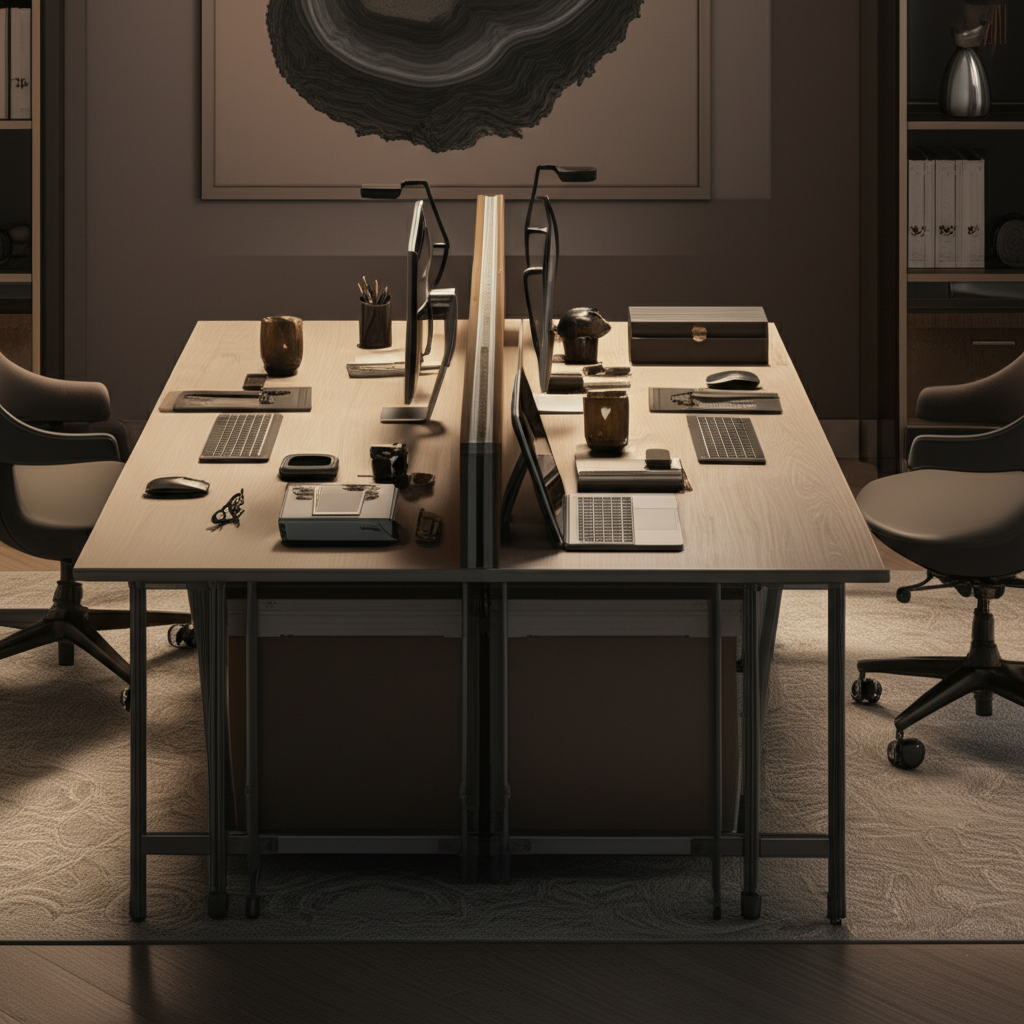
A back to back desk home office setup places two desks facing each other, with their backs almost touching. This arrangement is perfect for small rooms or when you need to accommodate two people in the same area. It allows for independent workspaces while fostering a sense of shared, yet private, productivity. This setup is a genius way to utilize vertical space and create defined work zones.
The core idea is to create two distinct workstations that share a central point, usually a shared leg system or a cleverly positioned divider. This is a highly efficient use of floor space, especially in smaller apartments or studios. It’s a popular choice for couples, roommates, or even individuals who simply want a more compact yet functional office.
Why Choose a Back to Back Desk for Your Home Office?
Choosing this setup offers significant advantages, particularly for those with limited square footage. It maximizes the use of space, allowing two people to work comfortably side-by-side without feeling cramped. This configuration can also enhance focus by creating a defined work area. It’s a practical solution for modern living.
This setup is incredibly space-saving. Instead of two separate desks taking up two different spots, they occupy a single footprint. This leaves more room for movement or other furniture in your home. It’s also a cost-effective option, as many back-to-back desks are designed as single units.
Key Benefits of the Back to Back Desk Arrangement
This desk configuration offers several compelling benefits that make it a standout choice for home offices. It’s about smart design meeting practical needs. Let’s break down why it’s so great.
Space Efficiency: It’s the most obvious win. You get two workspaces from the area usually needed for one, or slightly more.
Enhanced Focus: Each person has their own defined zone. This can reduce distractions and help you get into a work mindset.
Cost-Effectiveness: Many back-to-back desks are sold as single units, often cheaper than buying two separate desks.
Collaboration Potential: While separate, the proximity allows for easy communication and quick collaboration.
Aesthetic Appeal: A well-designed back to back desk can look very modern and organized.
The efficiency of this setup is unmatched for smaller spaces. It allows individuals to maintain privacy while still being in the same room. This is a huge plus for anyone working from home.
Designing Your Back to Back Desk Layout: Essential Considerations
Before you buy or build, think about how you’ll use the space. Consider the dimensions of your room and the equipment you’ll need. Proper planning prevents future headaches.
Room Dimensions and Traffic Flow

Measure your space carefully. You need enough room for the desks and comfortable walking space around them. Aim for at least 3 feet of clearance for walkways.
A common mistake is underestimating the space needed for chairs to swivel and people to move. Ensure there’s enough room to get in and out of your chairs without bumping into anything. This makes the workspace functional, not just a tight squeeze.
Lighting: Natural and Artificial
Good lighting is crucial for productivity and eye health. Position your desks to take advantage of natural light if possible. Avoid glare on your screens.
Supplement natural light with task lighting, like desk lamps. This ensures you have adequate light even on cloudy days or in the evening. Proper illumination reduces eye strain and boosts mood.
Power and Cable Management
You’ll need access to power outlets for your devices. Plan where your computers, monitors, and other gadgets will go. Good cable management keeps your workspace tidy and safe.
Consider a power strip with surge protection. You can also use cable ties, sleeves, or under-desk trays to hide wires. A clean setup reduces visual clutter and makes working more pleasant.
Essential Components for Your Back to Back Desk Setup
To make your back to back desk home office truly shine, you need the right components. Think about functionality, comfort, and how each piece contributes to your workflow.
The Desks Themselves
You have options: buy a dedicated back-to-back desk unit, or configure two separate desks. Dedicated units are often designed for stability and cable management. Using two separate desks allows for more customization in size and style.
Look for desks with ample surface area for your monitors, keyboard, and other essentials. Consider the height and depth to ensure comfortable seating and workspace. A sturdy build is paramount for longevity.
Ergonomic Seating
Comfortable chairs are non-negotiable for long work hours. Invest in ergonomic chairs that offer good lumbar support and adjustable features. Your back will thank you.
Adjust your chair height so your feet are flat on the floor and your arms are at a 90-degree angle when typing. Proper ergonomics prevent strain and improve posture. This is a critical investment in your well-being.
Monitors and Display Setup
Decide how many monitors you need and how you’ll position them. A dual-monitor setup can significantly boost productivity. Consider monitor arms for flexibility and space-saving.
Mounting monitors can free up valuable desk space. It also allows for easier adjustment of screen height and angle for optimal viewing. This is especially useful in a shared desk setup.
Peripherals and Accessories
Think about keyboards, mice, webcams, and speakers. Choose wireless options to reduce cable clutter. Desk organizers can keep your essentials within reach.
Smart accessories can further enhance your workspace. Consider a high-quality microphone for video calls or a USB hub for easy connectivity. These small additions make a big difference.
Genius Configurations and Customizations
Beyond the basics, there are smart ways to enhance your back to back desk setup. These ideas can elevate your workspace from functional to fantastic.
The Shared Divider Solution
A central divider can add privacy and functionality. It can be a simple wooden panel, a fabric screen, or even a shelf unit. This creates a clear separation between workspaces.
This divider can also serve as a mounting point for accessories or a small whiteboard. It adds a visual break and helps define each person’s territory. This is a simple but effective customization.
Smart Storage Solutions
Maximize storage without taking up too much floor space. Consider wall-mounted shelves above the desks or slim filing cabinets that fit underneath. Vertical storage is your friend.
Desk organizers, drawers, and monitor stands with built-in storage can keep your surface clear. A tidy desk leads to a clearer mind and more efficient work. Every bit of organization helps.
Lighting Strategies for Dual Users
Each user might have different lighting preferences. Consider individual desk lamps that can be adjusted independently. This caters to specific needs without interfering with the other person.
You can also use smart bulbs that allow for color temperature and brightness adjustments. This offers a personalized lighting experience for each workstation. It’s a modern approach to a classic problem.
Technology Integration for Enhanced Productivity
Leveraging technology is key to a modern, efficient home office. Smart devices and tools can streamline your workflow significantly.
Dual Monitor Powerhouse
For many professionals, dual monitors are essential. A back to back setup easily accommodates this. You can even arrange them so each person has their own dual setup.
Consider ultrawide monitors or a monitor arm that holds two screens per person. This setup allows you to view multiple applications simultaneously, saving time switching windows.
Connectivity Hubs and Docking Stations
With multiple devices, managing connections can be complex. A docking station or USB hub simplifies this. It allows you to connect all your peripherals with a single cable.
This is especially useful if you use a laptop that you frequently disconnect. It ensures a seamless transition between your office setup and on-the-go work.
Smart Devices for a Connected Office
Smart plugs can help manage power for your devices. Smart speakers can assist with tasks or play ambient background noise. Think about how technology can serve your workflow.
For example, a smart light can adjust its brightness based on the time of day. This subtle automation can improve comfort and focus throughout your workday.
Maintaining Focus and Privacy in a Shared Space
Working back to back means proximity, which can sometimes lead to distractions. Implementing strategies for focus and privacy is vital for sustained productivity.
Noise Management Techniques
Headphones are your best friend in a shared workspace. Noise-canceling headphones can create a personal bubble of quiet. Even simple earbuds can help block out ambient noise.
Consider using ambient sound apps or white noise generators. These can mask distracting sounds and create a more consistent auditory environment. A calm soundscape aids concentration.
Establishing Work Boundaries
Clear communication about work hours and needs is essential. Agree on quiet times or when it’s okay to chat. Setting expectations prevents misunderstandings.
Using visual cues, like a small sign or a specific desk lamp, can signal when someone is in deep focus mode. This non-verbal communication helps maintain privacy. It’s about mutual respect.
Personalizing Your Workspace
Even with shared desks, make your area your own. Add personal touches that inspire you. A plant, a photo, or a favorite mug can make the space feel more yours.
This personalization can boost morale and make your workspace more inviting. It helps distinguish your area and makes it a more comfortable place to spend your day.
Back to Back Desk Home Office: Pros and Cons
Like any setup, the back to back desk has its upsides and downsides. Understanding these helps you make an informed decision.
| Pros | Cons |
| :———————————- | :————————————– |
| Maximizes space in small rooms | Can feel cramped if not well-planned |
| Creates two distinct workspaces | Potential for distractions |
| Cost-effective (often sold as unit) | Limited privacy between users |
| Facilitates quick collaboration | Requires careful cable management |
| Modern and organized aesthetic | Can be challenging for very large setups |
While the proximity can be a challenge, smart solutions exist. The space-saving aspect is a major win for many. It’s about weighing these factors against your specific needs.
Popular Back to Back Desk Options and Brands
Several brands offer excellent back to back desk solutions. These are designed for home office use and often prioritize durability and aesthetics.
IKEA: Known for affordable and modular furniture, IKEA often has desk systems that can be configured back to back. Their LINNMON and ADILS combinations are popular for DIY setups.
FlexiSpot: This brand specializes in ergonomic solutions, including standing desks. They offer back to back configurations that can be adjusted for height. You can explore their EN1B or similar models.
Bush Furniture: Offers more traditional office furniture, including back to back desk units. Their Fairview or Cabot collections might feature suitable options.
* Amazon/Wayfair: These large online retailers host a vast selection from various brands. Searching for “back to back desk” or “double workstation desk” will yield many results. Look for brands like Tribesigns or Sauder.
When choosing, read reviews focusing on sturdiness and ease of assembly. A well-built desk is a worthwhile investment for your home office.
Setting Up Your Back to Back Desk: A Step-by-Step Guide
Here’s a straightforward process to get your back to back desk home office up and running.
1. Measure Your Space: Confirm the dimensions of your room and the chosen desk. Ensure adequate clearance for chairs and movement.
2. Assemble the Desk: Follow the manufacturer’s instructions carefully. If using two separate desks, position them back to back and secure them if possible (some units have connecting brackets).
3. Position Your Chairs: Place your ergonomic chairs, ensuring they can swivel and move freely.
4. Connect Power: Identify your power outlets and plan your cable routing. Use power strips and cable management tools.
5. Set Up Your Tech: Arrange monitors, computers, keyboards, and mice. Mount monitors if using arms to save space.
6. Organize Your Essentials: Use desk organizers and storage solutions to keep your workspace tidy.
7. Personalize Your Zone: Add any personal touches to make your space comfortable and inspiring.
This methodical approach ensures a functional and pleasant workspace. A little planning goes a long way.
Frequently Asked Questions About Back to Back Desks
Can a back to back desk setup work for two people who don’t know each other well?
Yes, it can. While proximity means you’ll be aware of each other, separate setups and clear communication are key. Noise-canceling headphones also help create personal space. It works well for roommates or colleagues sharing a home office.
How much space do I really need for a back to back desk?
You’ll need enough space for the desks themselves, plus at least 3 feet (about 1 meter) of clearance on the sides and in front for chairs and walking. So, if your desk is 5 feet long, you might need a room that’s at least 8-10 feet wide. Always measure before you buy.
What if I have a very small room? Can I still use a back to back desk?
Absolutely. Smaller, compact back to back desks are available. You might opt for narrower desks or corner units. The key is to choose a size that fits your room without making it feel too crowded.
Is a back to back desk good for productivity?
It can be very good for productivity, especially if you manage distractions. The defined workspaces help, and the proximity can foster quick collaboration. Investing in good headphones and organizational tools is important for maximizing focus.
What are the best types of monitors for a back to back desk setup?
Dual monitors per person are a popular choice. Consider slim-bezel monitors for a more seamless look if they are close. Monitor arms are highly recommended as they save space and allow for flexible positioning for each user.
How do I manage cables in a back to back desk setup?
Cable management is crucial. Use cable ties, sleeves, raceways, or under-desk trays to keep wires neat and out of sight. A power strip mounted under the desk can also help consolidate connections. This prevents tripping hazards and looks much cleaner.
Final Words on Your Genius Home Office Setup
Creating an effective home office is about adapting to your space and needs. The back to back desk home office setup offers a brilliant solution for maximizing productivity and functionality, especially when space is at a premium. By carefully considering your layout, investing in ergonomic essentials, and implementing smart technology and organizational strategies, you can craft a workspace that is both efficient and inspiring. This setup proves that you don’t need a large room to have a powerful and comfortable place to work.
If you found this guide helpful, consider subscribing for more tech and home office tips!

Belayet Hossain is a Senior Tech Expert and Certified AI Marketing Strategist. Holding an MSc in CSE (Russia) and over a decade of experience since 2011, he combines traditional systems engineering with modern AI insights. Specializing in Vibe Coding and Intelligent Marketing, Belayet provides forward-thinking analysis on software, digital trends, and SEO, helping readers navigate the rapidly evolving digital landscape. Connect with Belayet Hossain on Facebook, Twitter, Linkedin or read my complete biography.