


Published on: 21/10/2025 | Updated on: October 21, 2025
Back To Back Home Office Desks: Essential, Genius Layouts for Maximum Productivity
Maximize your home office space with back-to-back desks, a smart solution for shared workspaces. This guide explores essential layouts and genius ideas to create a functional and efficient dual-desk setup, boosting productivity for two.
Working from home has become a common reality for many. Sometimes, this means sharing your workspace with a partner, roommate, or family member. When space is limited, figuring out how to set up two desks without feeling cramped can be a challenge. It might seem tricky, but there are clever ways to arrange “back to back home office desks” that work really well. This guide will show you exactly how to do it.
What Are Back To Back Home Office Desks?
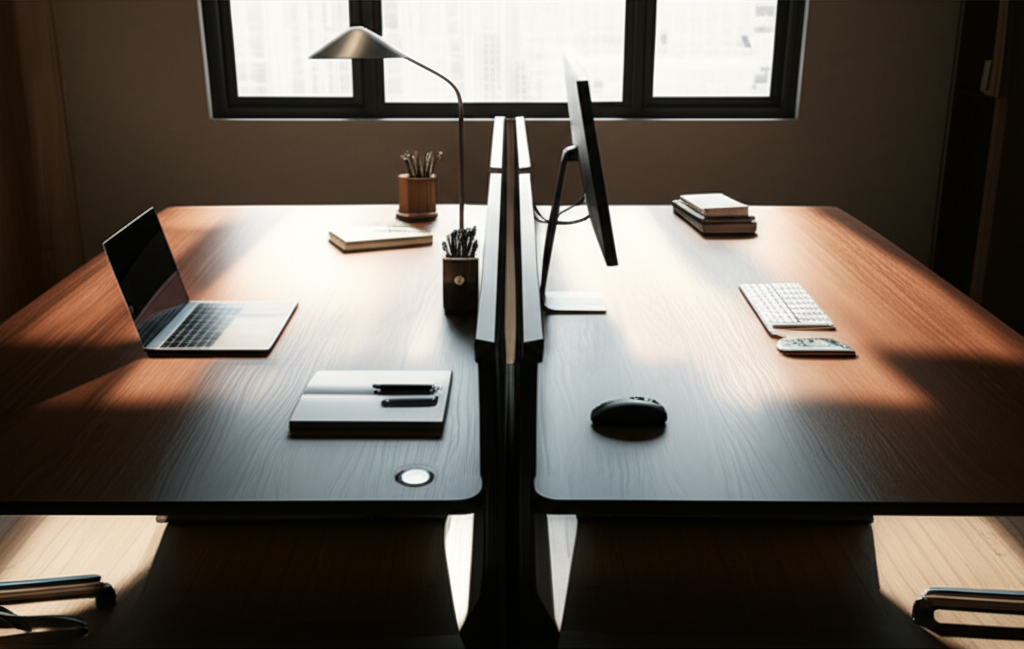
Back to back home office desks involve placing two workstations facing opposite directions, often sharing a central point or divider. This layout efficiently uses floor space, allowing two individuals to work side-by-side yet independently. It’s a smart choice for couples or colleagues sharing a home office.
This setup is ideal for creating two distinct work zones within a single room. It allows for a sense of shared space while maintaining personal work areas. We’ll look at how to make this work for you.
Why Choose Back To Back Desks? The Space-Saving Secret
The primary advantage of back to back home office desks is their incredible space efficiency. In smaller homes or apartments, dedicating separate rooms for home offices isn’t always possible. This layout lets you fit two functional workspaces into the footprint of what might otherwise be a single desk area. It’s a genius solution when space is at a premium.
It helps to keep work contained and organized. Without careful planning, a shared office can quickly become chaotic. This arrangement provides structure and definition for each person’s work zone.
Key Design Considerations for Dual Workspaces
When planning your back to back home office desks, think about a few important things. You need to consider the size of your room and how much space each person needs. It’s also vital to think about lighting and power outlets. These details make a big difference in how comfortable and productive you both will be.
Ensure there’s enough room to move around. People need space to get in and out of their chairs. Also, consider if you need any shared storage or separate storage for each person.
Ergonomics: Comfort for Both Users

Ergonomics is super important for any desk setup, and it’s no different for back to back home office desks. Each person should have a chair that supports their back and allows their feet to rest flat on the floor. The desk height should be right for typing comfortably. This prevents aches and pains from long workdays.
You want to avoid strain on your neck, back, and wrists. Investing in good ergonomic chairs and setting up your monitors at the correct height is key. This will make working together much more pleasant.
Lighting: Avoiding Glare and Eye Strain
Good lighting is essential for any workspace, especially a shared one. Back to back desks can sometimes create challenges with light sources. You want to ensure neither person is working in glare or in a dark corner. Natural light is best, but you’ll likely need desk lamps too.
Positioning lights carefully can make a huge difference. Avoid placing lamps where they will shine directly into your or your colleague’s eyes. Adjustable desk lamps offer great flexibility for individual needs.
Power and Cable Management: A Clean Workspace
A common headache with multiple workstations is the tangle of power cords and cables. For back to back home office desks, managing these is crucial for safety and a tidy look. Invest in cable management solutions like ties, sleeves, or under-desk trays. This keeps wires organized and out of sight.
Having enough power outlets is also vital. You might need an extension cord or power strip. Plan where your devices will go so you can reach outlets easily.
Popular Back To Back Desk Layouts
There are several effective ways to arrange back to back home office desks. The best layout for you depends on your room shape and personal preferences. Each option offers a unique way to share a space while maintaining focus.
Let’s explore some of the most common and practical layouts. We’ll see how they can work in different scenarios.
The Shared Surface Layout
This is perhaps the simplest arrangement. You use one long desk surface and divide it down the middle. Two people can sit at opposite sides of this shared desk. It’s very space-efficient and creates a direct sense of partnership.
This layout works best if you don’t need a lot of separation. You can use a small divider if you want a bit more personal space. It’s a very direct and functional setup.
The Corner Unit Layout
If you have a corner in your room, you can use a corner desk unit. Place two desks that meet at the corner, with each person facing outwards. This creates a natural separation and uses the corner space effectively. It feels less like you’re directly facing each other.
This layout can provide a bit more privacy. Each person has their own defined area. It’s a good option for those who need a bit more personal workspace.
The Two-Desk Parallel Layout
In this setup, two individual desks are placed parallel to each other, back to back. They don’t necessarily have to touch or share a surface. This offers the most separation between the two users. It allows for independent setups and more personal space.
This layout is great if you need a clear division. You can position the desks slightly apart. It gives each person their own fully independent zone.
The Modular Desk System
Many furniture companies offer modular desk systems. These systems are designed to be reconfigured. You can often arrange modules to create a back to back setup easily. This gives you flexibility if your needs change.
Modular desks are great for future-proofing your workspace. They can adapt as your work or home life changes. It’s a smart investment for flexibility.
Smart Additions for Enhanced Productivity
Once you have your back to back home office desks set up, you can add features to make them even better. Small additions can make a big impact on how you work and feel. Think about things that help you stay organized and focused.
These enhancements can transform a basic setup into a super-productive zone. They cater to individual needs while maintaining the shared space.
Desk Dividers: Creating Personal Space
Desk dividers are a fantastic addition to back to back home office desks. They can be made of fabric, acrylic, or wood. These dividers sit between the two workstations. They help reduce visual distractions and create a sense of privacy.
Dividers are especially useful if you find yourself easily distracted. They help define each person’s territory clearly. You can find many stylish options to match your decor.
Monitor Arms: Maximizing Desk Space
Monitor arms are a game-changer for desk organization. They attach to your desk and hold your computer screen. This frees up valuable surface space that would otherwise be taken up by monitor stands. You can also adjust the monitor’s position easily for better ergonomics.
Using monitor arms can make your workspace feel much larger. It helps keep the desk clear for papers, notepads, and other essentials. This is especially useful in a shared setup.
Storage Solutions: Keeping Things Tidy
Effective storage is key to a clutter-free workspace. For back to back desks, consider shared and individual storage options. This could include drawer units, shelves, or wall-mounted organizers. Keeping supplies organized prevents desk chaos.
Having a place for everything makes it easier to find what you need. It also helps maintain a professional look for your home office. Think about what items you need easy access to.
Choosing the Right Desks: Material and Style
The type of desks you choose matters for durability and aesthetics. For back to back home office desks, you might opt for two identical desks or complementary ones. Consider the materials: laminate is affordable and durable, while solid wood offers a more premium feel.
Think about the overall style of your room. Do you want a modern, minimalist look or something more traditional? The desks are a major piece of furniture, so choose wisely.
Example: Comparing Desk Materials
Here’s a quick look at common desk materials:
| Material | Pros | Cons | Best For |
| :———- | :————————————– | :————————————- | :—————————————- |
| Laminate | Affordable, durable, easy to clean | Can chip, not as premium-looking | Budget-conscious, high-traffic use |
| Wood Veneer | Looks like solid wood, more affordable | Susceptible to scratches and water damage | Stylish look without the high cost of solid wood |
| Solid Wood | Durable, classic look, can be refinished | Expensive, can be heavy, susceptible to moisture | Long-term investment, premium aesthetic |
| Metal | Very durable, industrial/modern look | Can be cold, might scratch easily | Modern offices, heavy-duty use |
When selecting desks for a back to back setup, consider their dimensions carefully. Ensure they fit your space and allow for comfortable movement.
Integrating Technology Smartly
Technology plays a huge role in our work lives. Setting up back to back home office desks means thinking about how technology fits in. This includes monitors, laptops, printers, and charging stations. Smart cable management is essential here.
Consider shared devices like a printer. Where will it go so both users can access it easily? Planning this avoids awkward reach-overs and disruptions.
Shared Peripherals: Printers and Scanners
If you and your co-worker need a printer or scanner, a shared device can be very convenient. Place it in a central location accessible to both of you. This saves money and space compared to having two separate units.
Ensure the printer’s location doesn’t cause too much noise disruption. Some models are quieter than others. Wireless connectivity is a big plus here.
Monitor Placement for Optimal Viewing
Monitor placement is critical for comfort and productivity. In a back to back setup, you’ll want to position your screens so they don’t interfere with each other. Ideally, each person’s screen should be directly in front of them. This prevents neck strain from constantly turning.
Using monitor arms can give you the flexibility to position screens perfectly. You can often adjust height, angle, and distance. This customizes the setup for each user’s needs.
Maximizing a Small Home Office Space
For those with limited space, back to back home office desks are a lifesaver. The key is to be smart with your furniture choices and layout. Vertical space is your friend; think about wall shelves or tall bookcases. Keeping the floor clear also makes the room feel bigger.
A well-organized small office can be just as productive as a large one. Focus on multi-functional furniture and smart storage. This ensures every inch is used effectively.
Vertical Storage Solutions
Utilize the walls to your advantage. Wall-mounted shelves, pegboards, or tall, narrow bookcases can hold supplies and decor. This keeps your desk surface clear and your essentials within reach. Vertical storage is a must in compact spaces.
Floating shelves can add storage without making the room feel crowded. They provide a clean, modern look. Consider how much you need to store and choose accordingly.
Folding or Wall-Mounted Desks
If space is extremely tight, consider folding or wall-mounted desks. These can be folded away when not in use, freeing up floor space. While perhaps not ideal for a permanent back to back setup, they can be useful in multi-purpose rooms.
These options are great for temporary workspaces. They offer flexibility for rooms that serve multiple functions. They are a creative solution for very small areas.
Troubleshooting Common Issues
Even the best-planned setups can have small issues. One common problem is noise distraction. If one person is on a call while the other is trying to focus, it can be disruptive. Another issue can be differing temperature preferences or lighting needs.
Addressing these challenges proactively can ensure a harmonious working environment. Open communication is key to resolving most issues.
Managing Noise and Distractions
For noise issues, consider using noise-canceling headphones. These are invaluable for focused work. If possible, position your desks so you are not directly facing each other. Desk dividers can also help muffle sound slightly.
If one person frequently takes calls, try to schedule them at times that cause minimal disruption. Setting clear expectations about quiet periods can also help.
Addressing Different Needs
Everyone has different work habits and preferences. One person might prefer bright light, while the other likes it dimmer. One might need more desk space than the other. Communicate these needs openly.
Adjustable desk lamps and personal fans can help cater to individual comfort. Try to find compromises that work for both of you. The goal is a space that suits both users.
Back To Back Home Office Desks: A Summary of Genius Layouts
Back to back home office desks are an excellent solution for shared workspaces, especially in smaller homes. By thoughtfully arranging two workstations facing opposite directions, you can maximize space and create two functional work zones. Whether you opt for a shared surface, a corner unit, or two parallel desks, careful consideration of ergonomics, lighting, power, and storage is vital. Smart additions like desk dividers and monitor arms can further enhance productivity and comfort. Embracing vertical storage and choosing durable, stylish desks will complete your efficient dual-office setup.
Frequently Asked Questions
Q1: How much space do I need for back to back desks?
You’ll need enough space for two desks, plus ample room for chairs to be pulled out and for people to walk around. A minimum of 10-12 feet in length is often recommended for a comfortable setup, depending on desk depth and desired walkway space.
Q2: Can I use different sized desks for a back to back setup?
Yes, you can use different sized desks, but ensure they align reasonably well to create a cohesive look and avoid awkward gaps or overlaps. Consistency in height is more critical for usability.
Q3: What’s the best way to manage cables for two desks?
Use cable ties, sleeves, or raceways to bundle cords together. Mount power strips under the desk or to the back legs. This keeps them tidy and out of sight, preventing tripping hazards.
Q4: How do I deal with privacy concerns in a back to back setup?
Desk dividers, especially taller fabric ones, offer a good visual and auditory barrier. Positioning the desks slightly angled or with a small gap can also create a subtle separation.
Q5: Is this setup good for people who have very different work styles?
It can be, with careful planning. Communication about noise levels, call times, and shared resources is crucial. Ergonomic adjustments and personalizable tech setups (like headphones) help accommodate different needs.
Conclusion: Your Dual-Desk Success Story
Creating an effective workspace for two using back to back home office desks is entirely achievable. It requires smart planning and a focus on shared needs and individual comfort. By implementing the layouts and tips discussed, you can transform a single room into a highly productive dual-office environment. Remember to prioritize ergonomics, manage your cables, and choose furniture that fits your space and style. You’ve got this!

Belayet Hossain is a Senior Tech Expert and Certified AI Marketing Strategist. Holding an MSc in CSE (Russia) and over a decade of experience since 2011, he combines traditional systems engineering with modern AI insights. Specializing in Vibe Coding and Intelligent Marketing, Belayet provides forward-thinking analysis on software, digital trends, and SEO, helping readers navigate the rapidly evolving digital landscape. Connect with Belayet Hossain on Facebook, Twitter, Linkedin or read my complete biography.