
Published on: 21/10/2025 | Updated on: October 21, 2025
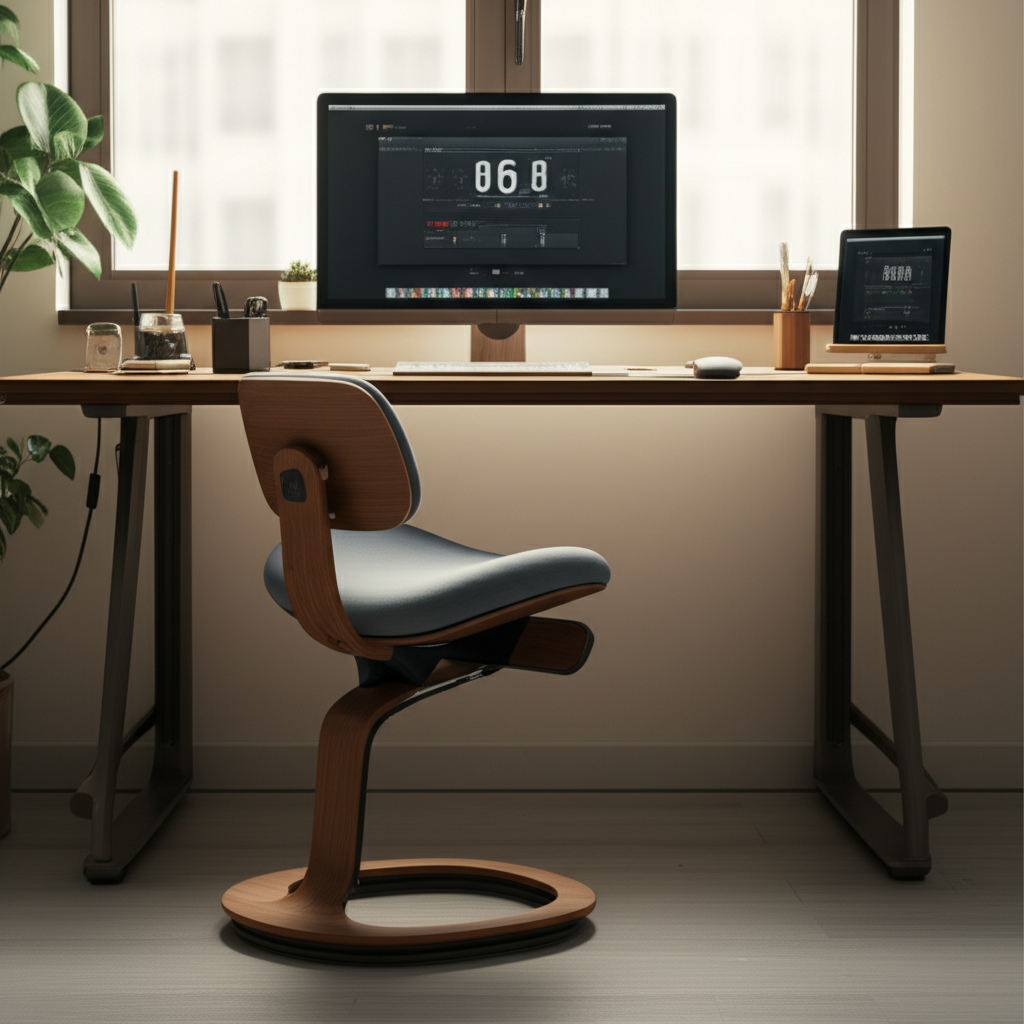
Discover the backless ergonomic desk chair for superior comfort and posture correction. This guide explores its benefits, types, and how to choose the best model for your workspace. Achieve a healthier sitting experience with proven ergonomic principles, transforming your daily work routine and well-being.
Are you tired of back pain after long hours at your desk? Many of us spend a significant part of our day sitting. This can lead to discomfort and poor posture. Traditional chairs often don’t offer the right support. This is where a backless ergonomic desk chair can help. It’s a different approach to sitting. We’ll explore how these unique chairs work. We’ll also guide you in finding the perfect one for your needs. Get ready to transform your workspace and your comfort.
What is a Backless Ergonomic Desk Chair?
A backless ergonomic desk chair is designed to promote better posture by engaging core muscles and encouraging natural spinal alignment without a backrest. These chairs often feature a saddle or kneeling design. They help distribute weight more evenly. This reduces pressure on your spine and hips.
Many people experience lower back pain and stiffness from prolonged sitting. Standard chairs can worsen this by forcing a hunched posture. A backless design challenges this norm. It requires subtle muscle engagement. This can lead to a stronger core and improved spinal health over time.
The Science Behind Backless Seating

The concept behind backless ergonomic seating is rooted in promoting active sitting. Unlike traditional chairs that support your back, these chairs encourage you to use your own muscles. This engages your core and abdominal muscles. It helps maintain a natural lumbar curve. This is similar to how you would sit on an exercise ball, but with more stability.
Studies have shown that active sitting can improve posture. It can also increase calorie expenditure slightly. By engaging these muscles, you prevent the slouching that often occurs. This can lead to long-term benefits for your back health. Research from institutions like the National Institutes of Health explores the physiological effects of different seating postures.
Why Choose a Backless Ergonomic Desk Chair?
Choosing a backless chair might seem unusual. However, it offers distinct advantages for posture and comfort. It forces you to sit upright. This can alleviate pressure points common in traditional chairs. It also encourages micro-movements. These movements help circulation and reduce stiffness.
If you suffer from specific back issues, a backless chair can be a revelation. It can help retrain your body to maintain a healthy posture naturally. It’s an investment in your long-term spinal health. Many users report significant relief from chronic back pain after switching.
Types of Backless Ergonomic Desk Chairs
Backless ergonomic chairs come in various forms. Each design offers a slightly different way to promote better posture. Understanding these types will help you find the best fit for your body and workspace. We’ll look at the most common designs.
Saddle Stools
Saddle stools mimic the seating position of a horseback rider. The seat is wider and shaped like a horse’s saddle. This design naturally encourages an open hip angle. It also promotes a more upright posture. The legs are typically spread slightly apart.
Saddle stools come with or without a base. Some have wheels for mobility. Others are fixed for stability. The height is usually adjustable. This allows you to find the perfect position for your desk. They are excellent for tasks requiring a wide range of motion.
Kneeling Chairs
Kneeling chairs have a unique design. They feature a padded seat and a padded knee rest. You sit on the seat and rest your shins or knees on the lower pad. This position distributes your weight between your buttocks and your shins. It creates an open angle at the hips.
This seating method significantly reduces pressure on your lower back. It encourages a natural S-curve in the spine. Kneeling chairs are often best for shorter durations. They can take some getting used to. However, many find them very effective for relieving back strain.
Balance Ball Chairs (with no back)
While many balance ball chairs have a supportive frame, a pure backless version exists. This is essentially an exercise ball placed on a stable base. Some models have a low ring to prevent the ball from rolling away. You sit directly on the ball, engaging your core muscles constantly.
This is the most active form of backless seating. It requires significant core strength. It is ideal for short bursts of work. It can help improve balance and core stability. However, it might not be suitable for extended periods of sitting.
Contoured Seat Stools
Some stools feature a contoured seat. This means the seat is shaped to fit your body. It might have a slight rise at the front. This helps keep your pelvis in a neutral position. The contoured shape provides subtle support without a full backrest.
These stools are often simpler in design. They can be a good entry point into backless seating. They offer more support than a flat stool. They still encourage good posture. Many are height-adjustable and come with wheels.
Benefits of Using a Backless Ergonomic Desk Chair
The advantages of using a backless ergonomic desk chair go beyond just comfort. They impact your physical health and productivity. Let’s explore these key benefits in detail.
Improved Posture and Spinal Alignment
The primary benefit is improved posture. Backless chairs encourage you to sit upright. This helps maintain the natural curve of your spine. It prevents slouching and reduces strain on your back muscles. This can lead to long-term spinal health.
By engaging your core, you create a stronger foundation. This supports your spine naturally. Many users report feeling taller and more aligned after using these chairs. It’s like having a constant reminder to sit correctly.
Reduced Back Pain and Discomfort
Many people experience back pain from sitting. Backless chairs can alleviate this. They distribute weight differently. They reduce pressure on the lower back. This is often caused by sitting too long in a traditional chair.
The active sitting posture reduces muscle fatigue. It prevents the compression of spinal discs. This leads to less pain and discomfort throughout the day. Users often find relief from chronic aches.
Increased Core Strength and Muscle Engagement
Sitting in a backless chair requires your core muscles to work. These muscles stabilize your spine and pelvis. Regular use can strengthen your core. This has benefits beyond just sitting. A stronger core supports your entire body.
This subtle workout happens passively. You don’t even realize you’re exercising. It’s a smart way to build strength while you work. This can improve overall physical fitness.
Enhanced Blood Circulation
The more active sitting posture can improve blood flow. When you slouch, you can compress blood vessels. Backless chairs promote better circulation. This is especially true for the legs and lower body. Better circulation means less stiffness.
Improved blood flow helps deliver oxygen to your muscles. This reduces fatigue. It can also prevent swelling in the legs and feet. This is a significant advantage for long workdays.
Potential for Increased Productivity
When you are comfortable and pain-free, you can focus better. Reduced discomfort means fewer distractions. Improved posture can also increase alertness. Some studies suggest active sitting can boost energy levels. This can translate to higher productivity.
Being able to move more freely can also help. You can shift your weight easily. This prevents the feeling of being stuck. This ease of movement can keep you more engaged.
Who Should Consider a Backless Ergonomic Desk Chair?
These chairs are not for everyone. However, many individuals can benefit greatly. Consider your specific needs and physical condition.
Individuals with Back Pain
If you suffer from chronic back pain, a backless chair might be a solution. It can help retrain your posture. It reduces the strain on your lumbar region. Consult with a doctor or physical therapist first. They can advise if this type of chair is suitable for your condition.
Desk Workers and Professionals
Anyone spending long hours at a desk can benefit. This includes office workers, programmers, writers, and students. It offers a healthier alternative to traditional seating. It can prevent the development of poor posture. It can also alleviate existing discomfort.
People Seeking to Improve Core Strength
If you want to passively strengthen your core, this is a great tool. It requires constant, low-level muscle engagement. This can contribute to better overall fitness. It’s a simple way to stay active while working.
Those with Limited Space
Some backless stools are very compact. They can fit into smaller workspaces. They offer ergonomic benefits without taking up much room. This makes them ideal for home offices or shared desks.
Key Features to Look For
When choosing a backless ergonomic desk chair, several features are crucial. These ensure comfort, adjustability, and suitability for your needs.
Adjustability (Height and Tilt)
Height Adjustment: This is essential. You need to adjust the chair to your desk height. Your feet should rest flat on the floor. Your arms should be parallel to your desk surface. Look for smooth, reliable height adjustment mechanisms.
Tilt Mechanism: Some backless chairs offer a slight tilt. This allows for subtle movement. It can help with dynamic sitting. Ensure the tilt is stable and controllable.
Seat Design and Comfort
Seat Shape: Consider saddle, contoured, or cushioned seats. Saddle seats promote an open hip angle. Contoured seats offer more form-fitting comfort. Cushioned seats provide extra padding.
Material: Look for breathable materials. This is especially important for longer sitting periods. Fabric, mesh, or high-quality faux leather are good options. Ensure the padding is supportive, not too soft or too firm.
Base and Mobility
Stability: The base should be sturdy. For chairs with wheels, ensure they roll smoothly on your floor type. For fixed bases, check for non-slip feet.
Mobility: Wheels offer convenience. They allow you to move around your workspace easily. If you prefer a fixed position, a stable, non-rolling base is better.
Weight Capacity
Check the chair’s weight limit. Ensure it comfortably supports your body weight. Higher weight capacities generally indicate more robust construction. This is an important safety and durability feature.
Ease of Assembly and Maintenance
Most ergonomic chairs require some assembly. Look for clear instructions. Simple assembly is always a plus. Consider how easy the chair is to clean. Removable covers or wipeable surfaces can be beneficial.
Backless Ergonomic Desk Chair vs. Traditional Ergonomic Chairs
The debate between backless and traditional ergonomic chairs is common. Both aim for comfort and good posture, but they achieve it differently. Understanding these differences helps you make an informed choice.
Traditional Ergonomic Chairs
These chairs typically have a backrest. They offer lumbar support. They have adjustable armrests, seat height, and often recline. They provide passive support. This means the chair does most of the work.
Pros:
Excellent support for long sitting periods.
Can accommodate a wide range of body types.
Familiar and comfortable for most users.
Cons:
Can encourage slouching if not used correctly.
May lead to weaker core muscles over time.
Can be bulky and take up more space.
Backless Ergonomic Chairs
As we’ve discussed, these chairs promote active sitting. They engage core muscles. They encourage natural spinal alignment. They come in various forms like saddle stools and kneeling chairs.
Pros:
Promotes better posture and spinal alignment.
Strengthens core muscles.
Can alleviate specific types of back pain.
Often more compact.
Cons:
Requires an adjustment period.
May not be suitable for very long sitting sessions initially.
* Can be challenging for individuals with certain mobility issues.
Here’s a comparison table:
| Feature | Backless Ergonomic Chair | Traditional Ergonomic Chair |
| :——————– | :—————————————————– | :—————————————————- |
| Primary Function | Active sitting, core engagement, natural alignment | Passive support, lumbar support, comfort |
| Posture Promotion | Encourages upright posture, core activation | Relies on chair’s design for posture |
| Muscle Engagement | High (core, back stabilizers) | Low to moderate |
| Adjustment | Height, sometimes tilt | Height, lumbar, armrests, recline, headrest (often) |
| Best For | Those seeking active sitting, core strengthening, posture correction | Long hours, maximum passive support, general comfort |
| Learning Curve | Moderate to high | Low |
Ultimately, the best choice depends on your personal needs. If you want to actively improve your posture and core strength, a backless chair is a great option. If you need maximum passive support for very long hours, a traditional chair might be better. Many people find a combination works well. They might use a backless chair for part of the day and a traditional chair for the rest.
How to Choose the Right Backless Ergonomic Desk Chair
Selecting the correct backless chair is vital. A poorly chosen chair can cause more harm than good. Follow these steps to make an informed decision.
Assess Your Workspace and Desk Height
Measure your desk height. You need a chair that adjusts correctly. Your elbows should be at a 90-degree angle when typing. Your forearms should be parallel to the floor. Ensure the chair’s height range matches your desk.
Consider the space available. Some backless chairs, like saddle stools, can be quite wide. Ensure you have enough room to maneuver. Measure the area where the chair will be placed.
Consider Your Physical Needs and Goals
What are you trying to achieve? If you have back pain, focus on chairs designed for relief. If you want to strengthen your core, look for more active designs. Consider your flexibility and balance. Some chairs require more mobility than others.
Read Reviews and User Experiences
Look for reviews from people with similar needs. Pay attention to comments about comfort, durability, and adjustability. Check reviews on multiple platforms. This provides a broader perspective. Many tech review sites and forums offer detailed user feedback.
Try Before You Buy (If Possible)
If you can, try out different models. Visit office supply stores or showrooms. Sit in the chair for at least 15-20 minutes. See how it feels. Pay attention to any pressure points or discomfort. This hands-on experience is invaluable.
Budget and Warranty
Set a budget. Backless ergonomic chairs vary in price. More expensive models often offer better materials and adjustability. Consider the warranty. A good warranty indicates the manufacturer’s confidence in their product. It protects your investment.
Setting Up Your Backless Ergonomic Desk Chair
Proper setup is crucial for reaping the benefits. Incorrect setup can negate the ergonomic advantages. Follow these guidelines for optimal use.
Adjust the Height Correctly
Set the chair height so your feet are flat on the floor. Your thighs should be roughly parallel to the floor. If your chair has wheels, ensure it is stable at your chosen height. If you have a kneeling chair, adjust both the seat and knee rest heights.
Position Yourself Properly
Sit towards the front of the seat. This encourages an upright posture. For saddle chairs, imagine straddling a horse. For kneeling chairs, rest your shins comfortably. Engage your core muscles gently.
Desk and Monitor Alignment
Ensure your desk height is also ergonomic. Your keyboard and mouse should be at elbow height. Your monitor should be at eye level. This prevents neck and shoulder strain. Adjust your desk or monitor setup as needed.
Gradual Transition
If you are new to backless seating, start slowly. Begin with 30-60 minute sessions. Gradually increase the time as your body adapts. This allows your muscles to build strength. It prevents fatigue and soreness.
Potential Challenges and How to Overcome Them
Switching to a backless chair can present challenges. Awareness and preparation can help you overcome them.
Initial Discomfort or Fatigue
It’s normal to feel some muscle fatigue initially. Your body is adapting to a new way of sitting. This is a sign your muscles are working. Don’t push yourself too hard. Take breaks and gradually increase your sitting time.
Finding the Right Fit
Not every backless chair is suitable for everyone. If a particular model causes pain, it might not be the right fit. Experiment with different types and brands. Read reviews to find chairs known for comfort and adjustability.
Workplace Acceptance
In some office environments, backless chairs might be unusual. You might need to explain their benefits. Some employers may have policies on office furniture. Check with your HR department if you are unsure.
Limited Mobility for Some Tasks
For tasks requiring extensive reaching or leaning back, a backless chair might be less ideal. However, many users find they adapt quickly. For very specific needs, consider alternating between chairs. This offers the best of both worlds.
Backless Ergonomic Desk Chair and Productivity
Can a backless chair truly boost productivity? The answer is often yes, indirectly. By improving comfort and health, it allows you to focus better.
Reduced Distractions from Pain
When you’re not constantly shifting to relieve back pain, you’re more focused. Fewer physical distractions mean better concentration on your work. This leads to higher quality output. It also allows for longer periods of focused work.
Increased Alertness and Energy
Active sitting can help you feel more alert. Engaging your core muscles promotes better blood flow. This can combat the lethargy often associated with prolonged sitting. Feeling more energetic can naturally increase your productivity.
Improved Body Awareness
Using a backless chair makes you more aware of your posture. This awareness can extend beyond your work hours. You might find yourself maintaining better posture in other situations. This holistic improvement benefits your overall well-being and focus.
The Future of Backless Ergonomic Seating
The trend towards health-conscious workspaces is growing. Backless ergonomic chairs are part of this movement. We can expect further innovation in this area.
Smarter Materials and Designs
Future chairs might incorporate new materials. These could offer better breathability and support. Designs will likely become more customizable. They might adapt to individual body shapes and movements automatically.
Integration with Health Tech
Imagine chairs that track your posture and movement. They could provide real-time feedback. This data could sync with health apps. It would offer personalized recommendations for sitting habits. This integration promises a more proactive approach to workplace wellness.
Wider Adoption in Offices
As more research supports the benefits, expect wider adoption. Companies are increasingly investing in employee well-being. Backless chairs offer a unique solution. They can be a visible sign of a health-focused workplace culture.
Frequently Asked Questions (FAQ)
What is the main benefit of a backless ergonomic desk chair?
The primary benefit is promoting better posture by encouraging active sitting. This engages core muscles and helps maintain natural spinal alignment, reducing strain and potential back pain.
Can a backless chair help with back pain?
Yes, for many people. By promoting upright posture and core engagement, it can alleviate pressure on the lower back and retrain muscles. However, it’s best to consult a healthcare professional first.
Is a backless chair comfortable for long hours?
It can be, but it requires an adjustment period. Start with shorter durations and gradually increase. Comfort depends on the specific design and your body’s adaptation. Some users find them more comfortable than traditional chairs for extended periods.
What is the difference between a saddle stool and a kneeling chair?
A saddle stool has a wider, horse-saddle-shaped seat that opens the hip angle. A kneeling chair uses a seat and a knee rest, distributing weight between your buttocks and shins to reduce spinal load.
How do I know if a backless chair is right for me?
Consider your current posture habits, any existing back pain, and your goals for core strength and posture improvement. If you’re willing to adapt and engage your muscles, it could be beneficial. Trying one in person is highly recommended.
Are there any downsides to using a backless chair?
The main downsides are the adjustment period, potential initial discomfort, and the fact that they require more muscle engagement, which might not be suitable for everyone, especially those with certain physical limitations.
How do I set up my backless chair correctly?
Ensure the height allows your feet to be flat and thighs parallel to the floor. Sit towards the front of the seat to encourage an upright posture. Align your monitor and desk for optimal ergonomics.
Conclusion: Embrace a Healthier Way to Sit
The backless ergonomic desk chair offers a compelling alternative for those seeking ultimate comfort and proven posture improvement. By encouraging active sitting and core engagement, these chairs can transform your workday. They reduce back pain, strengthen your body, and enhance focus. While they require an adjustment period, the long-term benefits for your health and productivity are significant.
Choosing the right backless chair involves understanding the different types and key features. Consider your personal needs, workspace, and goals. With careful selection and proper setup, you can unlock a new level of comfort and well-being at your desk. It’s time to invest in your health and sit smarter, not just longer. Explore the options today and take a step towards a healthier, more comfortable workday.

Belayet Hossain is a Senior Tech Expert and Certified AI Marketing Strategist. Holding an MSc in CSE (Russia) and over a decade of experience since 2011, he combines traditional systems engineering with modern AI insights. Specializing in Vibe Coding and Intelligent Marketing, Belayet provides forward-thinking analysis on software, digital trends, and SEO, helping readers navigate the rapidly evolving digital landscape. Connect with Belayet Hossain on Facebook, Twitter, Linkedin or read my complete biography.