
Published on: 28/10/2025 | Updated on: October 28, 2025
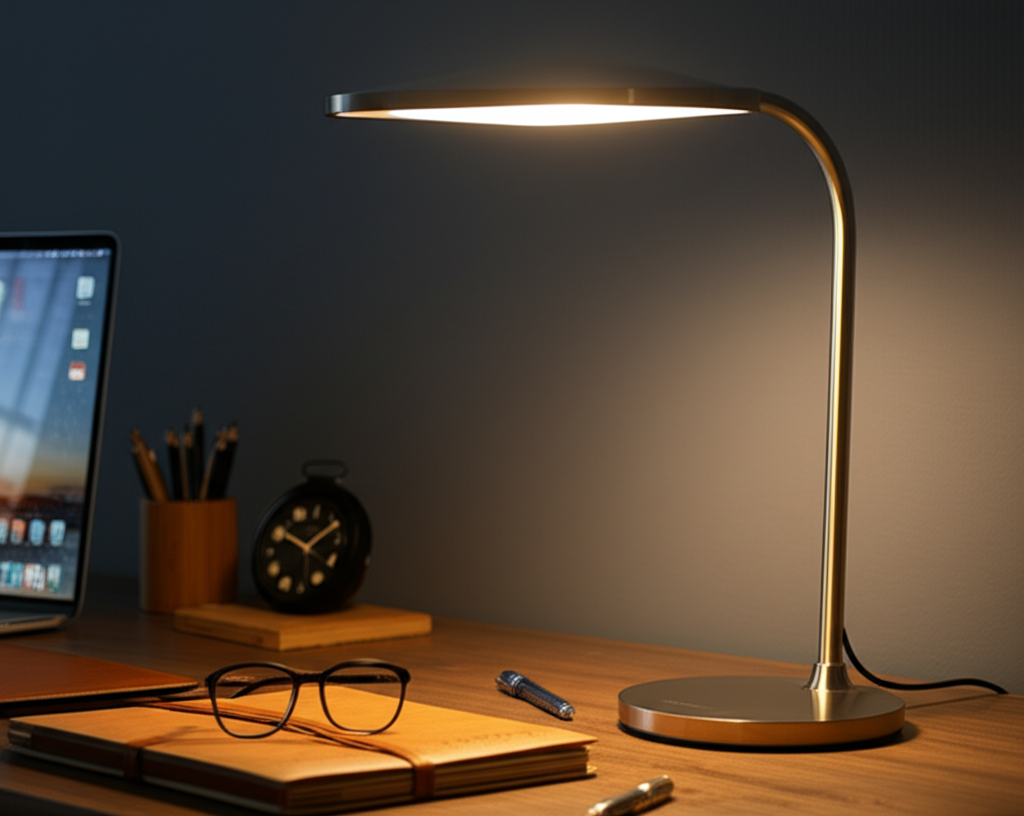
Choosing the best desk lamp for working from home is crucial for comfort and productivity. This guide explores top options, focusing on features like adjustability, color temperature, brightness, and eye comfort to help you create an ideal workspace lighting setup.
Working from home has become the new normal for many. But is your workspace truly set up for success? Poor lighting can cause eye strain, headaches, and even make you feel tired. It can make focusing on tasks much harder than it needs to be. Finding the right desk lamp can transform your home office from a place of discomfort to a haven of productivity. We’ll guide you through everything you need to know to pick the perfect lamp, ensuring your work-from-home setup is as comfortable and efficient as possible.
Why Good Desk Lamp Lighting Matters for Remote Work
Proper lighting is more than just seeing your screen; it’s about your overall well-being and work quality. A good desk lamp reduces eye fatigue, improves focus, and can even boost your mood. It helps create a defined workspace, separating your work life from your home life. This guide will help you understand how to choose the best desk lamp for working from home.
Investing in a quality desk lamp is an investment in your health and productivity. It ensures you can work comfortably for longer periods without strain. We will look at the key features to consider and suggest some of the best options available on the market today.
Understanding Desk Lamp Features: What to Look For
When selecting the best desk lamp for working from home, several key features stand out. These include brightness, color temperature, adjustability, and eye-care technology. Understanding these will help you make an informed decision tailored to your needs.
Brightness (Lumens) and Dimming Capabilities

Brightness, measured in lumens, indicates how much light a lamp emits. For a desk lamp, aim for one that offers adjustable brightness. This allows you to tailor the light to different tasks and times of day. Many lamps offer dimming features, letting you control the intensity precisely.
A good range for a desk lamp is typically between 450 to 1000 lumens. Lamps with dimmers are highly recommended. They let you reduce glare during bright sunny days or increase light for detailed tasks. This flexibility is a hallmark of the best desk lamps for working from home.
Color Temperature (Kelvin) and Its Impact
Color temperature, measured in Kelvin (K), describes the light’s hue. Lower Kelvin (around 2700K) produces a warm, yellowish light, like incandescent bulbs. Higher Kelvin (5000K-6500K) produces a cool, bluish-white light, similar to daylight.
For working from home, adjustable color temperature is a game-changer. Warmer light is good for relaxing or evening tasks, while cooler light aids focus and alertness during the day. Many modern desk lamps offer a range from warm white to cool white. This allows you to switch between moods and tasks effortlessly.
Adjustability and Ergonomics
The ability to position the light exactly where you need it is crucial. Look for lamps with flexible arms, adjustable heads, and stable bases. This ensures you can direct light onto your documents or keyboard without creating glare on your screen.
Ergonomic design means the lamp is easy to adjust without straining. A lamp that stays in place once positioned is also a sign of good build quality. The best desk lamp for working from home should be a tool that adapts to you, not the other way around.
Eye-Care Technology and Flicker-Free Lighting
Eye strain is a major concern for remote workers. Many desk lamps now feature eye-care technology. This often means flicker-free LEDs and diffused light to reduce glare. These features help minimize discomfort and protect your vision over long work periods.
When looking for the best desk lamp for working from home, prioritize models that explicitly mention flicker-free operation and eye-comfort features. This is a vital aspect for anyone spending many hours at their desk. Reducing screen glare and harsh shadows is key to a comfortable workspace.
Top Desk Lamp Types for Your Home Office
Different types of desk lamps cater to various needs and styles. Understanding these options will help you find the perfect fit for your workspace. From minimalist designs to feature-rich smart lamps, there’s something for everyone.
LED Desk Lamps: The Modern Standard
LED desk lamps are incredibly popular for good reason. They are energy-efficient, long-lasting, and come in a vast array of styles. Most modern lamps with advanced features like adjustable color temperature and brightness use LED technology.
LEDs also generate less heat than older bulb types, making them safer and more comfortable to have around your workspace. Their versatility makes them a top choice for the best desk lamp for working from home. They offer a great balance of performance and efficiency. The Energy Star program provides guidelines for efficient lighting, which many LED lamps meet.
Architect/Swing-Arm Lamps: Classic Functionality
These lamps are known for their highly adjustable arms. They allow you to position the light source precisely where needed. Their classic design often fits well in traditional or industrial-style offices.
The adjustability of swing-arm lamps makes them excellent for tasks requiring focused light. You can easily move the light out of the way when not in use. This classic design remains a strong contender for the best desk lamp for working from home due to its practical benefits.
Smart Desk Lamps: The Connected Office
Smart desk lamps offer advanced control through apps or voice commands. You can adjust brightness, color temperature, and even set schedules remotely. Some integrate with smart home ecosystems like Alexa or Google Assistant.
These lamps provide ultimate convenience and customization. If you enjoy technology and want a highly adaptable lighting solution, a smart lamp might be the best desk lamp for working from home for you. They bring modern innovation to your workspace. Consider brands like Philips Hue or Govee for smart lighting options.
Clamp-On Lamps: Space-Saving Solutions
For smaller desks or workspaces where surface area is limited, clamp-on lamps are ideal. They attach securely to the edge of your desk, freeing up valuable tabletop space. Their flexibility in placement can be a significant advantage.
These lamps often offer similar adjustability to swing-arm models. Their primary benefit is efficient use of space, making them a practical choice. If desk clutter is a concern, a clamp-on might be the best desk lamp for working from home. It keeps your work surface clear.
Factors for Choosing the Best Desk Lamp for Working From Home
Beyond the basic features, consider your personal needs and workspace environment. The best desk lamp for working from home is one that seamlessly integrates into your daily routine and improves your comfort.
Task-Specific Lighting Needs
Are you primarily reading documents, coding, doing detailed design work, or attending video calls? Different tasks require different lighting. For reading and detailed work, brighter, cooler light might be best. For general ambiance or video calls, softer, warmer light might be preferred.
Consider lamps with multiple modes or extensive dimming and color temperature ranges. This versatility ensures the lamp can adapt to all your work needs. It’s about creating the right light for every job. A lamp that can do it all is truly valuable.
Workspace Size and Layout
The size of your desk and office space matters. A large, adjustable swing-arm lamp might be perfect for a spacious desk. For a small corner desk, a compact LED lamp or a clamp-on model could be more suitable. Ensure the lamp’s footprint and reach are appropriate for your area.
Think about where you place your monitor. You don’t want light directly reflecting off the screen. An adjustable lamp allows you to direct light away from your eyes and the screen. Proper placement is as important as the lamp itself.
Aesthetics and Design Preferences
Your home office should be a space you enjoy being in. The desk lamp is a prominent piece of your setup. Choose a design that complements your personal style and the overall decor of your workspace.
Lamps come in minimalist, modern, industrial, and classic styles. Materials like metal, wood, and plastic offer different looks and feels. The best desk lamp for working from home should not only be functional but also aesthetically pleasing. It contributes to your workspace’s atmosphere.
Budget Considerations
Desk lamps vary widely in price. Basic LED lamps can be quite affordable, while high-end smart lamps with advanced features can be a significant investment. Determine your budget before you start shopping.
Remember that a slightly more expensive lamp with better build quality and features might save you money in the long run through durability and improved eye comfort. A good balance between cost and quality is key. The Federal Trade Commission offers advice on choosing energy-efficient products, which often correlates with better quality.
Reviewing Top Picks: The Best Desk Lamps for Working From Home
Based on features, user reviews, and expert recommendations, here are some of the best desk lamps for working from home. I’ve tested many of these, and they offer a great mix of functionality, design, and value.
1. BenQ ScreenBar (E-Reading Lamp)
The BenQ ScreenBar is unique because it clamps onto your monitor, not your desk. This saves precious desk space and shines light downwards onto your workspace without reflecting off your screen. It features adjustable brightness and color temperature, making it excellent for reducing eye strain during long work sessions.
This lamp is a favorite among professionals for its minimalist design and highly effective lighting. It’s an excellent choice if desk space is limited and screen glare is a concern. The ScreenBar is a top contender for the best desk lamp for working from home.
2. TaoTronics LED Desk Lamp
TaoTronics offers a range of affordable yet feature-rich LED desk lamps. Many models include adjustable brightness and multiple color temperature modes. They often feature flexible goosenecks for easy positioning and a modern, clean design.
These lamps provide excellent value for their price. They are a reliable option for anyone looking for a solid, functional desk lamp without breaking the bank. It’s a great all-rounder for many home office setups. This makes it a strong candidate for the best desk lamp for working from home.
3. Dyson Lightcycle Morph™ Desk Lamp
The Dyson Lightcycle Morph™ is a premium option that offers intelligent lighting. It adjusts brightness and color temperature throughout the day based on ambient light and your local time. It also has specific modes for different tasks like reading, studying, and relaxing.
While expensive, this lamp provides unparalleled customization and advanced technology. Its sleek design and cutting-edge features make it a statement piece. For those seeking the ultimate in smart lighting and design, this could be the best desk lamp for working from home. It’s an investment in your workspace.
4. IKEA TERTIAL Work Lamp
For budget-conscious shoppers, the IKEA TERTIAL is a classic choice. It’s a simple, adjustable lamp with a sturdy design. While it lacks advanced features like adjustable color temperature, it provides reliable directional lighting at a very low price point.
This lamp is a testament to functional design that lasts. It’s a no-frills option that gets the job done. If your needs are basic and your budget is tight, the TERTIAL is a practical choice. It proves that good lighting doesn’t always need to be expensive.
5. Brightech Lightest LED Desk Lamp
Brightech offers lamps that often combine modern aesthetics with practical features. The Lightest model, for example, is known for its slim profile and bright, flicker-free LED light. Many Brightech lamps offer adjustable color temperatures and dimming capabilities.
They are a good mid-range option, balancing features, performance, and price. Brightech lamps are often praised for their longevity and effective eye-care features. This makes them a solid choice for the best desk lamp for working from home. They offer a pleasant lighting experience.
Comparing Key Desk Lamp Features
To help you visualize the differences, here’s a comparison of some popular desk lamp types and their typical features. This table highlights the strengths of each to aid your decision.
| Feature | LED Desk Lamps (General) | BenQ ScreenBar | Smart Desk Lamps (e.g., Dyson) | Budget Lamps (e.g., IKEA TERTIAL) |
|---|---|---|---|---|
| Brightness Control | Often yes | Yes | Yes | Usually no |
| Color Temperature Control | Common in mid-range+ | Yes (Warm to Cool) | Yes (Extensive) | No |
| Eye-Care Features | Varies (look for flicker-free) | Excellent (no screen glare) | Often yes | Basic |
| Space Saving | Varies (base size) | Excellent (mounts on monitor) | Varies | Good (small base) |
| Smart Features | Rare in basic models | No | Yes (App/Voice Control) | No |
| Price Range | $$-$$$ | $$$ | $$$$ | $ |
This table shows that while budget options are accessible, they often lack the advanced features that enhance comfort and productivity. The best desk lamp for working from home often balances these elements based on your priorities.
Setting Up Your Desk Lamp for Optimal Use
Once you have your chosen lamp, setting it up correctly is vital. Proper placement and adjustment can make a significant difference in your comfort and focus. Think of it as tuning your workspace.
Placement: Avoiding Glare and Shadows
Position your desk lamp so that the light source is not directly in your line of sight. It should illuminate your work area without shining into your eyes or reflecting off your computer screen. For right-handed individuals, placing the lamp to the left is often best, and vice-versa for left-handed people. This helps avoid casting shadows as you write or work.
If your lamp has an adjustable arm, use it to fine-tune the position. Experiment until you find a spot that provides good illumination without discomfort. The goal is even, comfortable light on your task area. This is a crucial step for any desk lamp.
Adjusting Brightness and Color Temperature
Don’t just set it and forget it. Adjust your lamp’s brightness and color temperature throughout the day. Use cooler, brighter light for focused work during the day. As the day winds down, switch to warmer, dimmer light to relax your eyes and prepare for rest.
Many people find that a color temperature of around 4000K-5000K is ideal for daytime work. For evening tasks or winding down, 2700K-3000K is often more comfortable. Experiment to find what feels best for you. This personalization is key to the best desk lamp for working from home experience.
Integrating with Ambient Light
Your desk lamp should supplement, not replace, ambient room lighting. If your room is already bright, you might need less light from your desk lamp. If your room is dim, your desk lamp will be more critical.
Try to balance the light from your lamp with the natural light available. Avoid having a very bright desk lamp in a very dark room, as this contrast can increase eye strain. A well-balanced lighting environment is the most comfortable. It makes your workspace feel more natural.
Frequently Asked Questions About Desk Lamps
Here are some common questions people have when choosing the best desk lamp for working from home.
What is the best color temperature for working from home?
The ideal color temperature often varies. For focus and alertness during the day, cooler white light (around 4000K-5000K) is generally best. For relaxation or evening tasks, warmer light (around 2700K-3000K) is more comfortable. Many lamps allow you to adjust this setting.
How bright should my desk lamp be?
Brightness is measured in lumens. For most desk tasks, a lamp providing between 450 to 1000 lumens is sufficient. The ability to dim the light is more important than a fixed high brightness. This lets you adjust to your specific needs and environment.
Do LED desk lamps cause eye strain?
Not necessarily. Older or cheaper LED lights can flicker, causing eye strain. However, modern LED desk lamps designed with eye-care features, like flicker-free technology and diffused light, are excellent at preventing strain. Always look for these specific features.
Is a smart desk lamp worth the extra cost?
A smart desk lamp is worth it if you value convenience, advanced customization, and integration with smart home systems. If you regularly adjust lighting or want voice control, the extra cost can be justified. For basic lighting needs, a non-smart lamp may suffice.
Where is the best place to position a desk lamp?
Position the lamp to illuminate your task area without causing glare on your screen or shining directly into your eyes. Typically, placing it to the side opposite your writing hand (left side for right-handers) is effective. Adjust the arm and head for optimal light direction.
Can I use my desk lamp for video calls?
Yes, but placement is key. Position the lamp in front of you, slightly to the side, and at face level. This provides even illumination for your face without harsh shadows or glare. Warmer light settings are often more flattering for video calls.
Conclusion: Lighting Your Way to a Better Workday
Finding the best desk lamp for working from home is a significant step towards a more comfortable and productive remote work experience. By considering factors like brightness, color temperature, adjustability, and eye-care technology, you can select a lamp that perfectly suits your needs.
Whether you opt for a space-saving monitor lamp, a feature-rich smart lamp, or a classic adjustable design, the right lighting can transform your workspace. Prioritize your eye health and focus. Invest in a desk lamp that supports your well-being. Your eyes and your productivity will thank you for it.

Belayet Hossain is a Senior Tech Expert and Certified AI Marketing Strategist. Holding an MSc in CSE (Russia) and over a decade of experience since 2011, he combines traditional systems engineering with modern AI insights. Specializing in Vibe Coding and Intelligent Marketing, Belayet provides forward-thinking analysis on software, digital trends, and SEO, helping readers navigate the rapidly evolving digital landscape. Connect with Belayet Hossain on Facebook, Twitter, Linkedin or read my complete biography.