

Published on: 28/10/2025 | Updated on: October 28, 2025
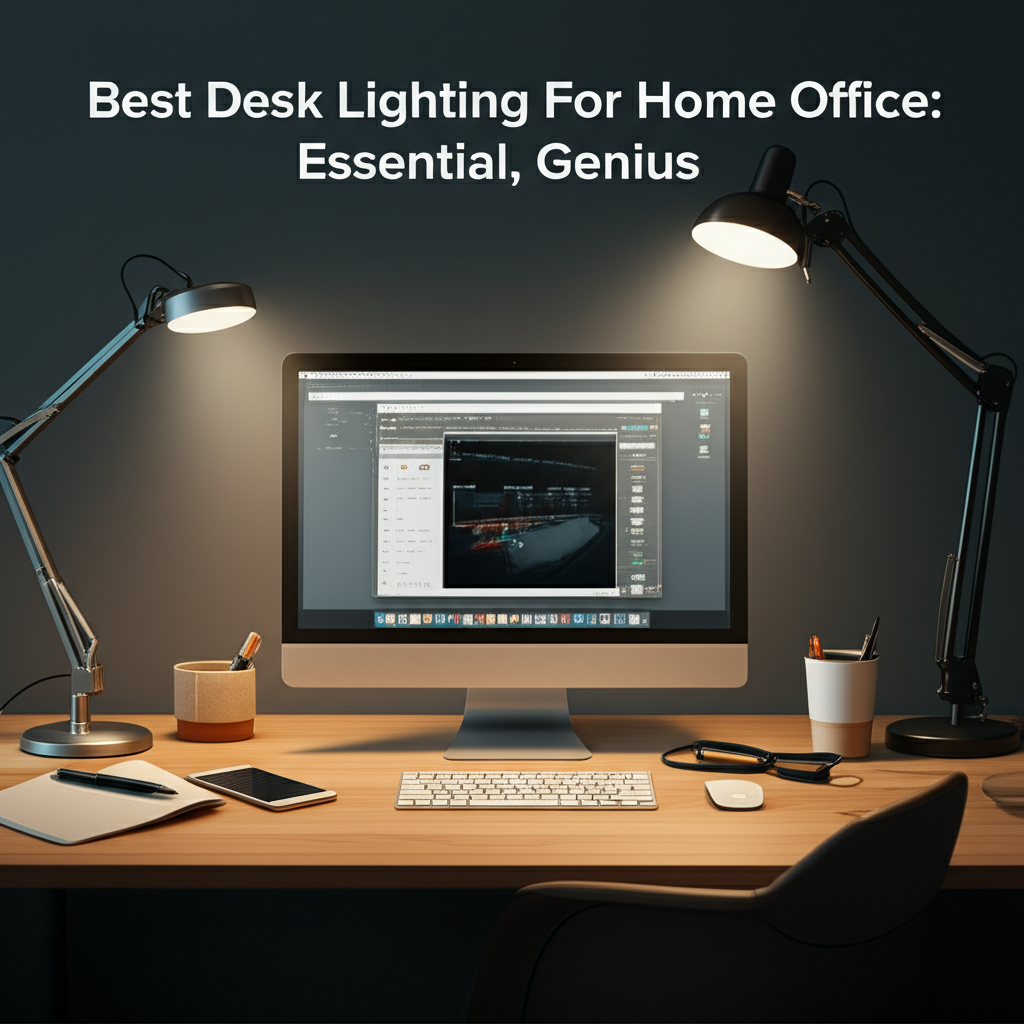
Upgrade your home office with the best desk lighting. This guide helps you find the perfect lamps for comfort, productivity, and style. We cover everything from brightness to eye strain relief for your ultimate workspace.
Working from home has become a normal part of life for many. Your home office should be a place where you can focus and get things done. A big part of that is good lighting. Bad lighting can make your eyes tired and give you headaches. It can also make it hard to see your computer screen or papers. This guide will help you pick the best desk lighting for your home office. We will look at different types of lights and what makes them good for work. Let’s make your workspace brighter and better.
Why Good Desk Lighting Matters for Your Home Office
Good desk lighting is more than just a lamp; it’s crucial for your well-being and work. It directly impacts your focus, reduces eye strain, and can even boost your mood. A well-lit workspace helps prevent headaches and fatigue, allowing you to work longer and more productively. Think of it as an essential tool, like your computer or a comfortable chair, for a successful home office setup.
Understanding Light: Brightness, Color, and Direction
To choose the best desk lighting for your home office, you need to know a bit about light itself. Lights are measured in lumens (brightness) and Kelvin (color temperature). Lumens tell you how bright a light is. More lumens mean a brighter light. Kelvin tells you how warm or cool the light looks. A lower Kelvin (around 2700K) is warm and yellow, like a sunset. A higher Kelvin (around 5000K) is cool and blue, like daylight. The direction of light also matters, as direct light can cause glare.
Lumens: How Bright Should Your Desk Lamp Be?

The number of lumens needed depends on your task and personal preference. For general desk work, around 450-800 lumens is often recommended. If you do detailed tasks like crafting or reading small print, you might want a lamp with more lumens or one that allows you to adjust the brightness. Too little light strains your eyes, while too much can be glaring and uncomfortable.
Kelvin: Choosing the Right Color Temperature
Color temperature affects your mood and focus. Warm light (2700K-3000K) is cozy and relaxing, good for evenings. Neutral light (3500K-4000K) is balanced and good for general tasks. Cool light (5000K-6500K) is bright and energizing, helping you stay alert, much like natural daylight. Many modern desk lamps let you switch between these color temperatures.
Glare and Shadows: Enemies of Your Eyes
Glare is that annoying reflection of light that bounces off your screen or papers. It makes it hard to see and can cause eye strain. Shadows can make it difficult to read or see what you’re doing. The best desk lighting minimizes glare and shadows by using diffusers or adjustable arms. Positioning the lamp correctly is also key to avoiding these issues.
Types of Desk Lighting for Your Home Office
There are several types of desk lamps, each with its own benefits. Understanding these options will help you find the perfect fit for your needs. From simple task lamps to smart, adjustable options, there’s something for everyone. We’ll explore the most popular choices and what makes them stand out.
Traditional Desk Lamps
These are your classic desk lamps, often with an adjustable arm and a shade. They are straightforward and come in many styles, from vintage to modern. Many offer good directional lighting for focused tasks. They are a reliable choice for basic illumination needs in any home office.
LED Desk Lamps
LEDs are energy-efficient and last a long time. They are also great because they don’t get very hot. Many LED desk lamps offer adjustable brightness and color temperature. This makes them very versatile for different tasks and times of day. They are a smart choice for both your wallet and your workspace.
Architect Lamps
These lamps, also known as swing-arm lamps, are highly adjustable. Their long, articulated arms allow you to position the light exactly where you need it. This is perfect for large desks or for tasks that require light to be moved around frequently. They offer excellent flexibility and control over illumination.
Ring Lights
While often used for video calls, ring lights can also serve as excellent desk lighting. They provide a soft, even light that reduces shadows and is flattering. If you spend a lot of time on video conferences, a ring light can be a dual-purpose lighting solution for your home office. It ensures you look good on camera and illuminates your workspace well.
Smart Desk Lamps
Smart desk lamps connect to Wi-Fi or Bluetooth. You can control them with your phone or voice commands. Some can adjust brightness and color temperature automatically based on the time of day or your activity. These lamps offer the most convenience and customization for your home office lighting.
Key Features to Look For in the Best Desk Lighting
When shopping for the best desk lighting for your home office, certain features make a big difference. Look for adjustability, brightness control, and color temperature options. These features allow you to tailor the light to your specific needs and comfort. A good lamp should be a tool that enhances your work, not a distraction.
Adjustability: Position is Everything
An adjustable lamp is essential. Look for lamps with flexible arms, heads, or stands. This lets you direct light precisely where you need it, avoiding glare on your screen or shadows on your work. Being able to move the light easily is a game-changer for comfort and productivity.
Dimmable Brightness: Control Your Light Level
The ability to dim your desk lamp is incredibly useful. You might need bright light for focused work but a softer glow for reading or winding down. A dimmable feature allows you to set the perfect brightness for any situation. This also helps conserve energy when full brightness isn’t needed.
Color Temperature Control: Match Light to Task
As we discussed, color temperature matters. Lamps that offer adjustable color temperature (warm to cool) are highly beneficial. You can choose a cool, energizing light for deep work sessions or a warmer, softer light for relaxed reading. This flexibility supports your eyes and your focus throughout the day.
Flicker-Free Technology: Protect Your Eyes
Flicker is a rapid pulsing of light that is often too fast to see but can cause eye strain and headaches. High-quality desk lamps, especially LED ones, use flicker-free technology. This ensures a steady, consistent light that is much more comfortable for your eyes during long work hours. Look for this feature, especially if you’re sensitive to light.
Energy Efficiency: Save Money and the Planet
LED desk lamps are the clear winners here. They use significantly less energy than traditional incandescent bulbs. This means lower electricity bills for your home office. Plus, they last much longer, reducing the need for frequent bulb replacements. It’s a win-win for your budget and the environment.
Top Picks: Best Desk Lighting For Home Office
After researching many options, I’ve found a few standout desk lamps that offer excellent value and performance for your home office. These are my top recommendations, chosen for their features, reliability, and ability to improve your workspace.
Best Overall: [Brand Name] ProTask LED Lamp
This lamp consistently gets high marks for its combination of features and price. It offers adjustable brightness and three color temperature modes. The flexible gooseneck design allows for precise light positioning. It’s a solid all-around choice for most home office needs.
Best Smart Lamp: [Brand Name] SmartGlow Desk Lamp
For those who love tech, this smart lamp is fantastic. It connects to an app, allowing full control over brightness and color temperature. You can even set schedules for automatic adjustments. It’s a bit pricier, but the convenience and customization are unmatched.
Best Budget Option: [Brand Name] SimpleBeam LED
If you’re on a tight budget, this lamp is a great find. It provides good quality LED light with adjustable brightness. While it might lack some advanced features, it’s a reliable and affordable way to improve your desk lighting. It’s perfect for a basic, effective workspace upgrade.
Best for Eye Comfort: [Brand Name] EyeCare Flicker-Free Lamp
This lamp is specifically designed to reduce eye strain. It features advanced flicker-free technology and a soft, diffused light. It offers multiple brightness levels and color temperatures to suit sensitive eyes. If eye fatigue is a major concern, this is the lamp for you.
Setting Up Your Desk Lighting for Maximum Productivity
Where you place your lamp and how you use its features can greatly impact your productivity. The goal is to create an optimal lighting environment that supports your work. Here are some tips to get the most out of your chosen desk lamp.
Placement: Avoid Glare and Shadows
Position your desk lamp to the side of your dominant hand. If you’re right-handed, place it on the left. If you’re left-handed, place it on the right. This helps prevent shadows as you write or move objects. Also, angle the lamp so it doesn’t shine directly into your eyes or create a glare on your computer screen.
Task Lighting vs. Ambient Lighting
Your desk lamp is primarily for task lighting – illuminating your immediate workspace. However, don’t forget about ambient lighting, the general light in your room. A room that’s too dark except for your desk lamp can cause eye strain. Ensure your overall room lighting is comfortable and balanced.
Using Adjustable Settings Effectively
Take advantage of your lamp’s features. Use brighter, cooler light for focused work requiring concentration. Switch to warmer, dimmer light for reading, brainstorming, or during less demanding tasks. Experiment to find what works best for you at different times of the day.
Smart Lighting and Home Automation Integration
The integration of smart lighting into home offices is a growing trend. These systems offer unparalleled control and customization. They can sync with your daily routine, adjusting light based on your schedule or even your presence. This creates a more dynamic and responsive workspace.
Voice Control and App Management
Smart desk lamps can be controlled using voice assistants like Alexa or Google Assistant. You can simply say, “Turn on my desk lamp to 50% brightness,” or “Set my desk lamp to warm white.” Mobile apps provide even more granular control, allowing you to create custom lighting scenes for different activities. This hands-free operation is incredibly convenient.
Scheduling and Routines
Smart lamps can be programmed to turn on and off at specific times. You can set them to gradually brighten in the morning to simulate sunrise, helping you wake up gently. You can also schedule them to dim in the evening, signaling it’s time to wind down. This automation supports a healthier work-life balance.
Integration with Other Smart Devices
Many smart lighting systems can integrate with other smart home devices. For example, your desk lamp could dim when your smart speaker starts playing music, or turn off automatically when your smart home security system is armed. This creates a cohesive and responsive smart home environment. The possibilities for automation are vast.
Lighting for Specific Home Office Needs
Your home office might have unique lighting requirements based on your profession or habits. Consider these specific scenarios to find the perfect lighting solution.
For Designers and Creatives
If your work involves color accuracy, such as graphic design or art, look for lamps with a high Color Rendering Index (CRI). A CRI of 90 or above ensures that colors appear natural and true to life. This is crucial for tasks where precise color representation is important. Many modern LED lamps offer this feature.
For Coders and Writers
For those spending long hours in front of screens, eye comfort is paramount. Prioritize flicker-free technology and adjustable color temperatures. Being able to switch to warmer, softer light can significantly reduce eye strain during extended typing or coding sessions. Good placement to minimize screen glare is also key.
For Video Conferencing
If you frequently appear on video calls, good lighting is essential for a professional appearance. A ring light can provide even, flattering illumination. Alternatively, a well-positioned desk lamp with adjustable brightness and color temperature can also work well. Avoid harsh overhead lights that cast unflattering shadows.
Maintaining Your Desk Lighting
Once you’ve found the best desk lighting for your home office, a little maintenance keeps it working optimally. Keeping your lamp clean and ensuring bulbs are in good condition will ensure consistent performance.
Cleaning Your Lamp
Dust can accumulate on lampshades and bulbs, dimming the light. Regularly wipe down your lamp with a soft, dry cloth. For stubborn dust, use a slightly damp cloth, but ensure the lamp is unplugged and completely dry before plugging it back in. A clean lamp provides better, more efficient light.
Bulb Replacement (for non-integrated LEDs)
If your lamp uses replaceable bulbs, check them periodically. While LEDs last a very long time, they do eventually dim or burn out. When replacing, choose bulbs with similar specifications (lumens and Kelvin) to maintain your desired lighting. Always unplug the lamp before changing a bulb for safety.
Frequently Asked Questions About Desk Lighting
Here are answers to some common questions people have when choosing desk lighting for their home office.
What is the best type of light bulb for a desk lamp?
LED bulbs are generally the best choice. They are energy-efficient, long-lasting, and often come with features like dimming and adjustable color temperature. They also produce less heat than other bulb types, making your workspace more comfortable.
How bright should my desk lamp be?
For most tasks, aim for a brightness between 450 and 800 lumens. However, this can vary based on your personal preference and the specific task. Many lamps allow you to adjust the brightness, so look for a dimmable option.
Should I worry about blue light from my desk lamp?
Blue light, especially from screens and bright lights, can affect sleep patterns. If you work late, using a desk lamp with a warm color temperature setting (around 2700K-3000K) can be more sleep-friendly. Some lamps also have a “night mode” feature.
How can I prevent eye strain from my desk lamp?
Use flicker-free technology, adjust brightness and color temperature, and position your lamp correctly to avoid glare and shadows. Take regular breaks to rest your eyes. Ensure your overall room lighting is also comfortable and balanced.
What is a good CRI for a desk lamp?
A high Color Rendering Index (CRI) is important if you need accurate color representation. For tasks like design or art, aim for a CRI of 90 or above. For general use, a CRI of 80+ is usually sufficient.
Can a desk lamp improve my mood?
Yes, lighting can influence mood. Brighter, cooler light can help you feel more alert and energized, while warmer, softer light can create a more relaxed atmosphere. Experiment with different settings to see what makes you feel best.
Conclusion: Illuminate Your Way to a Better Home Office
Choosing the best desk lighting for your home office is a simple yet powerful way to enhance your productivity and comfort. By understanding lumens, Kelvin, and key features like adjustability and flicker-free technology, you can make an informed decision. Whether you opt for a budget-friendly LED or a high-tech smart lamp, the right lighting will transform your workspace. Invest in good lighting, and you’ll be investing in your well-being and your work.

Belayet Hossain is a Senior Tech Expert and Certified AI Marketing Strategist. Holding an MSc in CSE (Russia) and over a decade of experience since 2011, he combines traditional systems engineering with modern AI insights. Specializing in Vibe Coding and Intelligent Marketing, Belayet provides forward-thinking analysis on software, digital trends, and SEO, helping readers navigate the rapidly evolving digital landscape. Connect with Belayet Hossain on Facebook, Twitter, Linkedin or read my complete biography.