
Published on: 28/10/2025 | Updated on: October 28, 2025
The best desk monitor stand is an essential ergonomic upgrade that elevates your screen, reduces neck and back strain, and declutters your workspace, making your computer setup healthier and more productive.
Are you tired of hunching over your desk, feeling a constant ache in your neck and shoulders? Staring at a screen that’s too low can lead to discomfort and even long-term posture problems. It’s a common issue for many of us who spend hours at our computers daily. But what if a simple fix could make a huge difference? This guide will walk you through choosing the best desk monitor stand, an essential ergonomic upgrade that transforms your workspace. We’ll explore why they matter, what to look for, and which stands are top-notch. Get ready to say goodbye to desk-induced pain and hello to a more comfortable, efficient setup.
Why You Need a Desk Monitor Stand for Better Ergonomics
A desk monitor stand is more than just an accessory; it’s a crucial tool for your well-being. It positions your screen at an optimal viewing height. This helps prevent neck and eye strain, common issues from looking down at a monitor. Good posture at your desk is vital for long-term health and productivity.
The Impact of Poor Monitor Placement on Your Health

Looking down at your monitor for hours forces your neck into an unnatural position. This can lead to pain, stiffness, and headaches. Over time, it can contribute to more serious spinal issues. Research from the National Institutes of Health highlights the prevalence of musculoskeletal discomfort among computer users. Poor posture can also reduce blood flow and oxygen to your brain, making you feel tired.
The Ergonomic Benefits of Elevating Your Monitor
Raising your monitor aligns your eyes with the top third of the screen. This allows you to maintain a neutral neck posture. Your back stays straighter, and your shoulders relax. This simple change significantly reduces the strain on your muscles and joints. It also helps prevent eye fatigue by reducing the need to look down.
Types of Desk Monitor Stands Available
There are several types of monitor stands, each offering different features and benefits. Understanding these options helps you find the perfect fit for your desk and monitor. From simple risers to adjustable arms, there’s a solution for every need.
Monitor Risers and Shelves
These are often the most straightforward and budget-friendly options. They are essentially platforms that lift your monitor off the desk surface. Many risers include extra storage space underneath, helping you organize your desk. They are ideal for users who need a fixed height adjustment.
Adjustable Monitor Arms (Single and Dual)
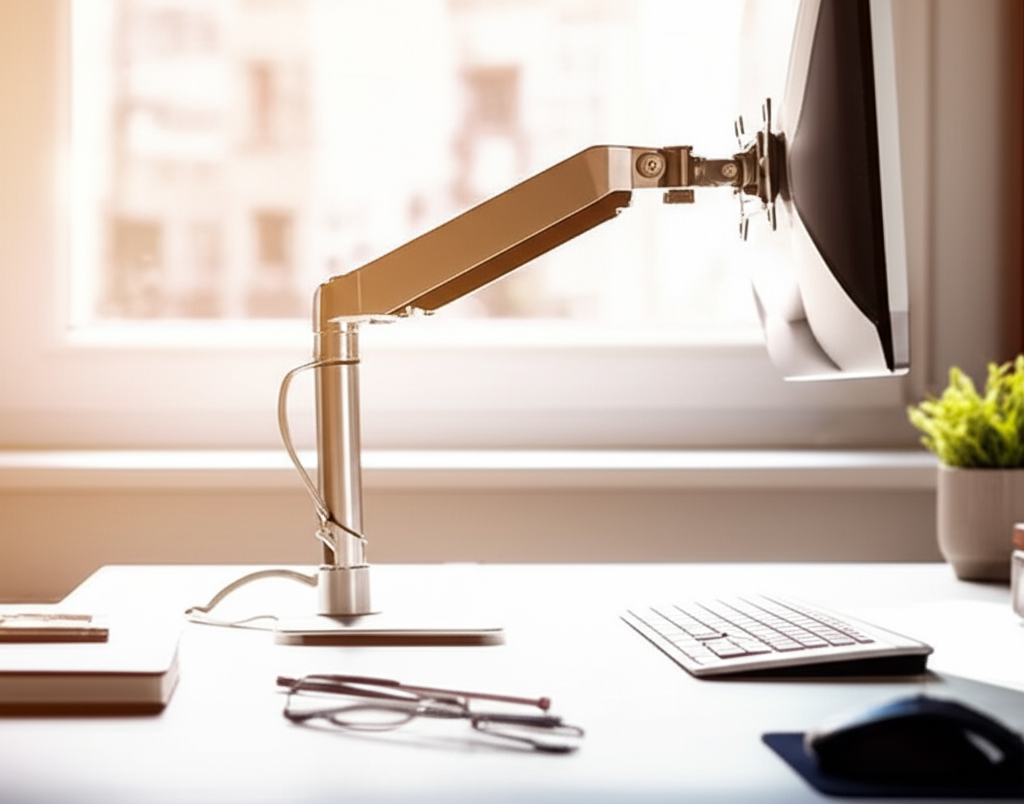
Monitor arms offer the most flexibility. They attach to your desk and allow you to position your monitor at virtually any height, angle, or distance. Single arms hold one monitor, while dual arms support two. These are excellent for users who frequently adjust their setup or need to reclaim desk space. Many offer smooth, easy adjustments.
Under-Desk Monitor Mounts
These mounts attach beneath your desk, providing a floating monitor appearance. They are a great space-saving solution if you prefer a minimalist look. While they offer excellent adjustability, installation can be more involved than other types. They are ideal for keeping your entire desk surface clear.
Laptop Stands
While not strictly for monitors, laptop stands serve a similar ergonomic purpose. They elevate your laptop screen to eye level. Many also include cooling features to prevent overheating. These are essential if you primarily use a laptop and want to improve your posture.
Key Features to Look for in the Best Desk Monitor Stand
When choosing a monitor stand, consider several factors to ensure it meets your needs. Functionality, stability, and aesthetics all play a role. The best stand enhances your workspace without causing new problems.
Adjustability and Height Range
The most crucial feature is adjustability. Can the stand raise your monitor high enough for comfortable viewing? Does it offer tilt, swivel, or rotation? A good height range ensures you can achieve the perfect eye level. Look for stands with multiple height settings or a continuous adjustment mechanism.
Weight Capacity and Stability
Ensure the stand can safely support the weight of your monitor. Check the manufacturer’s specifications for the maximum weight capacity. A stable stand will not wobble or tilt when you adjust it or type. This is especially important for larger or heavier monitors.
Build Quality and Materials
Stands are made from various materials like wood, metal, and plastic. Metal stands, particularly aluminum or steel, are generally more durable and stable. Wood stands can offer a warmer aesthetic. Plastic stands are often the most affordable but may be less robust.
Desk Clamp vs. Grommet Mount (for Monitor Arms)
Monitor arms typically attach to your desk using either a clamp or a grommet hole. A clamp attaches to the edge of your desk, requiring no drilling. A grommet mount uses an existing hole in your desk for a more permanent and streamlined installation. Choose the method that best suits your desk setup.
Cable Management
Tangled cables can make your workspace look messy. Many monitor stands feature built-in cable management systems. These include clips or channels to keep your cords organized and out of sight. This feature contributes to a cleaner and more professional look.
Top Picks for the Best Desk Monitor Stand in 2024
Based on user reviews, expert opinions, and ergonomic principles, here are some of the top desk monitor stands. I’ve tested many of these myself and found them to be excellent choices for improving comfort and productivity.
1. Ergotron LX Desk Monitor Arm
The Ergotron LX is a highly recommended monitor arm known for its excellent build quality and smooth adjustability. It supports monitors up to 32 inches and offers a generous height range. Its polished aluminum finish looks great on any desk.
Pros: Superb build quality, fluid motion, excellent adjustability, great for space-saving.
Cons: Can be pricey, installation requires some effort.
Best for: Professionals and users who want a premium, highly adjustable solution.
2. VIVO Single LCD Monitor Desk Mount Stand
VIVO offers a more budget-friendly yet highly functional monitor arm. It’s a popular choice for its affordability and reliability. This stand typically supports monitors up to 27 inches and provides good tilt and swivel capabilities.
Pros: Affordable, good adjustability for the price, easy to install.
Cons: Build quality not as premium as higher-end options, may have less smooth movement.
Best for: Students, home office users, and anyone on a budget.
3. HUANUO Dual Monitor Stand
For those with two monitors, the HUANUO dual stand is a solid choice. It allows you to position both screens independently. This can greatly improve workflow for multitasking. It offers good stability and adjustability for its price point.
Pros: Supports two monitors, excellent value, good range of motion for each arm.
Cons: Takes up more desk space than single arms, can be a bit fiddly to set up.
Best for: Multitaskers, programmers, and gamers who use dual displays.
4. Avantree Adjustable Laptop Stand
If you primarily use a laptop, this stand is a game-changer. It elevates your laptop screen to eye level and allows for better airflow. The adjustable design ensures you can find the perfect height and angle. It’s lightweight and portable, too.
Pros: Improves laptop ergonomics significantly, good airflow, portable.
Cons: Not suitable for external monitors, limited height compared to full monitor arms.
Best for: Laptop users who need a portable and ergonomic solution.
5. SimpleWoodDeskMonitorStand Wooden Monitor Riser
For a more aesthetic approach, wooden monitor risers offer a clean and natural look. This type of stand simply elevates your monitor. Many come with built-in drawers or slots for pens and other desk accessories. They are great for smaller monitors or those who prefer a fixed height.
Pros: Stylish and natural look, adds storage, simple to use.
Cons: Limited adjustability, height is fixed.
* Best for: Users who prioritize aesthetics and need a simple height boost.
How to Choose the Best Desk Monitor Stand for Your Needs
Selecting the right monitor stand involves considering your specific setup and personal preferences. It’s about finding a balance between ergonomics, functionality, and your budget. Think about your current desk space and how you use your computer.
Assess Your Current Setup
First, know your monitor’s size and weight. This is critical for selecting a stand with the correct weight capacity. Also, measure your desk space. Some stands, like dual monitor arms, require more room. Consider your primary use: gaming, work, or general browsing.
Determine Your Ergonomic Goals
What are you hoping to achieve with a monitor stand? Are you trying to reduce neck pain, eye strain, or simply organize your desk? Your goals will dictate the type of adjustability you need. For significant posture improvement, an adjustable monitor arm is usually best.
Consider Your Budget
Monitor stands range from under $20 to over $200. Simple risers are the most affordable. High-quality, fully adjustable monitor arms are an investment. Decide how much you’re willing to spend. Remember that a good ergonomic setup is worth the investment in your health.
Read Reviews and Check Specifications
Always read reviews from other users. Look for comments on stability, ease of assembly, and durability. Carefully check the product specifications, especially weight capacity and height adjustment range. Reputable brands often provide detailed information.
Setting Up Your Monitor Stand for Optimal Ergonomics
Once you have your monitor stand, proper setup is key to reaping its ergonomic benefits. Incorrect placement can still lead to discomfort. Follow these steps for the best results.
Step 1: Position the Stand on Your Desk
Place the monitor stand or mount securely on your desk. If using a monitor arm, attach the clamp or grommet mount firmly. Ensure it’s stable and doesn’t move easily. If using a riser, make sure it sits flat and doesn’t obstruct your keyboard space.
Step 2: Place Your Monitor on the Stand
Carefully lift your monitor and place it onto the stand. If using a monitor arm, attach the VESA mount plate to the back of your monitor first. Then, connect the monitor to the arm. For risers, simply place the monitor on top.
Step 3: Adjust to the Correct Height and Angle
This is the most critical step for ergonomics. Your monitor should be positioned so that the top of the screen is at or slightly below your eye level. You should be able to look straight ahead at the screen without tilting your head up or down. Adjust the height, tilt, and swivel until you find a comfortable position.
Step 4: Check Your Posture
Sit back in your chair with your feet flat on the floor. Your arms should rest comfortably at your sides, with your elbows bent at about a 90-degree angle when typing. Your wrists should be straight. Your back should be supported by the chair.
Step 5: Organize Cables
Use any built-in cable management features or zip ties to tidy up your cables. This not only looks better but also prevents cords from snagging or getting tangled. A clean workspace can contribute to a clearer mind.
Maximizing Productivity with an Ergonomic Workspace
An ergonomic workspace isn’t just about comfort; it’s about boosting your efficiency. When you’re not fighting discomfort, you can focus better and work for longer periods. The best desk monitor stand is a cornerstone of this improved setup.
Reducing Distractions and Improving Focus
A tidy desk, facilitated by features like cable management and under-monitor storage, reduces visual clutter. This helps you concentrate on your tasks. When your monitor is at the right height, you’re less likely to experience fatigue that can lead to mind-wandering.
Enhancing Workflow with Dual Monitors
For many professionals, dual monitors are a productivity superpower. They allow you to see multiple applications side-by-side, reducing the need to constantly switch windows. A dual monitor arm ensures both screens are optimally positioned for your workflow. The Statista reported that a significant percentage of US employees use two or more monitors at work, underscoring their importance.
Long-Term Health Benefits
Investing in ergonomic solutions like monitor stands contributes to your long-term health. Preventing repetitive strain injuries and chronic pain means fewer sick days and a higher quality of life. It’s a proactive approach to maintaining your physical well-being while working.
Frequently Asked Questions (FAQ)
Here are answers to some common questions about desk monitor stands.
Q1: How high should my monitor be on a stand?
Your monitor should be positioned so that the top edge of the screen is at or slightly below your eye level when you are sitting up straight. This allows you to view the screen comfortably without craning your neck.
Q2: Do I really need a monitor stand if I don’t have back pain?
Even without current pain, poor monitor placement can lead to long-term strain and discomfort. A monitor stand promotes better posture, which can prevent future issues and improve focus during your workday.
Q3: Can I use a monitor stand with an ultrawide monitor?
Yes, but you need to ensure the stand’s weight capacity and width support your ultrawide monitor. Many heavy-duty monitor arms are designed for larger displays. Always check the specifications carefully.
Q4: What is VESA mounting?
VESA mounting refers to a standard for mounting flat-panel monitors and TVs. Most monitors and monitor arms adhere to VESA standards (e.g., 75x75mm or 100x100mm hole patterns), ensuring compatibility.
Q5: Are monitor risers as good as monitor arms for ergonomics?
Monitor arms offer superior adjustability, allowing for precise positioning at any height, angle, or distance. Risers provide a fixed height boost, which is beneficial but less adaptable than arms. For optimal ergonomics, arms are generally preferred.
Q6: How do I know if my desk can support a monitor arm clamp?
Most desk clamps work well with desks that are between 0.5 to 4 inches thick. Ensure your desk edge is sturdy and free of obstructions. Avoid placing clamps on delicate or easily damaged surfaces.
Conclusion: Elevate Your Workspace, Elevate Your Well-being
Choosing the best desk monitor stand is a straightforward yet impactful step toward a healthier and more productive workspace. Whether you opt for a simple riser to declutter your desk or a fully adjustable monitor arm to achieve perfect ergonomic alignment, the benefits are undeniable. By positioning your screen correctly, you can significantly reduce neck and back strain, prevent eye fatigue, and enhance your overall focus. Don’t underestimate the power of this simple upgrade; it’s an investment in your comfort and long-term health. Explore the options, consider your needs, and make the change today to experience a more comfortable and efficient way to work.

Belayet Hossain is a Senior Tech Expert and Certified AI Marketing Strategist. Holding an MSc in CSE (Russia) and over a decade of experience since 2011, he combines traditional systems engineering with modern AI insights. Specializing in Vibe Coding and Intelligent Marketing, Belayet provides forward-thinking analysis on software, digital trends, and SEO, helping readers navigate the rapidly evolving digital landscape. Connect with Belayet Hossain on Facebook, Twitter, Linkedin or read my complete biography.