
Published on: 28/10/2025 | Updated on: October 28, 2025
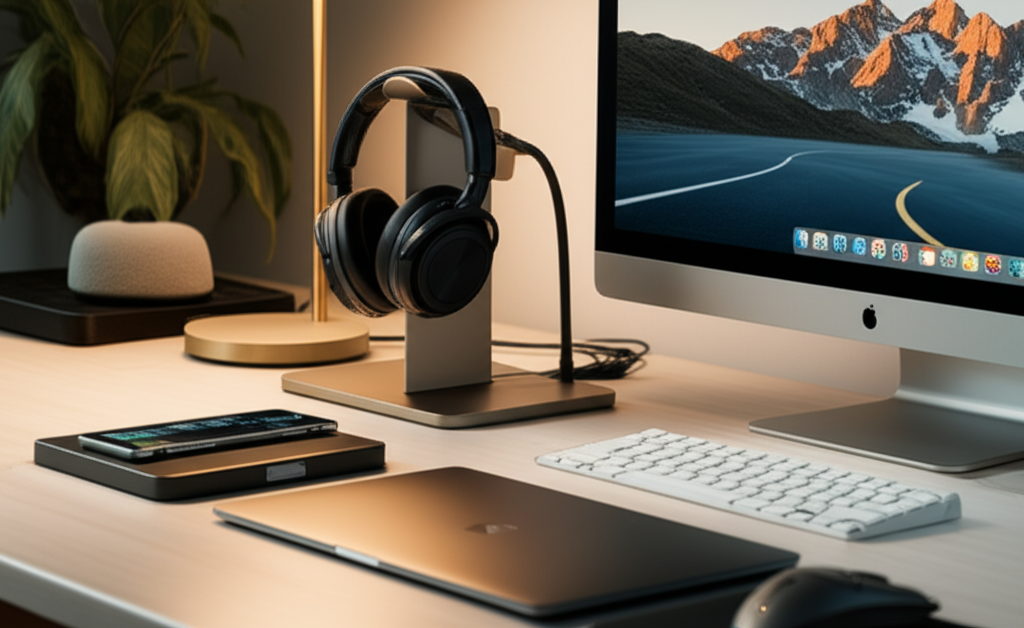
Upgrade your workspace with the best desk tech accessories. Boost productivity and comfort with smart gadgets that streamline your day. From ergonomic aids to smart organizers, find genius upgrades for any desk setup.
The modern desk is more than just a surface; it’s your command center. But a cluttered, uninspired desk can drain your energy and hinder your workflow. Imagine a space where everything has its place, where tasks flow smoothly, and where technology works for you, not against you. This guide will help you find the best desk tech accessories to transform your workspace into a haven of productivity and comfort. We’ll explore essential gadgets and genius upgrades that make a real difference.
Why Desk Tech Accessories Matter for Productivity

A well-equipped desk can dramatically improve how you work. It’s not just about looking good; it’s about feeling good and working smarter. Accessories can help reduce strain, organize your space, and make common tasks faster. Think of it as giving your desk a toolkit for success.
Comfort: Ergonomic accessories reduce physical stress. This means less fatigue and fewer aches after long work sessions.
Organization: Smart organizers keep your desk tidy. A clean space helps you focus on the task at hand.
Efficiency: Gadgets that automate or simplify tasks save you time. This lets you get more done each day.
Motivation: A pleasant workspace can boost your mood. This can make work feel less like a chore.
Essential Desk Tech Accessories for Every Setup
These are the must-have items that provide immediate benefits. They are the foundation of a great desk.
1. High-Quality Monitor Stands and Arms
A good monitor stand or arm is crucial for ergonomic viewing. It helps you position your screen at the perfect height and angle. This reduces neck and eye strain significantly.
Staring at a screen for hours can lead to neck and shoulder pain. A monitor stand or arm elevates your display to eye level. This promotes better posture and reduces discomfort. Many arms also offer flexibility to move your screen easily. This is great for multitasking or sharing your display.
Benefits:
Reduces neck and eye strain.
Improves posture.
Frees up desk space (with arms).
Offers screen adjustability.
Considerations:
Weight capacity for your monitor.
Desk mounting options (clamp vs. grommet).
Adjustability range (height, tilt, swivel).
A common frustration is craning your neck to see your monitor. A simple stand can fix this. For ultimate flexibility, an adjustable monitor arm is a game-changer. It allows you to position your screen perfectly for any task.
2. Ergonomic Keyboards and Mice
Your keyboard and mouse are your primary tools. Choosing ergonomic options can prevent repetitive strain injuries. They support natural hand and wrist positions.
Typing and clicking all day can put stress on your wrists and hands. Ergonomic keyboards and mice are designed to reduce this stress. They often feature split designs, curved shapes, or vertical grips. These promote a more natural hand posture. This can make a big difference in comfort over time.
Types of Ergonomic Keyboards:
Split Keyboards: Divided into two sections for a more natural arm and shoulder position.
Curved Keyboards: Gently curved to fit the natural shape of your hands.
Vertical Keyboards: Allow your hand to rest in a handshake position, reducing forearm pronation.
Types of Ergonomic Mice:
Vertical Mice: Keep your hand in a neutral handshake position.
Trackball Mice: Allow cursor control with your thumb or finger, reducing wrist movement.
Sculpted Mice: Designed to fit the contours of the hand for better support.
According to the Bureau of Labor Statistics, musculoskeletal disorders are common in office jobs. Investing in ergonomic peripherals can help prevent these issues. Many users report reduced pain and increased typing comfort after switching.
3. High-Quality Webcams and Microphones
Clear communication is key for remote work and virtual meetings. A good webcam and microphone ensure you look and sound professional. This boosts your presence and understanding.
In today’s connected world, virtual meetings are the norm. A fuzzy webcam or poor audio can be distracting. It can make you seem less credible. Upgrading your webcam and microphone ensures you present yourself clearly. This leads to more effective and engaging interactions.
Webcam Features to Look For:
Resolution: 1080p (Full HD) is standard; 4K offers superior clarity.
Frame Rate: 30fps is good; 60fps provides smoother motion.
Field of View: A wider angle can capture more of your background or multiple people.
Low-Light Performance: Essential for rooms with less-than-ideal lighting.
Microphone Features to Consider:
Type: USB microphones are plug-and-play; XLR offers professional quality with an audio interface.
Polar Patterns: Cardioid is best for single-person use, rejecting background noise.
Noise Cancellation: Filters out ambient sounds for clearer voice capture.
A study by Global Workplace Analytics highlights the growth of remote work. Being prepared with quality communication tools is essential for success. A dedicated microphone often provides a richer, clearer sound than built-in laptop mics.
4. Efficient Cable Management Solutions
Tangled cables create visual clutter and can be a tripping hazard. Cable management systems keep your workspace tidy and safe. They make your desk look professional and organized.
Messy cables can make even the neatest desk look chaotic. They can also be frustrating to untangle when you need to move something. Cable management solutions, like sleeves, clips, and ties, hide or organize these wires. This not only improves aesthetics but also makes cleaning easier.
Popular Cable Management Tools:
Cable Sleeves: Bundle multiple cables together into one neat tube.
Cable Clips/Holders: Stick to the desk edge to guide and secure individual cables.
Velcro Ties: Reusable and adjustable for various cable bundles.
Under-Desk Trays: Mount beneath your desk to hold power strips and excess cable length.
A report from Statista indicates a growing interest in organized home environments. Cable management is a simple step toward a smarter, tidier space. It’s amazing how much calmer a desk feels without visible wire spaghetti.
Genius Desk Tech Upgrades for Enhanced Productivity
Once you have the essentials, consider these upgrades to take your desk setup to the next level.
5. Smart Lighting and Ambient Control
Good lighting reduces eye strain and can influence mood and focus. Smart lighting solutions offer adjustability and can even sync with your tasks.
Lighting affects your productivity and well-being more than you might think. Harsh overhead lights can cause glare and fatigue. Smart desk lamps allow you to control brightness and color temperature. You can adjust them to suit the time of day or your task. Some even offer app control for ultimate convenience.
Benefits of Smart Lighting:
Adjustable Brightness: Dim or brighten as needed.
Color Temperature Control: Warm light for relaxation, cool light for focus.
Scheduling: Set lights to turn on or off automatically.
App Control: Adjust settings from your phone or computer.
Examples:
LED Desk Lamps: Many offer adjustable arms and touch controls.
Smart Bulbs: Replace existing bulbs with ones controllable via Wi-Fi or Bluetooth.
Bias Lighting: Lights placed behind your monitor can reduce eye strain by balancing screen brightness with the room.
The impact of light on circadian rhythms is well-documented. Using appropriate lighting can improve sleep quality and alertness. A desk lamp with adjustable color temperature can mimic natural daylight cycles. This can help maintain your energy levels throughout the day.
6. Wireless Charging Pads and Hubs
Cut down on charging cables with wireless solutions. A central charging pad or hub keeps your devices powered up without clutter.
Constantly plugging and unplugging devices is a hassle. Wireless charging pads let you simply place your phone or earbuds on them to charge. Many desks can integrate these pads discreetly. A charging hub can power multiple devices simultaneously, wired or wirelessly. This declutters your power sources.
Types of Wireless Chargers:
Single-Device Pads: For one phone or set of earbuds.
Multi-Device Chargers: Can charge a phone, watch, and earbuds at once.
Desk-Integrated Chargers: Built into desk mats or furniture for a seamless look.
Benefits:
Reduces cable clutter.
Convenient and easy to use.
Protects charging ports from wear and tear.
The adoption of Qi wireless charging has made this technology widely accessible. Most modern smartphones support it. Having a dedicated spot for charging keeps your phone visible and ready to go. It also prevents the dreaded low-battery notification.
7. High-Speed USB Hubs and Docking Stations
Expand your connectivity options with a reliable USB hub or docking station. These accessories allow you to connect multiple peripherals easily.
Laptops often have limited ports, especially newer, slimmer models. A USB hub or docking station acts as a central connector. It allows you to plug in monitors, external drives, keyboards, and more with a single cable. This transforms your laptop into a more powerful desktop setup. Look for hubs with fast data transfer speeds and sufficient ports for your needs.
Key Features for USB Hubs/Docks:
Number and Type of Ports: USB-A, USB-C, HDMI, Ethernet, SD card reader.
Power Delivery: Can it charge your laptop while connected?
Data Transfer Speed: USB 3.0, 3.1, or Thunderbolt for faster performance.
Display Support: Can it drive multiple external monitors at desired resolutions?
According to Pew Research Center, reliable internet and connectivity are crucial for many activities. A good docking station ensures all your peripherals are always connected and ready. This means less time spent plugging and unplugging.
8. Smart Desk Mats and Organizers
A smart desk mat can add functionality and style. Some offer integrated features like wireless charging or extra ports.
Beyond just protecting your desk surface, a smart desk mat can do more. Some come with built-in wireless charging zones. Others have subtle indicators or even small screens for notifications. Desk organizers, especially modular ones, help keep pens, notes, and other small items in order. They create a visually appealing and functional layout.
Benefits of Smart Desk Mats:
Provides a smooth surface for mouse and keyboard.
Can include wireless charging capabilities.
Offers a unified, clean aesthetic.
Protects your desk from scratches and spills.
Organizer Features:
Modular designs for customization.
Compartments for various items.
Materials like wood, metal, or acrylic for durability and style.
A tidy desk contributes to a tidy mind. A well-designed organizer helps you find what you need instantly. This reduces frustration and wasted time searching for items. Many users find that having a designated spot for everything reduces mental clutter.
Advanced Desk Tech for the Power User
For those looking to optimize further, these accessories offer next-level enhancements.
9. Portable Monitors and Secondary Displays
Expand your screen real estate with a portable monitor. These thin and light displays connect easily to your laptop. They provide a second screen for multitasking.
Working with only one screen can limit productivity. A portable monitor is a lightweight solution. It offers an additional display without taking up much space. You can use it for reference materials, chat windows, or any application you want separate from your main work. Many connect via USB-C, making setup simple.
Advantages of Portable Monitors:
Increases screen real estate for multitasking.
Lightweight and easy to transport.
Often powered and connected via a single USB-C cable.
Can improve workflow efficiency significantly.
Things to Check:
Screen size and resolution.
Connectivity options (USB-C, HDMI).
Build quality and stand design.
Studies on multitasking show that having multiple displays can increase productivity by up to 50%. A portable monitor is an affordable way to achieve this. It’s like having a mini-command center wherever you go.
10. Noise-Canceling Headphones or Earbuds
Minimize distractions with noise-canceling audio gear. This is essential for focused work in noisy environments.
Open-plan offices or busy homes can be full of distractions. Noise-canceling headphones create a personal quiet zone. They block out ambient sounds, allowing you to concentrate. This is invaluable for deep work, calls, or simply enjoying your audio. Many models also offer excellent microphones for clear communication.
How Noise Cancellation Works:
Active Noise Cancellation (ANC): Uses microphones to detect external sound and generate opposing sound waves to cancel it out.
Passive Noise Isolation: Achieved through the physical design of the headphones, creating a seal around the ear.
Benefits:
Improved focus and concentration.
Reduced stress from constant noise.
Better audio quality for calls and media.
Personalized quiet space.
Research from institutions like Rensselaer Polytechnic Institute has explored how environmental factors, including noise, impact cognitive performance. Creating a distraction-free audio environment can significantly boost your output. It allows your brain to focus without interruption.
11. Smart Plugs and Power Strips
Control your desk electronics with smart plugs. They allow remote power management and scheduling. This can save energy and add convenience.
Imagine turning off all your desk electronics with a single command or tap on your phone. Smart plugs make this possible. You can schedule devices to turn on or off, monitor energy usage, and control them remotely. This is great for ensuring everything is powered down at the end of the day. It also helps in managing power consumption.
Features of Smart Plugs:
Remote Control: Turn devices on/off via an app.
Scheduling: Automate power cycles.
Voice Control: Integrate with smart assistants like Alexa or Google Assistant.
Energy Monitoring: Track power usage for specific devices.
Applications:
Control desk lamps, chargers, or even your computer.
Ensure devices aren’t drawing phantom power when off.
Automate your morning setup by turning on lights and a coffee maker.
The Internet of Things (IoT) continues to expand into everyday objects. Smart plugs are a simple entry point into home automation. They bring convenience and efficiency to managing your electronic devices. This can lead to both time and energy savings.
Choosing the Right Desk Tech Accessories for You
The best desk tech accessories are those that fit your specific needs and workflow. Consider these factors:
12. Assessing Your Workflow and Needs
Before buying, analyze how you work. What are your biggest frustrations? What tasks take the most time? Tailor your accessory choices to solve these problems.
Not every gadget is right for everyone. Think about your daily routine. Do you spend hours on video calls? A better webcam and mic are priorities. Are you constantly battling clutter? Cable management and smart organizers should be first on your list. Your personal comfort and health are also key.
Questions to Ask Yourself:
What are the most common tasks I perform at my desk?
What causes me the most discomfort or frustration?
How much space do I have?
What is my budget?
Do I prefer wired or wireless solutions?
Understanding your workflow is the first step to an effective workspace. It prevents impulse buys that don’t actually help. Focus on accessories that directly address your pain points.
13. Budgeting for Desk Upgrades
Set a budget before you start shopping. Prioritize essential items first. Look for deals and consider bundles for better value.
Desk tech accessories range from affordable to quite expensive. It’s wise to set a budget. Start with the most impactful items, like an ergonomic mouse or a monitor stand. You can always add more upgrades later. Many brands offer sales, especially around holidays.
Budgeting Tips:
Prioritize: Invest in items that offer the most significant improvement to comfort or productivity.
Research: Compare prices and read reviews before purchasing.
Look for Bundles: Sometimes buying a set of related accessories offers savings.
* Consider Refurbished: High-quality items might be available at a lower cost.
A small investment in the right accessories can yield significant returns in productivity and well-being. Don’t feel pressured to buy everything at once. Build your ideal desk setup incrementally.
Frequently Asked Questions About Desk Tech Accessories
Q1: What is the most important desk tech accessory for comfort?
The most important accessory for comfort is often an ergonomic keyboard and mouse. They directly impact how your hands and wrists feel during long work sessions. Proper posture supported by a good chair and desk setup is also vital.
Q2: How can I make my desk look cleaner with tech accessories?
Use cable management solutions to hide wires. Opt for wireless peripherals where possible. Smart organizers keep small items out of sight. A clean aesthetic reduces visual clutter and promotes focus.
Q3: Are expensive desk tech accessories worth the money?
Often, yes. Higher-quality accessories tend to be more durable, offer better features, and provide superior comfort and performance. For items you use daily, like a keyboard or monitor, the investment can pay off in the long run.
Q4: What’s the difference between a USB hub and a docking station?
A USB hub typically adds more USB ports. A docking station is more comprehensive, often including video outputs (HDMI, DisplayPort), Ethernet ports, SD card readers, and power delivery for your laptop. Docking stations usually connect via USB-C or Thunderbolt.
Q5: Can smart lighting actually improve my productivity?
Yes, smart lighting can help by reducing eye strain with adjustable brightness and color temperature. Setting the right light can improve focus during work hours and help regulate your sleep cycle. This leads to better alertness and less fatigue.
Q6: How do I choose the right monitor arm?
Consider your monitor’s size and weight to ensure compatibility. Think about how much adjustment you need (height, tilt, swivel, rotation). Also, decide on the mounting type: desk clamp or grommet mount.
Conclusion: Crafting Your Ultimate Workspace
Transforming your desk from a mere surface into a powerful productivity hub is achievable with the right tech accessories. From essential ergonomic tools that protect your well-being to genius upgrades that streamline your workflow, each item plays a role. By thoughtfully selecting the best desk tech accessories that match your needs and budget, you invest in your comfort, efficiency, and overall work satisfaction. Start with the essentials, build incrementally, and enjoy the journey to your ideal workspace.
If you found this guide helpful, consider subscribing for more tech insights and reviews!

Belayet Hossain is a Senior Tech Expert and Certified AI Marketing Strategist. Holding an MSc in CSE (Russia) and over a decade of experience since 2011, he combines traditional systems engineering with modern AI insights. Specializing in Vibe Coding and Intelligent Marketing, Belayet provides forward-thinking analysis on software, digital trends, and SEO, helping readers navigate the rapidly evolving digital landscape. Connect with Belayet Hossain on Facebook, Twitter, Linkedin or read my complete biography.