
Published on: 28/10/2025 | Updated on: October 28, 2025
Best Desk Tech Gadgets: Ultimate Educational Essentials for Smarter Learning
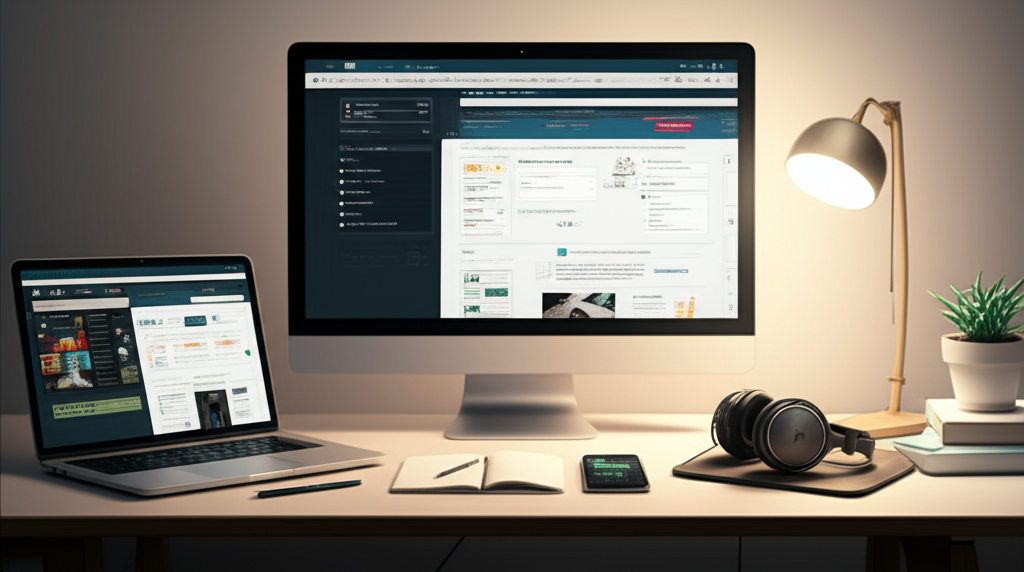
Upgrade your study space with the best desk tech gadgets! These smart tools boost focus, organize your work, and make learning more engaging. From efficient chargers to noise-canceling headphones, find the perfect tech to power your education and productivity.
The world of education is changing fast. Learning happens everywhere, not just in classrooms. Your desk is your command center for studies. Making it a smart space with the right tech can make a huge difference. Many students and professionals feel overwhelmed by all the choices. This guide will help you pick the best desk tech gadgets. We’ll cover tools that boost focus, organize your tasks, and make learning more fun. Get ready to transform your study zone!
Why Smart Desk Gadgets Matter for Learning
Smart desk gadgets aren’t just cool; they are essential for modern learning. They help you stay organized and focused. They can also make complex topics easier to understand. Think of them as your personal study assistants. They streamline your workflow and reduce distractions. This allows you to absorb information better and study more effectively.
Top Desk Tech Gadgets for Enhanced Focus
Focus is key for effective learning. Distractions are everywhere, especially when studying. The right desk gadgets can help you create a zone of concentration. These tools minimize interruptions and boost your mental clarity. They create an environment where you can truly dive into your studies.
Noise-Canceling Headphones

Background noise can shatter concentration. Noise-canceling headphones create a quiet bubble. This allows you to focus on lectures, readings, or assignments. Many models offer great sound quality for music too. Some even have microphones for online classes.
Benefits:
Blocks out distracting sounds.
Improves focus and concentration.
Enhances audio clarity for calls and lectures.
Considerations:
Battery life varies by model.
Some can be bulky.
Price points can be high for premium options.
A study by National Center for Biotechnology Information suggests that ambient noise can significantly impair cognitive performance. Noise-canceling technology actively combats this. It helps create a more conducive learning environment, especially in busy dorms or shared living spaces.
Smart Lighting Solutions
Proper lighting affects mood and productivity. Smart desk lamps offer adjustable brightness and color temperature. You can set a cool, bright light for focused work. A warmer, softer light is good for relaxed reading. Many can be controlled via apps or voice commands.
Features:
Adjustable brightness levels.
Customizable color temperature (warm to cool).
App control and scheduling.
Some integrate with smart home ecosystems.
Smart lighting can mimic natural daylight cycles. This helps regulate your body’s internal clock. It can reduce eye strain and improve alertness. This leads to longer, more productive study sessions.
Desk Organizers with Tech Integration
Clutter is a major enemy of focus. Smart desk organizers help keep your workspace tidy. Some come with built-in charging ports or wireless charging pads. Others have integrated cable management systems. They keep your essentials within reach and your desk clear.
Types:
Pen holders with USB hubs.
Monitor stands with wireless chargers.
Modular organizers with customizable compartments.
Keeping your workspace organized reduces mental load. When everything has its place, you spend less time searching. This frees up cognitive energy for learning.
Gadgets for Enhanced Productivity and Efficiency
Beyond focus, productivity is about doing more in less time. These gadgets help streamline your tasks. They automate repetitive actions and improve your workflow. Making your desk setup more efficient saves valuable study time.
High-Speed USB Hubs and Docks
Modern devices often have limited ports. A good USB hub or docking station expands your connectivity. It lets you connect multiple peripherals like external drives, keyboards, and monitors. Look for hubs with fast data transfer speeds (USB 3.0 or higher).
Key Specs:
Number and type of USB ports (USB-A, USB-C).
Data transfer speeds (e.g., 5Gbps, 10Gbps).
Power delivery capabilities for charging laptops.
Video output ports (HDMI, DisplayPort).
A fast, reliable connection is crucial for multitasking. Transferring large files or running multiple applications becomes seamless. This efficiency boost is invaluable for research and project work.
Wireless Charging Pads
Tangled charging cables create clutter and frustration. Wireless charging pads offer a clean, simple solution. Just place your compatible smartphone or earbuds on the pad. Your device starts charging automatically. Many pads support fast wireless charging.
Advantages:
Reduces cable clutter.
Convenient and easy to use.
Protects charging ports from wear and tear.
According to Statista, the global market for wireless charging is growing rapidly. This shows the increasing demand for cable-free convenience. It’s a small upgrade that makes a big daily impact.
Smart Notebooks and Pens
For those who prefer writing by hand, smart notebooks are a game-changer. You can write or draw as usual. Then, use an app to scan and digitize your notes. Some notebooks allow you to erase and reuse pages. Smart pens can capture your strokes digitally.
Features:
Cloud synchronization (Google Drive, Dropbox, Evernote).
Searchable digital notes.
Reusable writing surfaces.
Handwriting-to-text conversion.
These tools bridge the gap between analog and digital. You get the tactile feel of writing. You also gain the benefits of digital organization and searchability. It’s perfect for students who take copious notes.
Essential Gadgets for Digital Learning and Collaboration
Online learning and group projects are common. These gadgets enhance your digital interactions. They ensure you can participate fully and effectively. Clear communication and seamless collaboration are vital.
High-Quality Webcams and Microphones
For online classes or virtual study groups, good audio and video are a must. Built-in laptop cameras and mics are often subpar. Upgrading to an external webcam and microphone provides clearer images and crisper sound. This makes you appear more professional and engaged.
Webcam Features:
Resolution (1080p or higher).
Frame rate (30fps or 60fps).
Field of view.
Autofocus and low-light correction.
Microphone Features:
Polar patterns (cardioid for focus on one voice).
Noise reduction capabilities.
Connection type (USB is common).
Clear communication is the backbone of collaboration. Being seen and heard clearly builds confidence. It ensures your contributions are understood. This is vital for remote learning environments.
Second Monitors for Multitasking
Working on a single screen can be limiting. A second monitor dramatically improves multitasking. You can have your lecture notes on one screen. Your research or writing document can be on the other. This reduces constant window switching.
Benefits:
Enhanced productivity through better workflow.
Reduced eye strain from constant switching.
More immersive experience for content creation.
Considerations:
Desk space requirements.
Connection compatibility with your laptop/PC.
Resolution and screen size preferences.
Research indicates that using multiple monitors can increase productivity by up to 50% for certain tasks. This is because it reduces the cognitive load associated with task switching. It allows for a more fluid and efficient workflow.
Portable Projectors for Group Study
Need to share information with a study group? A portable projector can turn any wall into a screen. This is great for reviewing presentations or watching educational videos together. They are compact and easy to set up.
Use Cases:
Presenting research findings to peers.
Collaborative review of visual materials.
Creating an impromptu lecture hall.
Having a larger display for group work can foster better discussion. It makes complex visuals or data more accessible to everyone. This encourages active participation and shared understanding.
Smart Home Integration for Your Desk Setup
Your desk can become part of a larger smart ecosystem. Integrating smart home devices can automate tasks. It can also enhance comfort and convenience. This creates a more responsive and personalized study environment.
Smart Plugs and Outlets
Control your desk lamps, fans, or even coffee maker with smart plugs. You can turn devices on or off remotely via an app. You can also set schedules. Imagine your study lamp turning on automatically at dusk.
Advantages:
Remote control of non-smart devices.
Energy monitoring capabilities.
Scheduling for automated routines.
These simple devices add a layer of intelligence to your desk. They can automate small conveniences. This frees up your mental energy for more important tasks.
Voice Assistants
Devices like Amazon Echo or Google Nest can be desk companions. You can ask them to set timers, check the weather, or play focus music. They can also control other smart devices. This hands-free control is incredibly convenient.
Commands:
“Set a timer for 30 minutes.”
“What’s the definition of [word]?”
“Play ambient study sounds.”
Voice assistants reduce the need to interact physically with devices. This maintains your flow state. It’s like having a personal assistant ready to help.
Comfort and Ergonomics: Tech for Well-being
Long study sessions can take a toll. Ergonomic gadgets promote comfort and prevent strain. Investing in your well-being means you can study longer and more effectively. These tech solutions support your physical health.
Ergonomic Keyboard and Mouse
Repetitive strain injuries are a risk for heavy computer users. An ergonomic keyboard and mouse are designed to fit your hands naturally. They reduce wrist and arm strain. This allows for more comfortable typing and navigation.
Benefits:
Reduced risk of carpal tunnel and other RSIs.
Improved typing comfort and speed over time.
Better posture support for arms and wrists.
Using these devices can prevent discomfort. It makes long hours at the computer much more bearable. Your body will thank you for the support.
Monitor Arms and Stands
Proper monitor height is crucial for neck health. An adjustable monitor arm or stand lets you position your screen at eye level. This promotes better posture. It reduces strain on your neck and shoulders.
Features:
Adjustable height, tilt, and swivel.
Desk clamp or grommet mounting.
Cable management integration.
Maintaining good posture is vital for long-term health. Poor ergonomics can lead to chronic pain. Investing in an adjustable stand is a proactive step.
Footrests and Lumbar Support
Comfort extends beyond your desk surface. An ergonomic footrest can improve circulation. Lumbar support cushions can provide crucial back support. These accessories contribute to overall comfort during extended study periods.
Purpose:
Improve leg circulation.
Enhance spinal alignment.
Reduce pressure points.
Small comfort improvements add up. They help you stay focused and avoid fatigue. This leads to more productive and enjoyable study sessions.
Future-Forward Desk Tech: What’s Next?
The world of technology is always moving. New gadgets are constantly emerging. Keeping an eye on innovation can help you prepare for the future. Here are a few trends to watch for your desk.
Advanced Haptic Feedback Devices
Imagine keyboards or mice that provide more nuanced feedback. Haptic technology can simulate textures or provide subtle cues. This could make digital interactions more intuitive and engaging. It might even assist in learning complex physical skills virtually.
Personalized Learning Devices
We might see more devices tailored to individual learning styles. These could adapt content delivery based on your progress and preferences. They might use sensors to gauge your engagement levels. This offers a truly personalized educational experience.
Enhanced Augmented Reality Integration
AR is poised to transform how we interact with information. Imagine overlaying digital notes onto physical textbooks. Or collaborating on 3D models right on your desk. AR glasses or advanced desktop interfaces could make this a reality.
The pace of technological change is accelerating. What seems like science fiction today may be common tomorrow. Staying informed helps you make the best choices for your learning journey.
Choosing the Right Desk Tech Gadgets for You
With so many options, how do you choose? Consider your specific needs and budget. Think about what frustrates you most about your current setup. Prioritize gadgets that solve your biggest challenges.
Assess Your Learning Style
Are you a visual learner? A second monitor or a good webcam might be best. Do you prefer taking notes by hand? A smart notebook is ideal. Match the tech to how you learn best.
Consider Your Budget
Gadgets range from affordable to expensive. Start with essentials that offer the biggest impact. You can always upgrade or add more later. Look for deals and bundles.
Read Reviews and Compare
Don’t buy the first thing you see. Read reviews from trusted sources. Compare features and prices. Look for user testimonials that reflect your needs. Websites like Wirecutter or Rtings.com offer in-depth analysis.
Think About Compatibility
Ensure new gadgets work with your existing devices. Check for USB port types, operating system compatibility, and Wi-Fi standards. Seamless integration is key to a smooth experience.
Frequently Asked Questions
What are the most important desk tech gadgets for students?
For students, essential desk tech gadgets include a reliable laptop, a comfortable ergonomic setup (keyboard, mouse), good lighting, noise-canceling headphones for focus, and a high-quality webcam/microphone for online classes. A fast USB hub is also very useful for connecting multiple devices.
How can desk tech improve my study habits?
Desk tech can improve study habits by increasing focus (noise-canceling headphones), enhancing organization (smart notebooks, organizers), boosting efficiency (USB hubs, wireless chargers), and supporting well-being (ergonomic accessories). This reduces distractions and makes study time more productive.
Is it worth investing in expensive gadgets like a second monitor?
Yes, for many students and professionals, a second monitor is a worthwhile investment. It significantly boosts productivity by allowing easier multitasking, reducing time spent switching between windows, and improving overall workflow efficiency. The long-term benefits often outweigh the initial cost.
Which smart home devices are best for a study desk?
Smart plugs are excellent for controlling desk lamps or chargers remotely and setting schedules. Voice assistants can help with timers, quick information lookups, and controlling other smart devices without interrupting your workflow.
How do I keep my desk tech organized and prevent cable clutter?
Use cable management solutions like ties, sleeves, or clips. Wireless charging pads eliminate charging cables for phones. A good USB hub or docking station consolidates connections. Desk organizers with built-in storage also help keep accessories tidy.
Conclusion: Building Your Ultimate Study Hub
Creating an optimized desk setup with the best desk tech gadgets is an investment in your education. These tools enhance focus, boost productivity, and support your well-being. From noise-canceling headphones to smart lighting, each gadget plays a role. By carefully selecting tech that matches your learning style and needs, you can transform your workspace. Make your desk a hub of efficiency and inspiration. Start building your ultimate study zone today and unlock your full learning potential!

Belayet Hossain is a Senior Tech Expert and Certified AI Marketing Strategist. Holding an MSc in CSE (Russia) and over a decade of experience since 2011, he combines traditional systems engineering with modern AI insights. Specializing in Vibe Coding and Intelligent Marketing, Belayet provides forward-thinking analysis on software, digital trends, and SEO, helping readers navigate the rapidly evolving digital landscape. Connect with Belayet Hossain on Facebook, Twitter, Linkedin or read my complete biography.