
Published on: 28/10/2025 | Updated on: October 28, 2025
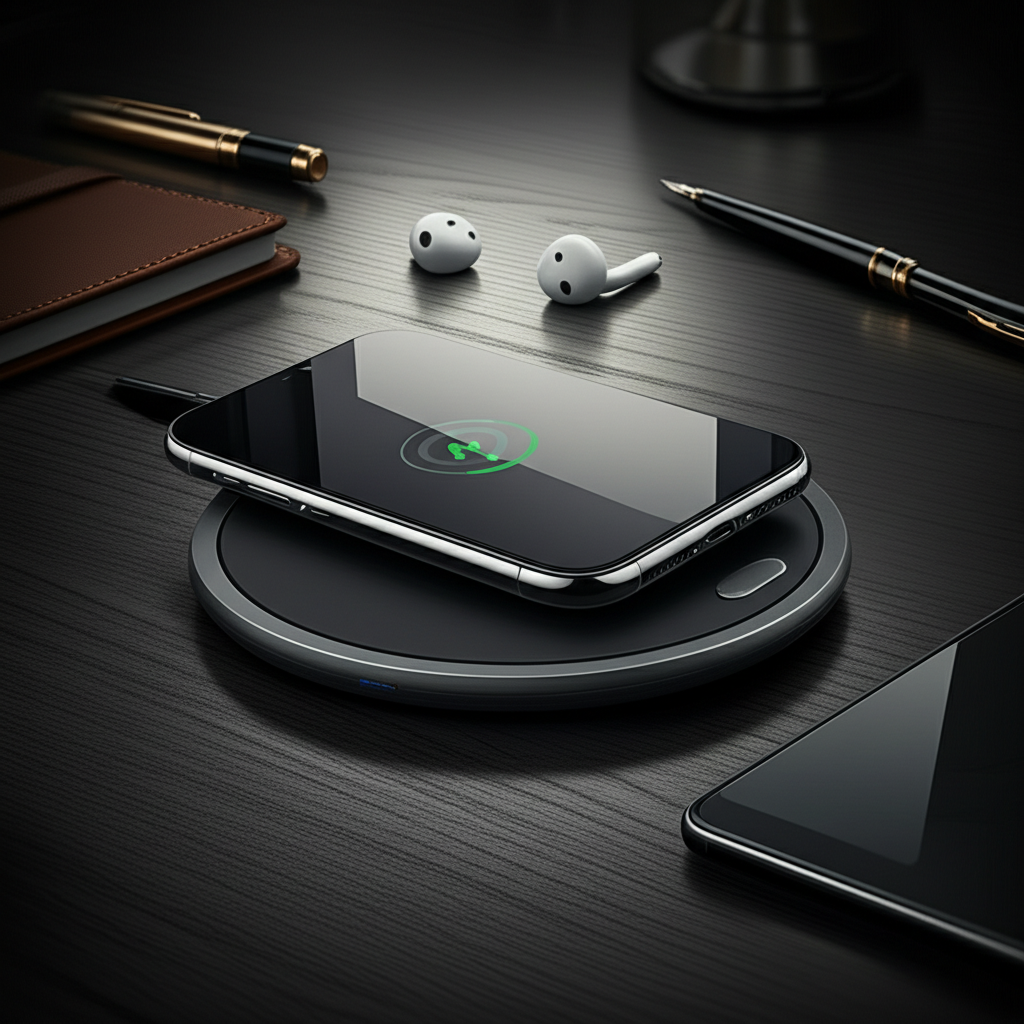
The best desk wireless charger declutters your workspace, powers your devices effortlessly, and enhances your productivity. This guide helps you find the perfect one, covering essential features, top picks, and setup tips for a seamless charging experience.
Tired of tangled cables cluttering your desk? A good wireless charger can be a game-changer for your workspace. It keeps your phone or other gadgets powered up without fuss. Finding the best desk wireless charger can feel overwhelming with so many options. But don’t worry, I’m here to help you navigate the choices. We’ll explore what makes a charger great and find one that fits your needs perfectly. Get ready for a cleaner, more efficient desk.
Why You Need a Desk Wireless Charger
A desk wireless charger is more than just a convenience; it’s a productivity booster. It eliminates the need to hunt for cables every time your device runs low. This means less distraction and more focus on your work or tasks. Keeping your phone topped up also ensures you’re always reachable and ready for important calls or messages.
Declutter your space: Say goodbye to messy cords.
Stay powered up: Always have a charged device ready.
Boost productivity: Spend less time searching for chargers.
Understanding Wireless Charging Technology
Wireless charging uses electromagnetic fields to transfer energy between two objects. This is typically done via an inductive charging standard called Qi (pronounced “chee”). Your device needs to be placed on a charging pad or stand. The pad connects to a power source, usually via a USB cable.
The charging speed depends on the charger and your device. Newer standards and more powerful chargers can deliver faster wireless charging. It’s important to check compatibility between your device and the charger.
Key Features to Look for in the Best Desk Wireless Charger
When choosing a wireless charger, several features stand out. These determine its performance, convenience, and overall value. I always look at these points when testing new gadgets.
Charging Speed and Power Output

This is crucial for how quickly your device charges. Look for chargers that support higher wattage. Many phones now support 15W wireless charging, which is significantly faster than older 5W or 7.5W standards. Ensure the charger’s output matches your device’s maximum supported wireless charging speed.
Higher wattage = Faster charging.
Check device compatibility.
Look for Qi-certified chargers.
Design and Form Factor
Your desk setup matters. Chargers come in various forms: flat pads, angled stands, or multi-device chargers. A stand is great if you use your phone for video calls or want to see notifications easily. A flat pad is sleeker and takes up less space.
Consider the materials and build quality. A premium charger will feel sturdy and look good on your desk. Many modern chargers offer minimalist designs to blend in.
Safety Features
Safety is paramount. Look for chargers with built-in protections against overheating, overcharging, and short circuits. These features protect both your charger and your valuable devices. Reputable brands usually highlight these safety certifications.
Overheating protection: Prevents damage from excess heat.
Overcharging protection: Stops charging once the battery is full.
Foreign object detection: Stops charging if metal objects are on the pad.
Device Compatibility and Versatility
Ensure the charger works with your specific phone model. Most Qi-certified chargers are compatible with a wide range of smartphones, including iPhones and Android devices. Some chargers can also power other Qi-enabled gadgets like earbuds or smartwatches.
If you have multiple devices, consider a multi-device charger. This can power your phone, watch, and earbuds simultaneously from one spot. This further reduces cable clutter and saves desk space.
Build Quality and Materials
The materials used impact durability and aesthetics. Premium chargers often use aluminum, high-quality plastics, or fabric finishes. These not only look good but also feel robust. A well-built charger will last longer and withstand daily use.
Extra Features
Some chargers offer bonus features like built-in LED lights (often dimmable), USB passthrough ports for wired charging, or even integrated stands with adjustable angles. Think about what extras would genuinely improve your daily workflow.
Top Picks for the Best Desk Wireless Chargers
After testing many models, I’ve identified a few standouts. These offer a great balance of performance, design, and value. Here are my top recommendations for the best desk wireless charger in different categories.
Best Overall: Belkin BOOST CHARGE PRO 3-in-1 Wireless Charger
This charger is a powerhouse for Apple users, but also works with many Android devices. It charges your iPhone, Apple Watch, and AirPods simultaneously. The design is sleek and modern, fitting well on any desk. It supports fast wireless charging for compatible devices.
Pros: Charges three devices at once, fast charging, premium build.
Cons: Higher price point, best suited for Apple ecosystem.
Best Budget Option: Anker PowerWave Stand II
Anker is known for reliable and affordable tech accessories. The PowerWave Stand II offers good charging speeds and a convenient stand design. It’s Qi-certified and works with most smartphones. It’s a fantastic choice if you want solid performance without breaking the bank.
Pros: Affordable, good charging speed, convenient stand.
Cons: Might not have all the premium features of higher-end models.
Best for Minimalists: Nomad Base Station Pro
If you value sleek design and seamless functionality, the Nomad Base Station Pro is exceptional. It features a large charging surface that can power multiple devices at once, without precise alignment. Its minimalist aesthetic complements any modern workspace. The build quality is top-notch, made from premium materials.
Pros: Wide charging area, charges multiple devices, premium look and feel.
Cons: Expensive, can be larger than other options.
Best Multi-Device Charger: Samsung Trio Wireless Charger
For those with a mix of Samsung and other Qi-enabled devices, this is a strong contender. It can charge a smartphone, smartwatch, and earbuds all at the same time. It’s designed to be compact and efficient, keeping your desk tidy. The charging speeds are optimized for Samsung devices but work well with others.
Pros: Charges three devices, compact design, good for mixed ecosystems.
Cons: Optimal performance with Samsung devices.
How to Set Up Your Desk Wireless Charger
Setting up a wireless charger is usually very simple. It’s designed for ease of use. Follow these steps for a smooth experience.
1. Unpack the charger: Remove the charger and any included cables or power adapters from the box.
2. Connect to power: Plug the USB cable into the charger and connect the other end to a suitable power adapter. Plug the adapter into a wall outlet.
3. Place your device: Position your smartphone or other Qi-enabled device onto the charging surface. Ensure it’s centered for optimal charging.
4. Confirm charging: Your device should indicate that it’s charging, usually with a charging icon or animation. The charger might also have an LED indicator light.
Troubleshooting Tip: If your device isn’t charging, try repositioning it on the pad. Ensure there are no metal objects like credit cards or pop sockets between the device and the charger. Also, verify that the power adapter is providing enough power.
Optimizing Your Workspace with Wireless Charging
A wireless charger is a key component of a modern, efficient desk setup. It works best when integrated thoughtfully. Think about how it fits into your daily workflow.
Cable Management
Even with a wireless charger, you’ll still have the charger’s cable and power adapter. Use cable clips, ties, or sleeves to manage these. Keeping them organized further enhances the clutter-free benefit. A good wireless charger makes the biggest impact by removing the device charging cable.
Ergonomics and Placement
Position your charger where it’s easily accessible. If you have a stand charger, place it so you can see your screen without straining. This makes it easy to grab your phone when needed or place it back to charge. Consider the overall flow of your desk.
Multi-Device Strategies
If you have several devices, a multi-device wireless charger is ideal. This consolidates charging into one spot. It’s a huge space saver and keeps everything organized. Imagine charging your phone, watch, and earbuds all on one elegant pad.
Factors Affecting Wireless Charging Speed
Several elements influence how fast your device charges wirelessly. Understanding these helps you get the most out of your charger.
Charger Wattage
As mentioned, the charger’s power output is a primary factor. A 15W charger will charge faster than a 10W or 7.5W charger, assuming your device supports it. Always check the charger’s specifications for its maximum output.
Device Capability
Your phone or device has a maximum wireless charging speed it can accept. Even if you have a 50W wireless charger, if your phone only supports 15W, it will only charge at 15W. This is a crucial compatibility point.
Case Thickness and Material
Thicker phone cases, especially those with metal components, can interfere with wireless charging. They can slow down charging or prevent it altogether. Most standard cases work fine, but it’s worth noting for extreme cases.
Heat
Wireless charging generates heat. Excessive heat can slow down the charging process. Many chargers have built-in thermal management to prevent this. Placing the charger in a well-ventilated area also helps.
Wireless Charging vs. Wired Charging: Which is Better?
Both wireless and wired charging have their pros and cons. The “best” option often depends on your situation.
Wireless Charging Advantages
Convenience: Simply place your device on the pad.
Reduced wear: No plugging and unplugging, reducing wear on the device’s port.
Aesthetics: Cleaner desk with fewer visible cables.
Wired Charging Advantages
Speed: Wired charging is often faster, especially with fast-charging technologies.
Efficiency: Less energy is lost as heat compared to wireless charging.
Versatility: You can use your device while it’s plugged in more easily.
For everyday top-ups at your desk, wireless charging is hard to beat for convenience. For rapid charging or when you need to use your phone extensively while charging, wired charging might be preferable. Many users employ both methods.
The Future of Desk Wireless Charging
The technology is constantly improving. We’re seeing faster charging speeds and more innovative designs. Expect chargers to become even more integrated into furniture and workspaces. Wireless power could become truly ubiquitous.
The trend is towards greater efficiency and multi-device support. Standards like Qi2 are emerging, promising even better performance and wider compatibility. Future chargers might offer longer-range wireless power, though that’s still some way off for widespread desk use.
Frequently Asked Questions About Desk Wireless Chargers
Here are answers to common questions people have about wireless chargers.
What is the fastest wireless charging speed?
Currently, the fastest wireless charging speeds for phones can reach up to 15W or even higher for specific proprietary standards. However, for most Qi-certified chargers, 15W is considered very fast. Always check the charger’s and your device’s specifications.
Can I use my phone while it’s wirelessly charging?
Yes, you can typically use your phone while it’s on a wireless charger. If it’s a stand charger, it’s especially convenient for viewing the screen. However, heavy usage might generate more heat and slightly slow down charging.
Do wireless chargers work through thick cases?
Most standard thickness cases work well with wireless chargers. However, very thick cases or cases with metal components (like some wallet cases or pop sockets) can interfere with charging. It’s best to remove such cases or check compatibility.
Are wireless chargers safe for my battery?
Yes, modern wireless chargers and smartphones have built-in safety mechanisms. These prevent overcharging and overheating, which are the primary concerns for battery health. Reputable, Qi-certified chargers are safe to use daily.
What does Qi-certified mean?
Qi-certified means a wireless charger has passed rigorous testing by the Wireless Power Consortium (WPC). This ensures it meets safety, interoperability, and efficiency standards. Choosing Qi-certified products guarantees a reliable and safe charging experience. You can find a list of certified products on the Wireless Power Consortium website.
How do I know if my phone supports wireless charging?
Most modern flagship smartphones from Apple (iPhone 8 and later) and Samsung (Galaxy S6 and later), as well as many other brands, support wireless charging. You can check your phone’s specifications online or in its user manual. A quick search for “[Your Phone Model] wireless charging” will usually provide the answer.
Conclusion: Find Your Perfect Desk Wireless Charger
A best desk wireless charger* is an essential tool for a clean, efficient, and productive workspace. By understanding the key features like charging speed, design, and safety, you can make an informed choice. Whether you need a multi-device solution or a simple, elegant pad, there’s a charger out there for you. Prioritize Qi certification and reputable brands for the best experience.
Invest in a quality wireless charger today and transform your desk into a streamlined command center. Your future, clutter-free self will thank you.
If you found this guide helpful, consider subscribing for more tech insights and gadget reviews!

Belayet Hossain is a Senior Tech Expert and Certified AI Marketing Strategist. Holding an MSc in CSE (Russia) and over a decade of experience since 2011, he combines traditional systems engineering with modern AI insights. Specializing in Vibe Coding and Intelligent Marketing, Belayet provides forward-thinking analysis on software, digital trends, and SEO, helping readers navigate the rapidly evolving digital landscape. Connect with Belayet Hossain on Facebook, Twitter, Linkedin or read my complete biography.