
Published on: 28/10/2025 | Updated on: October 28, 2025
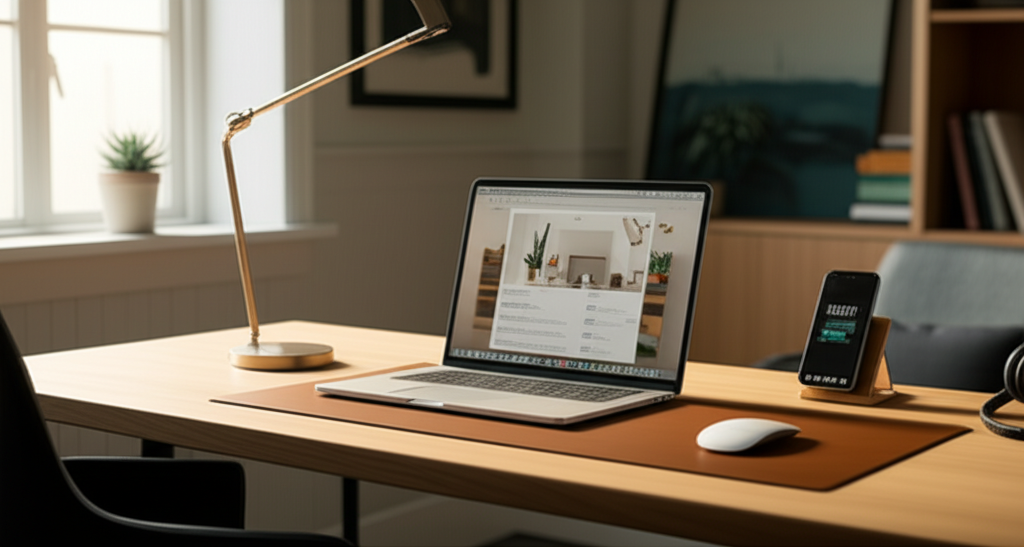
The best desks for your home office blend comfort, style, and functionality, transforming your workspace into a productive haven.
Setting up a home office has become a common part of life for many. But finding the right desk can feel overwhelming. You want something that looks good, feels comfortable, and helps you get your work done. It’s easy to feel lost with so many options. This guide will help you find the perfect desk. We’ll look at different types, important features, and how to pick the best one for you. Get ready to create a workspace you’ll love.
Why Your Home Office Desk Matters So Much
Your desk is more than just a surface. It’s the command center for your work. A good desk can boost your productivity and mood. A bad one can lead to aches, pains, and distraction. Think of it as an investment in your well-being and your career. Statista reports that the number of people working from home has significantly increased, making the home office setup more critical than ever. This shift means we need furniture that supports long hours of focused work.
Understanding Your Home Office Needs
Before you look at desks, think about what you do. Do you work on a laptop or multiple monitors? Do you need space for creative projects or just basic computer tasks? Consider your physical space too. How much room do you have? What is the overall style of your home? Answering these questions helps narrow down your choices. This ensures you find a desk that fits your life and your work.
How You Work: A Quick Checklist

Computer Setup: Single laptop, multiple monitors, or desktop tower?
Storage Needs: Do you need drawers, shelves, or filing space?
Workflow: Do you spread out papers or keep things digital?
Ergonomics: Do you need adjustable height or specific legroom?
Aesthetics: What style matches your home decor?
The Top Desk Types for Your Home Office
There are many kinds of desks, each with unique benefits. Understanding these types is key to making an informed choice. From simple tables to feature-rich workstations, there’s a perfect fit for everyone. We’ll explore the most popular and effective options.
Traditional Writing Desks: Classic Charm and Function
These desks often feature drawers and a classic design. They are great for smaller spaces or if you prefer a more formal look. Many come with a hutch for added storage and display. They offer a good balance of workspace and organization.
Pros:
Elegant appearance.
Often includes built-in storage.
Suitable for smaller rooms.
Cons:
Limited workspace for larger setups.
Can be less ergonomic without accessories.
A traditional writing desk can be a beautiful addition to your home. It brings a sense of order and timeless style. It’s ideal if you don’t need a massive setup.
Computer Desks: Designed for Your Tech
Computer desks are built with your technology in mind. They often have specific spots for monitors, keyboards, and towers. Some even include built-in power outlets or USB ports. These desks are practical for most modern home office needs. They make managing cables and devices much easier.
Pros:
Optimized for computer use.
Often includes cable management.
Good balance of workspace and storage.
Cons:
Can sometimes look a bit utilitarian.
May not suit very minimalist decor.
If your work revolves around a computer, a computer desk is a smart choice. It simplifies setup and keeps your tech organized.
L-Shaped Desks: Maximize Your Corner Space
L-shaped desks are perfect for larger rooms or for creating a distinct work zone. They offer a huge amount of surface area. You can have your computer on one side and a space for writing or other tasks on the other. This setup is excellent for multitasking and managing complex projects.
Pros:
Expansive workspace.
Excellent for multitasking.
Can define a work area in an open room.
Cons:
Requires more floor space.
Can feel imposing in smaller rooms.
An L-shaped desk can truly transform a corner into a powerful command center. It gives you room to spread out and work efficiently.
Standing Desks (Adjustable Height Desks): Healthier Work Habits
Standing desks are becoming incredibly popular. They allow you to switch between sitting and standing throughout the day. This can improve your health and energy levels. Many electric models adjust with the push of a button. This makes them easy to use and customize.
Pros:
Promotes better health and reduces sedentary time.
Increases energy and focus.
Offers flexibility in work posture.
Cons:
Can be more expensive.
Requires an adjustment period.
May need anti-fatigue mats.
According to research from the National Institutes of Health, reducing sitting time can have significant health benefits. Standing desks are a direct way to achieve this.
U-Shaped Desks: The Ultimate Workstation
For those who need maximum space and storage, a U-shaped desk is the ultimate choice. It wraps around you, putting everything within easy reach. This is ideal for professionals with extensive equipment or complex workflows. It creates an immersive and highly efficient workspace.
Pros:
Enormous workspace.
All essentials are within arm’s reach.
Creates a powerful, organized workstation.
Cons:
Requires a very large room.
Can feel isolating or overwhelming for some.
A U-shaped desk is a serious commitment to productivity. It’s the top tier for home office efficiency.
Compact and Wall-Mounted Desks: For Small Spaces
If space is tight, don’t despair. Compact desks are designed to fit into nooks or small rooms. Wall-mounted desks, also known as floating desks, attach directly to the wall. They save floor space and offer a minimalist look. These are great for apartments or multi-use rooms.
Pros:
Saves valuable floor space.
Ideal for small apartments or studios.
Offers a clean, modern aesthetic.
Cons:
Limited surface area and storage.
May not support heavy equipment.
These desks prove that you don’t need a large room to have a functional home office. They cleverly utilize vertical space.
Essential Features to Look for in the Best Desks for Home Office
Beyond the basic type, several features make a desk truly great. These elements impact comfort, durability, and how well the desk serves your needs. Prioritizing these will lead you to a desk that’s a joy to use.
Material Matters: Durability and Style
The material of your desk affects its look, feel, and longevity.
Solid Wood: Durable, beautiful, and classic. Can be expensive. Examples include oak, maple, and walnut.
Wood Veneer: A thin layer of real wood over particleboard or MDF. More affordable, but less durable than solid wood.
Laminate: Very durable and easy to clean. Mimics wood grain but can look less natural.
Metal: Often used for frames, providing stability. Can also be used for the desktop for an industrial look.
Glass: Offers a sleek, modern look. Can show fingerprints and scratches easily.
Choosing a material that matches your budget and style is important. Consider how much wear and tear the desk will endure.
Size and Dimensions: Fit Your Space and Needs
Measure your available space carefully. Consider not just the width and depth, but also the height. Ensure there’s enough legroom underneath. A desk that’s too big will feel cramped. A desk that’s too small will limit your workflow. Always check the product dimensions before buying.
Storage Solutions: Drawers, Shelves, and Cabinets
Think about what you need to store. Do you need easy access to files? Are you organizing office supplies? Desks with built-in drawers, shelves, or cabinets can keep your workspace tidy. If a desk lacks storage, consider adding a separate filing cabinet or shelving unit. Good organization reduces clutter and boosts focus.
Ergonomics: Comfort for Long Hours
Ergonomics is about designing for efficiency and comfort. For a desk, this means adequate legroom and a surface height that allows your arms to rest comfortably. Adjustable height desks are the best for ergonomics. They let you change your posture throughout the day. Look for desks with rounded edges to avoid discomfort.
Cable Management: Taming the Tech Tangle
Wires can quickly make a desk look messy. Look for desks with built-in cable management features. This includes grommets (holes with covers), trays, or clips. Keeping cables organized makes your workspace look cleaner and safer. It also prevents them from getting tangled or damaged.
The Best Desks for Home Office: Our Top Picks
Based on features, user reviews, and overall value, here are some excellent choices. These desks cover various needs and budgets. They represent the best of what’s available for your home office.
1. The All-Around Performer: [Brand Name] [Model Name]
This desk offers a fantastic blend of style, function, and price. It’s a solid choice for most home office users. It features a durable laminate top and sturdy metal legs. It also includes a convenient drawer for essentials.
Specs:
Type: Computer Desk
Material: Laminate, Metal
Dimensions: 47.2″ W x 23.6″ D x 29.5″ H
Storage: 1 Drawer
This desk is a reliable workhorse. It provides a good amount of space without taking over your room.
2. The Space Saver: [Brand Name] Wall-Mounted Desk
For apartments or small rooms, this wall-mounted desk is a game-changer. It folds up when not in use, freeing up floor space. It’s surprisingly sturdy for its minimalist design. Perfect for a laptop and a few essentials.
Specs:
Type: Wall-Mounted Desk
Material: Engineered Wood
Dimensions: 24″ W x 16″ D x 20″ H (folded up)
Storage: Small shelf/compartment
This desk proves that small spaces can still host productive work. It’s a clever solution for modern living.
3. The Ergonomic Champion: [Brand Name] Electric Standing Desk
If you’re looking to improve your health while you work, this standing desk is top-tier. It smoothly adjusts from sitting to standing height with its electric motor. It has a spacious surface for multiple monitors. It’s an investment in your long-term well-being.
Specs:
Type: Standing Desk
Material: Solid Wood Top, Steel Frame
Dimensions: 60″ W x 30″ D x 28.5″-47.5″ H (adjustable)
Storage: None (surface only)
Embracing a standing desk can significantly change your workday for the better. This model makes the transition seamless.
4. The Professional Powerhouse: [Brand Name] Executive L-Shaped Desk
This desk is for those who need serious workspace. The L-shape provides ample room for multiple monitors, documents, and more. It often comes with integrated storage like drawers and cabinets. It creates a commanding presence in your home office.
Specs:
Type: L-Shaped Desk
Material: Wood Veneer, Metal
Dimensions: 71″ W x 71″ D x 30″ H
* Storage: Multiple Drawers & Cabinet
This desk is designed for maximum productivity and a professional look. It’s ideal for complex tasks and extensive setups.
How to Choose the Best Desk for Your Home Office
Picking the right desk involves considering several factors. Here’s a step-by-step approach to help you make the best decision.
Step 1: Assess Your Space
Measure the area where your desk will go. Consider the dimensions of the room and any existing furniture. Think about natural light and power outlet locations. This prevents buying a desk that’s too big or too small.
Step 2: Define Your Work Style
How do you work best? Do you need lots of surface area? Do you need to keep files nearby? Your workflow dictates the type and size of desk you need. A minimalist might prefer a simple surface. A researcher might need ample storage.
Step 3: Set Your Budget
Desks range widely in price. Determine how much you can spend. Remember to factor in potential costs for accessories like monitor arms or ergonomic chairs. Investing a bit more in a quality desk can save money on health issues later.
Step 4: Prioritize Features
List the features that are most important to you. Is it adjustable height, built-in storage, or a specific material? Rank these features to guide your selection. Don’t compromise on essentials like comfort and adequate workspace.
Step 5: Read Reviews and Compare
Look for reviews from other users. They can offer insights into durability and real-world usability. Compare different models and brands. Check for warranty information. Reading reviews helps you avoid common pitfalls.
Integrating Your Desk with Smart Home Office Tech
The best home office isn’t just about the desk; it’s about the ecosystem. Modern tech can make your desk setup even more efficient and enjoyable. Consider how your desk can support these advancements.
Smart Lighting and Organization
Smart bulbs can adjust color temperature and brightness to match your needs. This can improve focus or help you relax. Cable management solutions, often integrated into desks, are crucial for a clean look. This allows smart devices to be placed without clutter. You can find smart home products from many retailers to enhance your space.
Ergonomic Accessories
Complement your desk with ergonomic accessories. Monitor arms free up desk space and allow for perfect screen positioning. Ergonomic keyboards and mice can reduce strain. Anti-fatigue mats are essential for standing desks. These items work together to create a healthier and more productive environment.
Power and Connectivity
Ensure your desk setup has easy access to power outlets and USB ports. Many modern desks include these features. If yours doesn’t, consider a power strip with a surge protector. Keep it neatly managed to avoid tripping hazards. Good connectivity is key for seamless work.
Common Mistakes to Avoid When Buying a Home Office Desk
Even with research, it’s easy to make mistakes. Being aware of common errors can help you avoid them. This ensures you end up with a desk you’re happy with.
Not Measuring Your Space
This is the most common mistake. Buying a desk that doesn’t fit your room is frustrating. Always measure twice, buy once. Consider door frames and hallways for delivery too.
Ignoring Storage Needs
You might think you don’t need storage, but clutter builds up quickly. A desk with insufficient storage can lead to a messy workspace. This impacts focus and professionalism. Plan for your current and future storage needs.
Forgetting About Ergonomics
Working for long hours at an uncomfortable desk can cause pain. This includes neck, back, and wrist issues. Prioritize desks that offer good ergonomics or are compatible with ergonomic accessories. Your health is worth the investment.
Underestimating Durability
A cheap desk might seem appealing, but it may not last. Poorly constructed desks can wobble or break easily. Look for sturdy materials and good craftsmanship. A durable desk is a long-term investment.
Frequently Asked Questions About Home Office Desks
Q1: What is the best desk height for a home office?
The ideal desk height is typically around 28 to 30 inches. This allows your arms to rest comfortably at a 90-degree angle. Adjustable height desks offer the most flexibility for different users and postures.
Q2: Should I get a desk with drawers or without?
This depends on your storage needs. If you have many papers, files, or office supplies, drawers are very useful. If you prefer a minimalist setup and store things elsewhere, a desk without drawers might work.
Q3: Are standing desks worth the investment?
Yes, for many people, standing desks are worth it. They promote better health by reducing sedentary time. This can lead to increased energy and reduced back pain. They offer a healthier way to work.
Q4: What is the best material for a home office desk?
Solid wood is very durable and attractive but expensive. Laminate and engineered wood are more budget-friendly and still offer good durability. Metal frames add stability. Choose based on your budget, style, and desired longevity.
Q5: How much space do I need for a home office desk?
For a basic setup with a laptop, a desk as small as 30-40 inches wide might suffice. For multiple monitors or more extensive work, aim for 48 inches or wider. L-shaped desks offer even more space. Always measure your room.
Conclusion: Finding Your Perfect Workspace
Choosing the best desk for your home office is a crucial step. It impacts your comfort, productivity, and overall well-being. By understanding your needs, exploring different types, and prioritizing key features, you can find a desk that transforms your workspace. Whether you need a compact solution for a small apartment or a spacious workstation for complex tasks, there’s an option out there for you. Consider adjustable standing desks for health benefits or sturdy L-shaped desks for maximum efficiency. Make an informed choice, and create a home office you’ll genuinely enjoy working in every day.

Belayet Hossain is a Senior Tech Expert and Certified AI Marketing Strategist. Holding an MSc in CSE (Russia) and over a decade of experience since 2011, he combines traditional systems engineering with modern AI insights. Specializing in Vibe Coding and Intelligent Marketing, Belayet provides forward-thinking analysis on software, digital trends, and SEO, helping readers navigate the rapidly evolving digital landscape. Connect with Belayet Hossain on Facebook, Twitter, Linkedin or read my complete biography.