
Published on: 28/10/2025 | Updated on: October 28, 2025
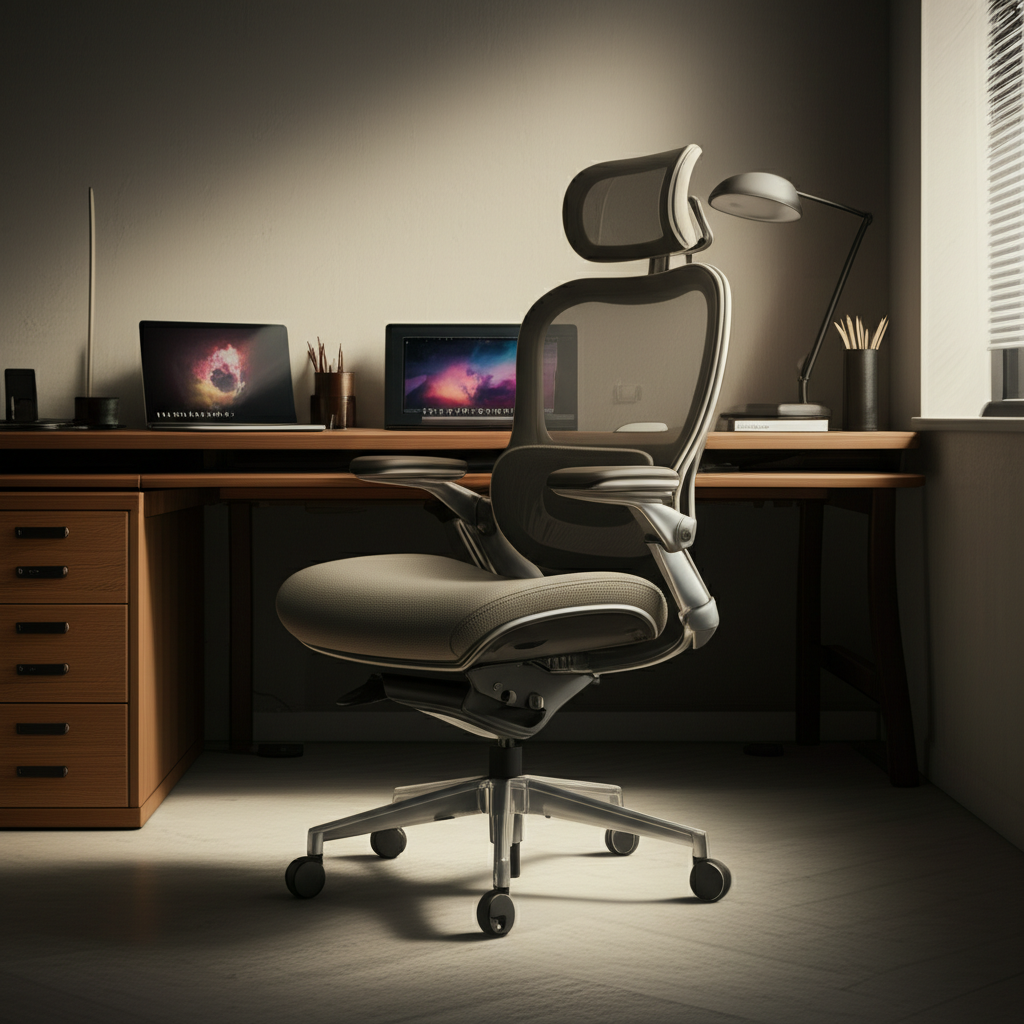
Find the best ergonomic chair for your desk job to ensure ultimate comfort and support, reducing pain and boosting productivity with our expert guide.
Sitting for long hours at a desk can be tough on your body. Many people experience back pain, neck strain, and general discomfort. This often happens because their chairs aren’t built to support them properly. Choosing the right chair can make a huge difference. It can help prevent pain and make your workday much more pleasant. This guide will help you find the perfect ergonomic chair for your desk job.
Why Your Desk Chair Matters More Than You Think
Your desk chair is more than just a place to sit. It’s a tool that directly impacts your health and productivity. An uncomfortable chair can lead to many problems. These include poor posture, muscle fatigue, and even long-term injuries. It can also make it hard to focus on your work. Investing in a good ergonomic chair is investing in your well-being. It helps your body stay supported and comfortable all day long.
A chair designed for ergonomics supports your body’s natural curves. It encourages good posture. This reduces stress on your spine, neck, and shoulders. Studies show that prolonged sitting in poor posture is linked to various health issues. These include musculoskeletal disorders and reduced circulation. Choosing the right chair is a proactive step towards better health. It can also boost your focus and energy levels throughout the workday.
Understanding Ergonomics: What to Look For in a Chair
Ergonomics is about designing things to fit people. In a chair, this means it should support your body in a healthy way. Look for chairs with adjustable features. These let you customize the fit to your unique body. Good lumbar support is crucial. It should match the curve of your lower back. Adjustable armrests help support your arms and shoulders. A chair that lets you adjust its height, backrest angle, and seat depth is ideal.
The goal is to keep your body in a neutral, supported position. This means your feet should be flat on the floor. Your knees should be at a 90-degree angle. Your arms should rest comfortably on the armrests. Your monitor should be at eye level. An ergonomic chair helps you achieve this easily. It reduces the strain that a standard chair can put on your body.
Key Ergonomic Features Explained

Lumbar Support: This is the curve in your lower back. A good chair has padding or a mechanism that pushes gently into this curve. Some chairs have adjustable lumbar support. You can move it up or down and in or out. This ensures it fits your back perfectly.
Adjustable Armrests: These help support your arms and shoulders. They reduce strain on your upper body. Look for armrests that can move up, down, forward, and backward. Some even pivot. This lets you find the perfect position for typing and resting.
Seat Depth and Height: You should be able to adjust the seat height. This lets your feet rest flat on the floor. Your knees should form a 90-degree angle. Seat depth adjustment allows you to position the seat so there’s a small gap between the back of your knees and the edge of the seat.
Backrest Angle (Recline): The ability to recline the backrest is important. It allows you to change your posture throughout the day. This can relieve pressure on your spine. Many chairs offer tilt locks to hold the backrest at your preferred angle.
Headrest (Optional but Beneficial): While not always essential, a headrest can provide crucial support for your neck and head. This is especially helpful if you lean back often or experience neck strain. Ensure it’s adjustable to your height.
Top Ergonomic Chairs for Desk Jobs in [Current Year]
Finding the best ergonomic chair for a desk job can feel overwhelming. We’ve researched and tested many options. Here are some of the top contenders, offering great support and comfort. These chairs cater to different needs and budgets. They all excel in providing a superior seating experience for long hours.
We consider factors like build quality, adjustability, user reviews, and warranty. Our aim is to provide a balanced view. This helps you make an informed decision based on your specific requirements. These chairs are known for their durability and effectiveness in promoting good posture. They are often recommended by health professionals.
High-End Ergonomic Chairs: The Ultimate Investment
These chairs are often at the forefront of ergonomic design. They offer extensive adjustability and premium materials. They represent a significant investment but can last for many years. Their advanced features aim to provide unparalleled comfort and support.
Herman Miller Aeron: This is a classic for a reason. It offers excellent full-body support. Its breathable mesh keeps you cool. The Aeron is highly adjustable. It’s a favorite among tech professionals and creatives. Its unique design adapts to your body.
Steelcase Gesture: Designed for the way we work today, the Gesture adapts to many postures. It has a unique armrest that moves in all directions. This supports a wide range of devices and tasks. It provides exceptional comfort and flexibility.
These chairs come with long warranties, often 10-12 years. This reflects their durability and quality. They are designed to withstand heavy daily use. Their build quality is exceptional.
Mid-Range Ergonomic Chairs: Great Value and Performance
If you’re looking for excellent ergonomics without the highest price tag, these are great choices. They offer many of the key features found in premium chairs. They provide a significant upgrade from basic office chairs. You get substantial comfort and support for your money.
Branch Ergonomic Chair: This chair offers a balance of adjustability and comfort. It has adjustable lumbar support, armrests, and seat depth. It’s a solid choice for many users. It provides good support for extended periods.
Autonomous ErgoChair Pro (formerly MyoChair): This chair is popular for its comprehensive features at a competitive price. It includes lumbar support, adjustable armrests, and a headrest. It’s a good all-around option for most desk jobs. It aims to provide a comfortable seating experience.
These chairs are often more accessible. They offer a good blend of functionality and affordability. They are a practical choice for many home offices and corporate environments.
Budget-Friendly Ergonomic Chairs: Accessible Comfort
You don’t always need to spend a fortune to get a comfortable ergonomic chair. These options provide essential ergonomic features. They are perfect for those on a tighter budget or for secondary workstations. They offer a significant improvement over non-adjustable chairs.
Hbada Ergonomic Office Chair: This chair often features adjustable lumbar support and a breathable mesh back. It’s designed for comfort during long work sessions. It offers a good value for its features. Many users find it surprisingly supportive.
Clatina Mellet Ergonomic Chair: This chair is known for its adjustability, including lumbar support and armrests. It’s a popular choice for its price point. It provides a decent ergonomic experience for everyday use. It’s a good starting point for ergonomic seating.
These chairs prove that you can find decent ergonomic support without breaking the bank. They are ideal for students or those new to ergonomic seating.
How to Choose the Best Ergonomic Chair for Your Specific Needs
Selecting the perfect chair depends on several personal factors. Consider your body type, the duration of your sitting, and any specific pain points you have. Your budget is also a key consideration. Think about how you use your workspace. Do you move around a lot or stay in one position?
Your height and weight play a role in how a chair fits. Some chairs are better suited for taller or heavier individuals. Others are designed for smaller frames. Always check the weight capacity and dimensions. It’s crucial to get a chair that feels like it was made for you.
Considering Your Body Type and Weight
Different chairs are designed to accommodate various body types. Some chairs have wider seats or higher weight capacities. For taller individuals, look for chairs with adjustable seat height and depth that go high enough. A taller backrest or an adjustable headrest can also be beneficial.
For smaller individuals, ensure the chair’s depth is not too long. You should be able to sit with your back against the backrest. Your feet should rest flat on the floor. For heavier individuals, prioritize chairs with robust construction and higher weight limits. Look for chairs with reinforced frames and sturdy bases.
Assessing Your Work Habits and Sitting Duration
If you sit for 8+ hours a day, investing in a high-quality chair is essential. Look for chairs with advanced adjustability and premium cushioning. Breathable materials like mesh can prevent discomfort from heat buildup. If you move around a lot or use your chair for shorter periods, a mid-range option might suffice.
Consider if you need a chair that supports dynamic sitting. This means the chair encourages slight movements. This can improve circulation and reduce stiffness. Chairs with good recline and tilt functions are helpful for changing positions.
Addressing Specific Pain Points (Back, Neck, Shoulder)
If you suffer from back pain, prioritize excellent lumbar support. An adjustable lumbar system that you can fine-tune is ideal. For neck pain, an adjustable headrest can provide much-needed relief. Ensure it aligns with the natural curve of your neck.
Shoulder pain can be reduced with well-adjusted armrests. They should support your forearms. This prevents your shoulders from hunching. A chair that allows for a wide range of armrest adjustments is key here. Consult with a healthcare professional if you have persistent pain. They might offer specific recommendations.
The Importance of Adjustability: Making the Chair Fit You
A truly ergonomic chair is one that you can adjust to fit you. This is more important than the brand name or the price tag. If a chair doesn’t adjust to your body, it can’t provide proper support. Look for multiple points of adjustment. This allows for fine-tuning.
Think of it like fitting a custom suit. You want every part to sit just right. The same applies to your chair. Small adjustments can make a big difference in comfort and posture. Spend time getting the fit perfect. It’s worth the effort.
A Step-by-Step Guide to Adjusting Your Ergonomic Chair
1. Seat Height: Adjust the chair so your feet are flat on the floor. Your knees should be bent at about a 90-degree angle. Your thighs should be roughly parallel to the floor.
2. Seat Depth: Slide the seat pan forward or backward. You should have a small gap (about two fingers’ width) between the back of your knees and the edge of the seat.
3. Lumbar Support: Position the lumbar support. It should fit into the natural curve of your lower back. Adjust its height and depth until it feels comfortable and supportive.
4. Armrests: Adjust the armrests so your shoulders are relaxed. Your elbows should be bent at about a 90-degree angle. Your forearms should rest gently on the armrests.
5. Backrest Recline: Recline the backrest to a comfortable angle. Many people find a slight recline (around 100-110 degrees) to be ideal for working. Lock it in place if needed.
6. Headrest (if applicable): Adjust the headrest to support your neck. It should be at a height that allows your head to rest comfortably.
Taking the time to adjust your chair correctly is crucial. It ensures you gain the full ergonomic benefits. This personalized fit prevents discomfort and strain.
Materials and Durability: What to Look For
The materials used in an ergonomic chair affect its comfort, durability, and price. Mesh is popular for its breathability. It keeps you cool during long sitting sessions. Fabric upholstery offers a softer feel. Leather can be luxurious but may be less breathable.
Durability is key, especially for a chair you’ll use daily. Look for sturdy frames, high-quality casters (wheels), and robust mechanisms. A good warranty is often a sign of a well-built chair. It shows the manufacturer stands behind their product.
Mesh vs. Fabric vs. Leather: Pros and Cons
| Material | Pros | Cons | Best For |
| :——- | :————————————— | :——————————————– | :—————————————– |
| Mesh | Highly breathable, keeps you cool | Can feel less cushioned, may sag over time | Hot environments, long sitting sessions |
| Fabric | Comfortable, wide variety of colors/textures | Can absorb heat, harder to clean stains | General comfort, diverse office aesthetics |
| Leather | Premium look and feel, durable | Less breathable, can be expensive, scratches | Executive offices, luxurious feel |
Consider your climate and personal preferences. If you tend to get warm, mesh is an excellent choice. For a softer, more traditional feel, fabric might be better. Leather offers a premium aesthetic but requires more care.
Testing and Trying Out Chairs: The Best Approach
While online reviews are helpful, nothing beats trying a chair in person. Visit office furniture stores or showrooms. Spend at least 10-15 minutes sitting in a chair. Move around. Try out all the adjustments. See how it feels against your back.
Pay attention to how your body feels after sitting for a while. Does any part start to ache? Does the support feel adequate? If you can’t try one in person, check return policies carefully. Many reputable online retailers offer generous return periods. This allows you to test the chair at home.
What to Do When Trying a Chair in Person
Sit with Good Posture: Try to replicate how you would sit at your desk.
Test All Adjustments: Fully explore height, depth, armrest, and recline settings.
Feel for Support: Check for even pressure distribution and proper lumbar support.
Move Around: Get up and sit down. Try shifting your weight.
Listen to Your Body: Pay attention to any discomfort or strain.
Trying before buying significantly reduces the risk of purchasing an unsuitable chair. It allows for a more personalized selection process.
Beyond the Chair: Complementary Ergonomic Tools
An ergonomic chair is a cornerstone of a healthy workspace. However, other tools can further enhance your comfort and productivity. These items work together to create a truly ergonomic setup. They address different aspects of your physical well-being while you work.
Consider accessories that complement your chair. They can help you achieve better overall posture and reduce strain. These tools are often more affordable than a high-end chair. They can significantly improve your daily experience.
Essential Ergonomic Accessories for Your Workspace
Adjustable Monitor Stand/Arm: This helps position your screen at the correct eye level. This reduces neck strain. A monitor arm offers more flexibility for positioning.
Ergonomic Keyboard and Mouse: These are designed to keep your wrists in a neutral position. This can prevent repetitive strain injuries like carpal tunnel syndrome.
Footrest: If your feet don’t comfortably reach the floor, a footrest is essential. It helps maintain proper leg and back posture.
Anti-Fatigue Mat: If you spend time standing at a standing desk, this mat cushions your feet and legs.
Laptop Stand: For laptop users, this elevates the screen to eye level. It forces you to use an external keyboard and mouse.
These accessories work in harmony with your chair. They create a holistic ergonomic environment. This approach maximizes comfort and minimizes physical stress.
Maintaining Good Posture and Healthy Habits
Even the best ergonomic chair won’t fix poor posture on its own. You need to be mindful of how you sit. Regular movement is also vital. Sitting still for too long, even in a good chair, can be detrimental.
Incorporate short breaks into your workday. Stand up, stretch, and walk around. This improves circulation. It also reduces muscle stiffness. Combine your ergonomic chair with these healthy habits for the best results.
Simple Exercises and Habits for Desk Workers
The 20-20-20 Rule: Every 20 minutes, look at something 20 feet away for at least 20 seconds. This helps reduce eye strain.
Take Micro-Breaks: Every 30-60 minutes, stand up for 1-2 minutes. Stretch your arms, legs, and back.
Desk Stretches: Gentle neck rolls, shoulder shrugs, and wrist stretches can relieve tension.
Stay Hydrated: Drinking water encourages you to get up and move to refill your bottle.
Mindful Sitting: Periodically check your posture. Are your feet flat? Is your back supported?
These simple actions, combined with an ergonomic chair, create a powerful defense against the negative effects of prolonged sitting. They promote a healthier, more comfortable workday.
Frequently Asked Questions About Ergonomic Chairs
What is the single most important feature of an ergonomic chair?
The most crucial feature is adjustable lumbar support. It directly addresses the natural curve of your lower back, preventing strain and promoting good posture. Without proper lower back support, even a comfortable chair can lead to pain.
How much should I expect to spend on a good ergonomic chair?
A good ergonomic chair can range from $200 to $1,000 or more. Budget-friendly options offer basic adjustments, while high-end chairs provide extensive customization and premium materials. Investing more upfront often means better durability and long-term comfort.
Can an ergonomic chair cure back pain?
An ergonomic chair can significantly reduce and prevent back pain by supporting good posture. However, it’s not a cure-all. Persistent pain may require medical attention and a comprehensive approach to your health and workspace setup.
How often should I adjust my ergonomic chair?
You should periodically adjust your chair throughout the day. As you shift positions or feel a slight discomfort, make small tweaks to the settings. Fine-tuning ensures you maintain optimal support and comfort.
Are mesh chairs better than fabric chairs for ergonomics?
Mesh chairs are generally more breathable, which helps keep you cool during long sitting periods. Fabric chairs might offer a softer feel. Both can be ergonomic if they have the right support features. Your personal preference and climate are key factors.
Do I need a headrest on an ergonomic chair?
A headrest is beneficial if you experience neck strain or tend to recline frequently. It provides support for your head and neck. However, it’s not essential for everyone, especially if you primarily sit upright. Ensure it’s adjustable if you choose one.
Conclusion: Investing in Your Comfort and Productivity
Choosing the best ergonomic chair for your desk job is a vital step toward a more comfortable and productive work life. It’s an investment in your health, reducing the physical toll of long hours at a desk. By understanding key ergonomic features, considering your personal needs, and exploring the available options, you can find a chair that perfectly supports you. Remember to test chairs if possible and prioritize adjustability. A well-chosen chair, combined with healthy habits like regular movement and proper posture, will make a significant difference. Your body will thank you for it.
Here are some of our top recommended chairs for the best ergonomic chair for desk job searches:
For Ultimate Luxury: Herman Miller Aeron
For Balanced Features: Branch Ergonomic Chair
For Budget-Conscious Comfort: Hbada Ergonomic Office Chair
Explore these options and find the perfect fit for your workspace.

Belayet Hossain is a Senior Tech Expert and Certified AI Marketing Strategist. Holding an MSc in CSE (Russia) and over a decade of experience since 2011, he combines traditional systems engineering with modern AI insights. Specializing in Vibe Coding and Intelligent Marketing, Belayet provides forward-thinking analysis on software, digital trends, and SEO, helping readers navigate the rapidly evolving digital landscape. Connect with Belayet Hossain on Facebook, Twitter, Linkedin or read my complete biography.