


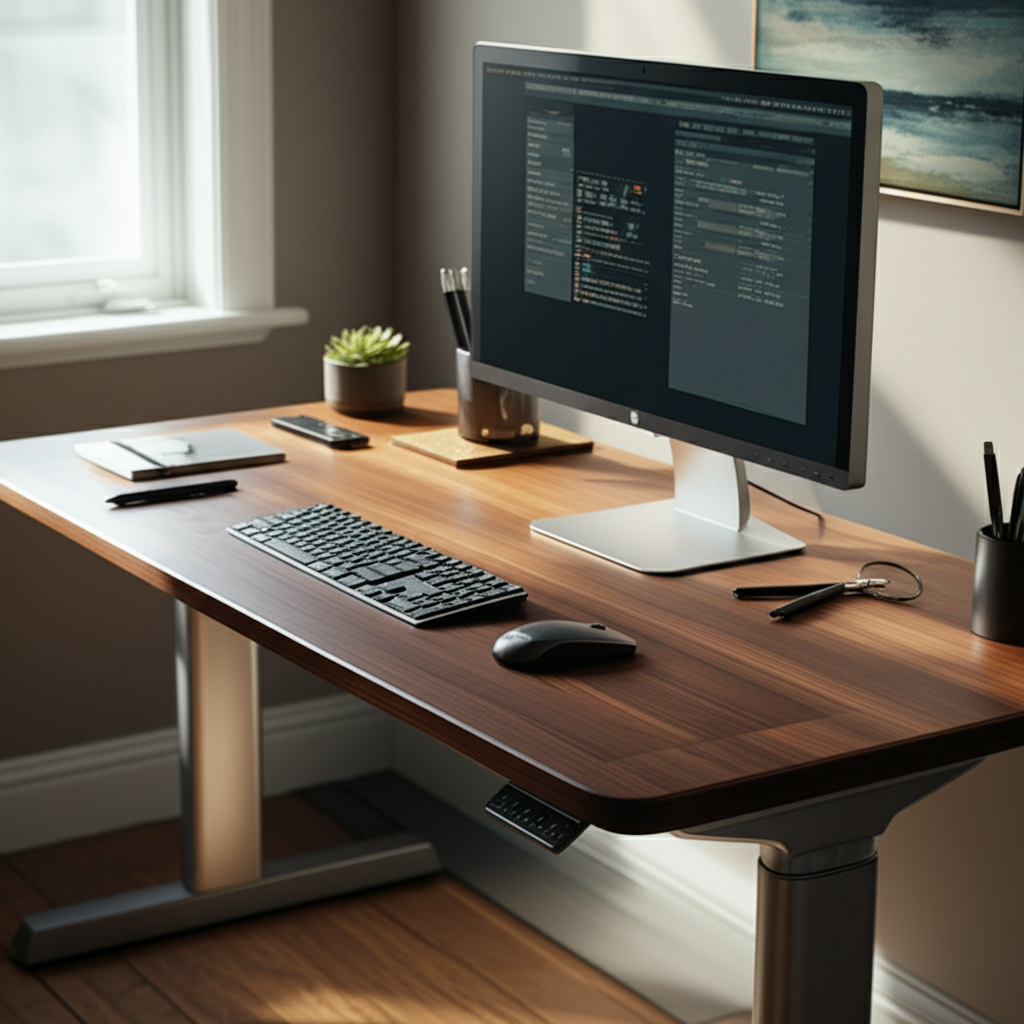
Published on: 28/10/2025 | Updated on: October 28, 2025
Choosing the best ergonomic computer desk is crucial for your health and work. It helps prevent pain, improves posture, and boosts your focus. This guide helps you find the perfect desk for your needs.
Are you tired of backaches, neck stiffness, and general discomfort after long hours at your computer? You’re not alone. Many of us spend a significant part of our day seated at a desk, but not all desks are created equal. An uncomfortable workspace can drain your energy and even harm your health over time. This is where the best ergonomic computer desk comes in. It’s designed to support your body, promote good posture, and make your work or gaming sessions much more enjoyable. We’ll guide you through everything you need to know to pick the right one, making your workspace a place of comfort and peak performance.
Why an Ergonomic Computer Desk Matters
An ergonomic computer desk is more than just furniture; it’s an investment in your well-being. It’s designed to fit your body, not the other way around. This means less strain on your muscles and joints. Choosing the right one can transform your daily experience, boosting both comfort and efficiency.
Understanding Ergonomics and Your Workspace

Ergonomics is the science of designing things to fit people. For a desk, this means considering how you sit, stand, and move while working. A good ergonomic setup reduces physical stress and fatigue. It helps prevent common issues like carpal tunnel syndrome and back pain.
The goal is to create a workspace that supports your natural posture. This allows you to work for longer periods without discomfort. It also helps improve your focus and overall productivity. A well-designed ergonomic desk is fundamental to achieving this balance.
Key Features of the Best Ergonomic Computer Desks
The best ergonomic computer desks offer features that adapt to your body and workflow. Look for adjustable height, ample surface area, and thoughtful cable management. These elements work together to create a personalized and efficient workspace that supports your health.
Adjustable Height: Standing vs. Sitting
Adjustable height is a hallmark of ergonomic desks. This feature allows you to switch between sitting and standing positions. Standing desks, also known as sit-stand desks, are highly recommended by health experts. They help combat the negative effects of prolonged sitting.
Research from the U.S. Department of Health and Human Services suggests that reducing sedentary time can improve health markers. Adjustable desks make this transition easy. You can find models that are manually adjusted or electronically controlled. Electric sit-stand desks offer the most convenience, allowing for quick changes with the touch of a button.
Surface Area and Layout
The surface of your desk needs to be large enough for all your essentials. This includes your monitor(s), keyboard, mouse, and any other work tools. A spacious desk prevents clutter and allows you to arrange your items in an ergonomic way. This means keeping your monitor at eye level and your keyboard and mouse close to your body.
Consider the depth of the desk as well. You need enough space to place your monitor at an optimal viewing distance. This typically means keeping it about an arm’s length away. A desk that is too shallow can force you to sit too close, straining your eyes and neck.
Cable Management Systems
Tangled cables can be an eyesore and a hazard. Many ergonomic desks come with built-in cable management solutions. These can include grommets, trays, or clips to keep wires organized and out of sight. Good cable management not only looks neat but also prevents accidental unplugging of devices.
A clean workspace contributes to a clear mind. By managing your cables effectively, you reduce distractions and create a more professional and calming environment. This small detail can significantly improve your overall work experience.
Types of Ergonomic Computer Desks
Ergonomic desks come in various forms to suit different needs and spaces. From simple converters to fully adjustable standing desks, there’s an option for everyone. Understanding these types will help you narrow down your choices to find the best fit.
Standing Desks (Sit-Stand Desks)
These desks allow you to easily switch between sitting and standing. They are often powered by electricity, making adjustments smooth and quick. Some models offer memory presets, so you can return to your preferred heights with ease.
The benefits of using a standing desk are well-documented. Studies show they can help reduce back pain and improve posture. They may also boost energy levels and calorie burning. For instance, a study published in the Journal of Occupational and Environmental Medicine found that using a sit-stand workstation reduced upper back and neck pain by 54% after just three weeks.
Desk Converters (Risers)
Desk converters sit on top of your existing desk. They provide an adjustable surface for your monitor and keyboard. These are a more budget-friendly option if you don’t want to replace your entire desk. They are also great for testing out a standing setup.
Converters come in various sizes and styles. Some are simple platforms, while others have multiple tiers for monitors and accessories. They are easy to set up and move. However, they might offer less surface area than a full standing desk.
L-Shaped and Corner Desks
L-shaped and corner desks maximize space, especially in smaller rooms. They provide a large, continuous work surface. Ergonomic versions often incorporate adjustable height features or allow for dual-monitor setups. These are ideal for users who need ample space for multiple tasks or equipment.
The expansive surface area allows for better organization and workflow. You can place your computer on one side and use the other for writing or other tasks. This configuration can significantly enhance productivity. Ensure the dimensions fit your space well before purchasing.
Fixed-Height Ergonomic Desks
While less common for true ergonomic setups, some fixed-height desks are designed with ergonomics in mind. They might have features like keyboard trays or curved fronts to improve user comfort. These are best suited for individuals who work in a standard, comfortable sitting posture and do not require height adjustability.
These desks are typically more affordable than adjustable models. They can be a good choice if your budget is limited. However, they lack the flexibility to adapt to different working positions throughout the day. It’s essential to ensure the fixed height matches your specific needs.
Choosing the Best Ergonomic Computer Desk for You
Selecting the best ergonomic computer desk involves considering your personal needs, workspace, and budget. Think about how you work, what equipment you use, and the space you have available. Making an informed choice ensures you get a desk that truly enhances your comfort and productivity.
Assessing Your Workspace Needs
Measure the area where the desk will go. Consider the size of your monitors, computer tower, and any other peripherals. Ensure there’s enough space for movement and legroom. A desk that’s too large can make a room feel cramped. Conversely, a desk that’s too small can lead to a cluttered and inefficient workspace.
Think about the overall aesthetic you want for your space. Desks come in various materials and finishes. Choose one that complements your existing décor. This creates a more cohesive and pleasant working environment.
Considering Your Budget
Ergonomic desks range widely in price. Simple converters can cost under $100, while high-end electric standing desks can exceed $1,000. Determine how much you are willing to spend before you start shopping. Remember that investing in a quality ergonomic desk is an investment in your health.
Look for sales or refurbished options to save money. Many reputable brands offer discounts during holiday seasons. Compare prices from different retailers to find the best deal. Don’t compromise too much on quality, as a cheaper desk might not last as long or offer the same ergonomic benefits.
Evaluating Materials and Durability
Desks are made from various materials, including wood, metal, and laminate. Solid wood desks are durable and attractive but can be expensive. Laminate and particleboard desks are more affordable but may be less durable. Metal frames generally offer good stability and support.
Check the weight capacity of the desk, especially if you have multiple monitors or heavy equipment. Read reviews to gauge the long-term durability and stability of the desk. A wobbly desk can be distracting and uncomfortable to work at. Ensure the materials used are also safe and non-toxic.
Top Ergonomic Computer Desk Recommendations
Based on user reviews and expert analysis, here are some of the best ergonomic computer desks available. These options cover different price points and feature sets, ensuring there’s a great choice for almost everyone seeking improved comfort and productivity.
1. Uplift Desk V2 Commercial
The Uplift Desk V2 Commercial is a top-tier electric standing desk. It boasts a sturdy construction, quiet motors, and a wide range of customization options. It offers smooth height adjustments and multiple desktop finishes. This desk is praised for its durability and excellent customer support.
Its wide height range makes it suitable for users of all sizes. The optional accessories, like monitor arms and cable management trays, further enhance its ergonomic appeal. It’s a significant investment but offers long-term value for dedicated professionals and enthusiasts.
2. FlexiSpot EC7 Pro
FlexiSpot is known for its affordable and feature-rich standing desks. The EC7 Pro offers a spacious surface, robust motor system, and programmable memory presets. It’s a solid choice for those looking for a reliable electric standing desk without breaking the bank. The frame is sturdy and can handle substantial weight.
This desk provides a great balance of quality and price. It’s an excellent option for users who want the benefits of a standing desk at a more accessible cost. The assembly process is also generally straightforward.
3. Autonomous SmartDesk Pro
Autonomous offers sleek, modern-looking standing desks. The SmartDesk Pro features a powerful motor and a clean design. It provides a large work surface and multiple color options. It’s a popular choice for home offices and tech-forward workspaces. Its minimalist aesthetic fits well in many environments.
The desk’s stability is a key highlight, even at its highest setting. Autonomous also offers various desk add-ons to further customize your setup. This makes it a versatile option for many users.
4. Ergotron Workstation Desk Converters
For those who prefer to keep their existing desk, Ergotron offers excellent converters. Their products are known for quality engineering and ease of use. Models like the WorkFit-Z Mini are compact and provide a stable platform for your monitor and keyboard. They are perfect for smaller spaces or temporary standing solutions.
Ergotron converters are built to last and offer smooth transitions between sitting and standing. They are a great way to experience the benefits of standing without a full desk replacement. Many users find them to be a practical and effective ergonomic upgrade.
5. IKEA Bekant Standing Desk
IKEA’s Bekant series offers an affordable entry into standing desks. The Bekant standing desk provides a decent workspace and electric height adjustment. It’s a good option for students or those on a tighter budget. While not as robust as premium models, it offers good value for its price point.
The Bekant is easy to assemble and comes in various sizes and colors. It’s a practical choice for basic ergonomic needs. For its cost, it delivers a functional sit-stand experience. You can find more details about IKEA’s ergonomic furniture on their official website.
Setting Up Your Ergonomic Desk for Maximum Benefit
Simply owning an ergonomic desk isn’t enough; you need to set it up correctly. Proper setup ensures you get the full health and productivity benefits. It involves adjusting the desk height and positioning your monitor, keyboard, and mouse thoughtfully.
Ideal Monitor Placement
Your monitor should be positioned directly in front of you. The top of the screen should be at or slightly below eye level. This prevents you from tilting your head up or down, which can cause neck strain. You should be able to look at the screen without significant head movement.
The distance from your eyes to the screen should be about an arm’s length. If you use multiple monitors, arrange them so you don’t have to turn your head excessively. For a dual-monitor setup, place them side-by-side at a slight angle, with your primary monitor directly in front.
Keyboard and Mouse Positioning
Your keyboard should be placed so your elbows are bent at roughly a 90-degree angle. Your wrists should be straight and not resting on anything while typing. This neutral wrist position reduces the risk of repetitive strain injuries like carpal tunnel syndrome.
Your mouse should be kept close to the keyboard. Avoid reaching for it, as this can cause shoulder and arm strain. Consider using an ergonomic mouse that fits the shape of your hand. Many ergonomic desks offer adjustable keyboard trays, which can help achieve the perfect positioning.
The Importance of a Good Chair
An ergonomic desk works best in conjunction with an ergonomic chair. Your chair should provide good lumbar support and allow you to adjust its height, armrests, and backrest. When sitting, your feet should rest flat on the floor, and your knees should be at about a 90-degree angle.
The combination of an ergonomic desk and chair creates a fully supportive workstation. This holistic approach to your workspace design is key to long-term comfort and health. Look for chairs that promote good posture and reduce pressure points.
Ergonomic Desk Accessories to Enhance Your Setup
Beyond the desk itself, several accessories can further improve your ergonomic experience. These tools can help optimize your posture, reduce strain, and increase overall comfort during long work sessions.
Monitor Arms
Monitor arms allow for precise adjustment of your screen’s height, tilt, and distance. They free up desk space and enable easy repositioning. This is especially useful for multi-monitor setups or when switching between sitting and standing. Many ergonomic desks are designed to integrate seamlessly with monitor arms.
Using a monitor arm ensures your display is always at the optimal ergonomic position. This reduces neck and eye strain. They also contribute to a cleaner, more organized desk surface, removing bulky monitor stands.
Footrests
A footrest can be beneficial, especially when sitting for extended periods. It helps maintain good posture by supporting your feet and legs. This can improve circulation and reduce pressure on your lower back. For sit-stand desks, a footrest can provide a comfortable alternative position when standing.
Choosing a footrest with an adjustable angle allows you to customize your comfort. Some models even have textured surfaces for gentle foot massage. It’s a simple addition that can make a big difference in overall comfort.
Anti-Fatigue Mats
If you use a standing desk, an anti-fatigue mat is essential. These mats provide cushioning and support, reducing stress on your feet, legs, and back. They encourage subtle movements, which can improve circulation and reduce fatigue. Standing on a hard floor for long periods can be very uncomfortable.
Look for a mat with a thick, supportive surface. Many are designed with beveled edges to prevent tripping. An anti-fatigue mat makes standing for longer durations much more manageable and comfortable. This accessory is a must-have for any regular standing desk user.
Maintaining Your Ergonomic Desk and Workspace
Regular maintenance and mindful use of your ergonomic desk are key to its longevity and effectiveness. Keeping your desk clean and organized ensures it remains a comfortable and productive space.
Cleaning and Care
Different desk materials require different cleaning methods. For laminate or wood desks, use a soft, damp cloth. Avoid abrasive cleaners that can damage the surface. For metal components, a mild soap and water solution usually works well.
Regularly check that all screws and bolts are tightened. This is especially important for adjustable desks to maintain stability. Proper care ensures your desk looks good and functions optimally for years to come.
Decluttering and Organization
A cluttered desk can be a source of stress and distraction. Make it a habit to clear your desk at the end of each workday. Use cable management solutions to keep wires tidy. Utilize desk organizers, drawers, or shelves to store supplies.
An organized workspace promotes focus and efficiency. It makes it easier to find what you need and keeps your environment pleasant. Regularly decluttering also helps you reassess what you truly need on your desk.
Frequently Asked Questions About Ergonomic Computer Desks
Here are answers to some common questions about choosing and using the best ergonomic computer desk.
What is the ideal height for an ergonomic desk?
The ideal height allows your elbows to rest at a 90-degree angle with your wrists straight when typing. For standing, the desk should be high enough so your arms are parallel to the floor and your wrists are straight. This varies based on your height.
Are standing desks worth the investment?
Yes, standing desks are generally considered worth the investment for their health benefits. They can reduce back pain, improve posture, and boost energy levels. Many users report increased productivity and overall well-being.
How much space do I need for an ergonomic desk?
The space needed depends on your setup. A basic standing desk converter might only need space for your current desk. A full sit-stand desk requires more room, so measure your available area carefully. Consider legroom and space for movement.
Can an ergonomic desk help with back pain?
Absolutely. By promoting better posture and allowing you to alternate between sitting and standing, ergonomic desks can significantly reduce back pain. They encourage movement and reduce the strain caused by prolonged sitting.
What is the difference between a sit-stand desk and a standing desk?
The terms are often used interchangeably. A “sit-stand desk” specifically highlights the ability to adjust its height for both sitting and standing. A “standing desk” might imply it’s primarily for standing, but most modern ones are adjustable.
Are there budget-friendly ergonomic desk options?
Yes, there are many budget-friendly options. Desk converters are a great starting point. IKEA and brands like FlexiSpot offer more affordable electric standing desks. You can also find good deals on refurbished models.
Conclusion: Your Journey to a Healthier Workspace Starts Now
Choosing the best ergonomic computer desk is a pivotal decision for anyone spending significant time at a computer. It’s about prioritizing your health, comfort, and productivity. By understanding the features, types, and proper setup, you can find a desk that perfectly suits your needs.
Whether you opt for a full electric standing desk, a space-saving converter, or a well-designed fixed-height model, the benefits are substantial. Invest in your well-being today and transform your workspace into a comfortable, efficient, and health-conscious environment. Your body will thank you for it.

Belayet Hossain is a Senior Tech Expert and Certified AI Marketing Strategist. Holding an MSc in CSE (Russia) and over a decade of experience since 2011, he combines traditional systems engineering with modern AI insights. Specializing in Vibe Coding and Intelligent Marketing, Belayet provides forward-thinking analysis on software, digital trends, and SEO, helping readers navigate the rapidly evolving digital landscape. Connect with Belayet Hossain on Facebook, Twitter, Linkedin or read my complete biography.