


Published on: 26/09/2025 | Updated on: September 26, 2025
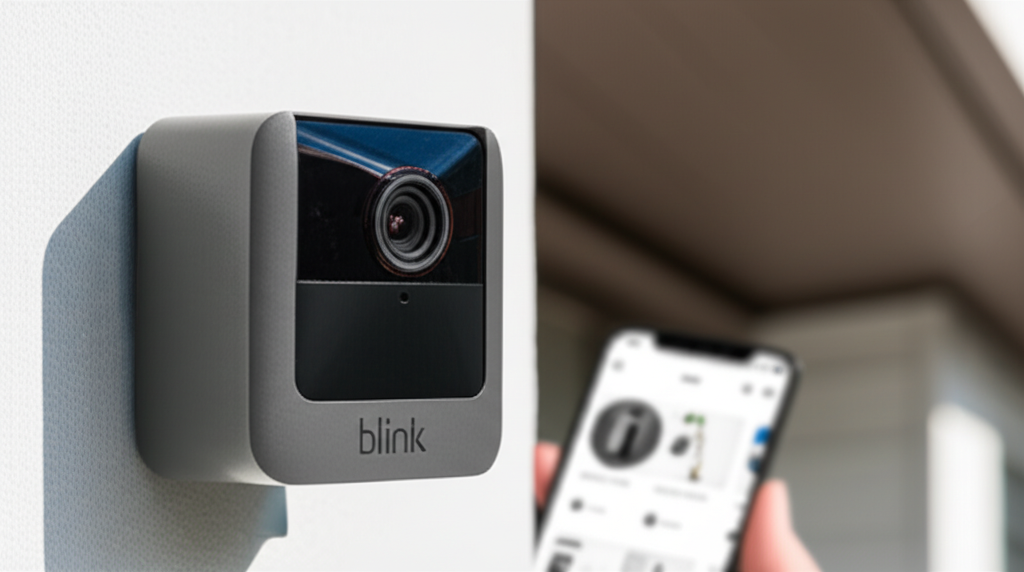
The Blink XT2 Outdoor/Indoor camera offers robust, wire-free security for your home with easy setup, advanced motion detection, and long battery life, making it an ideal, budget-friendly solution for comprehensive home monitoring.
Setting up a home security system can feel overwhelming, with wires to run and complex instructions. Many people worry about gaps in their surveillance or the hassle of installation. Fortunately, smart technology is making home protection simpler and more accessible than ever. The Blink XT2 Outdoor/Indoor camera system stands out as a powerful yet incredibly user-friendly option. It’s designed to give you peace of mind without the typical headaches. This guide will walk you through everything you need to know to secure your home effectively with the Blink XT2.
Why Choose Blink XT2 for Your Home Security?
The Blink XT2 Outdoor/Indoor camera is a compelling choice for anyone seeking an affordable yet feature-rich home security solution. Its wire-free design and straightforward setup process eliminate the common frustrations associated with traditional security systems. This camera offers a blend of essential security features and user convenience, making it a top contender for smart home enthusiasts and first-time security system buyers alike.
Unpacking the Blink XT2: What’s in the Box?

When you purchase the Blink XT2, you’re getting a complete package designed for immediate deployment. The core components include the cameras themselves, a Sync Module, and mounting hardware. Understanding what you receive helps in planning your installation and ensuring you have everything needed for optimal coverage.
Blink XT2 Cameras: These are the heart of your system, designed for both indoor and outdoor use. They are battery-powered and weather-resistant.
Sync Module: This small device acts as the central hub, connecting your cameras to your home Wi-Fi network and the Blink cloud. It’s essential for the system to function.
Mounting Hardware: Each camera typically comes with a mounting bracket, screws, and anchors. This allows for flexible placement on walls or ceilings.
AA Batteries: The cameras are powered by easily replaceable AA lithium batteries, offering extended life.
* USB Power Adapter & Cable: For the Sync Module, ensuring it has a constant power source.
Having these items readily available ensures you can start the setup process without needing to make additional purchases. This all-in-one approach simplifies the initial user experience.
The Power of Wire-Free: Freedom and Flexibility
One of the most significant advantages of the Blink XT2 is its wire-free operation. This design choice dramatically simplifies installation and offers unparalleled placement flexibility. You aren’t tethered to power outlets, allowing you to position cameras in areas previously inaccessible or difficult to wire.
This freedom means you can easily monitor vulnerable entry points, detached garages, or even the backyard without professional installation costs. The battery-powered nature also ensures continuous operation during power outages, a critical feature for any security system. This makes the Blink XT2 a truly adaptable solution for diverse home layouts and security needs.
Effortless Setup: Your Step-by-Step Guide to Blink XT2 Installation
The Blink XT2 is renowned for its remarkably simple setup process, often achievable in under 15 minutes. This ease of use is a major draw for individuals who may not be tech-savvy or have limited time. The system is designed to guide you through each step intuitively.
Step 1: Download the Blink Home Monitor App
Your journey begins with downloading the Blink Home Monitor app onto your smartphone or tablet. This app is available for both iOS and Android devices and serves as the control center for your entire Blink system. Ensure your mobile device is connected to your home’s 2.4 GHz Wi-Fi network, as the Sync Module will use this connection.
The app is where you’ll add devices, manage settings, and view live feeds. It’s designed with a clean interface, making navigation straightforward for users of all technical backgrounds. Having the app ready before you start setting up hardware streamlines the entire process.
Step 2: Power Up and Connect the Sync Module
Plug the Sync Module into a power outlet using the provided USB adapter and cable. Once powered on, the LED indicator on the Sync Module will turn solid blue. Next, you’ll need to connect it to your home Wi-Fi network through the Blink app.
Follow the in-app prompts to add a new device. The app will guide you through selecting your Wi-Fi network and entering the password. Once connected, the Sync Module’s LED will blink blue, indicating a successful network connection.
Step 3: Add Your Blink XT2 Cameras
With the Sync Module connected, it’s time to add your cameras. Open the Blink Home Monitor app and tap the ‘+’ icon to add a new device. The app will prompt you to scan a QR code located on the back of the camera or Sync Module.
After scanning, the camera will be associated with your account. You can then give each camera a descriptive name (e.g., “Front Door,” “Backyard”). Repeat this process for all your Blink XT2 cameras. The app makes it incredibly easy to manage multiple cameras within a single system.
Step 4: Mount Your Cameras for Optimal Coverage
Now, you’ll physically install the cameras. The included mounting hardware allows for versatile placement. For outdoor use, ensure the camera is positioned to capture desired areas without being too close to heat sources or facing direct sunlight for extended periods, which can trigger motion detection.
Consider mounting the camera high enough to deter tampering but low enough to capture clear facial details if needed. The wire-free design means you can screw the mount into a wall, fence, or ceiling without worrying about running wires. Adjust the camera angle to cover your target zone effectively.
Step 5: Configure Motion Settings and Test
The final step involves fine-tuning your camera’s settings. Within the Blink app, you can adjust motion detection sensitivity and define motion zones. Motion zones allow you to exclude areas within the camera’s view that are prone to false alerts, like busy sidewalks or swaying trees.
Once configured, perform a test to ensure everything is working as expected. Trigger motion in front of each camera and check if you receive an alert and a video clip in the app. This ensures your system is ready to protect your home.
Key Features of the Blink XT2: More Than Just a Camera
The Blink XT2 packs a punch with features designed to enhance security and user experience. From its impressive battery life to its HD video quality, it offers robust performance in a compact package. These capabilities make it a versatile tool for both indoor and outdoor monitoring.
HD Video Quality and Night Vision
The Blink XT2 records in 1080p HD, ensuring clear and detailed video footage. This high resolution is crucial for identifying individuals or events accurately. The camera also features integrated infrared night vision, allowing it to capture clear images even in complete darkness.
This dual capability means you have reliable surveillance 24/7. Whether it’s daytime or nighttime, you can count on the Blink XT2 to provide usable video evidence. The clarity of both day and night footage is a significant advantage for security.
Two-Way Audio: Communicate Instantly
An integrated microphone and speaker allow for two-way audio communication. This feature enables you to speak to and hear people through the camera using the Blink app. It’s incredibly useful for deterring potential intruders, greeting visitors, or communicating with family members remotely.
The ability to have a real-time conversation adds another layer of security and convenience. You can remotely check in on pets or talk to a delivery person, all from your smartphone. This interactive element makes the Blink XT2 a dynamic security tool.
Motion Detection and Alerts: Stay Informed
The Blink XT2’s sophisticated motion detection system alerts you when activity is detected. You can customize the sensitivity and set up motion zones to reduce false alarms. When motion is detected, the camera records a short video clip and sends an instant notification to your mobile device.
These real-time alerts ensure you are always aware of what’s happening around your home. The ability to define specific zones means you can focus on critical areas, like your front door or driveway, without being bothered by irrelevant movement. This intelligent alert system keeps you informed without overwhelming you.
Extended Battery Life: Power That Lasts
One of the standout features of the Blink XT2 is its exceptional battery life. It uses two AA lithium batteries that can last up to two years under typical usage. This long-lasting power source minimizes the need for frequent battery changes and ensures continuous protection.
This extended battery performance is a major convenience, especially for outdoor cameras that are harder to access. It contributes to the system’s “set it and forget it” appeal, providing reliable security with minimal maintenance. The long battery life is a testament to Blink’s focus on user convenience.
Cloud Storage and Live View
Blink offers cloud storage for your video clips, accessible through the Blink Home Monitor app. With a Blink Subscription Plan, you can store an unlimited number of clips for up to 30 days. This allows you to review footage at your convenience.
The Live View feature lets you check in on your property at any time directly from the app. This on-demand monitoring provides instant peace of mind, allowing you to see what’s happening in real-time. The combination of cloud storage and live view offers comprehensive control over your security.
Blink XT2 vs. Other Blink Cameras: What’s the Difference?
Blink offers a range of smart cameras, and understanding the differences between them can help you choose the best fit for your needs. While the XT2 is a popular choice, newer models like the Blink Outdoor and Indoor (3rd Gen) offer updated features.
Here’s a quick comparison:
| Feature | Blink XT2 Outdoor/Indoor | Blink Outdoor (3rd Gen) | Blink Indoor (3rd Gen) |
| :—————— | :———————– | :———————- | :——————— |
| Resolution | 1080p HD | 1080p HD | 1080p HD |
| Battery Life | Up to 2 years | Up to 2 years | Up to 2 years |
| Two-Way Audio | Yes | Yes | Yes |
| Night Vision | Yes (Infrared) | Yes (Infrared) | Yes (Infrared) |
| Weather Resistance | Yes | Yes | No |
| Field of View | 110° | 110° | 110° |
| Power Source | 2x AA Lithium Batteries | 2x AA Lithium Batteries | USB Power Adapter |
| Sync Module Required| Yes | Yes | Yes |
The XT2’s key advantage over the 3rd Gen Indoor camera is its weather resistance and battery power, making it ideal for outdoor placement. The Blink Outdoor (3rd Gen) is very similar to the XT2, but often the XT2 can be found at more competitive price points. The primary distinction between XT2 and the newer Blink Outdoor lies in subtle firmware updates and potentially enhanced motion detection algorithms in the newer generations. However, for many users, the core functionality and reliability of the Blink XT2 remain excellent.
Optimizing Your Blink XT2 for Maximum Security
To get the most out of your Blink XT2 system, a few strategic adjustments can significantly improve its performance and effectiveness. These tips focus on leveraging the camera’s features to enhance detection accuracy and minimize false alarms. A well-optimized system provides greater peace of mind.
Strategic Camera Placement: Where to Put Your Blink XT2
Proper placement is crucial for effective surveillance. For outdoor cameras, consider mounting them near entry points like doors and windows. Aim for a height of 8-10 feet to capture clear details and deter tampering. Avoid pointing cameras directly at bright light sources or areas with constant movement, such as busy streets or dense foliage.
For indoor use, placing cameras in main living areas, hallways, or rooms with valuables can provide good coverage. Ensure the camera has a clear line of sight to the areas you want to monitor. Consider the Sync Module’s placement as well; it should be within range of all your cameras and your Wi-Fi router.
Fine-Tuning Motion Detection Settings
The Blink app allows for granular control over motion detection. Adjusting the sensitivity level is key. If you’re getting too many alerts from minor movements like leaves blowing, decrease the sensitivity. Conversely, if you’re missing events, increase it.
Utilizing motion zones is equally important. Draw boxes on the screen to highlight areas where you want motion to be detected and exclude areas where it’s likely to occur but isn’t relevant to security. This intelligent customization drastically reduces unnecessary notifications. Experiment with these settings to find the perfect balance for your environment.
Leveraging Two-Way Audio Effectively
Don’t underestimate the power of two-way audio. If the camera detects motion and sends an alert, you can use the app to speak through the camera. A simple verbal warning can often deter unwanted visitors before they cause any trouble.
This feature is also great for everyday use, like telling a delivery person where to leave a package or checking in on pets. Practicing how to use the two-way audio feature in the app will make you more comfortable and quicker to respond in a real situation. It adds an active element to your passive surveillance.
Understanding Blink Subscription Plans
While the Blink XT2 offers essential functionality without a subscription, a Blink Subscription Plan unlocks enhanced features. These plans provide cloud storage for video clips, allowing you to save and review footage for up to 30 days. Without a subscription, clips are only stored locally on the Sync Module for a limited time (or not at all, depending on specific model configurations and updates).
A subscription also enables features like extended video recording durations and richer notifications. Evaluating your needs against the subscription costs will help you decide if it’s a worthwhile addition for your peace of mind. The subscription significantly enhances the system’s utility for evidence gathering and review.
Security and Privacy Considerations with Blink XT2
As with any connected device, security and privacy are paramount. Blink, owned by Amazon, has implemented various measures to protect user data and ensure the system is secure. Understanding these measures can help you feel more confident about using the Blink XT2.
Data Encryption and Security Protocols
Blink employs industry-standard encryption protocols to protect the data transmitted between your cameras, the Sync Module, and the cloud. Video streams are encrypted, and access to your account is protected by your password and optional two-factor authentication. This ensures that your footage and personal information remain private.
The Sync Module itself acts as a secure gateway, preventing direct external access to the cameras without proper authentication. Regular security updates from Blink further help to patch vulnerabilities and maintain system integrity. These robust security measures are vital for any smart home device.
Privacy Settings and Local Storage Options
The Blink Home Monitor app provides several privacy controls. You can enable or disable recording for each camera individually. You can also use the “Privacy Zones” feature within the app to black out specific areas of the camera’s view, preventing them from being recorded.
While cloud storage is a primary feature, Blink has previously offered options for local storage via USB drives for certain Sync Module models. However, the focus has shifted towards cloud storage with subscription plans. Always check the latest documentation for the most up-to-date information on storage options.
Best Practices for Maintaining Privacy
To further enhance your privacy, use a strong, unique password for your Blink account and enable two-factor authentication if available. Be mindful of where you place your indoor cameras, ensuring they are not inadvertently capturing private moments. Regularly review your system’s activity logs for any unusual access.
Keep your Blink app and device firmware updated, as these updates often include security enhancements. By following these best practices, you can ensure your Blink XT2 system enhances your security without compromising your privacy. A secure system is one that is also used responsibly.
Troubleshooting Common Blink XT2 Issues
Even with a user-friendly system like the Blink XT2, occasional issues can arise. Knowing how to troubleshoot common problems can save you time and frustration. Most issues are relatively simple to resolve with a few basic steps.
Camera Not Responding or Offline
If a camera appears offline in the app, first check its battery level. Low batteries are the most common cause. If batteries are good, ensure the camera is within range of the Sync Module. You can also try removing and reinserting the batteries to reset the camera.
For Sync Module connectivity issues, verify your Wi-Fi network is working and that the module is properly powered. Restarting your router and the Sync Module can often resolve connectivity problems. Ensure the Sync Module firmware is up-to-date via the app.
Motion Alerts Not Triggering or Too Frequent
If motion alerts are not triggering, check your motion detection sensitivity and zone settings in the app. Ensure motion detection is enabled for that specific camera. If alerts are too frequent, reduce the sensitivity or refine your motion zones to exclude irrelevant areas.
Sometimes, environmental factors like extreme temperature changes or direct sunlight can affect motion sensors. Adjusting camera placement or sensitivity can mitigate these issues. Testing your settings after making changes is crucial.
Poor Video Quality or Lagging Live View
Video quality issues are often related to Wi-Fi signal strength. Ensure your cameras and Sync Module have a strong connection to your router. If the signal is weak, consider moving the Sync Module closer to the router or using a Wi-Fi range extender.
For lagging live view, check your internet upload speed. A slow upload speed can cause buffering and delays. Closing other bandwidth-intensive applications on your network can also help. Sometimes, simply restarting the app or your mobile device can resolve temporary glitches.
Two-Way Audio Not Working
If you can’t hear or speak through the camera, first check if the microphone and speaker are enabled in the app settings. Ensure your mobile device’s microphone and speaker are functioning correctly. Restarting the Blink app and the camera can often resolve audio issues.
Verify that the camera has a stable Wi-Fi connection, as a poor connection can disrupt audio transmission. Check that no other apps on your phone are interfering with the Blink app’s access to your device’s audio hardware. A solid connection is key for clear communication.
FAQ: Your Blink XT2 Questions Answered
Q1: Can the Blink XT2 be used without a subscription?
Yes, the Blink XT2 can be used without a subscription plan. However, without a subscription, you will not have cloud storage for video clips, meaning you can only view live streams and receive motion alerts. Local storage options might be available for specific Sync Module generations, but cloud storage offers the most comprehensive experience.
Q2: How do I reset my Blink XT2 camera?
To reset a Blink XT2 camera, you typically need to remove and reinsert the batteries. For a more thorough reset of the entire system, you might need to reset the Sync Module and then re-add all cameras through the app. Refer to the Blink app’s help section for specific instructions related to your system version.
Q3: What is the range of the Blink XT2 cameras from the Sync Module?
The range can vary depending on your home environment, but generally, the Blink XT2 cameras can be up to 100 feet away from the Sync Module in ideal conditions. Obstacles like walls and other electronic devices can reduce this range. It’s best to test the connection in your desired mounting location.
Q4: Can I view my Blink XT2 cameras from outside my home network?
Absolutely. As long as your Sync Module is connected to your home Wi-Fi and the internet, you can access your Blink XT2 cameras and view live streams or recorded clips from anywhere in the world using the Blink Home Monitor app on your smartphone or tablet.
Q5: Are Blink XT2 cameras waterproof?
The Blink XT2 cameras are designed to be weather-resistant, meaning they can withstand rain, snow, and moderate temperatures. They are suitable for outdoor use, but it’s advisable to avoid prolonged direct exposure to extreme weather conditions or submersion in water.
Q6: How do I update the firmware on my Blink XT2 system?
Firmware updates for the Blink XT2 cameras and Sync Module are typically managed automatically through the Blink Home Monitor app. The app will notify you if an update is available and guide you through the process, or it may install them in the background when the system is idle.
Conclusion: Smart Security Made Simple with Blink XT2
The Blink XT2 Outdoor/Indoor camera system truly delivers on its promise of essential security and effortless setup. It’s an intelligent choice for homeowners seeking reliable surveillance without the complexity and high costs often associated with traditional security solutions. Its wire-free design, impressive battery life, and user-friendly app make it incredibly accessible for everyone.
From HD video and night vision to two-way audio and customizable motion alerts, the Blink XT2 provides robust features that offer genuine peace of mind. Whether you’re monitoring your front porch, keeping an eye on pets inside, or securing a detached garage, this camera adapts to your needs. The Blink XT2 Outdoor/Indoor system is a testament to how smart technology can simplify our lives and enhance our safety, making it a highly recommended addition to any modern home.

Belayet Hossain is a Senior Tech Expert and Certified AI Marketing Strategist. Holding an MSc in CSE (Russia) and over a decade of experience since 2011, he combines traditional systems engineering with modern AI insights. Specializing in Vibe Coding and Intelligent Marketing, Belayet provides forward-thinking analysis on software, digital trends, and SEO, helping readers navigate the rapidly evolving digital landscape. Connect with Belayet Hossain on Facebook, Twitter, Linkedin or read my complete biography.