
Published on: 29/10/2025 | Updated on: October 29, 2025
Discover essential breakthroughs in charger port phone repair, offering cost-effective solutions and vital insights to keep your devices powered up and functional.
Is your phone refusing to charge? It’s a common frustration, a digital lifeline suddenly cut off. That little port, the gateway for power, can become a real headache when it malfunctions. But don’t despair! This guide will walk you through the latest in charger port phone repair, from understanding the problem to finding the best solutions. We’ll cover why these issues happen, what you can do yourself, and when it’s time to call in the experts. Get ready to power up your knowledge and get your phone back to full strength.
Why Your Phone’s Charger Port Stops Working
Your phone’s charger port is a small but crucial part. It’s used every single day to give your device energy. Over time, this constant use can lead to problems. Dirt, dust, and debris can get inside. This can block the connection needed for charging. Sometimes, the port can become loose from plugging and unplugging cables. Physical damage, like dropping your phone, can also break the port. These issues can stop your phone from charging altogether.
Common Causes of Charger Port Failure

Many things can cause a charger port to fail. The most frequent culprit is simply wear and tear. Imagine plugging and unplugging a charger hundreds, even thousands, of times. This can loosen internal connections. Another major issue is lint and pocket debris. It builds up inside the port, creating a barrier. This prevents the charging cable from making a good connection.
Liquid damage is also a big problem. Even a small spill can corrode the sensitive metal contacts. Dropping your phone can bend or break the port. This can sever internal wires or damage the port’s mounting. Sometimes, the charging cable itself can be faulty. A damaged cable can seem like a port issue. It’s important to rule this out first.
DIY Fixes for a Faulty Charger Port
Before seeking professional help, there are a few simple things you can try. These fixes are safe and can often solve minor port problems. They focus on cleaning and checking the port and cable. These steps can save you time and money. Always proceed with caution when trying DIY repairs.
Cleaning Your Phone’s Charger Port Safely
Cleaning the charger port is often the first and most effective step. You need to remove any lint or debris. Use a non-metallic tool for this. A wooden toothpick or a plastic dental pick works well. Gently scrape around the inside of the port. Be careful not to force anything.
Another safe method is using compressed air. Hold the can upright and spray short bursts into the port. This can dislodge loose dust. Avoid using metal objects like paperclips. They can short-circuit your phone or damage the pins. A soft brush can also help sweep away surface dust.
Checking Your Charging Cable and Power Source
Sometimes, the problem isn’t the phone at all. Your charging cable might be damaged. Look for any kinks, cuts, or fraying on the cable. Try using a different, known-good charging cable. Also, test your charger brick with another device. Ensure your power outlet is working correctly by plugging in another item.
A faulty power source can also prevent charging. Try plugging your charger into a different outlet. If you use a power strip, try plugging directly into the wall. Rule out these external factors before assuming the port is broken. This simple check can save you a lot of hassle.
Understanding the Technology Behind Charger Ports
Modern smartphone charger ports are more than just holes. They are sophisticated connectors. They handle data transfer and power delivery. Most phones today use USB-C ports. These are reversible, meaning you can plug them in either way. This makes them very convenient.
USB-C: The Modern Standard
USB-C ports have become the industry standard. They are found on most new smartphones and many other devices. This standard offers faster charging speeds and data transfer. It also supports various charging protocols like USB Power Delivery (USB PD). This allows for intelligent power management.
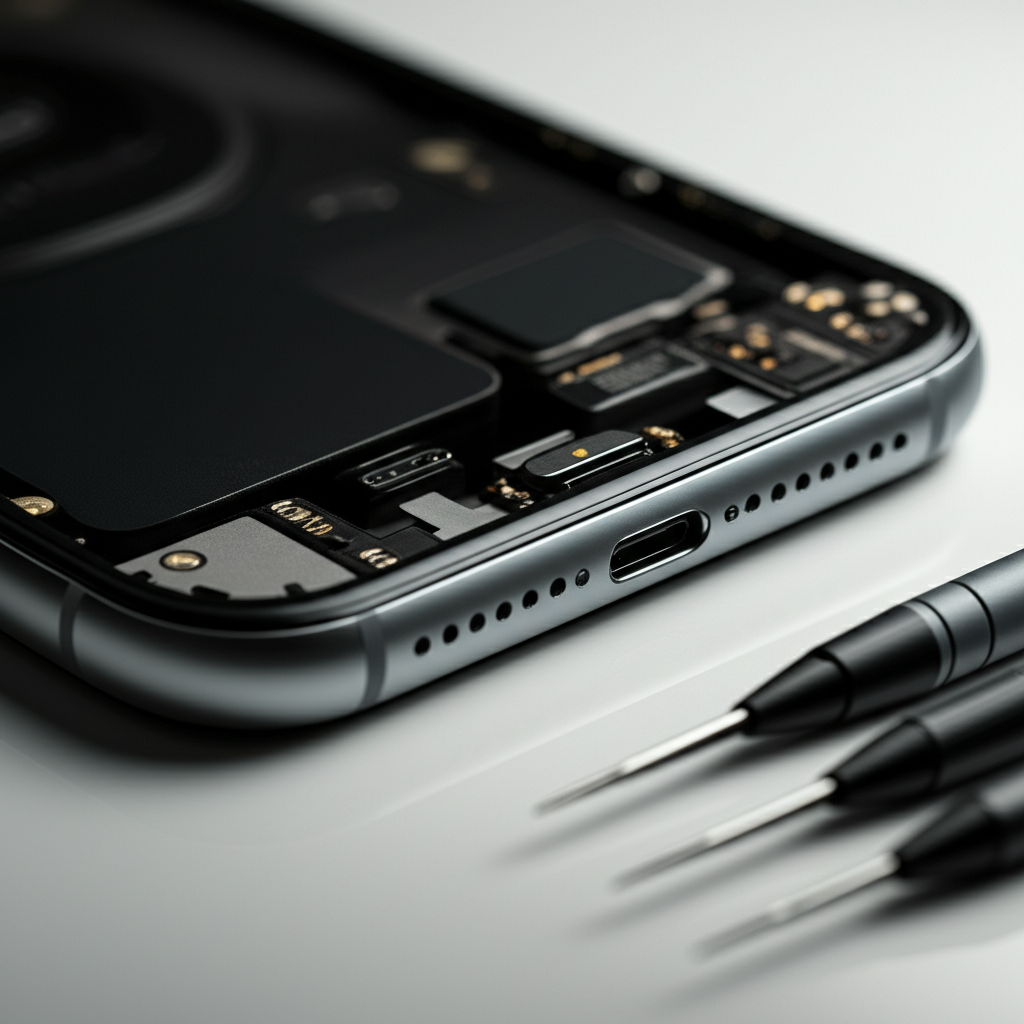
The design of a USB-C port is robust. It has many tiny pins inside. These pins connect to your phone’s internal charging circuitry. Damage to even a few of these pins can cause charging issues. The port itself is usually soldered to the phone’s motherboard. This means repair can be complex.
The Role of Charging ICs and Motherboards
The charger port is connected to the phone’s motherboard. A specific chip called the Charging IC manages power flow. This Integrated Circuit (IC) controls how much power goes into the battery. It also protects the battery from overcharging. If the Charging IC fails, the phone won’t charge, even with a good port.
Repairing a damaged Charging IC is advanced work. It requires specialized tools and expertise. Technicians often need to desolder the old chip and solder a new one. This is a delicate process. It highlights why some charger port phone repair jobs are more complex than others.
When to Seek Professional Charger Port Repair
If simple DIY fixes don’t work, it’s time to consider professional help. Trying to repair a damaged port yourself can cause more harm. Professional repair shops have the right tools and knowledge. They can accurately diagnose the problem. They can also perform more complex repairs safely.
Signs You Need Professional Repair
You likely need professional repair if your phone shows specific signs. If cleaning the port and trying different cables don’t help, it’s a strong indicator. If the port feels loose or wobbly, it might be physically damaged. Any signs of corrosion, like green or white residue, mean liquid damage. If your phone only charges intermittently, it suggests an unstable connection.
Also, consider the age and value of your phone. If it’s a newer, expensive device, professional repair is usually worth it. For older phones, you might weigh the repair cost against buying a new device. Understanding these signs helps you decide the best course of action.
Choosing a Reliable Repair Service
Selecting the right repair service is crucial. Look for shops with good reviews and a solid reputation. Many offer warranties on their repairs. This gives you peace of mind. Ask about their experience with your specific phone model. Some chains specialize in certain brands.
Independent repair shops can also be excellent. They often offer more personalized service. Check their website or call them to understand their repair process. Get a quote upfront before agreeing to any work. A transparent service will explain the issue and the cost clearly.
The Future of Charger Port Technology and Repair
The world of phone charging is constantly changing. Wireless charging is becoming more popular. However, wired charging is still essential for many. Innovation is happening in both areas. This affects how we repair charger ports.
Innovations in Wireless Charging
Wireless charging offers convenience. You just place your phone on a charging pad. It eliminates the need for physical port connections for daily top-ups. This can reduce wear on the port. However, wireless charging is often slower than wired charging. It also generates more heat.
Newer wireless charging technologies are improving speed and efficiency. Standards like Qi are widely adopted. Some phones support faster wireless charging speeds. This technology reduces reliance on the physical port for everyday charging needs. It’s a significant trend in mobile power.
Advancements in Repair Techniques
Repair techniques are also advancing. For instance, some advanced shops can now repair damaged charging ICs. They use micro-soldering to replace faulty components on the motherboard. This is much cheaper than replacing the entire motherboard. It’s a significant breakthrough for phone repair.
New diagnostic tools also help technicians pinpoint problems faster. This leads to quicker and more accurate repairs. The goal is always to restore functionality reliably. These advancements make charger port phone repair more accessible and effective.
Cost of Charger Port Phone Repair
The cost of charger port phone repair varies. It depends on several factors. These include the phone model and the complexity of the repair. Simple cleaning might be free or very cheap. Replacing a port assembly is more expensive. Repairing a motherboard component is the priciest.
Factors Influencing Repair Costs
Phone brands and models affect pricing. iPhones and high-end Android phones often cost more to repair. This is due to specialized parts and labor. The location of the repair shop also plays a role. Labor rates differ by region. Independent shops might be cheaper than authorized service centers.
The extent of the damage is key. If only the port needs replacement, it’s less costly. If the charging IC or motherboard is damaged, expect higher fees. Always get a detailed quote before proceeding. This helps you budget for the repair.
Comparing Repair Costs vs. Replacement
Sometimes, the cost of repair can be close to the price of a new phone. This is especially true for older models. For newer, flagship phones, repair is often a good investment. It’s much cheaper than buying a brand-new device. A study by Statista in Germany showed that repairing a smartphone screen could save consumers up to 70% compared to buying a new one. This principle often applies to charger port repairs too.
Weigh the repair cost against the phone’s remaining lifespan. If your phone is several years old and might need other repairs soon, replacement might be wiser. For phones still in their prime, charger port phone repair is often the most economical choice.
Case Study: A Successful Charger Port Repair Story
Let’s look at a real-world example. Sarah’s iPhone 13 stopped charging one morning. She tried her usual cable and charger, but nothing happened. She took it to a local repair shop. The technician examined the port and found it full of lint. They carefully cleaned it with a special tool and compressed air. Sarah’s phone started charging immediately after the cleaning. The repair cost was minimal, just $25. This saved her from a much more expensive repair or replacement.
This case highlights how simple issues can cause major problems. It also shows the value of professional cleaning services. Many users underestimate how much debris can accumulate. A quick, affordable clean can be the essential breakthrough needed for charger port phone repair.
Preventing Future Charger Port Damage
Preventing damage is always better than repairing it. Simple habits can significantly extend the life of your phone’s charger port. By being mindful, you can avoid the frustration of a dead phone. These tips are easy to follow. They can help keep your device powered up.
Best Practices for Charging Your Phone
Always use high-quality charging cables and adapters. Cheap accessories can be poorly made. They might not fit correctly or could damage the port. Avoid leaving your phone plugged in for excessively long periods after it’s fully charged. While modern phones have protection, it’s still good practice.
Don’t yank the cable out of the port. Gently pull it straight out. This reduces stress on the port’s internal connections. Keep your charging area clean. Avoid charging your phone in dusty or sandy environments. These simple steps protect your port.
Protecting Your Phone from the Elements
Water is a major enemy of charger ports. Even “water-resistant” phones can suffer damage. Avoid exposing your phone to liquids. If it does get wet, dry it thoroughly immediately. Do not attempt to charge it until you are sure it’s dry.
Extreme temperatures can also affect battery and charging components. Avoid leaving your phone in direct sunlight or very cold places for long periods. These conditions can degrade the internal parts over time. Protecting your phone from these elements is key.
Frequently Asked Questions About Charger Port Repair
What is the most common reason a phone charger port stops working?
The most common reason is dirt, dust, and lint buildup inside the port. This debris blocks the connection needed for charging. Wear and tear from frequent plugging and unplugging also contributes.
Can I use a pin to clean my phone’s charger port?
It is not recommended to use metal pins like paperclips. They can damage the delicate pins inside the port or cause a short circuit. A wooden toothpick or a plastic dental pick is a safer alternative.
How much does it usually cost to repair a phone charger port?
Costs vary widely, from a few dollars for a simple cleaning to $100 or more for component replacement. This depends on the phone model and the specific repair needed.
Is it worth repairing a charger port on an old phone?
It depends on the repair cost versus the phone’s value and your needs. If the repair is inexpensive and the phone still works well otherwise, it’s often worth it.
Does wireless charging damage the charger port?
No, wireless charging does not directly interact with the charger port. It can actually help preserve the port by reducing the need for frequent cable connections.
How long does charger port phone repair typically take?
Simple cleaning might take minutes. Replacing a port assembly can take a few hours to a couple of days, depending on the shop’s workload and parts availability.
Conclusion: Keeping Your Phone Powered Up
A malfunctioning charger port can feel like a disaster, but it’s often a fixable problem. From simple DIY cleaning to advanced component repair, there are solutions for nearly every situation. Understanding the common causes, trying basic troubleshooting, and knowing when to seek professional help are key. By following preventative measures, you can significantly reduce the chances of future issues. Charger port phone repair is an essential service that keeps our digital lives running smoothly. Don’t let a dead battery stop you; explore these essential breakthroughs to get your phone back online.
If you found this guide helpful, consider subscribing for more tech tips and repair advice.

Belayet Hossain is a Senior Tech Expert and Certified AI Marketing Strategist. Holding an MSc in CSE (Russia) and over a decade of experience since 2011, he combines traditional systems engineering with modern AI insights. Specializing in Vibe Coding and Intelligent Marketing, Belayet provides forward-thinking analysis on software, digital trends, and SEO, helping readers navigate the rapidly evolving digital landscape. Connect with Belayet Hossain on Facebook, Twitter, Linkedin or read my complete biography.