


Published on: 30/10/2025 | Updated on: October 30, 2025
Restore your cordless phone with these essential and effortless repair guides. Learn common fixes for sound issues, connectivity problems, and charging troubles to get your device working like new again without needing to buy a new one.
Is your cordless phone acting up? Perhaps the sound is muffled, or it won’t connect to the base. These issues can be frustrating, especially when you rely on your phone for daily communication. But don’t worry, most cordless phone problems have simple fixes. You don’t always need to replace your phone or call a professional. This guide will walk you through common issues and easy ways to repair them yourself. We’ll cover everything from battery woes to connection glitches.
Why Your Cordless Phone Might Be Misbehaving
Cordless phones, while convenient, can develop problems over time. They are electronic devices with many small parts. These parts can wear out or get damaged. Common culprits include battery degradation, loose connections, or even software glitches. Understanding these common causes is the first step to effective cordless phone repair.
Understanding Common Cordless Phone Issues
Before we start fixing, let’s identify what might be wrong. Is the phone completely dead? Is there no dial tone? Are you experiencing static or dropped calls? Knowing the specific symptom helps us pinpoint the cause and find the right solution. This makes the cordless phone repair process much smoother.
Essential Tools for Cordless Phone Repair
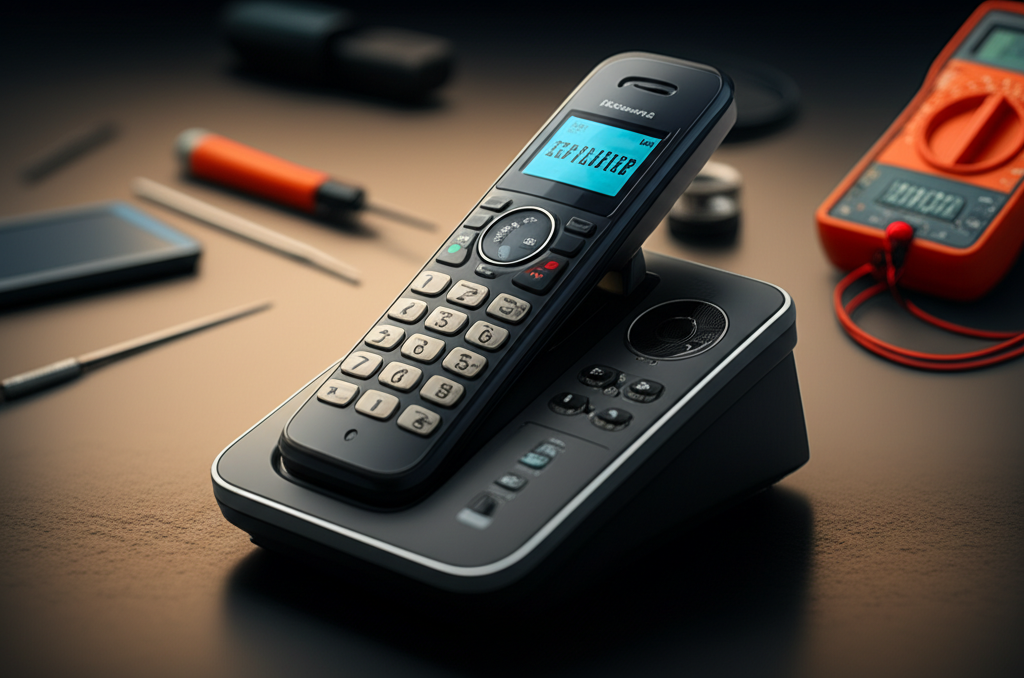
You don’t need a high-tech lab for most cordless phone repairs. A few simple tools can go a long way. These often include a small Phillips head screwdriver set, a soft cloth, and possibly some compressed air. Sometimes, just a good cleaning is all it takes. Having the right tools makes the repair process safe and effective.
Battery Problems: The Most Frequent Culprit
Many cordless phone issues stem from a weak or dead battery. Batteries have a limited lifespan. Over time, they can no longer hold a charge effectively. This leads to short talk times or the phone not working at all. Replacing the battery is often the easiest and most impactful cordless phone repair.
Signs of a Failing Battery

Short talk time: The phone dies quickly after being unplugged from the base.
Phone won’t charge: The charging indicator light doesn’t come on, or the battery level stays low.
Intermittent power: The phone turns on and off unexpectedly.
Older battery: If your battery is several years old, it’s likely nearing the end of its life.
Replacing the Battery: A Simple Fix
Most cordless phones have easily accessible battery compartments. You can usually find replacement batteries online or at electronics stores. Always check your phone’s model number to ensure you buy the correct battery. This is a straightforward cordless phone repair that can revive your device.
Troubleshooting Connection Issues: Base to Handset
Sometimes, the phone handset loses its connection to the base unit. This can result in no dial tone or the phone displaying a “no connection” message. These issues often arise from interference or the handset losing its registration with the base. Re-establishing this link is a common cordless phone repair task.
Re-registering the Handset
Most cordless phones allow you to re-register the handset with the base. This process varies by brand. It usually involves pressing a button on the base and then a sequence on the handset. Consult your phone’s manual for specific instructions. This simple step often resolves connection problems.
Checking for Interference
Other electronic devices can interfere with your cordless phone’s signal. This includes microwaves, Wi-Fi routers, and even other cordless phones. Try moving the base unit away from these devices. A clearer signal path can significantly improve performance. This is a crucial part of cordless phone repair for signal issues.
Sound and Audio Problems: Static, Muffled Voices, or No Sound
Noisy lines, muffled speech, or complete silence during calls are common complaints. These audio issues can be caused by several factors. They range from simple debris in the speaker or microphone to more complex internal problems. Addressing these audio glitches is a key part of cordless phone repair.
Cleaning the Microphone and Speaker
Dust and debris can easily accumulate in the small openings of your handset’s microphone and speaker. Use a soft brush or a can of compressed air to gently clean these areas. This simple cleaning can often restore clear audio. It’s a quick and easy fix in cordless phone repair.
Checking for Obstructions
Ensure nothing is blocking the microphone or speaker grille on the handset. Sometimes, a piece of lint or dirt can lodge in there. Carefully inspect these areas and remove any visible obstructions. This ensures the sound waves can travel freely.
Addressing “No Dial Tone” Issues
A “no dial tone” message is a classic cordless phone problem. This means the phone isn’t connecting to the telephone line. The cause could be with the phone itself, the base, or even the phone jack. Troubleshooting this requires checking each component in the chain.
Inspecting the Phone Cord and Jack
First, check the cord connecting the base to the wall jack. Ensure it’s securely plugged in at both ends. Try unplugging and replugging it. If possible, test the phone jack with another device, like a corded phone, to see if the jack itself is working. This is fundamental cordless phone repair.
Testing the Base Unit
If the cord and jack seem fine, the issue might be with the base unit. Ensure the base is powered on and its indicator lights are normal. Sometimes, a power cycle of the base (unplugging it for a minute, then plugging it back in) can resolve temporary glitches. This step is vital for effective cordless phone repair.
Water Damage and Physical Issues
Accidents happen, and sometimes your cordless phone might get wet or suffer a drop. Water damage can be tricky to repair, but sometimes immediate action can save the device. Physical damage, like a cracked screen, might be beyond simple repair but other functions may still work.
Immediate Steps for Water Exposure
If your phone gets wet, turn it off immediately. Remove the battery if possible. Gently pat it dry with a soft cloth. Avoid using heat, as this can cause further damage. Let it air dry completely for at least 48 hours before attempting to power it on. This cautious approach is key for water-damaged cordless phone repair.
Dealing with Physical Damage
For minor physical damage, like a scuff mark, cleaning might be enough. For larger issues, like a cracked screen, repair might be costly or impossible for DIY. Assess if the core functions still work. Sometimes, a phone with a cracked screen can still make and receive calls if the touch functionality isn’t compromised.
When to Consider Professional Repair or Replacement
While many cordless phone problems are fixable at home, some require expert attention. If you’ve tried all the basic troubleshooting steps and your phone still isn’t working, it might be time to seek professional help. However, for older or inexpensive models, replacement might be more cost-effective.
Factors to Consider for Professional Help
Complexity of the issue: If the problem seems internal or requires soldering, professional repair is likely needed.
Cost of repair vs. replacement: Get a quote for professional repair. Compare this to the price of a new cordless phone.
* Availability of parts: For very old models, finding replacement parts can be difficult.
Deciding on Replacement
If your cordless phone is several years old, its technology might also be outdated. Newer models offer improved features like better sound quality, longer range, and digital answering systems. Sometimes, the most efficient solution is to invest in a new device. This decision is a practical aspect of managing your electronics.
Frequently Asked Questions About Cordless Phone Repair
Q1: How do I reset my cordless phone?
Most cordless phones can be reset by unplugging the base unit from the power outlet for about 60 seconds, then plugging it back in. Some models may have a specific reset button or procedure in their manual.
Q2: My cordless phone has no power, what should I do?
Check if the base unit is plugged in and receiving power. Ensure the handset battery is correctly inserted and charged. If the battery is old, try replacing it.
Q3: Can I fix a cracked cordless phone screen?
Minor cracks might not affect functionality. However, replacing a screen is usually complex and often not cost-effective for typical cordless phones. Professional repair services might offer this, or it may be time for a new phone.
Q4: Why is my cordless phone making static noises?
Static can be caused by interference from other electronic devices, a poor connection to the base, or a failing battery. Try moving the base unit, re-registering the handset, or replacing the battery.
Q5: How long do cordless phone batteries typically last?
Cordless phone batteries usually last between 1 to 3 years, depending on usage and battery type. Heavy use or frequent charging cycles can shorten their lifespan.
Q6: Where can I find a replacement battery for my cordless phone?
You can typically find replacement batteries online through major retailers like Amazon, Best Buy, or directly from the phone manufacturer’s website. Always use your phone’s model number to find the correct compatible battery.
Q7: Is it worth repairing an old cordless phone?
For very old or inexpensive cordless phones, it’s often more cost-effective to replace them with a new model that has updated features. However, if the repair is simple and cheap, like a battery replacement, it can be worthwhile.
Conclusion: Keep Your Cordless Phone Talking
Dealing with a malfunctioning cordless phone doesn’t have to be a headache. Many common issues, from battery failures to connection problems, can be resolved with simple, DIY cordless phone repair steps. By understanding the potential causes and having a few basic tools, you can often breathe new life into your device. Remember to always consult your phone’s manual for specific instructions related to your model. For those persistent problems or when a repair is simply not economical, exploring new, advanced models is also a valid option. Keep these tips in mind for your next cordless phone repair challenge!

Belayet Hossain is a Senior Tech Expert and Certified AI Marketing Strategist. Holding an MSc in CSE (Russia) and over a decade of experience since 2011, he combines traditional systems engineering with modern AI insights. Specializing in Vibe Coding and Intelligent Marketing, Belayet provides forward-thinking analysis on software, digital trends, and SEO, helping readers navigate the rapidly evolving digital landscape. Connect with Belayet Hossain on Facebook, Twitter, Linkedin or read my complete biography.