
Published on: 26/09/2025 | Updated on: September 26, 2025
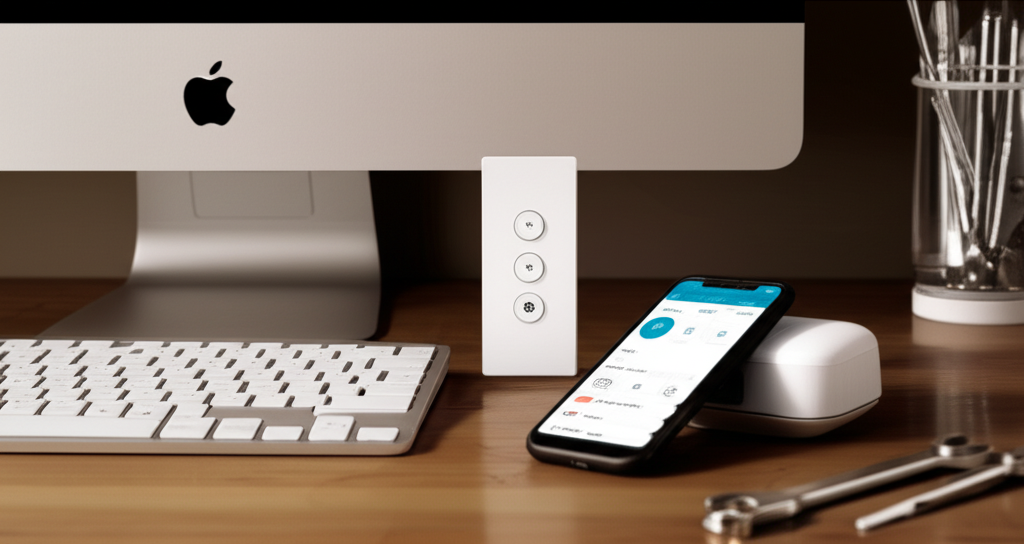
The GE Enbrighten Z-Wave Plus Remote offers a brilliant, simplified approach to smart home control, making complex automation accessible and intuitive for everyone.
Smart homes are no longer a futuristic dream; they’re a present-day reality offering unparalleled convenience and efficiency. Yet, managing a growing ecosystem of smart devices can quickly become a tangled mess of apps and voice commands. This is where a centralized, reliable control solution becomes not just helpful, but essential. Today, I want to dive deep into a device that truly embodies this principle: the GE Enbrighten Z-Wave Plus Remote. It’s more than just a remote; it’s a gateway to effortless, genius control over your connected life.
Why the GE Enbrighten Z-Wave Plus Remote is a Smart Home Game Changer
The GE Enbrighten Z-Wave Plus Remote is a powerful tool designed to simplify your smart home experience. It consolidates control of various Z-Wave devices into one intuitive interface. This remote streamlines automation and ensures you can manage your home without needing multiple apps or complicated setups.
Understanding Z-Wave Technology: The Foundation of Reliable Smart Homes
Before we delve into the specifics of the GE Enbrighten Z-Wave Plus Remote, it’s crucial to understand the technology it’s built upon: Z-Wave. Z-Wave is a wireless communication protocol designed specifically for smart home devices, differing significantly from Wi-Fi. It operates on a low-frequency radio band, which means it has a longer range and is less susceptible to interference from other wireless devices like microwaves or Bluetooth gadgets. This mesh networking capability is key; each Z-Wave device can act as a repeater, extending the network’s reach and reliability throughout your home.
Think of it like a whisper network for your smart home. Devices talk directly to each other, creating a robust and self-healing system. This inherent reliability is what makes Z-Wave a preferred choice for critical smart home functions like security and lighting control, ensuring your commands get through even in larger or more complex homes.
GE Enbrighten Z-Wave Plus Remote: A Deep Dive into Its Design and Build
GE Enbrighten has a reputation for creating user-friendly and durable smart home products, and the Z-Wave Plus Remote is no exception. Its design prioritizes ergonomics and ease of use, fitting comfortably in your hand. The physical buttons provide tactile feedback, which can be incredibly reassuring compared to touchscreens, especially in low light or when you’re not looking directly at the device.
The build quality feels solid, suggesting it’s designed to withstand the rigors of everyday use. Its compact size means it can easily be carried from room to room or placed on a coffee table without being obtrusive. This thoughtful design ensures that controlling your smart home is not just functional, but also a pleasant physical interaction.
Key Features of the GE Enbrighten Z-Wave Plus Remote That Stand Out
What truly sets the GE Enbrighten Z-Wave Plus Remote apart are its intelligent features, designed to offer unparalleled control and flexibility. This remote isn’t just about turning things on and off; it’s about orchestrating your smart home environment with precision. Its ability to control multiple devices and scenes makes it a central hub for your automated lifestyle.
Here’s a closer look at some of its standout features:
Multi-Device Control: Seamlessly manage various Z-Wave enabled lights, switches, dimmers, and even some thermostats from a single point. This eliminates the need to juggle multiple apps.
Scene Creation and Activation: Program custom scenes that adjust multiple devices simultaneously. For example, a “Movie Night” scene could dim the lights, turn on the TV, and adjust the thermostat.
Z-Wave Plus Certification: This signifies enhanced performance, including longer range, faster communication, and improved battery life for the remote itself. It ensures compatibility with the latest Z-Wave devices.
Intuitive Button Layout: Clearly labeled buttons for common actions like on/off, dimming, and scene selection make operation straightforward for all users.
Long Battery Life: Optimized power consumption means the remote can operate for extended periods on a single set of batteries, reducing hassle and replacement costs.
Simple Pairing Process: Adding new Z-Wave devices to your network and associating them with the remote is designed to be a quick and hassle-free process.
These features combine to create a control experience that is both powerful and remarkably simple, making the GE Enbrighten Z-Wave Plus Remote an indispensable part of any Z-Wave smart home.
Seamless Integration: Connecting Your Smart Devices with the Remote
The true magic of the GE Enbrighten Z-Wave Plus Remote lies in its ability to seamlessly integrate with your existing Z-Wave devices. The setup process is designed to be straightforward, even for those new to smart home technology. You’ll typically initiate a pairing mode on the remote and then on the Z-Wave device you wish to add.
Once paired, the remote can directly communicate with these devices. This means you can group devices together, create custom scenes, and control them all from one place. The Z-Wave Plus standard ensures faster and more reliable communication between the remote and your devices, making your smart home feel more responsive and intelligent than ever before.
Creating Custom Scenes: Orchestrating Your Home’s Ambiance
One of the most exciting aspects of the GE Enbrighten Z-Wave Plus Remote is its capability to create and activate custom scenes. This is where you move beyond single-device control and start orchestrating complex automations with a single press. Think of scenes as pre-programmed moods or routines for your home.
For instance, you could set up a “Good Morning” scene that slowly brightens your bedroom lights, turns on a smart coffee maker, and adjusts the thermostat to a comfortable temperature. A “Welcome Home” scene might turn on entry lights and set a welcoming ambiance. The process of creating these scenes is typically done through the remote’s interface or sometimes in conjunction with a Z-Wave hub’s app, allowing for personalized control that perfectly matches your lifestyle.
Advanced Control: Dimming, Grouping, and Scheduling with Ease
Beyond simple on/off commands and scenes, the GE Enbrighten Z-Wave Plus Remote offers advanced control functionalities. Its intuitive design allows for precise dimming of compatible lights, giving you granular control over the brightness and ambiance of any room. You can group multiple devices together, such as all the lights in your living room, to control them simultaneously with a single button press.
Furthermore, while the remote itself might not have built-in scheduling, it integrates seamlessly with Z-Wave hubs that do. This means you can program your devices to turn on or off, or activate specific scenes, at predetermined times. This level of automation enhances security, saves energy, and adds an extra layer of convenience to your daily routine, making your home truly work for you.
Battery Life and Maintenance: Keeping Your Remote Powered Up
A significant advantage of Z-Wave Plus devices, including the GE Enbrighten Z-Wave Plus Remote, is their power efficiency. The remote is typically powered by standard batteries, often AA or AAA, which can last for a considerable amount of time. GE Enbrighten designs its products with long-term use in mind, meaning you won’t be constantly replacing batteries.
When the battery does eventually run low, the remote will usually provide a clear indication, either through a flashing light or an on-screen message if it has a display. Replacing the batteries is a simple process, usually involving a small battery compartment that can be easily accessed. This low maintenance requirement ensures that your central control device is always ready when you need it.
Troubleshooting Common Issues with Your GE Enbrighten Z-Wave Plus Remote
Even the most reliable technology can sometimes encounter hiccups. If you experience issues with your GE Enbrighten Z-Wave Plus Remote, most problems can be resolved with a few straightforward troubleshooting steps. The most common issues often relate to connectivity or device pairing.
Here are some common problems and their solutions:
Remote not responding:
Check the battery level and replace if necessary.
Ensure you are within range of the Z-Wave hub or devices.
Try re-pairing the remote with your Z-Wave network.
Device not responding to remote commands:
Verify the device is powered on and properly paired with the Z-Wave network.
Check for interference from other wireless devices.
Ensure the Z-Wave hub (if used) is online and functioning correctly.
Try removing and re-adding the specific device to the network.
Difficulty pairing new devices:
Make sure the new device is in pairing mode according to its manufacturer’s instructions.
Ensure the Z-Wave network is not too crowded. You might need to exclude a device to make space.
Bring the remote and the device closer together during the pairing process.
Scene not activating correctly:
Review the scene configuration to ensure all devices are correctly assigned and programmed.
Check that all devices within the scene are functioning independently.
By systematically addressing these potential issues, you can ensure your GE Enbrighten Z-Wave Plus Remote continues to provide seamless smart home control.
Comparing the GE Enbrighten Z-Wave Plus Remote to Other Control Options
While the GE Enbrighten Z-Wave Plus Remote excels in its specific niche, it’s helpful to understand how it stacks up against other smart home control methods. Voice assistants like Amazon Alexa and Google Assistant offer hands-free convenience, but can sometimes struggle with complex commands or specific device interactions, and rely on an internet connection. Smartphone apps provide granular control but require you to have your phone handy and navigate through different interfaces.
The GE Enbrighten Z-Wave Plus Remote offers a unique blend of dedicated, physical control and advanced automation capabilities, specifically optimized for Z-Wave networks. Its strength lies in its simplicity for core functions and its dedicated nature, ensuring reliable operation without the complexities of other systems. For users heavily invested in the Z-Wave ecosystem, it offers a streamlined and highly effective control experience that often surpasses the convenience of app-switching or relying solely on voice.
Frequently Asked Questions about the GE Enbrighten Z-Wave Plus Remote
Q1: Does the GE Enbrighten Z-Wave Plus Remote require a Z-Wave hub?
While the remote itself communicates via Z-Wave, it’s designed to work within a Z-Wave network. For creating complex scenes, advanced scheduling, and managing a larger ecosystem of devices, a compatible Z-Wave hub is generally recommended and often necessary for full functionality. Some basic device control might be possible without a hub if the remote can directly control individual devices, but this is less common for advanced features.
Q2: What types of smart devices can I control with this remote?
You can control any Z-Wave Plus certified devices, including smart lights, dimmers, switches, outlets, and some smart locks and thermostats. Ensure the devices you wish to control are Z-Wave compatible.
Q3: How many devices can the GE Enbrighten Z-Wave Plus Remote control?
The remote can typically control a large number of devices, often up to 30 or more, depending on the specific model and Z-Wave hub capabilities. The Z-Wave Plus standard allows for more devices in a network compared to older Z-Wave versions.
Q4: Is the GE Enbrighten Z-Wave Plus Remote easy to set up?
Yes, the setup process for pairing the remote with your Z-Wave network and adding devices is designed to be user-friendly and straightforward. Instructions are usually clear and readily available.
Q5: Can I use this remote with Wi-Fi or Zigbee devices?
No, the GE Enbrighten Z-Wave Plus Remote is specifically designed for Z-Wave devices. It cannot directly control devices that use Wi-Fi or Zigbee protocols. You would need a different type of controller or a hub that bridges these different protocols.
Q6: What is the range of the GE Enbrighten Z-Wave Plus Remote?
The range of Z-Wave Plus devices is typically up to 100 feet (30 meters) in open spaces. However, this can be affected by walls, furniture, and other electronic devices. The mesh networking capability of Z-Wave means that other Z-Wave devices in your home can act as repeaters, extending the signal’s reach.
Conclusion: Embrace Effortless Smart Home Management with GE Enbrighten
The GE Enbrighten Z-Wave Plus Remote stands out as a remarkably intuitive and powerful solution for managing your Z-Wave smart home. It effectively tackles the common frustration of juggling multiple apps and complex interfaces by offering a dedicated, user-friendly physical controller. Its ability to create custom scenes, precisely control lighting, and group devices transforms your smart home from a collection of gadgets into a truly cohesive and responsive environment.
For anyone looking to simplify their smart home experience without sacrificing control, the GE Enbrighten Z-Wave Plus Remote is an essential and genius addition. It brings a new level of ease and reliability to your connected life, proving that advanced automation can indeed be accessible and enjoyable for everyone.


Belayet Hossain is a Senior Tech Expert and Certified AI Marketing Strategist. Holding an MSc in CSE (Russia) and over a decade of experience since 2011, he combines traditional systems engineering with modern AI insights. Specializing in Vibe Coding and Intelligent Marketing, Belayet provides forward-thinking analysis on software, digital trends, and SEO, helping readers navigate the rapidly evolving digital landscape. Connect with Belayet Hossain on Facebook, Twitter, Linkedin or read my complete biography.