
Published on: 24/09/2025 | Updated on: September 24, 2025
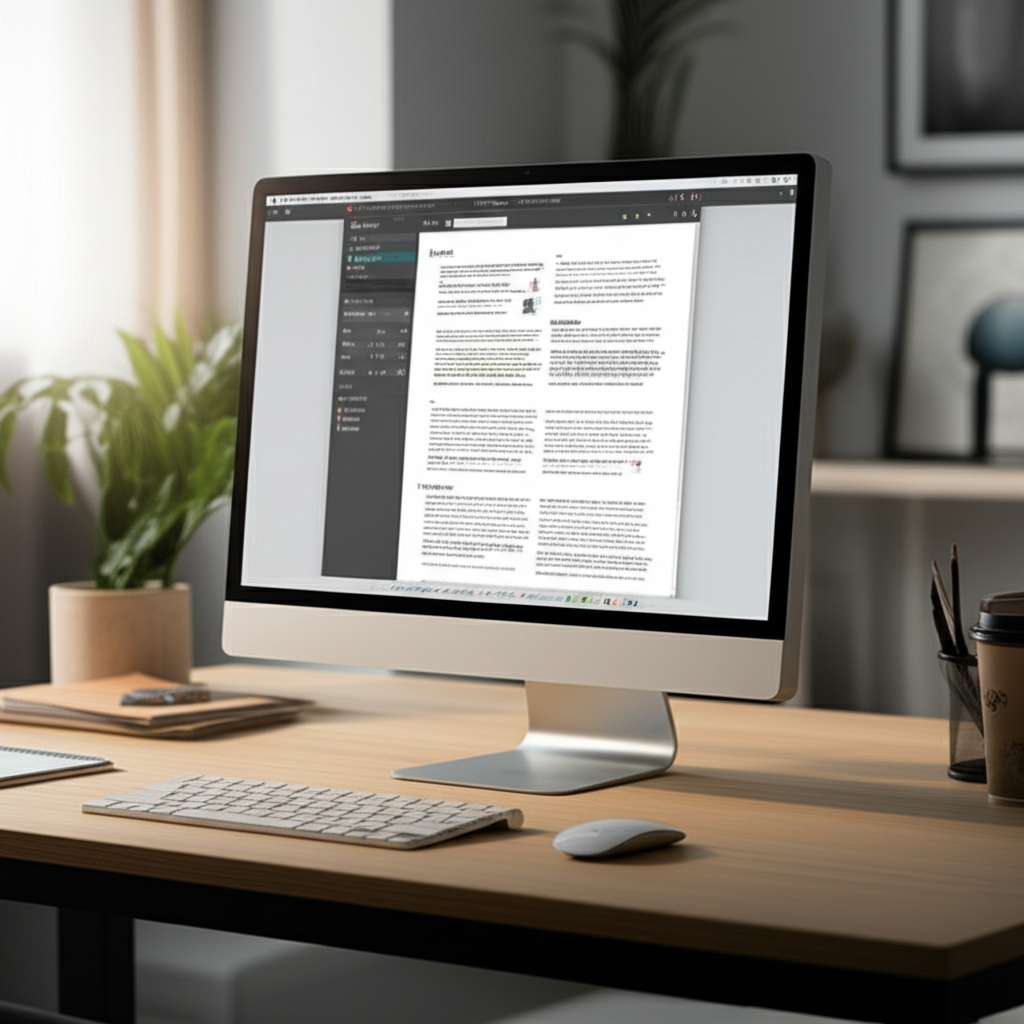
A 21.5-inch monitor offers a screen size that’s a popular sweet spot for many users, balancing desk space with ample viewing area for productivity and entertainment. It’s larger than a typical laptop screen but not overwhelmingly big, making it a versatile choice.
Choosing the right monitor size can feel surprisingly complex, especially when you’re trying to visualize it in your own space. You’ve seen the specs, but how big is 21.5 inches really? Is it going to dominate your desk, or will it feel too cramped for your daily tasks? I understand that frustration; it’s like trying to buy furniture without seeing it. That’s why I’m here to break down exactly what a 21.5-inch monitor entails, helping you make an informed decision with confidence. We’ll dive into its dimensions, compare it to other sizes, and explore who it’s best suited for.
What Does “21.5 Inch” Actually Mean for a Monitor?
When we talk about how big a 21.5-inch monitor is, it’s crucial to understand that the measurement refers to the diagonal screen size. This is the standard industry practice for describing monitor and TV dimensions. It’s not the width or height of the screen itself, but the distance from one corner to the opposite corner, measured diagonally. This convention helps standardize comparisons across different brands and models, ensuring you have a consistent reference point.
Understanding this diagonal measurement is the first step in visualizing the monitor’s footprint. It allows you to mentally map out how much space it will occupy on your desk and how much of your field of vision it will fill. This clarity is essential for avoiding surprises once the monitor arrives.
Visualizing 21.5 Inches: A Practical Perspective
To truly grasp how big is 21.5 inch monitor, let’s bring it down to earth with some relatable comparisons. Imagine placing a standard sheet of printer paper (8.5 x 11 inches) on your desk. A 21.5-inch monitor’s viewable screen area is significantly larger than that, offering substantially more real estate for your work and play. It’s roughly the width of a small to medium-sized serving platter.
This size offers a comfortable viewing experience for most users without demanding excessive desk space. It strikes a balance, providing enough room to multitask effectively while remaining compact enough for smaller offices or living spaces. This practical perspective is key to understanding its place in the monitor market.
Screen Dimensions: Width and Height Breakdown
While the 21.5-inch diagonal is the headline number, the actual width and height of the screen are what dictate its physical presence on your desk. For a typical 16:9 aspect ratio monitor (which is the most common), a 21.5-inch screen has an approximate viewable area of about 18.7 inches wide and 10.5 inches high. These dimensions exclude the monitor’s bezels and stand, focusing solely on the active display.
These figures are important for planning your desk layout. Knowing the exact width and height helps you ensure it fits comfortably alongside your keyboard, mouse, and other peripherals. It’s about optimizing your workspace for both comfort and efficiency.
Aspect Ratio: The Shape of Your 21.5-Inch Display
The aspect ratio determines the shape of the screen, influencing how content is displayed. For a 21.5-inch monitor, the most prevalent aspect ratio is 16:9 (widescreen). This means for every 16 units of width, there are 9 units of height. This ratio is standard for modern content, including movies, TV shows, and most video games, ensuring an immersive viewing experience.
Other aspect ratios exist, like 16:10 or even ultrawide 21:9, but for 21.5-inch monitors, 16:9 is overwhelmingly dominant. Understanding this ratio helps you predict how applications and media will fill the screen without excessive black bars or stretching. It’s a foundational element of your viewing experience.
Comparing 21.5 Inches to Other Popular Monitor Sizes
To solidify your understanding of how big is 21.5 inch monitor, let’s see how it stacks up against its siblings in the monitor family. A 24-inch monitor, for example, offers a noticeably larger screen, providing more space for multitasking or a more immersive gaming experience. Conversely, smaller monitors, like 19-inch or 20-inch models, feel more compact and are often found in budget-friendly setups or for basic office tasks.
21.5-inch: A great balance, good for general use and tight spaces.
24-inch: A popular step up, offering more screen real estate without a huge jump in size.
27-inch: Significantly larger, ideal for immersive gaming, creative work, and serious multitasking.
Smaller sizes (e.g., 19-20 inch): More budget-friendly, suitable for basic tasks or secondary displays.
This comparison helps contextualize the 21.5-inch option within the broader market, allowing you to pinpoint where it fits your specific needs. It’s about finding the sweet spot for your usage.
Who is a 21.5-Inch Monitor Best For?
So, how big is 21.5 inch monitor in terms of user suitability? This size is an excellent all-rounder, making it a strong contender for students, home office users, and casual gamers. Its moderate dimensions mean it won’t overwhelm a dorm room desk or a small home office setup. It provides enough screen real estate to comfortably view documents side-by-side or enjoy streaming content without feeling squinty.
Professionals who don’t require extensive screen space for complex design work or heavy data analysis will also find it perfectly adequate. It’s a practical choice for everyday computing, web browsing, and general productivity tasks. This versatility is its strongest asset.
Benefits of Choosing a 21.5-Inch Monitor
The appeal of a 21.5-inch monitor lies in its harmonious blend of functionality and space efficiency. One of its primary advantages is its affordability; they are often among the most budget-friendly options available, making them accessible for many. Furthermore, their smaller footprint means they fit easily into virtually any workspace, from compact apartments to bustling office cubicles.
This size also contributes to a more comfortable viewing experience for many, as the entire screen can be viewed without excessive head or eye movement. It’s an ergonomic advantage that shouldn’t be overlooked for prolonged computer use. These benefits make it a smart choice for a wide range of users.
Potential Downsides of a 21.5-Inch Monitor
While a 21.5-inch monitor offers many advantages, it’s important to acknowledge its limitations to make a fully informed decision. For users who frequently multitask with multiple large windows open simultaneously, or engage in demanding creative work like video editing or graphic design, the screen real estate might feel restrictive. The pixel density can also be a consideration; on some lower-resolution 21.5-inch monitors, individual pixels might be more noticeable up close compared to larger, higher-resolution displays.
The immersive experience for gaming or watching movies can also be somewhat diminished compared to larger screens. While perfectly adequate, it doesn’t offer the same ‘wrap-around’ feel that larger displays can provide. Understanding these potential drawbacks ensures you choose a monitor that truly meets your expectations.
Key Specifications to Look for in a 21.5-Inch Monitor
Beyond just the size, several other specifications are crucial when selecting a 21.5-inch monitor. Resolution is paramount; aim for Full HD (1920×1080) at this size for crisp, clear visuals. Refresh rate, measured in Hertz (Hz), determines how smoothly motion appears on screen; 60Hz is standard, but 75Hz or higher offers a smoother experience, especially for gaming.
Panel type also matters: IPS panels offer excellent color accuracy and wide viewing angles, making them ideal for creative work and general use. TN panels are faster but have poorer color reproduction and viewing angles, while VA panels offer good contrast. Consider connectivity options like HDMI and DisplayPort for modern devices. Researching these specs ensures you get the best performance for your needs.
Setting Up Your 21.5-Inch Monitor for Optimal Use
Once you’ve chosen your 21.5-inch monitor, proper setup is key to maximizing its benefits. Position the monitor directly in front of you, at arm’s length, with the top of the screen roughly at eye level. This ergonomic arrangement reduces neck and eye strain during long work sessions. Ensure your desk is deep enough to allow for this comfortable viewing distance, which is particularly important for a 21.5-inch display.
Adjust the monitor’s tilt and swivel to achieve the best viewing angle, especially if you’re sharing your screen or working in a brightly lit room. Connecting your computer using an appropriate cable (HDMI or DisplayPort) and adjusting your computer’s display settings to match the monitor’s native resolution (1920×1080 for Full HD) will ensure you get the sharpest image possible. Thoughtful setup enhances both comfort and visual quality.
AI Integration and Smart Features on Modern Monitors
The landscape of monitors is evolving rapidly, with artificial intelligence and smart features becoming increasingly common, even on sizes like 21.5 inches. Some monitors now incorporate AI to optimize picture quality dynamically based on the content being displayed, adjusting brightness, contrast, and color for specific applications or media. Others might feature AI-powered eye-care technologies that intelligently reduce blue light emission and flicker based on ambient light conditions and usage patterns, aiming to improve user comfort.
These smart features, often controlled through intuitive on-screen displays or companion apps, can enhance productivity and user experience without requiring manual adjustments. While perhaps less common on the most basic 21.5-inch models, exploring monitors with these advanced capabilities can offer a glimpse into the future of display technology and personalized computing. Staying updated on these innovations can lead to a more refined and efficient digital workspace.
Frequently Asked Questions About 21.5-Inch Monitors
What is the actual viewable screen size of a 21.5-inch monitor?

The 21.5 inches refers to the diagonal measurement of the screen. For a standard 16:9 aspect ratio, the viewable area is approximately 18.7 inches wide by 10.5 inches high.
Is a 21.5-inch monitor good for gaming?
Yes, a 21.5-inch monitor can be good for casual gaming. For competitive or immersive gaming, a higher refresh rate and potentially a larger screen size might be preferable, but it offers a solid experience for many titles.
Will a 21.5-inch monitor fit on my small desk?
Generally, yes. A 21.5-inch monitor has a relatively small footprint and is a popular choice for those with limited desk space. Always check the monitor’s specific dimensions, including the stand, before purchasing.
What is the recommended resolution for a 21.5-inch monitor?
The most common and recommended resolution for a 21.5-inch monitor is Full HD (1920×1080 pixels). This resolution provides sharp and clear images at this screen size.
How does a 21.5-inch monitor compare to a laptop screen?
A 21.5-inch monitor is significantly larger than most laptop screens, offering a much more expansive viewing area for improved productivity and a more comfortable viewing experience. It allows for better multitasking than a typical laptop display.
Are 21.5-inch monitors still relevant in today’s market?
Absolutely. They remain highly relevant due to their balance of size, cost-effectiveness, and suitability for a wide range of users and applications, especially in budget-conscious or space-constrained environments.
Conclusion: Finding Your Perfect Fit with a 21.5-Inch Monitor
So, how big is 21.5 inch monitor? It’s a size that masterfully balances a generous viewing area with a practical footprint, making it a top choice for many. Whether you’re a student powering through assignments, a professional managing daily tasks, or a casual user enjoying entertainment, this monitor size offers a comfortable and efficient experience. Its affordability and compact design ensure it’s an accessible and adaptable addition to almost any workspace.
While larger monitors offer more immersion and smaller ones are more basic, the 21.5-inch screen hits a sweet spot that’s hard to beat for everyday computing. By understanding its dimensions, aspect ratio, and comparing it to other sizes, you can confidently determine if this versatile display is the right fit for your needs. It’s a reliable workhorse in the tech world, proving that sometimes, the middle ground is precisely where you need to be.

Belayet Hossain is a Senior Tech Expert and Certified AI Marketing Strategist. Holding an MSc in CSE (Russia) and over a decade of experience since 2011, he combines traditional systems engineering with modern AI insights. Specializing in Vibe Coding and Intelligent Marketing, Belayet provides forward-thinking analysis on software, digital trends, and SEO, helping readers navigate the rapidly evolving digital landscape. Connect with Belayet Hossain on Facebook, Twitter, Linkedin or read my complete biography.