


Published on: 04/11/2025 | Updated on: November 4, 2025
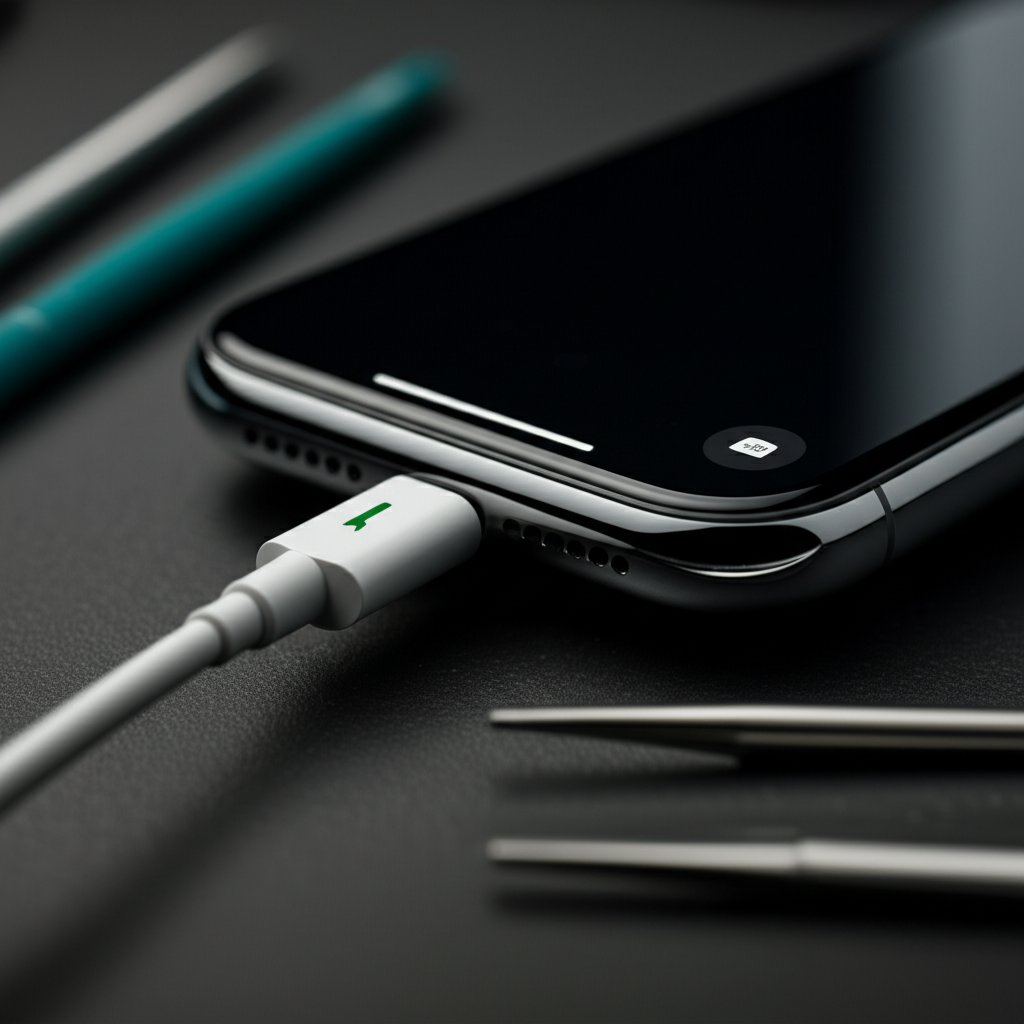
Fix your iPhone’s charging port with these essential and genius fixes. Learn simple DIY steps, common causes, and when to seek professional help to get your iPhone charging again.
Is your iPhone not charging? It’s a frustrating problem. Your iPhone is a vital tool. A dead battery means it’s useless. Luckily, most iPhone charging port issues are fixable. You don’t always need a costly repair. This guide will help you diagnose and fix your iPhone charging port. We’ll cover simple tricks and more advanced solutions. Get your iPhone back to full power!
Why Won’t My iPhone Charge? Common Symptoms and Causes
Your iPhone might show signs of a charging port problem. The cable might not fit snugly. You might see a “liquid detected” alert. Sometimes, it just won’t charge at all. These issues often stem from simple causes. Dirt and debris are common culprits. A damaged charging cable is another frequent issue. Software glitches can also play a role. Understanding these symptoms helps find the right fix.
Debris and Lint in the Charging Port

The iPhone charging port is a small opening. It’s easy for things to get inside. Pocket lint, dust, and small debris can build up. This buildup blocks the charging cable’s connection. It prevents the phone from getting power. This is one of the most common reasons for charging failure. It’s also one of the easiest to fix.
Damaged Charging Cable or Adapter
Your iPhone’s charging cable and adapter are not indestructible. They can fray, bend, or break. A damaged cable won’t transfer power effectively. The adapter can also fail internally. Always check your charging accessories first. They are often the source of the problem.
Software Glitches and iOS Issues
Sometimes, the problem isn’t hardware. A software glitch in iOS can stop charging. This is less common but happens. A simple restart can often fix software bugs. If your iPhone is unresponsive, this is a good first step. It clears temporary system errors.
Water Damage or Corrosion
Exposure to liquids can damage the charging port. Even a small amount of moisture can cause corrosion. This corrosion can interfere with electrical connections. You might see a liquid detection warning. If you suspect water damage, stop charging immediately.
Physical Damage to the Port
The charging port itself can become damaged. This can happen from dropping the phone. Forcing the cable in can also cause harm. Bent pins inside the port are a common issue. This requires careful inspection and sometimes repair.
DIY Fixes: Easy Steps to Try First
Before you panic or go to a repair shop, try these simple fixes. Many charging issues are resolved with basic steps. These methods are safe for your iPhone. They require no special tools. You can do them right at home.
Clean the Charging Port Carefully
This is the most important first step. You need to remove any debris. Use a non-metallic tool. A wooden toothpick or a plastic dental pick works well. Gently scrape around the inside of the port. Avoid pushing debris further in.
How to clean your iPhone charging port:
1. Gather your tools: You’ll need a small, thin, non-metallic object like a wooden toothpick or a plastic dental pick. A can of compressed air is also helpful.
2. Inspect the port: Look inside the charging port with a flashlight. See if you can spot any visible lint or debris.
3. Gently scrape: Insert your tool carefully into the port. Gently scrape along the sides. Loosen any packed lint.
4. Blow out debris: Use compressed air to blow out any loosened debris. Hold the can upright. Spray in short bursts.
5. Test charging: Try plugging in your charging cable again. See if your iPhone now charges.
This method has saved many iPhones. It’s a quick and easy fix for most lint-related problems. Many users report success with this simple cleaning.
Restart Your iPhone
A simple restart can solve many software issues. It refreshes your iPhone’s system. Press and hold the side button. Then, slide to power off. Wait for 30 seconds. Turn it back on by pressing the side button. This is a good step after cleaning the port.
Try a Different Charging Cable and Adapter
Your charging accessories might be the problem. Test your iPhone with a known working cable and adapter. Use an Apple MFi certified cable if possible. These are made to Apple’s standards. Avoid cheap, uncertified cables. They can damage your iPhone.
Check for iOS Updates
Sometimes, an outdated iOS version can cause problems. Go to Settings > General > Software Update. If an update is available, download and install it. This can fix bugs affecting charging. Ensure your iPhone has at least 50% battery or is plugged in before updating.
Advanced DIY Fixes: When Simple Steps Aren’t Enough
If the easy fixes didn’t work, it’s time for more advanced steps. These might involve a bit more care. They could require specific tools. Always proceed with caution.
Reset All Settings
This resets your iPhone’s network settings, dictionary, and location settings. It does not erase your data. Go to Settings > General > Transfer or Reset iPhone > Reset > Reset All Settings. This can sometimes resolve software conflicts. It’s a more thorough software reset.
Force Restart Your iPhone
A force restart is different from a regular restart. It’s useful if your iPhone is frozen. The process varies by iPhone model. For most newer iPhones, press and quickly release the Volume Up button. Then, press and quickly release the Volume Down button. Finally, press and hold the Side button until you see the Apple logo.
Check for Liquid Damage Alerts
If your iPhone shows a “liquid detected” alert, it means moisture is in the port. Do not attempt to charge it. Unplug the cable. Let the iPhone air dry for several hours. You can try gently tapping the iPhone against your hand with the port facing down. Avoid using heat to dry it.
Inspect the Charging Port for Physical Damage
Use a bright flashlight to look closely at the charging port. Are any of the pins bent or broken? Is the port itself loose or damaged? If you see visible physical damage, it likely needs professional repair. Trying to fix bent pins yourself can cause more harm.
Essential Tools for iPhone Charging Port Repair
If you’re comfortable with DIY repairs, some tools can help. These are for more involved fixes. Always prioritize safety. Use the right tools for the job.
ESD-Safe Tools and Wrist Strap
ESD (Electrostatic Discharge) protection is crucial. Static electricity can damage your iPhone’s delicate components. An ESD-safe wrist strap connects you to ground. It prevents static buildup. ESD-safe tools prevent accidental discharge. This is vital for motherboard-level repairs.
Precision Screwdriver Set
For opening an iPhone, you need specialized screwdrivers. A good set includes Pentalobe and Tri-point screws. These are unique to Apple devices. Ensure the tips are high-quality. They should fit the screw heads perfectly.
Spudger and Opening Picks
A spudger is a plastic tool. It helps pry open the iPhone casing. It also disconnects delicate cables. Opening picks are thin plastic wedges. They slide into seams to separate components. They prevent scratching.
Micro-Spatula or SIM Card Ejector Tool
These can be useful for gently lifting or manipulating small connectors. A SIM card ejector tool is handy for prying. A micro-spatula can help dislodge stubborn debris. Always use plastic tools to avoid short circuits.
Magnifying Glass or Microscope
For detailed inspection of the charging port and surrounding components, magnification is key. A good magnifying glass or a small USB microscope helps you see tiny details. This is important for spotting bent pins or corrosion.
Step-by-Step Guide: Replacing the iPhone Charging Port (Dock Connector)
This is a more advanced repair. It requires technical skill. If you’re not comfortable, seek professional help. This guide is for iPhone 7 and later models. Older models have different procedures.
Disclaimer: Performing this repair yourself can void your warranty. Proceed at your own risk. It’s recommended to watch video tutorials specific to your iPhone model.
Step 1: Prepare Your Workspace and Gather Tools
Work on a clean, well-lit surface.
Use an ESD-safe mat and wrist strap.
Gather your precision screwdriver set, spudger, opening picks, and tweezers.
You’ll also need a replacement dock connector assembly for your specific iPhone model.
Have a magnetic project mat to keep track of screws.
Step 2: Power Off Your iPhone and Remove Screws
Completely power off your iPhone.
Use a Pentalobe screwdriver to remove the two screws on the bottom edge, next to the charging port.
Step 3: Open the iPhone Display Assembly
Use an opening pick to create a small gap.
Carefully slide the pick around the edges to cut the adhesive.
Open the iPhone from the side, like a book. Do not open it more than 90 degrees. The display cable is still attached.
Step 4: Disconnect the Battery and Display Cables
Use a spudger to carefully disconnect the battery connector. This is crucial for safety.
Disconnect the display cables. There are usually two or three. Use a spudger to gently pry them up.
Step 5: Remove the Old Dock Connector Assembly
Locate the dock connector assembly. It’s at the bottom of the phone.
Remove the screws holding it in place. These are often Tri-point screws.
Carefully disconnect the various cables attached to the assembly. This includes the dock connector itself, the microphone, and the speaker.
Gently lift the old assembly out of the phone.
Step 6: Install the New Dock Connector Assembly
Carefully align the new assembly.
Connect all the cables to their respective ports. Ensure they click into place.
Replace the screws that hold the assembly.
Step 7: Reconnect Battery and Display Cables
Reconnect the display cables.
Reconnect the battery cable.
Step 8: Close the iPhone and Reinstall Screws
Align the display assembly with the phone body.
Press down gently around the edges to reseal the adhesive.
Reinstall the two Pentalobe screws on the bottom edge.
Step 9: Power On and Test
Turn on your iPhone.
Test the charging port. Plug in your charger. Ensure it charges correctly.
* Test the microphone and speaker. Make a test call. Play some audio.
This repair is intricate. If you encounter issues, it’s best to stop. Seek help from a professional repair service.
When to Seek Professional Help
Not all charging port problems can be fixed at home. Some issues require specialized equipment and expertise. If you’re unsure, it’s always best to get professional help.
Visible Damage to the Port or Motherboard
If the charging port is physically broken off. Or if you see burn marks or damage on the motherboard. These are serious issues. They require micro-soldering skills. A professional repair shop can handle this.
After Multiple DIY Attempts Fail
You’ve tried cleaning, restarting, and different cables. You’ve even attempted a replacement. If your iPhone still won’t charge, it’s time for an expert. They have diagnostic tools to pinpoint the problem.
Water Damage Suspected
If your iPhone has been submerged in liquid. Even if it seems to work, internal damage can occur. Corrosion can worsen over time. A professional can properly clean and assess the damage. They can prevent future issues.
You Lack the Necessary Tools or Confidence
iPhone repairs can be tricky. If you don’t have the right tools. Or if you’re not confident in your abilities. It’s safer to let a professional handle it. They have the experience to do it right.
Protecting Your iPhone Charging Port
Preventing problems is always better than fixing them. Taking good care of your charging port will extend its life. It will save you hassle and money.
Use High-Quality Charging Accessories
Always use Apple-certified or MFi-certified cables and adapters. These are built to last. They meet safety standards. Cheap accessories can damage your iPhone. They might not charge efficiently either.
Avoid Forceful Insertion of Cables
Be gentle when plugging in your charger. Don’t force the cable if it doesn’t go in easily. This can bend or break the pins inside the port. Ensure the cable is oriented correctly.
Keep the Charging Port Clean and Dry
Regularly check the port for debris. Clean it gently as needed. Avoid exposing your iPhone to moisture. Use a waterproof case if you’re often around water.
Consider a Port Protector Plug
These small silicone or plastic plugs fit into the charging port. They prevent dust and debris from entering. Remove the plug before charging. They are an inexpensive way to protect the port.
Troubleshooting Specific iPhone Models
Different iPhone models have slight variations. The repair steps might differ. Always check guides for your specific model.
iPhone 14, 13, 12, 11 Series
These models have similar internal structures. The dock connector assembly is integrated with the microphone and antenna assembly. Replacing it is a moderate to difficult repair.
iPhone X, XS, XR, 11 Pro Series
These models also share similar repair procedures. The display assembly needs careful removal. The battery disconnect is critical.
iPhone 8, 7, 6 Series
These models have a separate dock connector assembly. It’s usually easier to access. However, the screws are very small. You still need precision tools.
Older iPhone Models (e.g., iPhone SE, 5s)
These models have a more straightforward design. The dock connector is often a separate component. It can be easier to replace. However, their age means components might be brittle.
Frequently Asked Questions About Fixing iPhone Charging Ports
Can I fix a bent charging port pin myself?
Fixing bent pins can be very difficult. It requires precision tools and a steady hand. Often, attempting this can cause more damage. It’s usually best to replace the entire dock connector assembly or seek professional help.
How long should it take to clean an iPhone charging port?
Cleaning the port typically takes only a few minutes. Inspecting it carefully is the most important part. Be gentle to avoid damaging the internal contacts.
Will Apple repair my charging port for free?
Apple offers free repairs for manufacturing defects. If your charging port issue is due to a defect, they may fix it. However, damage from accidents or misuse is usually not covered. You might need to pay for the repair.
What does a “liquid detected” alert mean?
This alert means moisture has been detected in your iPhone’s charging port. Charging your iPhone while wet can cause corrosion and permanent damage. You should unplug it and let it dry completely.
How much does it cost to fix an iPhone charging port?
The cost varies widely. A simple cleaning might be free if you do it yourself. Professional cleaning could cost $20-$50. Replacing the dock connector assembly typically ranges from $70 to $150, depending on the model and repair shop.
Conclusion: Get Your iPhone Charging Again
Fixing an iPhone charging port is often manageable. Start with simple cleaning and troubleshooting. These steps resolve many common issues. If DIY repairs seem too daunting, professional help is available. Always use quality tools and parts. Taking care of your iPhone’s charging port ensures it lasts longer. Your iPhone will be back to charging reliably.
If you found this guide helpful, please share it with friends. Consider subscribing for more repair tips.

Belayet Hossain is a Senior Tech Expert and Certified AI Marketing Strategist. Holding an MSc in CSE (Russia) and over a decade of experience since 2011, he combines traditional systems engineering with modern AI insights. Specializing in Vibe Coding and Intelligent Marketing, Belayet provides forward-thinking analysis on software, digital trends, and SEO, helping readers navigate the rapidly evolving digital landscape. Connect with Belayet Hossain on Facebook, Twitter, Linkedin or read my complete biography.