
Published on: 04/11/2025 | Updated on: November 4, 2025
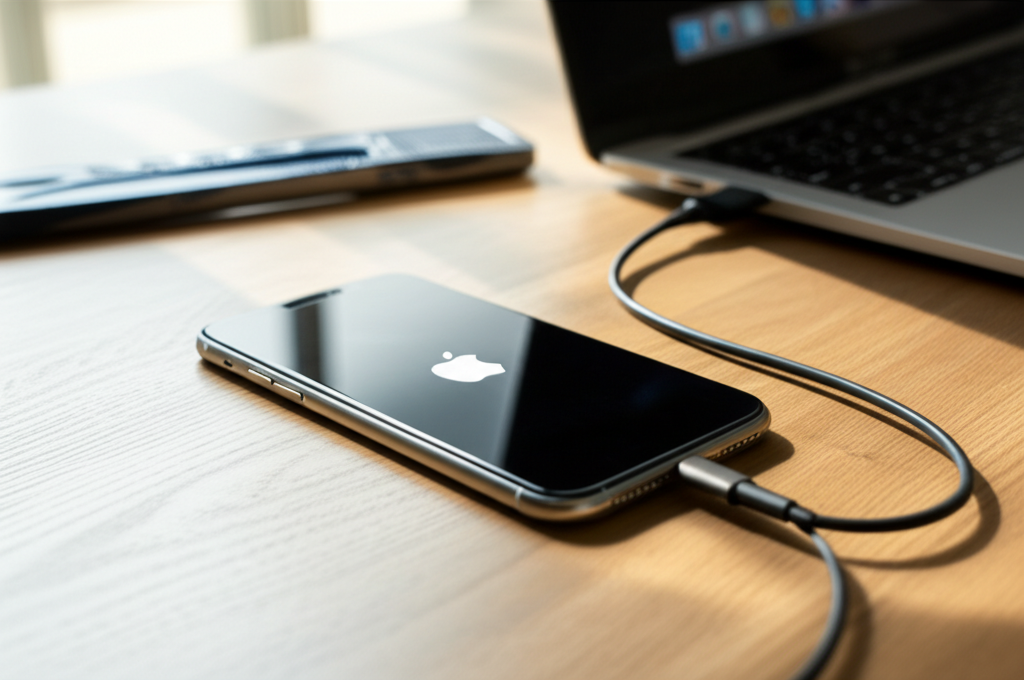
Learn how to fix your iPhone stuck on the Apple logo with these proven, essential steps. This guide will help you troubleshoot the issue and get your device working again without needing professional help.
Is your iPhone frozen on the Apple logo? It’s a common, frustrating problem. Your iPhone might be stuck in a restart loop. This happens for many reasons. Software glitches are a frequent cause. Sometimes, a bad software update can do this. A failing component can also cause this. Don’t worry, though. Most of the time, you can fix this yourself. We’ll guide you through simple steps. You’ll learn how to diagnose and solve this issue. This guide is for everyone, from beginners to seasoned DIYers. Let’s get your iPhone back to normal.
Why is My iPhone Stuck on the Apple Logo?
This screen means your iPhone is trying to start up. It’s loading its operating system, iOS. If it gets stuck here, something is preventing it from finishing. This could be a software problem. It could also be a hardware issue. Understanding the cause helps us find the right fix.
Common Causes for an iPhone Stuck on the Apple Logo
Several things can lead to this frustrating boot loop. Software bugs are very common. A corrupted system file can cause it. This can happen after an interrupted update. Sometimes, apps can cause conflicts. This can mess up the startup process.
Hardware problems are less common but serious. A damaged battery can cause this. If the logic board has an issue, it can also get stuck. Dropping your iPhone can cause internal damage. This might not be visible from the outside.
Step 1: Force Restart Your iPhone
A force restart is the first and easiest fix. It’s like a hard reboot for your phone. It doesn’t erase any data. It often clears temporary software glitches. The method varies by iPhone model.
For iPhone 8 and later models:
Press and quickly release the Volume Up button.
Press and quickly release the Volume Down button.
Press and hold the Side button.
Keep holding until you see the Apple logo.
For iPhone 7 and 7 Plus:
Press and hold both the Volume Down button and the Sleep/Wake button.
Keep holding until the Apple logo appears.
For iPhone 6s and earlier:
Press and hold both the Home button and the Sleep/Wake button.
Keep holding until the Apple logo appears.
This simple action can resolve many minor software hiccups. It’s the go-to first step for a reason.
Step 2: Check for Software Updates via Finder or iTunes
If a force restart doesn’t work, the issue might be a bigger software problem. A pending update could be corrupted. Or, your iOS might be outdated and causing issues. You can try to update your iPhone using a computer. You will need a Mac or a Windows PC. You’ll also need a USB cable.
Connect your iPhone to your computer. Open Finder on a Mac or iTunes on a Windows PC. If your iPhone is detected, you will see an option to update or restore. Choose “Update.” This will try to reinstall iOS without erasing your data. If this doesn’t work, you might need to “Restore.” A restore will erase all data and install a fresh copy of iOS. Make sure you have a backup if you choose to restore.
This process can fix corrupted system files. It ensures your iPhone is running the latest stable version of iOS. Always ensure your computer’s software is also up-to-date before proceeding.
Step 3: Enter Recovery Mode
Recovery mode is a special state for your iPhone. It allows you to restore your device using a computer. This is a more drastic step. It will erase all data on your iPhone. But it can fix deep software issues. You’ll need your computer and USB cable again.
The steps to enter recovery mode are similar to a force restart. They depend on your iPhone model.
Connect your iPhone to your computer.
Open Finder or iTunes.
Follow the force restart steps for your model.
Instead of releasing the buttons when the Apple logo appears, keep holding them.
Hold until you see the recovery mode screen (a computer and cable icon).
Once in recovery mode, your computer will prompt you to update or restore. Choose “Restore.” This will download and install the latest iOS. It will then wipe your iPhone clean. After the restore, you can set up your iPhone as new or restore from a backup.
Recovery mode is a powerful tool for software problems. It’s like giving your iPhone a fresh start. It’s essential to have a recent backup before this step.
Step 4: Enter DFU Mode (Device Firmware Update)
DFU mode is even deeper than recovery mode. It allows your iPhone to communicate directly with iTunes or Finder. It bypasses the iPhone’s boot loader. This is useful if recovery mode fails. DFU mode also erases all data.
The exact steps for DFU mode vary by iPhone model. They are quite specific.
Connect your iPhone to your computer.
Open Finder or iTunes.
Follow the force restart steps for your model.
When the screen turns black, press and hold the Volume Down button (for iPhone 7/8+) or Side button (for iPhone 6s and earlier).
Continue holding for 5 seconds.
Then, press and hold the Volume Down button (iPhone 7/8+) or Home button (iPhone 6s and earlier) for another 10 seconds.
Release the buttons. If the Apple logo appears, you held too long. Repeat the steps.
Your computer should detect an iPhone in recovery mode.
If successful, your iPhone screen will remain black. But your computer will show a message. It will say it found an iPhone. You can then choose to “Restore” your iPhone.
DFU mode is for the most stubborn software issues. It’s a last resort for software troubleshooting. If DFU mode doesn’t work, a hardware problem is likely.
Step 5: Check for Physical Damage and Battery Issues
If software fixes don’t work, it’s time to consider hardware. Physical damage is a common culprit. Look for signs of impact. Are there cracks on the screen or body? Check the charging port for debris. Bent pins can prevent proper connection.
A swollen or degraded battery can also cause boot issues. If your iPhone has been very hot, this is a concern. A failing battery might not supply enough power for startup. You might notice the phone gets warm when stuck on the logo.
If you suspect physical damage, professional repair might be needed. For battery issues, a replacement is usually required. It’s important to handle battery repairs safely. Damaged lithium-ion batteries can be dangerous.
Step 6: Consider Third-Party Repair Tools and Software
Sometimes, specialized tools can help. If you’re comfortable with DIY repairs, there are tools. These can help diagnose deeper issues. Software like Tenorshare ReiBoot or iMyFone Fixppo can sometimes fix boot loops. These tools attempt to repair iOS without data loss. However, they are not always successful.
Be cautious with third-party software. Ensure you download from reputable sources. Read reviews before using them. These tools often have free versions for diagnosis. Paid versions offer more features. They can be a good option if Apple’s methods fail.
Third-party tools can offer alternative solutions. They can sometimes fix issues that standard methods cannot. Always research and choose reliable software.
Step 7: Seek Professional Help
If none of these steps work, your iPhone likely has a hardware problem. This could be a logic board issue. It could be a faulty component. At this point, it’s best to contact Apple Support. You can also visit an Apple Store or an Authorized Service Provider.
A professional technician can perform advanced diagnostics. They can identify and replace faulty hardware. They have specialized tools for this. While DIY is great, some problems require expertise. Don’t risk further damage if you’re unsure.
For older iPhones, assess the repair cost. Sometimes, the cost of repair might be close to buying a new or refurbished device. Weigh your options carefully.
Essential Tools for iPhone Repair
If you decide to tackle repairs yourself, having the right tools is crucial. This ensures you work safely and effectively. It prevents further damage to your iPhone. Here are some essential tools:
Precision Screwdriver Set: iPhones use very small screws. You need a set with various Pentalobe and Phillips bits.
Spudger and Pry Tools: These plastic tools help gently separate components. They prevent scratching or damaging the iPhone’s casing.
Suction Cup: This helps lift the screen or back panel. It provides a grip without damaging the glass.
Tweezers: Fine-tipped tweezers are essential for handling tiny screws and connectors.
Heat Gun or iOpener: Some models require gentle heat to loosen adhesive. Use with caution to avoid overheating.
ESD Wrist Strap: Electrostatic discharge can damage sensitive components. An ESD strap protects your iPhone from static electricity. This is critical for motherboard repairs.
Repair Manuals or Guides: iFixit provides excellent step-by-step guides. These are invaluable for understanding how to disassemble and reassemble your iPhone model.
Having these tools ready makes the repair process smoother. They are an investment for any DIY repair enthusiast. They ensure you can handle various iPhone issues.
When DIY Isn’t the Answer: Signs of Hardware Failure
Sometimes, the signs point clearly to a hardware issue. If your iPhone fell into water, it’s likely water damage. This requires professional cleaning. If the iPhone got extremely hot before freezing, a component might be failing. Persistent issues after trying all software fixes strongly suggest hardware.
A damaged logic board is a complex problem. It often requires micro-soldering skills. This is beyond most DIY capabilities. For such issues, professional help is a must. Don’t attempt repairs you’re not equipped for.
Protecting Your iPhone from Future Issues
Preventing future problems is always better than fixing them. Keep your iPhone software updated. Updates often include bug fixes. Avoid installing apps from untrusted sources. Be careful with your phone. Avoid drops and water exposure. Use a good quality screen protector and case.
Regularly back up your iPhone data. This ensures you don’t lose important information. Use iCloud or your computer for backups. This way, if you ever need to restore, your data is safe.
Frequently Asked Questions (FAQ)
Q1: Will a force restart erase my iPhone data?

A: No, a force restart is like a hard reboot. It does not delete any of your personal information or apps.
Q2: How long does it take to restore an iPhone?
A: Restoring an iPhone can take anywhere from 30 minutes to over an hour. This depends on your internet speed and computer’s performance.
Q3: Can a bad app cause the Apple logo screen?
A: Yes, a poorly coded or conflicting app can sometimes cause system instability. This can lead to the iPhone getting stuck on the Apple logo.
Q4: Is it safe to use third-party repair software?
A: It can be safe if you use reputable software. Always download from the official website. Read reviews from other users.
Q5: What is the difference between Recovery Mode and DFU Mode?
A: Recovery Mode allows iTunes/Finder to restore or update iOS. DFU Mode allows deeper communication with the computer, bypassing the bootloader. It’s often used when Recovery Mode fails.
Q6: Should I repair an old iPhone stuck on the Apple logo?
A: Consider the cost of repair versus the phone’s value. For older models, it might be more economical to upgrade.
Conclusion
Dealing with an iPhone stuck on the Apple logo can be stressful. But as we’ve shown, there are several effective ways to fix it. Start with simple solutions like a force restart. If that fails, try updating or restoring via a computer. For persistent software issues, Recovery Mode or DFU Mode are powerful options. Always remember to back up your data. If hardware is the problem, professional help is the best route. With the right steps, you can often get your iPhone working again.
If you found this guide helpful, consider subscribing to our newsletter for more tech tips and repair advice.

Belayet Hossain is a Senior Tech Expert and Certified AI Marketing Strategist. Holding an MSc in CSE (Russia) and over a decade of experience since 2011, he combines traditional systems engineering with modern AI insights. Specializing in Vibe Coding and Intelligent Marketing, Belayet provides forward-thinking analysis on software, digital trends, and SEO, helping readers navigate the rapidly evolving digital landscape. Connect with Belayet Hossain on Facebook, Twitter, Linkedin or read my complete biography.