Close Menu
itphobia.com
  • Home
  • Free Tools
    • Free Readability Checker
    • Free Search Engine Index Checker
    • Free Meta Tag Checker
  • Services
    • Article writing
    • Lead Generation
    • Link Building
  • Blog
    • Reviews
      • iPhone Reviews
      • Android
      • Camera
      • iPad
      • Tablet
      • Desktop
      • Laptop
      • Gadget
    • Desk Productivity Tech
      • Desk Setup Ideas
      • Tech Reviews
        • Keyboards
      • Desk Accessories
      • Ergonomics & Comfort
      • Smart Desk Tools
      • WFH Setups
      • Buyer’s Guides
    • Apple
    • Apps
    • Business
      • Finance
        • Investing
          • Currencies & Foreign Exchange
      • Business & Industrial
        • Advertising & Marketing
          • Marketing
        • Business Operations
          • Management
        • Business Services
          • E-Commerce Services
            • Food delivery
          • Fire Security Services
          • Hospitality Industry
          • Warehousing
          • Editing & Writing Services
        • Chemicals Industry
          • Coatings & Adhesives
      • Retail Trade
      • Retail Equipment & Technology
    • Computers & Electronics
      • Computer Security
        • Network Security
      • Consumer Electronics
        • Electronics Repair
        • TV & Video Equipment
      • Electronics & Electrical
        • Electronic Components
    • Digital Marketing
      • SEO
      • Social Media
      • Affiliate Marketing
    • Software
    • Gadget
    • Mobile & Smartphones
    • Windows Phone
    • Domain & Hosting
    • Make Money
    • Graphic Design
    • Blogging
    • Content
    • Data Science
    • Programming
    • Crypto
    • Robotics
    • Metaverse
    • Security
    • Networking
    • Tech support
    • Technology
    • Web Design
    • WordPress
    • Windows
    • More

Subscribe to Updates

Get the latest creative news from FooBar about art, design and business.

loader

Email Address*

First Name

Last Name

What's Hot

Amazon Order History: How to Find, Download & Archive Orders

18/04/2026

Amazon Prime Student: Cost, Free Trial & Sign Up Guide

18/04/2026

Amazon Prime Membership: True Costs, Discounts & Cancellation

18/04/2026
Facebook X (Twitter)
itphobia.com
  • Home
  • Free Tools
    • Free Readability Checker
    • Free Search Engine Index Checker
    • Free Meta Tag Checker
  • Services
    • Article writing
    • Lead Generation
    • Link Building
  • Blog
    • Reviews
      • iPhone Reviews
      • Android
      • Camera
      • iPad
      • Tablet
      • Desktop
      • Laptop
      • Gadget
    • Desk Productivity Tech
      • Desk Setup Ideas
      • Tech Reviews
        • Keyboards
      • Desk Accessories
      • Ergonomics & Comfort
      • Smart Desk Tools
      • WFH Setups
      • Buyer’s Guides
    • Apple
    • Apps
    • Business
      • Finance
        • Investing
          • Currencies & Foreign Exchange
      • Business & Industrial
        • Advertising & Marketing
          • Marketing
        • Business Operations
          • Management
        • Business Services
          • E-Commerce Services
            • Food delivery
          • Fire Security Services
          • Hospitality Industry
          • Warehousing
          • Editing & Writing Services
        • Chemicals Industry
          • Coatings & Adhesives
      • Retail Trade
      • Retail Equipment & Technology
    • Computers & Electronics
      • Computer Security
        • Network Security
      • Consumer Electronics
        • Electronics Repair
        • TV & Video Equipment
      • Electronics & Electrical
        • Electronic Components
    • Digital Marketing
      • SEO
      • Social Media
      • Affiliate Marketing
    • Software
    • Gadget
    • Mobile & Smartphones
    • Windows Phone
    • Domain & Hosting
    • Make Money
    • Graphic Design
    • Blogging
    • Content
    • Data Science
    • Programming
    • Crypto
    • Robotics
    • Metaverse
    • Security
    • Networking
    • Tech support
    • Technology
    • Web Design
    • WordPress
    • Windows
    • More
Facebook X (Twitter)
0 Shopping Cart
itphobia.com
Home»Blog»Computers & Electronics»Consumer Electronics»Mobile & Smartphones»How Fix Phone Not Charging: Essential, Proven Fixes

How Fix Phone Not Charging: Essential, Proven Fixes

Mobile & Smartphones
Share
Facebook Twitter Pinterest Email

Published on: 04/11/2025 | Updated on: November 4, 2025

If your phone won’t charge, try these proven fixes: check the cable and adapter, clean the charging port, restart your phone, test another charger, and check the battery health. If these fail, a professional repair might be needed.

It’s a frustrating moment when your phone shows zero percent. You plug it in, but nothing happens. This problem, a phone that’s not charging, can stop your day dead in its tracks. Many things can cause this, from a simple dirty port to a failing battery. But don’t worry, most issues are fixable. We’ll walk you through the steps to diagnose and solve this common problem. You’ll learn how to fix your phone not charging without needing to buy a new device.

Understanding Why Your Phone Might Not Be Charging

A phone refusing to charge is a common headache for many users. Several factors can lead to this issue. It could be something you can fix yourself, or it might require a professional. We’ll break down the most likely culprits. This will help you pinpoint the exact reason your phone won’t power up.

Common reasons include a damaged charging cable, a faulty power adapter, or a dirty charging port. Sometimes, the software can also cause charging problems. A failing battery is another possibility, especially in older phones. Understanding these causes is the first step to fixing your phone not charging.

Step 1: Inspect and Test Your Charging Cable and Adapter

Your charging cable and adapter are the first things to check. They are the gateway for power to reach your phone. A damaged cable or adapter can stop charging completely. Look for visible signs of wear and tear.

Examine the cable for any frayed wires or bent connectors. Check the adapter for cracks or bent pins. Try using a different, known-working charging cable and adapter. This simple test can quickly reveal if your charging accessories are the problem. Many users fix their phone not charging issue by simply swapping out a bad cable.

Step 2: Clean Your Phone’s Charging Port

Dust, lint, and debris can build up in your phone’s charging port over time. This buildup can prevent the charging cable from making a proper connection. A clean port is crucial for effective charging. You can often fix a phone not charging by cleaning this small opening.

Use a dry, soft brush, like a new toothbrush or a small paintbrush. Gently sweep inside the port to remove loose debris. For stubborn dirt, a can of compressed air can be very helpful. Avoid using metal objects, as they can damage the pins inside.

ESD Safety Tip: Always ensure your phone is powered off before cleaning the charging port. Static electricity can damage sensitive internal components. For more advanced cleaning, consider an anti-static wrist strap.

Step 3: Restart Your Phone

Sometimes, a simple restart can resolve software glitches that prevent charging. Software issues can interfere with how your phone communicates with its charging system. A quick reboot can often clear these temporary problems. This is a quick and easy step to try when your phone is not charging.

Press and hold the power button. Select the “Restart” or “Power Off” option. If you choose “Power Off,” wait a few seconds. Then, press and hold the power button again to turn it back on. After restarting, plug your phone in to see if it starts charging.

Step 4: Test Charging in Different Wall Outlets and Power Sources

The power source itself can sometimes be the issue. A faulty wall outlet or a power strip might not be delivering enough power. It’s important to rule this out when troubleshooting. This step is vital for accurately diagnosing why your phone not charging.

Try plugging your phone into a different wall outlet. If you are using a power strip, try plugging it directly into the wall. You can also try charging from a computer’s USB port or a portable power bank. This helps determine if the problem lies with your home’s power supply.

Step 5: Check Battery Health and Usage

Your phone’s battery degrades over time. An old, worn-out battery may struggle to hold a charge or accept a charge. Most modern smartphones have a built-in feature to check battery health. This can help you understand if the battery is the root cause. Knowing your battery’s condition is key to fixing a phone not charging.

For iPhones, go to Settings > Battery > Battery Health. For Android phones, the path may vary, but it’s often under Settings > Battery or Settings > Device Care. If your battery health is significantly degraded (e.g., below 80%), it might need replacement.

Step 6: Test with a Wireless Charger (If Supported)

If your phone supports wireless charging, this can be a great diagnostic tool. A wireless charger bypasses the physical charging port entirely. If your phone charges wirelessly, it strongly suggests the issue is with the charging port or the wired charging components. This is a valuable step in figuring out how to fix your phone not charging.

Simply place your phone on a compatible wireless charging pad. If it begins to charge, you’ve likely isolated the problem. This means the internal charging circuitry and battery are likely fine. The focus then shifts to the charging port or the accessories used for wired charging.

Step 7: Check for Software Updates

Outdated software can sometimes cause unexpected issues, including charging problems. Manufacturers release updates to fix bugs and improve performance. Ensuring your phone’s software is up-to-date is a good troubleshooting step. This is a simple fix for many phone not charging scenarios.

Connect your phone to Wi-Fi. Go to Settings > System > System Update (or similar). Check for available updates and install them if any are found. After updating, restart your phone and try charging it again.

Step 8: Boot into Safe Mode (Android) or Recovery Mode (iPhone)

Booting into Safe Mode (Android) or Recovery Mode (iPhone) can help determine if a third-party app is causing the charging issue. In Safe Mode, only essential system apps run. If your phone charges in Safe Mode, an app you installed is likely the culprit. This is a critical step in diagnosing complex phone not charging problems.

For Android: Power off your phone. Press and hold the Power button. When the logo appears, release the Power button and press and hold the Volume Down button. Keep holding until Safe Mode appears.

For iPhone: The process varies by model. Search for “iPhone [your model] recovery mode” for specific instructions.

If charging works in Safe Mode or Recovery Mode, uninstall recently added apps one by one. Test charging after each uninstallation.

Step 9: Consider Internal Hardware Issues

If none of the above steps work, the problem might be with the internal hardware. This could be a damaged charging port flex cable or a failing motherboard component. These issues usually require professional repair. A technician can properly diagnose and fix internal hardware problems. This is the final frontier when trying to fix your phone not charging.

A damaged charging port flex cable is a common internal failure. This cable connects the charging port to the phone’s motherboard. If it’s torn or damaged, it needs to be replaced. Motherboard issues are more complex and may involve micro-soldering.

When to Seek Professional Help

You’ve tried everything, and your phone still won’t charge. It’s time to consider professional help. A certified phone repair technician has the tools and expertise to diagnose and fix more complex issues. They can also replace internal components safely. This is the best option for intricate problems or if you’re uncomfortable with advanced repairs.

Look for reputable repair shops with good reviews. They can often provide a diagnosis and quote for repair. For newer phones, contacting the manufacturer or your carrier might also be an option for warranty service.

Essential Phone Repair Tools for Charging Issues

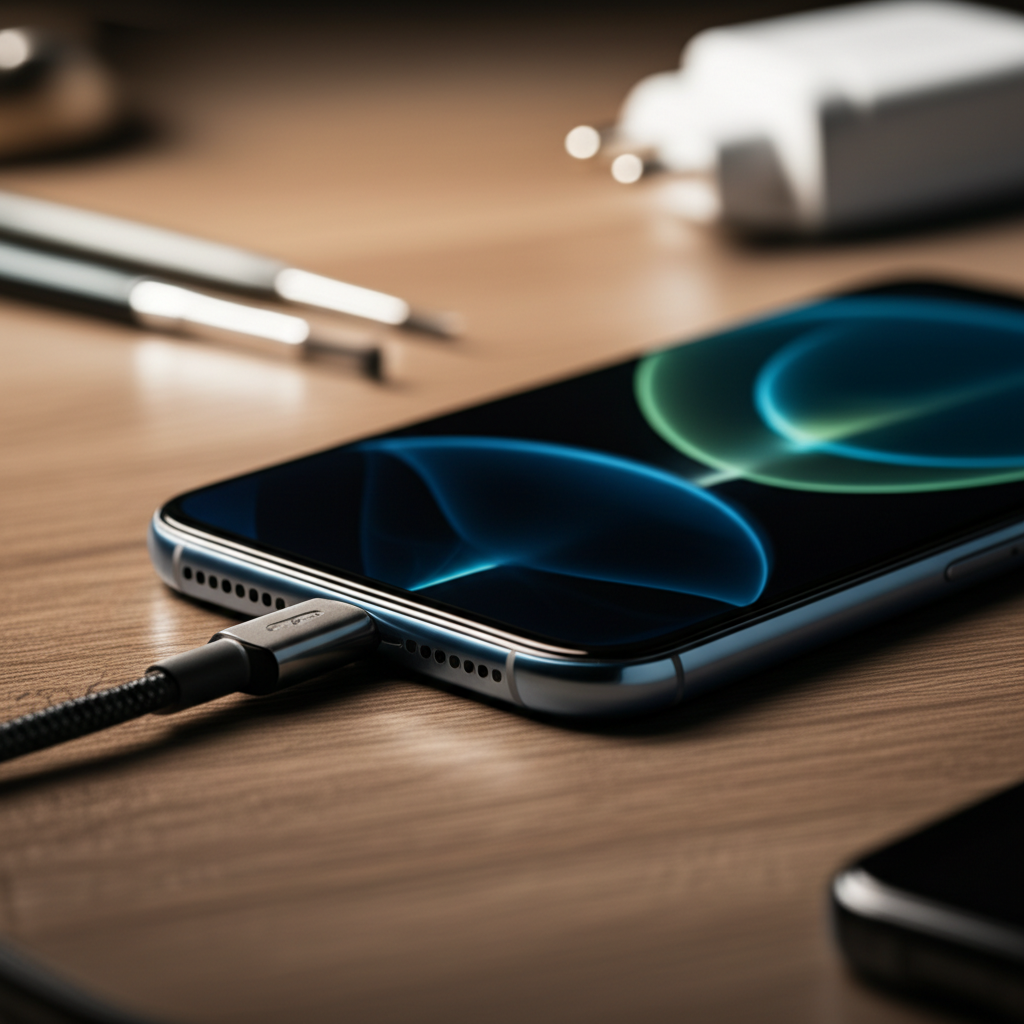
Generate an ultra-luxurious, modern, photorealistic 16:9 featured image for a blog article on the to

While many fixes are DIY, having the right tools makes troubleshooting easier and safer. Here are some basics for dealing with charging problems. These tools are invaluable for anyone wanting to fix their phone not charging.

| Tool | Purpose |
| :——————- | :——————————————————————- |
| Microfiber Cloth | Gently cleaning ports and screens without scratching. |
| Compressed Air Can | Blowing out dust and debris from ports and crevices. |
| Soft Brush | Loosening stubborn debris in charging ports. |
| Precision Screwdriver Set | Opening phone casings for internal inspection and repair. |
| Anti-Static Wrist Strap | Preventing electrostatic discharge (ESD) damage to internal parts. |
| Magnifying Glass | Inspecting small components and connectors for damage. |

Using the right tools ensures you don’t cause further damage. This is especially important when dealing with delicate internal components.

Frequently Asked Questions

Why is my phone not charging even when plugged in?

This can happen due to a dirty charging port, a faulty cable or adapter, software glitches, or a damaged battery. First, try cleaning the port and testing with a different charger.

Can a dirty charging port stop my phone from charging?

Yes, lint, dust, and debris can block the connection between the cable and the phone’s charging port. Gently cleaning it out often resolves the issue.

My phone charges slowly. What could be the cause?

Slow charging can be caused by a damaged cable, a low-power adapter, software issues, or a degraded battery. Ensure you’re using a high-quality charger and cable designed for fast charging.

Is it safe to use a third-party charger?

While many third-party chargers are safe, some low-quality ones can damage your phone or charge it inefficiently. It’s best to use the charger that came with your phone or a reputable, certified brand.

How do I know if my phone battery needs replacement?

If your phone’s battery drains very quickly, shuts down unexpectedly, or shows significantly degraded battery health in settings (below 80%), it may be time for a replacement.

Final Verdict

Dealing with a phone that won’t charge can be stressful, but most issues are manageable with a systematic approach. Start with the simplest fixes like checking your cables and cleaning the port. Then, move to software solutions like restarting your phone or checking for updates. If these steps don’t solve the problem, it’s time to consider battery health or internal hardware issues. Don’t hesitate to seek professional help if you’re uncomfortable with advanced repairs. By following these proven fixes, you can often get your phone charging again and avoid costly replacements. For more insights on mobile maintenance, explore our guides on phone maintenance tips.

Belayet Hossain
Belayet Hossain

Belayet Hossain is a Senior Tech Expert and Certified AI Marketing Strategist. Holding an MSc in CSE (Russia) and over a decade of experience since 2011, he combines traditional systems engineering with modern AI insights. Specializing in Vibe Coding and Intelligent Marketing, Belayet provides forward-thinking analysis on software, digital trends, and SEO, helping readers navigate the rapidly evolving digital landscape. Connect with Belayet Hossain on Facebook, Twitter, Linkedin or read my complete biography.

Share. Facebook Twitter Pinterest LinkedIn Tumblr Email

Recommened for You

Is Cell Phone Repair Worth It? Cost vs. Buying New

24/01/2026

Is a Cell Phone Repair Business Profitable? 2026 Growth Guide

22/12/2025

iPhone Repair DeKalb IL: Trusted Local Experts & Pricing

10/12/2025

iPhone Repair Shop Open On Sunday: Essential Sunday Fix

08/12/2025

iPhone Repair Broken Back Glass: Ultimate Fix

02/12/2025

iPhone Repair Door to Door Service: Effortless & Essential

02/12/2025

Leave a ReplyCancel reply

This site uses Akismet to reduce spam. Learn how your comment data is processed.

BIG Discounts at Amazon !
Save 50.0% on select products from TECKNET with promo code F7E6Q3GE, through 2/16 while supplies last.
Save 50.0% on select products from KIGJU with promo code KIGJU150, through 2/20 while supplies last.
Latest Updates
  • Amazon Order History: How to Find, Download & Archive Orders
  • Amazon Prime Student: Cost, Free Trial & Sign Up Guide
  • Amazon Prime Membership: True Costs, Discounts & Cancellation
  • Uncovering Overlooked Threats: Finding the Hidden Cybersecurity Risks in Plain Sight
  • Your Guide to the Top Buccal Fat Removal Surgeon in Sydney
  • Trusted Art Classes for Teens in Vaughan to Develop Strong Artistic Foundations
  • Cancel Amazon Prime: Step-by-Step Guide to Unsubscribe Fast
  • Top Tax Mistakes Young Entrepreneurs Make (And How to Avoid Them)
  • Smart Call Management with an AI Receptionist: Complete Guide
  • Amazon My Account Guide: Login, Security & Order Management
Subscribe for Updates
loader

Email Address*

First Name

Last Name

Top Reviews
Blog

5 Best Underwater Camera for Ice Fishing in 2026

The best underwater camera for ice fishing lets you see fish in real time, even…

4 Cost-Effective Smart Home Upgrades for Your Rental Unit

10/07/2024

Exploring the Topmost 5 Ultrasonic Parts Cleaner

27/05/2024

Boosting Social Media Management with Best Laptop for Social Media Manager

24/10/2023
Business Tech

Top Tax Mistakes Young Entrepreneurs Make (And How to Avoid Them)

18/03/2026

Comprehensive Tutorial on Sending Bitcoin via Cash App

18/02/2024

Building Bridges for Seamless Cross-Chain Connectivity

25/01/2024

Exploring Free CPT Code Lookup for Curious Minds

24/01/2024
All Categories
  • Accounting & Auditing (3)
  • Advertising & Marketing (11)
  • Affiliate Marketing (26)
  • Agriculture & Forestry (1)
  • Android (21)
  • Apple (32)
  • Apps (24)
  • Aquaculture (1)
  • Autos & Vehicles (1)
  • Beaches & Islands (1)
  • Billing & Invoicing (3)
  • Blog (1,697)
  • Blogging (17)
  • Business (203)
  • Business & Industrial (33)
  • Business & Productivity Software (11)
  • Business Operations (11)
  • Business Services (8)
  • Business Travel (1)
  • Camera (9)
  • Chemicals Industry (1)
  • Cloud Storage (3)
  • Coatings & Adhesives (1)
  • Colleges & Universities (1)
  • Computer Drives & Storage (3)
  • Computer Hardware (9)
  • Computer Peripherals (2)
  • Computer Science (2)
  • Computer Security (12)
  • Computer Servers (1)
  • Computers & Electronics (65)
  • Consumer Electronics (17)
  • Consumer Resources (2)
  • Content (51)
  • Crypto (106)
  • Currencies & Foreign Exchange (16)
  • Customer Services (1)
  • Data Management (7)
  • Data Science (6)
  • Desk Accessories (1)
  • Desk Productivity Tech (2,221)
  • Desktop (6)
  • Development Tools (2)
  • Digital Culture (1)
  • Digital Marketing (173)
  • Domain & Hosting (27)
  • E-Commerce Services (4)
  • Earn money (1)
  • Editing & Writing Services (4)
  • Editor's Choice (1)
  • Education (4)
  • Education (2)
  • Educational Software (1)
  • Electronic Accessories (2)
  • Electronic Components (2)
  • Electronic Spam (1)
  • Electronics & Electrical (4)
  • Electronics Repair (16)
  • Email & Messaging (2)
  • Engineering & Technology (1)
  • Enterprise Technology (11)
  • Ergonomics & Comfort (1)
  • ERP (1)
  • Finance (19)
  • Food delivery (3,418)
  • Gadget (58)
  • Graphic Design (13)
  • HealthTech (3)
  • Helpdesk & Customer Support Systems (1)
  • Home Automation (3)
  • Hospitality Industry (1)
  • Hotels & Accommodations (1)
  • How-To (8)
  • Human Resources (4)
  • Identity Theft Protection (1)
  • Internet & Telecom (22)
  • Internet Software (3)
  • Investing (16)
  • iPad (6)
  • iPhone (15)
  • iPhone Reviews (2)
  • IT Careers (2)
  • Java (1)
  • Jobs & Education (5)
  • Keyboards (2)
  • Laptop (9)
  • Laptops & Notebooks (3)
  • Latest Posts (2)
  • Linux (3)
  • Machine Learning & Artificial Intelligence (6)
  • Make Money (25)
  • Management (5)
  • Marketing (17)
  • Mathematics (1)
  • Medical Devices & Equipment (1)
  • Metals & Mining (1)
  • Metaverse (1)
  • Mobile & Smartphones (1,540)
  • Monitor Stand (1)
  • Monitoring Software (1)
  • More (72)
  • Multimedia Software (1)
  • Multimedia Software (3)
  • Network Security (10)
  • Networking (10)
  • Networking Equipment (1)
  • Online Communities (1)
  • Open Online Courses (1)
  • Operating Systems (1)
  • Operating Systems (1)
  • Outsourcing (1)
  • Packaging (1)
  • Power Supplies (2)
  • Printing & Publishing (1)
  • Programming (58)
  • Retail Equipment & Technology (1)
  • Reviews (47)
  • Robotics (2)
  • Science (5)
  • Scripting Languages (1)
  • Search Engine Optimization & Marketing (9)
  • Security (38)
  • Senior Living & Care Technology (1)
  • SEO (89)
  • Shipping & Logistics (6)
  • Shopping (2)
  • Social Media (71)
  • Social Networks (1)
  • Software (121)
  • Specialty Travel (1)
  • Statistics (1)
  • Tablet (2)
  • Tech News (15)
  • Tech Reviews (2)
  • Tech support (78)
  • Technology (2,319)
  • Text & Instant Messaging (1)
  • Tools (3)
  • Tourist Destinations (1)
  • Training & Certification (1)
  • Travel & Transportation (4)
  • TV & Video Equipment (2)
  • Vacation Rentals & Short-Term Stays (1)
  • Vehicle Codes & Driving Laws (1)
  • Vehicle Licensing & Registration (1)
  • Video (3)
  • Vocational & Continuing Education (1)
  • Warehousing (1)
  • Web Design (40)
  • Web Design & Development (9)
  • Web services (19)
  • Windows (19)
  • Windows Phone (3)
  • WordPress (12)
  • Writers Resources (10)
Navigation
  • Blog
  • Subscribe now
  • Write For Us | Become A Contributor
  • Our Partners
  • Affiliate Disclaimer
  • Contact us
About Us
About Us

IT Phobia is a comprehensive technology media hub and digital solutions provider. We deliver expert insights across SEO, Web Development, Crypto, and Digital Marketing while offering in-depth troubleshooting guides for Android, Windows, and Enterprise Tech. From the latest industry news to actionable tutorials, we empower businesses and tech enthusiasts to navigate the digital landscape with confidence.

Email Us: admin@itphobia.com

Learn More About Us

Get Tech Tips Straight to Your Inbox
loader

Email Address*

First Name

Last Name

© 2015 - 2026 IT Phobia. All Rights Reserved.
  • Home
  • Tech Blogs Trending Now!
  • Write For Us | Become A Contributor
  • Privacy Policy
  • Terms of use

Type above and press Enter to search. Press Esc to cancel.