
Published on: 07/11/2025 | Updated on: November 7, 2025
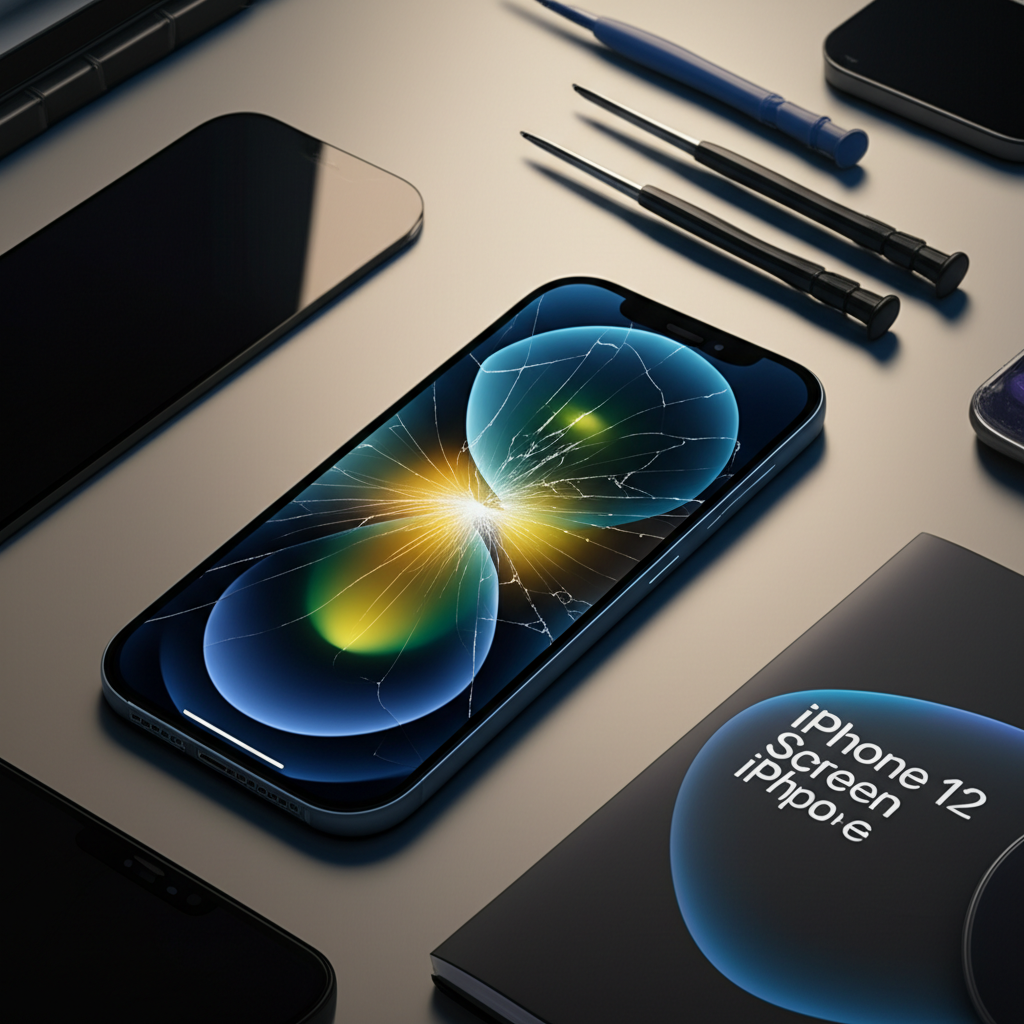
The cost to repair an iPhone 12 screen can range from around $129 to $249, depending on whether you choose Apple, a third-party repair shop, or attempt a DIY fix. Factors like the type of screen (original vs. aftermarket) and labor costs influence the final price.
When your iPhone 12 screen cracks, it’s a stressful moment. You worry about the cost of repair and how long you’ll be without your phone. Getting a cracked screen fixed can seem expensive, but understanding your options helps you make the best choice. This guide will explain the different ways to repair your iPhone 12 screen and what to expect. We’ll cover official repairs, independent shops, and even the DIY route. You’ll learn about pricing, what affects the cost, and how to keep your phone working well.
Why iPhone 12 Screen Repair Costs Vary
The price you pay for an iPhone 12 screen repair isn’t fixed. Several things make the cost go up or down. Knowing these factors helps you understand why one quote might be different from another. It’s like buying parts for a car; prices change based on quality and where you get them.
Apple’s pricing is generally higher but offers genuine parts and a warranty. Independent repair shops can be cheaper, but part quality can vary. DIY repairs are the cheapest but carry the most risk.
Apple’s Official Repair Costs

Apple offers a reliable way to fix your iPhone 12 screen. They use genuine Apple parts. This ensures your phone works exactly as it should. It also keeps your Apple warranty valid if it’s still active.
For an out-of-warranty iPhone 12 screen repair, Apple typically charges a set fee. This fee covers the screen replacement and the labor. It’s a straightforward process, but often the most expensive option.
iPhone 12 Screen Repair (Out-of-Warranty): Approximately $149 to $179.
iPhone 12 Mini Screen Repair (Out-of-Warranty): Approximately $139 to $169.
iPhone 12 Pro Screen Repair (Out-of-Warranty): Approximately $179 to $209.
iPhone 12 Pro Max Screen Repair (Out-of-Warranty): Approximately $199 to $229.
These prices can change, so it’s always best to check Apple’s official support page for the most current rates. Apple repairs are performed by certified technicians in Apple Stores or authorized service providers. This gives you peace of mind about the quality of the repair.
Third-Party Repair Shops: The Middle Ground
Independent repair shops offer a more affordable alternative to Apple. Many of these shops are skilled at iPhone repairs. They often use aftermarket screens, which are less expensive than genuine Apple parts.
The cost at these shops can vary widely. It depends on their overhead, the quality of the screens they source, and their labor rates. Some shops may offer a warranty on their work, which is a good sign.
Average Cost: $100 to $200, depending on the shop and screen quality.
Part Quality: Aftermarket screens can range from low to high quality. Some may not have the same color accuracy or touch sensitivity as original screens.
Warranty: Varies by shop; some offer 30-90 days, others less.
It’s wise to research local repair shops. Look for reviews and ask about the type of screens they use. A good shop will be transparent about their parts and offer a warranty. You can often find great deals, but do your homework.
DIY Screen Replacement: The Cheapest, Riskiest Option
For the most budget-conscious, replacing the screen yourself is an option. You can buy replacement screen kits online. These kits usually include the screen and necessary tools.
This method saves the most money. However, it requires technical skill and patience. There’s a significant risk of damaging your iPhone further if something goes wrong.
Cost of DIY Kit: $40 to $100.
Tools Needed: Small screwdrivers, spudger, suction cup, heat gun or hair dryer, adhesive strips.
Risks: Damaging internal components, losing water resistance, screen not working correctly.
Before attempting a DIY repair, watch detailed video tutorials. Make sure you have a clean, well-lit workspace. Always use an anti-static wrist strap to protect your iPhone’s sensitive electronics from static discharge.
Factors Influencing iPhone 12 Screen Repair Price
Beyond the service provider, several other elements affect how much you’ll pay. These include the specific iPhone 12 model, the type of screen damage, and whether additional repairs are needed. Understanding these can help you budget better.
The iPhone 12 comes in different sizes, and larger screens generally cost more to replace. Simple cracks are usually cheaper than shattered screens with touch issues.
iPhone 12 Model Differences
Apple released four models in the iPhone 12 lineup: iPhone 12 Mini, iPhone 12, iPhone 12 Pro, and iPhone 12 Pro Max. The size of the screen directly impacts the replacement cost. Larger screens use more materials and are therefore more expensive to produce and replace.
iPhone 12 Mini: Smallest screen, typically the cheapest to replace.
iPhone 12: Standard size, mid-range cost.
iPhone 12 Pro: Similar size to iPhone 12, but Pro models sometimes have slightly higher part costs.
iPhone 12 Pro Max: Largest screen, usually the most expensive to replace.
When getting a quote, always specify your exact iPhone 12 model. This ensures you receive an accurate price for the repair.
Type of Screen Damage
A minor hairline crack might not affect touch functionality. However, a spiderweb crack across the entire display, or a screen that shows lines or doesn’t respond to touch, indicates more severe damage. This usually means a more complex and costly repair.
Cosmetic Cracks: Mostly affect appearance, might be cheaper to fix if touch still works.
Functional Damage: Screen won’t respond, shows glitches, or is completely black. These require a full screen replacement.
Digitizer Issues: The digitizer is the layer that senses touch. If it’s damaged, touch input won’t work, necessitating a screen replacement.
In some cases, the LCD or OLED panel underneath the glass might also be damaged. This makes the repair more involved and increases the cost.
Need for Additional Repairs
Sometimes, a drop that cracks your screen also damages other parts of your iPhone 12. This could include the frame, the battery, or internal components. If multiple issues need fixing, the total repair cost will naturally be higher.
Bent Frame: A warped frame might need straightening or replacement, adding cost.
Battery Damage: If the battery was affected, it might need replacement too.
Other Component Failures: Internal sensors or connectors could be damaged.
Repair technicians will usually perform a diagnostic check. They’ll identify all problems and give you a comprehensive quote before starting any work. Always ask for a full diagnostic report.
Finding the Best Repair Option for Your Budget
Choosing the right repair service balances cost, quality, and convenience. Each option has its pros and cons. Consider what matters most to you: speed, price, or using genuine parts.
Think about how long you plan to keep your iPhone 12. If it’s nearing the end of its life, a cheaper third-party repair might be more sensible. If you want it to last for years, investing in an Apple repair could be better.
Comparing Repair Costs: A Snapshot
Let’s look at estimated costs for an iPhone 12 screen replacement. These are approximate and can vary by location and specific repair shop.
| Repair Provider | Estimated Cost Range | Part Quality | Warranty |
| :———————- | :——————- | :————— | :————– |
| Apple | $149 – $229 | Genuine Apple | 90 days |
| Reputable Third-Party | $100 – $200 | Aftermarket/OEM | 30-90 days |
| DIY (Parts + Tools) | $40 – $100 | Varies | None (DIY risk) |
This table gives a general idea. Always get a precise quote before committing to a repair service. Verified user experiences on platforms like iFixit forums often highlight which third-party shops offer good value and reliable service.
What to Ask Before Repairing
Before you hand over your iPhone 12, ask key questions. This helps avoid surprises and ensures you get a quality repair. A good technician will answer these clearly.
1. What type of screen will be used? (Genuine Apple, OEM, or aftermarket)
2. What is the cost of the repair, including parts and labor?
3. Does the repair come with a warranty? (What does it cover and for how long?)
4. How long will the repair take?
5. Will the repair affect my iPhone’s water resistance? (Most repairs do)
Asking these questions shows you’re informed. It also helps you gauge the professionalism of the repair service.
The DIY iPhone 12 Screen Repair Process: A Quick Overview
If you decide to replace the screen yourself, it’s a multi-step process. It requires precision and care. You’ll need a specific toolkit designed for electronics repair.
The process involves carefully disassembling the iPhone, disconnecting the old screen, connecting the new one, and reassembling the device. Static electricity is a major concern during this process. Using an ESD (Electrostatic Discharge) mat and wrist strap is highly recommended.
Essential Tools for DIY Repair
Having the right tools makes the DIY repair much smoother. Cheap tools can strip screws or damage components. Investing in a quality repair kit is crucial for success.
Pentalobe Screwdriver: For the bottom screws.
Phillips Screwdriver: For internal screws.
Spudger: A plastic pry tool to disconnect cables and lift components.
Suction Cup: To lift the screen assembly.
Heat Gun or Hair Dryer: To soften adhesive.
Tweezers: For handling small screws and cables.
Replacement Adhesive Strips: To reseal the phone.
Anti-Static Wrist Strap: To prevent ESD damage.
You can find comprehensive repair kits on sites like Amazon or from specialized electronics repair suppliers. Always ensure the kit is specifically for the iPhone 12 model.
Step-by-Step: A Simplified Guide
1. Power Off: Turn off your iPhone completely.
2. Remove Bottom Screws: Unscrew the two pentalobe screws on the bottom edge.
3. Heat Adhesive: Gently heat the edges of the screen with a heat gun or hair dryer. This softens the waterproof adhesive.
4. Pry Open: Use a suction cup and a thin plastic tool to carefully pry open the screen. Start from the bottom and work your way up. Be careful not to insert the tool too deep.
5. Disconnect Cables: Once open, carefully disconnect the battery cable first. Then, disconnect the screen cables.
6. Remove Old Screen: Detach the screen assembly from the phone body.
7. Install New Screen: Connect the new screen’s cables. Test the new screen before fully reassembling.
8. Reconnect Battery: Reconnect the battery cable last.
9. Seal Phone: Apply new adhesive strips around the frame. Carefully close the phone and press down firmly.
10. Replace Bottom Screws: Reinstall the two pentalobe screws.
Always refer to a detailed, model-specific repair guide or video tutorial. This simplified overview is not a substitute for expert instructions. Mistakes during DIY repair can lead to costly further damage.
Keeping Your iPhone 12 Screen in Good Condition
Prevention is better than cure. Taking steps to protect your iPhone 12 screen can save you money and hassle in the long run. Simple habits can significantly reduce the risk of cracks.
A good screen protector and a sturdy case are your first lines of defense. Avoid placing your phone in pockets with keys or loose change. These small items can cause scratches.
The Role of Screen Protectors
A screen protector is a thin layer applied to your iPhone’s display. It absorbs the impact of drops, protecting the actual screen underneath. They are much cheaper to replace than the iPhone’s display itself.
Tempered Glass Protectors: Offer excellent impact resistance and feel similar to the original screen. They are the most popular choice.
Plastic Film Protectors: More affordable but offer less impact protection. Good for preventing scratches.
Make sure to buy a protector specifically designed for the iPhone 12. Proper installation is key for a bubble-free finish.
Using a Protective Case
A good case provides a buffer around your iPhone 12. It cushions the device if it’s dropped. Many cases have raised edges that protect the screen when placed face down.
Rugged Cases: Offer maximum protection but can add bulk.
Slim Cases: Provide basic scratch protection and a better grip.
Wallet Cases: Combine protection with cardholder functionality.
Look for cases with good reviews regarding drop protection. A case combined with a tempered glass screen protector offers the best overall defense.
When to Call a Professional vs. DIY
Deciding between DIY and professional repair depends on your comfort level and the severity of the damage. For simple cracks, DIY might be feasible. For complex issues or if you’re hesitant, a professional is the way to go.
Consider the value of your time and the potential cost of a failed DIY attempt. Sometimes, paying a bit more for a professional repair saves you stress and potential future expenses.
Scenarios Favoring Professional Repair
Under Warranty: If your iPhone 12 is still under Apple’s warranty or AppleCare+, professional repair is usually the best option. It’s often free or low-cost.
Complex Damage: If the screen is severely shattered, or if you suspect other internal damage, a professional can diagnose and fix it accurately.
Lack of Technical Skill: If you’re not comfortable with tiny electronics or fine motor tasks, attempting a DIY repair could lead to more problems.
Water Resistance is Critical: Professionals can often restore water resistance better than a DIY repair, though it’s rarely guaranteed after any screen opening.
A professional repair shop or Apple Store provides expertise and often a warranty on their work. This offers peace of mind that a DIY repair cannot match.
Scenarios Favoring DIY Repair
Budget Constraints: If cost is the primary concern, DIY is the cheapest route.
Enjoying the Challenge: If you like tinkering with electronics and see it as a learning experience, DIY can be rewarding.
Out of Warranty & Minor Damage: If your phone is out of warranty and has only a minor crack, and you’re confident in your abilities, DIY is an option.
* Availability of Good Guides: If excellent, detailed video tutorials exist for your specific iPhone 12 model, it increases the chances of a successful DIY repair.
Remember, even with good guides, there’s always a risk. Proceed with caution if you choose the DIY path.
Frequently Asked Questions about iPhone 12 Screen Repair
Here are answers to common questions people have about fixing their iPhone 12 screen.
How much does it cost to replace an iPhone 12 screen at Apple?
An out-of-warranty iPhone 12 screen replacement at Apple typically costs between $149 and $229, depending on the specific model (Mini, Pro, or Pro Max).
Can I fix my iPhone 12 screen for free?
You can get a free screen repair if your iPhone 12 is still under its one-year limited warranty or AppleCare+, and the damage is accidental. However, accidental damage is usually not covered by the standard warranty unless you have AppleCare+.
Is it worth repairing an iPhone 12 screen?
Yes, it’s generally worth repairing an iPhone 12 screen, especially if the phone is otherwise in good condition. The cost of repair is usually much less than buying a new phone.
Will Apple repair my iPhone 12 screen if it’s cracked?
Yes, Apple will repair your iPhone 12 screen if it’s cracked, but if it’s due to accidental damage and not covered by warranty or AppleCare+, there will be a service fee.
Can a third-party repair shop replace my iPhone 12 screen with an original Apple screen?
No, third-party repair shops typically cannot use genuine Apple screens unless they are Apple Authorized Service Providers. They use aftermarket or salvaged screens.
Does repairing my iPhone 12 screen void my warranty?
If you use Apple or an Apple Authorized Service Provider, your warranty remains intact. Using a non-authorized third-party repair shop may void any remaining manufacturer warranty.
Final Verdict on iPhone 12 Screen Repair Costs
Understanding how much screen repair iPhone 12 costs involves looking at several options. Apple repairs offer reliability and genuine parts at a higher price point, generally ranging from $149 to $229. Third-party shops provide a more budget-friendly alternative, typically between $100 and $200, but quality can vary. For the most cost-effective solution, DIY repair kits are available for $40-$100, but they carry significant risks.
Choosing the right repair method depends on your budget, technical comfort, and desired quality. Always consider the model of your iPhone 12, as larger screens cost more. Investing in a good screen protector and case can help prevent future damage and costly repairs. Whichever route you choose, ensuring your iPhone 12 screen is functional is key to enjoying your device.

Belayet Hossain is a Senior Tech Expert and Certified AI Marketing Strategist. Holding an MSc in CSE (Russia) and over a decade of experience since 2011, he combines traditional systems engineering with modern AI insights. Specializing in Vibe Coding and Intelligent Marketing, Belayet provides forward-thinking analysis on software, digital trends, and SEO, helping readers navigate the rapidly evolving digital landscape. Connect with Belayet Hossain on Facebook, Twitter, Linkedin or read my complete biography.