
Published on: 07/11/2025 | Updated on: November 7, 2025
The cost to repair an iPhone 14 screen can range from $150 to $350, depending on your location, the repair service, and whether you use Apple’s official service or a third-party provider. This guide will help you understand the factors influencing the price and make an informed decision.
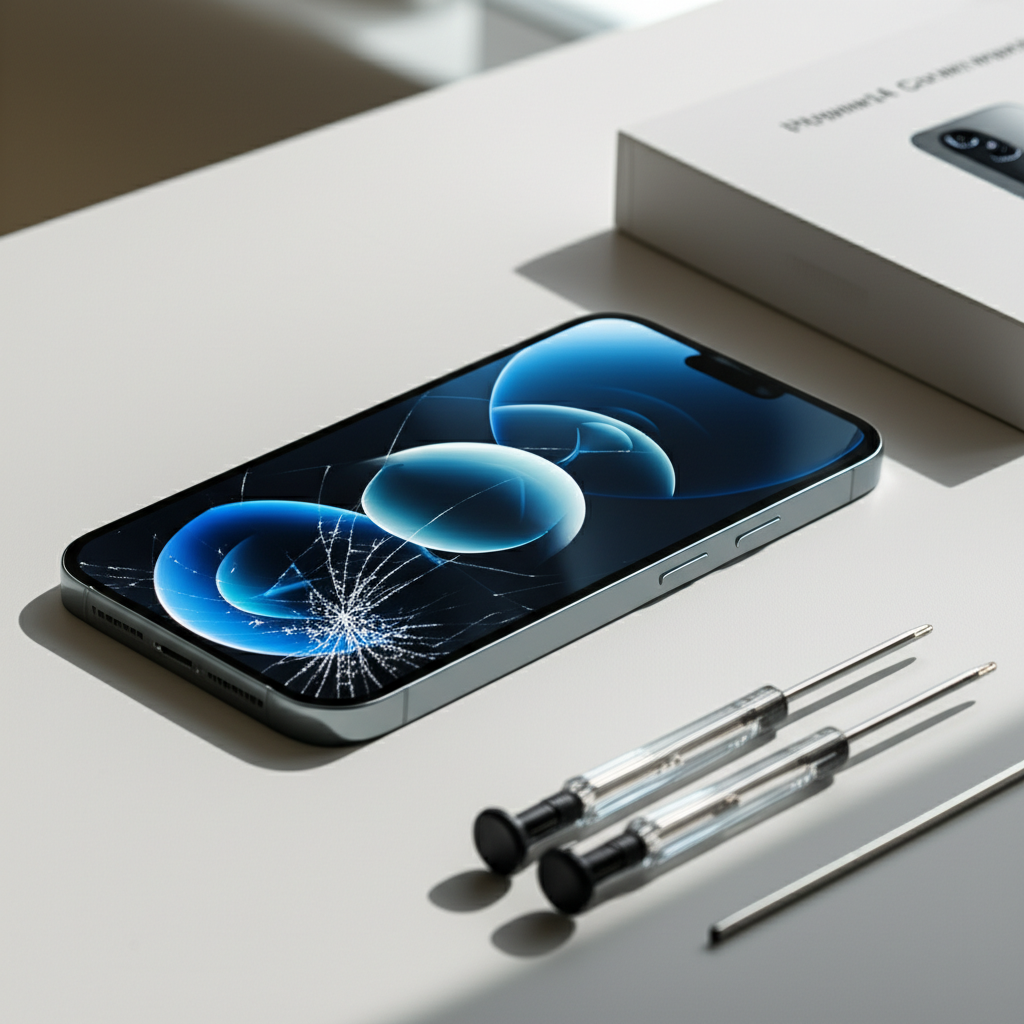
When your iPhone 14’s screen cracks, it’s a frustrating moment. The smooth glass is your window to the digital world. A broken screen disrupts everything. You might wonder about the cost of fixing it. This guide will help you understand how much screen repair for your iPhone 14 costs. We will cover official repairs, third-party options, and factors that affect the price. You will learn how to get your iPhone 14 screen fixed affordably and safely.
Understanding iPhone 14 Screen Repair Costs
The price for an iPhone 14 screen repair isn’t a single number. Many things can change the cost. Knowing these factors helps you budget. It also helps you choose the best repair option.
Factors Influencing iPhone 14 Screen Repair Price

Several elements determine how much you’ll pay. These include the repair provider, the type of screen needed, and your iPhone 14 model. Location also plays a role in pricing.
Repair Provider: Apple’s official service is usually more expensive. Independent repair shops often offer lower prices.
Screen Type: Original Apple screens cost more than aftermarket ones. However, original screens offer the best quality.
iPhone 14 Model: Different iPhone 14 models might have slightly different screen repair costs.
Location: Repair costs can vary by city and country. Labor rates differ in different areas.
Understanding these points is the first step. It prepares you for the actual repair costs.
Official Apple Screen Repair Costs for iPhone 14
Apple offers a reliable way to fix your iPhone 14 screen. Their service uses genuine Apple parts. This ensures your phone works as intended. However, it often comes at a higher price.
Apple’s Official Repair Service Details
When you go through Apple, your repair is handled by trained technicians. They use specialized tools and genuine Apple parts. This maintains your iPhone’s warranty and water resistance. You can get service at an Apple Store or an Apple Authorized Service Provider.
Pros: Genuine parts, expert technicians, warranty preserved, maintains water resistance.
Cons: Typically the most expensive option, might take longer if you need to mail your device.
Apple’s website provides specific pricing for each iPhone model. You can check it directly for the most accurate figures.
Estimated Apple Repair Prices
For an iPhone 14 screen replacement directly from Apple, you can expect a cost in the range of $150 to $350. This price can fluctuate based on the exact model (e.g., iPhone 14, iPhone 14 Plus, iPhone 14 Pro, iPhone 14 Pro Max). Apple’s pricing is generally consistent across its service network.
Apple also offers AppleCare+. If you have this plan, screen repair costs are significantly lower, often around $29. It’s worth checking if your device is covered by AppleCare+.
Third-Party iPhone 14 Screen Repair Costs
Independent repair shops can be a good alternative. They often charge less than Apple. Many use quality parts, but it’s important to verify.
Choosing a Reputable Third-Party Repair Shop
Not all third-party shops are the same. Look for shops with good reviews. Check if they offer a warranty on their repairs. A reputable shop will be transparent about the parts they use.
Research: Read online reviews on Google Maps, Yelp, or other local directories.
Warranty: A good shop offers at least a 90-day warranty on parts and labor.
Parts Quality: Ask if they use original, OEM, or high-quality aftermarket screens.
Choosing wisely ensures you get a good repair at a fair price.
Typical Third-Party Pricing
Third-party screen repairs for the iPhone 14 are generally more affordable. Prices can range from $100 to $250. This depends heavily on the shop and the quality of the replacement screen. Some shops might use screens that are not as bright or responsive as original Apple screens.
Always ask about the warranty and the type of screen used. This helps avoid future problems. It also ensures you get good value for your money.
DIY iPhone 14 Screen Replacement: Costs and Risks
For those who are technically inclined, a DIY screen replacement is an option. This can be the cheapest method. However, it carries significant risks.
DIY Screen Repair Tools and Parts
To replace your iPhone 14 screen yourself, you’ll need a few things. You’ll need a replacement screen kit. These kits usually come with basic tools. You might also need specialized tools like a heat gun or suction cups.
Replacement Screen: Costs can range from $50 to $150.
Tool Kit: Basic kits are often included with screens. More advanced kits cost around $20-$40.
Adhesive Strips: For re-sealing the phone and maintaining water resistance.
You can find DIY kits on websites like Amazon or iFixit.
Risks of DIY iPhone 14 Screen Repair
Attempting a DIY repair can void your warranty. You could also damage other internal components. If done incorrectly, the new screen might not work properly. Touch sensitivity or display quality could be affected.
Voiding Warranty: Apple will not cover further repairs if they detect unauthorized tampering.
Damage to Other Parts: Delicate cables and components can be easily damaged.
Poor Functionality: The new screen might have issues with brightness, color, or touch response.
Loss of Water Resistance: It’s very difficult to restore the original water resistance seal.
If you’re not confident, it’s better to seek professional help.
Comparing Repair Options: Cost vs. Quality
Deciding between Apple, third-party, or DIY depends on your priorities. Cost is a major factor. But so is the quality of the repair and the longevity of your device.
Cost Breakdown Table
Here’s a simple comparison of the typical costs:
| Repair Option | Estimated Cost Range | Pros | Cons |
| :———————- | :——————- | :—————————————————————- | :————————————————————————— |
| Official Apple | $150 – $350 | Genuine parts, expert service, warranty maintained, water resistance. | Most expensive, can take longer. |
| Third-Party Shop | $100 – $250 | More affordable, faster service often available. | Part quality varies, may void warranty, water resistance not guaranteed. |
| DIY (Do It Yourself)| $50 – $150 | Cheapest option. | High risk of damage, voids warranty, requires technical skill, part quality varies. |
This table helps visualize the trade-offs. Consider what matters most to you.
What You Get for Your Money
With official Apple repairs, you pay for peace of mind. You get genuine parts and a guaranteed service. Third-party shops offer a balance of cost and convenience. DIY is the budget option but requires the most care and skill.
Choosing the right option ensures your iPhone 14 is fixed correctly. It also fits your budget and risk tolerance.
iPhone 14 Screen Repair: What to Expect During the Process
Whether you choose Apple or a third-party shop, the repair process is similar. Understanding it can make it less stressful.
The Diagnostic and Repair Steps
First, the technician will examine your phone. They’ll confirm the screen issue. Then, they’ll provide a quote. If you agree, they’ll proceed with the repair.
1. Assessment: Technician inspects the damaged screen.
2. Quotation: You receive a price estimate for the repair.
3. Disassembly: The phone is carefully opened.
4. Screen Removal: The damaged screen is detached.
5. New Screen Installation: The replacement screen is connected and fitted.
6. Testing: The new screen’s functionality is checked.
7. Reassembly: The phone is put back together.
8. Final Check: The technician ensures everything works.
This process usually takes a few hours to a day. Some shops offer same-day service.
Post-Repair Checks and Warranty
After your screen is replaced, the technician should test it thoroughly. They’ll check touch response, display quality, and any other features. Always ask for a warranty on the repair. This protects you if any issues arise with the new screen.
A good warranty covers defects in the replacement screen and the labor. It provides an extra layer of security.
Protecting Your iPhone 14 Screen to Avoid Future Repairs
The best way to save money on screen repair is to prevent damage. Simple steps can protect your iPhone 14’s screen. This saves you time and money in the long run.
Essential Screen Protection Measures
Using a screen protector and a sturdy case are key. These are inexpensive investments. They offer significant protection against drops and scratches.
Screen Protectors: Tempered glass protectors are highly recommended. They absorb impact.
Protective Cases: Choose a case with raised edges. This keeps the screen from touching surfaces when dropped.
* Careful Handling: Avoid putting your phone in pockets with keys or loose change. These can scratch the screen.
These simple habits can save you from a cracked screen.
When to Consider AppleCare+
AppleCare+ is an insurance plan. It covers accidental damage, including screen repairs. For a small deductible, you get a significantly reduced repair cost. If you’re prone to accidents, AppleCare+ can be a wise investment.
It offers peace of mind for a set period. Check Apple’s website for current AppleCare+ pricing and coverage details.
Frequently Asked Questions About iPhone 14 Screen Repair
Here are answers to common questions about fixing your iPhone 14 screen.
How much does it cost to replace an iPhone 14 screen out of warranty?
An iPhone 14 screen replacement out of warranty typically costs between $150 and $350 if you use Apple. Third-party repair shops may charge $100 to $250.
Is it cheaper to get an iPhone 14 screen fixed by Apple or a third party?
Generally, third-party repair shops are cheaper than Apple. However, Apple uses genuine parts and preserves your warranty.
Does a cracked iPhone 14 screen affect other functions?
Yes, a cracked screen can affect touch sensitivity. It can also lead to further internal damage if not repaired promptly.
Can I still use my iPhone 14 with a cracked screen?
You can, but it’s not recommended. A cracked screen can worsen over time. It also poses a risk of cuts to your fingers.
What happens to my data when I get my iPhone 14 screen repaired?
If you use Apple or a reputable third-party shop, your data should remain intact. However, it’s always best to back up your iPhone before any repair.
Does Apple fix cracked screens for free?
No, Apple does not fix cracked screens for free unless it’s a manufacturing defect under warranty. Accidental damage like cracks is usually not covered by the standard warranty.
Is a DIY iPhone 14 screen replacement worth the risk?
It can be cost-effective if you have the skills and tools. However, the risk of causing more damage or voiding your warranty is significant.
Conclusion: Making the Right Choice for Your iPhone 14 Screen Repair
The cost to repair an iPhone 14 screen varies, but expect to pay between $100 and $350 depending on your chosen service. Weigh the cost against the quality of parts and service to make the best decision for your device.
Fixing your iPhone 14 screen doesn’t have to be a mystery. You now understand the price ranges for official Apple repairs, third-party shops, and DIY options. Consider the factors like cost, warranty, and part quality. For many, a reputable third-party repair offers a good balance. If you want the absolute best and have the budget, Apple is the way to go. If you’re a skilled tinkerer, DIY can save money but comes with risks. Always back up your data before any repair. And remember, a good screen protector and case are your best defense against future cracks.
For more tips on maintaining your Apple devices, be sure to subscribe to our newsletter.

Belayet Hossain is a Senior Tech Expert and Certified AI Marketing Strategist. Holding an MSc in CSE (Russia) and over a decade of experience since 2011, he combines traditional systems engineering with modern AI insights. Specializing in Vibe Coding and Intelligent Marketing, Belayet provides forward-thinking analysis on software, digital trends, and SEO, helping readers navigate the rapidly evolving digital landscape. Connect with Belayet Hossain on Facebook, Twitter, Linkedin or read my complete biography.