
Published on: 07/11/2025 | Updated on: November 7, 2025
The cost to repair a phone screen varies greatly, typically ranging from $50 to $350. Factors include your phone model, the type of damage, and whether you use an authorized repair service or a third-party shop.
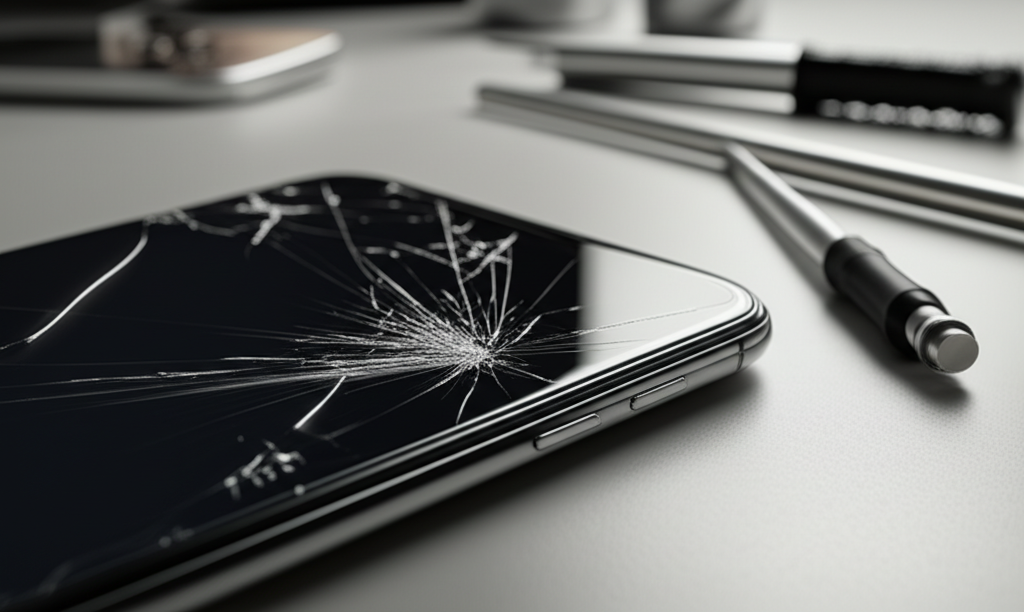
A cracked phone screen is a common headache for many of us. It happens fast, often without warning. You might be wondering, “How much will it cost to repair my phone screen?” This guide will break down all the costs. We’ll look at what makes prices different. We will also help you find the best repair option. Let’s get your phone looking like new again.
Understanding the Factors That Affect Phone Screen Repair Costs
The price to fix a broken phone screen isn’t set in stone. Several things change how much you will pay. Knowing these factors helps you prepare and choose wisely. It’s like fixing a car; a simple tire change costs less than a new engine.
The most significant factor is your specific phone model. Newer phones with advanced screens cost more to fix. The type of damage also matters. A small crack might be cheaper than a screen that’s completely black or unresponsive. We will explore these in detail.
Phone Model and Screen Technology: The Biggest Price Drivers
Your phone’s brand and model are top reasons for repair cost. High-end phones use complex screens. These screens cost more to buy and install. For example, fixing an iPhone 14 Pro Max screen will cost more than an older iPhone SE.
Screens use different technologies. LCD screens are usually cheaper to replace. OLED and AMOLED screens are more advanced. They offer better colors and contrast. This advanced tech makes them pricier to repair. Companies like Samsung and Apple use these advanced displays.
Popular Phone Models and Estimated Screen Repair Costs

Here’s a general idea of what you might expect for some popular phones. These are estimates and can change. Always get a quote for your specific situation.
| Phone Model | Estimated Repair Cost (USD) | Screen Type |
| :—————– | :————————– | :———- |
| iPhone 14 Pro Max | $279 – $329 | OLED |
| iPhone 14 | $169 – $199 | OLED |
| Samsung Galaxy S23 Ultra | $250 – $300 | Dynamic AMOLED 2X |
| Samsung Galaxy A14 | $80 – $120 | PLS LCD |
| Google Pixel 7 Pro | $200 – $250 | OLED |
| Google Pixel 6a | $100 – $150 | OLED |
These are approximate costs and can vary based on location and service provider.
Types of Screen Damage and Their Impact on Cost
The way your screen is damaged affects the repair price. A simple crack on the glass might be less expensive. This is often called a “glass-only” repair. Some repair shops can replace just the glass. This saves money compared to a full screen assembly replacement.
However, many modern phones have screens where the glass, touch sensor, and display are fused together. In these cases, the entire screen assembly must be replaced. This is more common for OLED/AMOLED screens. If the display itself has lines, dead pixels, or discoloration, a full screen replacement is usually needed.
When Only the Glass Needs Replacing
Some older phones or specific models allow for just the top glass layer to be replaced. This is a specialized repair. It requires special equipment. The technician must carefully separate the broken glass from the underlying display. If done correctly, it’s much cheaper than a full screen assembly.
This method is not always available. It also carries a higher risk. If the display is damaged during the process, you’ll end up paying for a full screen replacement anyway. Many professional repair services opt for the safer full assembly replacement.
Full Screen Assembly Replacement
This is the most common type of screen repair today. It involves removing the entire front panel. This includes the glass, digitizer (touch function), and the display itself. This ensures all parts are new and working correctly. It’s a more reliable fix.
The cost of a full screen assembly is higher. This is because it includes more components. It also requires less specialized equipment than a glass-only repair. This makes it accessible to more repair shops.
Official Manufacturer Repairs vs. Third-Party Repair Shops
When your phone screen breaks, you have two main repair avenues: the official manufacturer or an independent third-party repair shop. Each has its pros and cons, especially regarding cost.
Manufacturer repairs, like Apple Store or Samsung Authorized Service Centers, offer genuine parts. They also maintain your warranty. However, they are often the most expensive option. Third-party shops can be much cheaper. But, the quality of parts and service can vary.
Official Repairs: Quality and Cost
Going directly to the phone manufacturer or an authorized service provider offers peace of mind. They use genuine parts. Their technicians are factory-trained. This ensures the repair meets original standards. For newer phones, this is often the only way to keep your warranty intact.
The downside is the price. Manufacturer screen replacements are typically the priciest. For example, Apple’s out-of-warranty screen replacement for an iPhone can be several hundred dollars. Samsung and Google also charge premium prices for their official repairs.
Third-Party Repairs: Affordability and Risk
Independent repair shops offer a more budget-friendly alternative. Prices can be significantly lower than official repairs. Many use high-quality aftermarket parts or salvaged original parts. This makes them a popular choice for older phones or when budget is a concern.
However, quality varies widely. Some shops are excellent, while others use poor-quality parts. This can lead to issues like color distortion, poor touch response, or even further damage. It’s crucial to research and choose a reputable third-party repairer. Check reviews and ask about their warranty on repairs.
DIY Screen Repair: The Cheapest Option with the Highest Risk
For the truly adventurous and technically inclined, a DIY phone screen repair is an option. This involves buying a replacement screen and a repair kit yourself. You then follow online guides to perform the repair. This is by far the cheapest way to fix a cracked screen.
However, this path is fraught with peril. It requires patience, precision, and the right tools. Mistakes can easily lead to more damage. You could end up with a phone that’s completely unusable. It also voids any remaining warranty you might have.
What You’ll Need for a DIY Repair
To attempt a DIY screen repair, you’ll need more than just a new screen. A good repair kit is essential. These kits usually include small screwdrivers, prying tools, spudgers, tweezers, and sometimes a heat gun or suction cups. You also need a clean, well-lit workspace.
You must be very careful. Tiny screws can be lost easily. Delicate cables can be torn. Static electricity can damage internal components. It’s important to follow a reputable guide, like those from iFixit. They provide detailed, step-by-step instructions and tool recommendations.
The Risks of Going the DIY Route
The biggest risk is causing further damage. You could crack the logic board, damage the battery, or break other components. If you’re not careful, you might make the problem worse. This can lead to a more expensive repair than if you had gone to a professional initially.
Another risk is using low-quality replacement parts. These might not function correctly. They could fail prematurely. Always buy parts from reputable suppliers. Even with good parts and careful work, there’s no guarantee of success.
Factors Influencing Repair Costs Beyond the Screen Itself
Sometimes, the cost to repair your phone screen is influenced by more than just the display. Hidden issues can arise during the repair process. These can add to the final bill. Understanding these potential extra costs can help you avoid surprises.
For instance, if the phone has other damage, like a bent frame or water damage, repairs will cost more. Technicians might need to address these issues before or during the screen replacement.
Associated Damage and Additional Repairs
It’s common for a phone that has suffered a screen break to have other issues. A hard drop can bend the phone’s frame. This might prevent a new screen from fitting correctly. The frame might need to be straightened or replaced. This adds to the cost.
Other internal components can also be affected. If the phone fell into water, water damage can cause corrosion. This can affect many parts, not just the screen. A repair shop will likely perform a diagnostic. They will inform you of any additional necessary repairs.
Diagnostic Fees and Labor Costs
Many repair shops charge a diagnostic fee. This fee is for them to assess the damage. It covers their time and expertise in figuring out what’s wrong. If you proceed with the repair, this fee is often waived or deducted from the total cost.
Labor is another significant part of the total cost. Replacing a phone screen can take time. Technicians need to carefully disassemble the phone. They then replace the screen and reassemble everything. The hourly rate for technicians varies by location and skill level. This labor cost is built into the overall repair price.
Finding Affordable and Reliable Repair Options
Finding a balance between cost and quality is key. You want a repair that doesn’t break the bank but also lasts. Research is your best friend here. Look for reputable shops with good reviews.
Consider the warranty they offer on their repairs. A good shop will stand behind their work. This provides extra assurance for your investment.
Researching Local Repair Shops
Start by searching online for phone repair shops in your area. Look for those with high ratings on Google Maps, Yelp, or other review sites. Pay attention to comments about screen repairs specifically. See if customers mention good service and fair pricing.
Don’t be afraid to call a few shops. Ask for a quote for your specific phone model and damage. Inquire about the type of parts they use (OEM, aftermarket, refurbished). Ask about their warranty policy on screen replacements.
Online Repair Services and Mail-In Options
Besides local shops, there are mail-in repair services. Companies like uBreakiFix (now Asurion Tech Repair & Solutions) have both physical locations and mail-in options. You mail your phone to them, they fix it, and mail it back. This can be convenient if you don’t have good local options.
These services often have fixed pricing for common repairs. They also usually offer a warranty. Shipping costs and turnaround time are factors to consider. Read reviews carefully for these services too.
Protecting Your Investment: Tips to Avoid Future Screen Damage
Once your screen is repaired, or if it’s still intact, taking steps to prevent future damage is wise. A little prevention can save you a lot of money and hassle down the line. These tips are simple and effective.
Using protective accessories is the most common way to safeguard your phone. A good case and screen protector can absorb impact. They can prevent cracks from happening in the first place.
The Importance of Phone Cases and Screen Protectors
A durable phone case is essential. Look for cases with raised bezels. These bezels help protect the screen when the phone is placed face down. Cases with reinforced corners offer better shock absorption. Many cases are designed for specific phone models, ensuring a snug fit.
Screen protectors are another vital layer of defense. Tempered glass screen protectors are highly recommended. They are much harder than regular glass. They can crack themselves to protect the actual phone screen underneath. Many are also designed to be fingerprint-resistant and maintain touch sensitivity.
Safe Handling and Storage Habits
Beyond accessories, how you handle and store your phone matters. Avoid putting your phone in tight back pockets. This can cause it to bend or fall out easily. Don’t place your phone on the edge of tables or counters. A slight bump can send it to the floor.
When you’re not using your phone, store it in a secure place. A bag or purse with a dedicated pocket is ideal. Keeping it away from keys and other sharp objects can prevent scratches. Simple habits can significantly reduce the risk of screen damage.
Frequently Asked Questions About Phone Screen Repair Costs
Here are answers to common questions people have about fixing their phone screens.
How much does it cost to repair an iPhone screen?
iPhone screen repair costs can range from $149 for an iPhone SE to over $329 for a Pro Max model. These prices are for Apple’s official repair service. Third-party repair shops may offer lower prices.
What is the cheapest way to fix a cracked phone screen?
The cheapest way is a DIY repair, costing only the price of the screen and tools. However, this carries the highest risk of further damage. A reputable third-party repair shop is usually the next cheapest reliable option.
Does phone insurance cover screen repair?
Many phone insurance plans cover accidental damage, including screen repairs. However, there is usually a deductible. The deductible amount will be less than the full repair cost. Check your insurance policy details.
Can a cracked phone screen be repaired without replacing the whole screen?
For some older phones or specific models, it might be possible to replace just the cracked glass. This is called a glass-only repair. However, most modern smartphones require a full screen assembly replacement.
How long does a phone screen repair take?
A screen repair typically takes 1-3 hours at a local repair shop. Mail-in services can take several days to over a week, including shipping time. DIY repairs depend entirely on your skill and speed.
Is it worth repairing a cracked phone screen?
It is often worth repairing a cracked screen, especially for newer or expensive phones. The cost of repair is usually much less than buying a new phone. For very old phones, it might be more economical to upgrade.
Conclusion
Repairing a cracked phone screen can cost anywhere from $50 to over $350, depending on your phone model, the extent of the damage, and the repair service you choose. While the expense is a concern, understanding the factors involved empowers you to make the best decision for your device and budget. Whether you opt for an official repair, a trusted third-party shop, or even a DIY approach, prioritizing quality and reliability ensures your phone gets back in your hands, fully functional and looking its best. Don’t let a cracked screen sideline your digital life; explore your options and get it fixed.

Belayet Hossain is a Senior Tech Expert and Certified AI Marketing Strategist. Holding an MSc in CSE (Russia) and over a decade of experience since 2011, he combines traditional systems engineering with modern AI insights. Specializing in Vibe Coding and Intelligent Marketing, Belayet provides forward-thinking analysis on software, digital trends, and SEO, helping readers navigate the rapidly evolving digital landscape. Connect with Belayet Hossain on Facebook, Twitter, Linkedin or read my complete biography.