
Published on: 07/11/2025 | Updated on: November 7, 2025
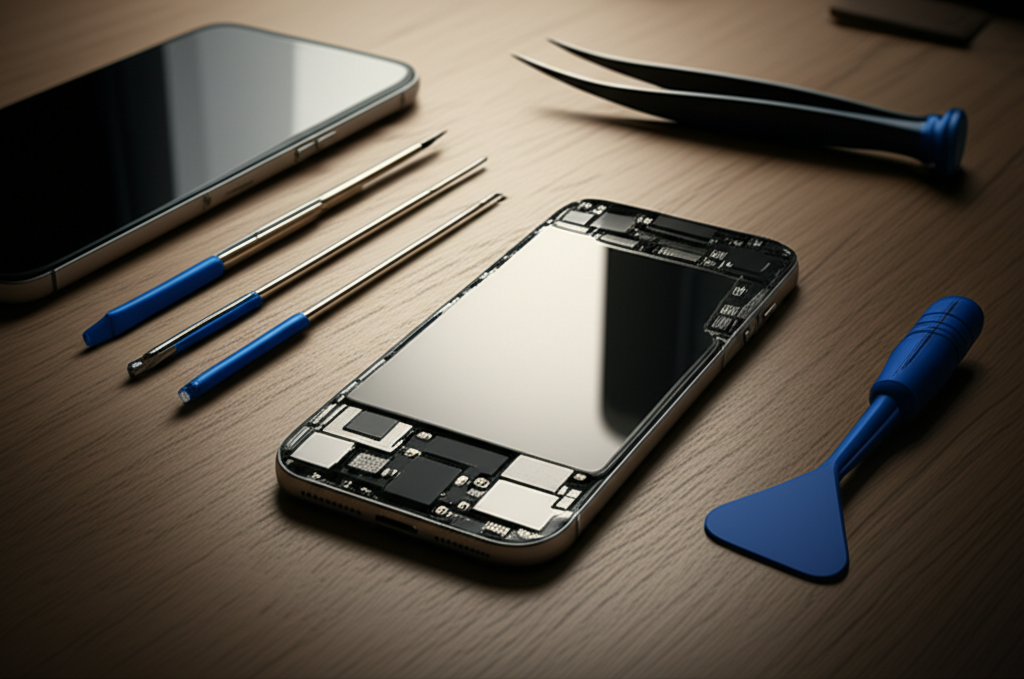
Learn how to repair your iPhone with these essential fixes. This guide covers common issues, necessary tools, and step-by-step instructions. Get your iPhone working like new again with expert tips.
Cracked screens and dead batteries are common iPhone problems. Many people think they need a professional for every fix. But with the right knowledge and tools, you can handle many repairs yourself. This guide will show you how to repair your iPhone for essential fixes. We will cover diagnosing issues, gathering tools, and performing repairs safely. Get ready to save money and gain new skills.
Understanding Common iPhone Problems and How to Repair Them
Many iPhone issues have simple solutions. Understanding what’s wrong helps you fix it. Common problems include screen damage, battery drain, charging port issues, and software glitches. Knowing these issues is the first step to a successful repair. It helps you decide if a DIY fix is possible.
Diagnosing Your iPhone’s Issues: The First Step to Repair

Before you grab a screwdriver, you need to know the problem. Does your iPhone not turn on? Is the screen unresponsive? Does it overheat? These symptoms point to different internal issues. Careful observation helps pinpoint the exact cause. This avoids unnecessary repairs and saves time.
Screen Issues: Cracks, unresponsive touch, dead pixels.
Battery Problems: Fast draining, not holding a charge, sudden shutdowns.
Charging Issues: Not charging, slow charging, port damage.
Audio Problems: No sound from speakers, microphone not working.
Software Glitches: Apps crashing, freezing, or not loading.
Essential Tools for iPhone Repair: What You Need
Repairing an iPhone requires specific tools. You can’t use just any screwdriver. Precision tools are crucial for small screws and delicate parts. A good repair kit makes the job much easier and safer. Always use the right tools to prevent further damage.
Here are some must-have tools for iPhone repairs:
Pentalobe Screwdriver: For the special screws on the bottom of iPhones.
Phillips Head Screwdriver: For internal screws.
Spudger: A plastic or metal tool to pry open components and disconnect cables.
Suction Cup: To lift the screen away from the body.
Tweezers: For handling tiny screws and connectors.
Heat Gun or Hair Dryer: To soften adhesive for screen removal.
Anti-Static Wrist Strap: To protect components from static electricity.
Repair Kit: Often includes a combination of the above tools.
Using ESD (Electrostatic Discharge) protection is vital. Static electricity can fry delicate iPhone components. Always wear an anti-static wrist strap. Work on a clean, static-free surface.
DIY iPhone Screen Repair: Bringing Your Display Back to Life
A cracked iPhone screen is very common. Replacing it is a popular DIY repair. You will need a new screen assembly and a good repair kit. Take your time and follow instructions carefully. This repair can save you a lot of money compared to professional services.
Steps for iPhone screen replacement:
1. Power off your iPhone. This is a critical safety step.
2. Remove the two pentalobe screws on the bottom edge.
3. Use a suction cup to lift the screen. Place it near the bottom edge. Gently pull up.
4. Use a spudger to carefully pry around the edges. This breaks the adhesive seal.
5. Open the iPhone like a book, from the side. Do not pull the screen off completely.
6. Disconnect the battery cable first. This prevents short circuits.
7. Disconnect the screen cables. There are usually two or three.
8. Remove the old screen.
9. Connect the new screen cables.
10. Reconnect the battery cable.
11. Test the new screen before sealing the phone.
12. Apply new adhesive around the frame.
13. Close the iPhone and press down gently.
14. Replace the pentalobe screws.
Many guides on sites like iFixit offer detailed, model-specific instructions. They often include videos. These resources are invaluable for visual learners.
iPhone Battery Replacement: Restoring Power and Longevity
An iPhone battery degrades over time. If your phone dies quickly, a battery replacement might be needed. This is another common and achievable DIY repair. You will need a new battery and the right tools. Be gentle with internal cables.
Here’s a general guide to iPhone battery replacement:
1. Power off your iPhone.
2. Remove the two pentalobe screws.
3. Heat the edges of the screen to soften the adhesive.
4. Use a suction cup and spudger to carefully lift and open the screen.
5. Disconnect the battery connector. This is very important.
6. Remove the battery. It’s often held by adhesive strips. You might need to gently pry it out. Be careful not to puncture the battery.
7. Install the new battery.
8. Reconnect the battery connector.
9. Test the new battery by powering on the phone.
10. Apply new adhesive and reassemble the iPhone.
Replacing the battery can significantly improve your iPhone’s performance. It makes the device usable for longer periods. It’s a cost-effective solution for battery issues.
Charging Port Repair: Ensuring Your iPhone Gets Power
If your iPhone won’t charge, the charging port might be the problem. Lint and debris can block the connection. Sometimes, the port itself is damaged. Cleaning the port is an easy first step. If that doesn’t work, the port might need replacement.
How to clean your iPhone’s charging port:
Power off your iPhone.
Use a toothpick or a non-metallic tool. Gently pick out any visible lint or debris.
Be very careful not to damage the pins inside the port.
If cleaning doesn’t help, the charging port module might need replacement. This is a more advanced repair. It involves opening the iPhone and replacing a small component. You will need specific tools and a replacement port.
Fixing Water Damage: A Delicate but Possible Repair
Water damage is serious for any electronic device. If your iPhone gets wet, act fast. Turn it off immediately. Do not try to charge it. Rice is a myth; it doesn’t help much. Specialized drying solutions are better.
What to do for water damage:
1. Power off the iPhone immediately.
2. Do not charge it.
3. Remove any case or accessories.
4. Dry the exterior with a soft cloth.
5. Use compressed air to blow out water from ports.
6. Place the iPhone in a sealed bag with silica gel packets. These absorb moisture.
7. Wait at least 48-72 hours.
8. Attempt to power it on.
If it doesn’t work, professional cleaning and inspection are needed. Liquid damage indicators inside the phone will show exposure. Sometimes, internal components need to be cleaned or replaced.
Software Troubleshooting: Fixing Glitches Without Opening Your iPhone
Not all iPhone problems require physical repair. Software glitches can cause many issues. Freezing, app crashes, and slow performance are often software-related. These can usually be fixed with simple troubleshooting steps.
Common software fixes:
Restart your iPhone: This simple step can resolve many temporary glitches.
Force Restart your iPhone: For unresponsive devices. The method varies by model.
Update iOS: Ensure you have the latest version. Updates often fix bugs.
Reset All Settings: This restores network and privacy settings without deleting data.
Restore your iPhone via iTunes/Finder: This is a more drastic step. It erases all data and reinstalls iOS. Back up your data first.
These software solutions are free and easy to perform. They can save you from a hardware repair.
Advanced iPhone Repair Techniques and Considerations
For more complex issues, like motherboard problems, advanced skills are needed. This involves micro-soldering and component-level diagnostics. These repairs are not for beginners. They require specialized tools and knowledge.
Motherboard Repair: The Deep End of iPhone Fixes
Motherboard repair is the most challenging type of iPhone repair. It involves fixing the main circuit board. Problems like water damage or dropped phones can damage the motherboard. This requires micro-soldering skills.
Key aspects of motherboard repair:
Micro-soldering: Fixing tiny components on the board.
Component Replacement: Swapping out damaged chips.
Diagnostic Tools: Using microscopes and multimeters.
Specialized Software: For board-level diagnostics.
This type of repair is usually best left to experienced professionals. It requires a significant investment in tools and training. Companies specializing in micro-electronics offer these services.
Data Recovery from Damaged iPhones
If your iPhone is severely damaged, data recovery might be possible. This is a specialized service. It involves recovering photos, contacts, and other data. It is especially useful if you don’t have a recent backup.
Data recovery options:
Professional Data Recovery Services: These companies have advanced tools. They can often recover data from water-damaged or physically broken phones.
Motherboard Cloning: Sometimes, a damaged motherboard can be cloned onto a new one. This requires specialized equipment.
The success of data recovery depends on the type and extent of damage. It can be expensive, but often worth it for irreplaceable data.
Tips for Successful iPhone Repairs
Successful iPhone repairs depend on preparation and patience. Rushing the process can lead to more problems. Always follow best practices.
Watch video tutorials: Visual guides are very helpful.
Use high-quality replacement parts: Cheap parts can fail quickly.
Keep screws organized: Use a magnetic mat or labeled containers.
Test before sealing: Ensure everything works before closing the phone.
Be patient: Take your time. Rushing leads to mistakes.
Maintaining Your iPhone for Fewer Repairs
Preventative maintenance can reduce the need for repairs. Keeping your iPhone clean and updated is key.
Keep it clean: Regularly clean the charging port and speaker grilles.
Use a protective case and screen protector: This guards against drops and scratches.
Avoid extreme temperatures: Heat and cold can damage the battery and internal components.
Update software: iOS updates often include performance improvements and bug fixes.
When to Call a Professional iPhone Repair Service
Some repairs are too complex for DIY. If you’re not comfortable opening your iPhone, or if the issue is severe, seek professional help.
Consider professional repair if:
The iPhone has suffered significant water damage.
The motherboard is suspected to be damaged.
You lack the necessary tools or confidence.
The repair involves complex components like Face ID.
Professional repair services offer expertise and warranties. They can handle issues beyond the scope of DIY. Apple’s official repair service or reputable third-party shops are good options.
Frequently Asked Questions About How to Repair an iPhone
Q1: Can I repair my iPhone screen myself?
Yes, you can repair your iPhone screen yourself. It requires specific tools like a pentalobe screwdriver and a suction cup. It also needs a replacement screen assembly. Many online guides and videos offer step-by-step instructions.
Q2: How much does it cost to repair an iPhone?
The cost varies greatly. A DIY screen repair might cost $30-$100 for parts. Professional screen replacement can range from $100-$300. Battery replacement is usually cheaper, around $50-$100 for parts. Motherboard repairs can cost hundreds of dollars.
Q3: What is the most common iPhone repair?
The most common iPhone repairs are screen replacements and battery replacements. These parts are most prone to wear and damage from drops.
Q4: Should I use genuine Apple parts or third-party parts?
Genuine Apple parts are ideal but often expensive and hard to get for DIY repairs. High-quality third-party parts are a good alternative. They offer a balance of cost and performance. Always buy from reputable suppliers.
Q5: My iPhone won’t turn on. What should I do?
First, try charging it for at least 30 minutes. If it still won’t turn on, perform a force restart. If these steps fail, it could be a battery or motherboard issue. Professional diagnosis might be needed.
Q6: Is it safe to repair my iPhone if it’s water damaged?
Repairing water-damaged iPhones is risky. Water can cause corrosion and damage components over time. It’s best to get it professionally inspected. Do not attempt to charge or power on a wet iPhone.
Q7: How long does an iPhone repair take?
DIY repairs can take 1-3 hours, depending on your skill and the complexity. Professional repairs can vary. Some shops offer same-day service for common issues like screen or battery replacement.
Conclusion
Learning how to repair your iPhone can be empowering and cost-saving. Simple fixes like screen or battery replacement are achievable for most people. Always prioritize safety by powering off your device and using ESD protection. For complex issues like motherboard damage or severe water damage, professional help is recommended. With the right tools, knowledge, and patience, you can keep your iPhone running smoothly.
If you found this guide helpful, consider subscribing to our newsletter for more repair tips and tool reviews.

Belayet Hossain is a Senior Tech Expert and Certified AI Marketing Strategist. Holding an MSc in CSE (Russia) and over a decade of experience since 2011, he combines traditional systems engineering with modern AI insights. Specializing in Vibe Coding and Intelligent Marketing, Belayet provides forward-thinking analysis on software, digital trends, and SEO, helping readers navigate the rapidly evolving digital landscape. Connect with Belayet Hossain on Facebook, Twitter, Linkedin or read my complete biography.