


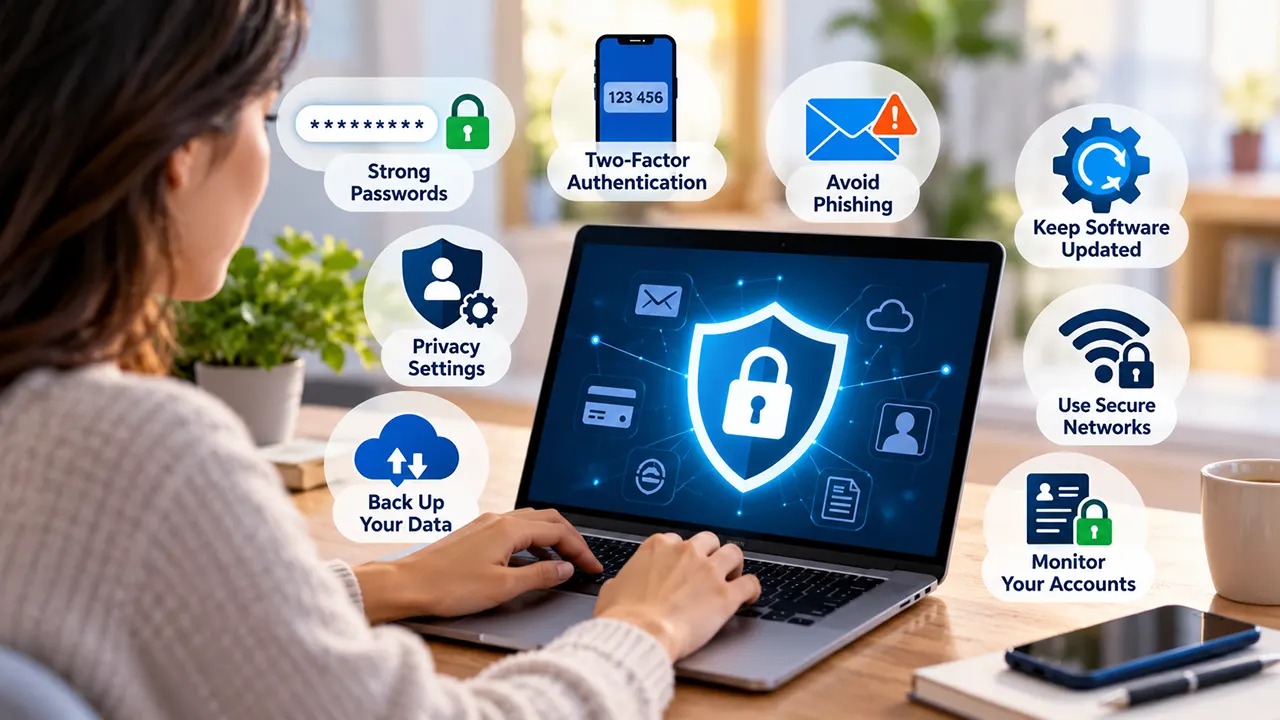
The internet has made everyday life a great deal easier. Shopping, banking, keeping in touch with family and working from home can all be done from a sofa in a matter of minutes. There is a catch, though. All that convenience comes with real privacy and security risks. Every time someone creates an account, browses a website, downloads an app or shares a few details online, they may be leaving a small trail of personal data behind them. If that information ends up in the wrong hands, it can lead to identity theft, financial fraud or strangers getting into accounts they have no business being in.
The good news is that keeping personal data safe online doesn’t call for any advanced technical knowledge. It mostly comes down to a handful of simple digital habits, and once beginners get into them, they can cut out a lot of the common risks and enjoy a far safer time online.
How to Protect Your Personal Data Online: 8 Tips
1. Use Strong and Unique Passwords
Passwords are usually the first thing standing between an account and someone trying to break into it. Simple ones, like a first name, a birthday or the old favourite “123456”, make that job far too easy for anyone with bad intentions.
A strong password mixes uppercase and lowercase letters, numbers and special characters. Just as important is not using the same password on lots of different websites, because one leak can then open the door to everything else. Remembering dozens of complicated combinations is a lot to ask of anyone, which is where a password manager earns its keep. It can create unique passwords and store them securely, so nobody has to rely on a sticky note on the side of the monitor.
2. Enable Two-Factor Authentication
Two-factor authentication (2FA) adds an extra layer of security to an account. Instead of relying on a password alone, it asks for a second check, such as a code from an authentication app, a security key or a login notification that has to be approved.
It’s well worth switching 2FA on for the accounts that matter most, especially email, banking, cloud storage and social media profiles. Where the option exists, an authenticator app or a passkey offers stronger protection than text-message codes on their own. Recovery codes are worth keeping somewhere safe as well, since losing a phone shouldn’t mean being locked out of everything overnight.
3. Be Careful With Suspicious Emails and Links
Phishing is one of the most common online scams around. Criminals pretend to be a trusted organisation and try to trick people into handing over sensitive information. The message might look as though it came from a bank, a delivery company, an employer or a familiar online service, often with a parcel that supposedly “couldn’t be delivered”.
A careful look at the sender’s address and at where a link actually leads can stop a lot of trouble before it starts. Unexpected attachments are best left unopened, and verification codes are never something to share by email or through a messaging app, however friendly the request sounds. When a message pushes for urgent action, the safest move is to go straight to the organisation’s official website instead of clicking the link provided.
4. Keep Your Devices and Software Updated
Outdated software can have security weak spots that attackers know exactly how to exploit. Updates to operating systems, browsers and apps often include important security fixes, even when they look like nothing more than a nagging pop-up at an inconvenient moment.
Turning on automatic updates wherever possible takes a lot of the effort out of it. It also helps to check every so often that the computer, smartphone, browser and essential apps are all running versions that are still supported. Programs are safest when they come from official websites or trusted app stores, not from unfamiliar third-party sources offering a “free” version.
5. Review Privacy Settings on Apps and Websites
Plenty of apps ask for access to information they don’t really need for their main job. A simple torch or calculator app, for instance, may suddenly want access to contacts, the microphone, location or photos, which is a bit like a plumber asking to look through the family photo album.
Going through app permissions now and then, and only allowing access when it’s genuinely needed, makes a real difference. This matters just as much when shopping online or researching products for the family. Parents comparing a best infant nasal aspirator, for example, benefit from checking the retailer’s privacy policy and understanding how their personal information is collected and used before they buy anything.
Social media privacy settings deserve the same attention. Limiting who can see personal posts, contact details, photographs and location information goes a long way. Sensitive details are best kept off public profiles altogether, including a home address, upcoming travel plans, identification documents and anything that might help someone guess the answers to account recovery questions, such as the name of a first pet or a mother’s maiden name.
6. Use Secure Networks and Be Cautious on Public Wi-Fi
Public Wi-Fi in airports, hotels, cafés and other shared spaces is handy, but not every network can be trusted. Fake hotspots sometimes copy the names of genuine ones, and poorly secured connections can raise certain security risks.
A quick word with the staff to confirm the correct network name before connecting is a simple and sensible habit. Sensitive transactions, like online banking, are better saved for a safer connection when one is available. A reputable virtual private network (VPN) can help protect network traffic, especially on untrusted connections. It isn’t a magic shield, though, and it won’t stop phishing, malware or every form of tracking.
For example, someone researching family healthcare products such as a 2-in-1 spray suction electric nasal aspirator is far better off using a secure connection and making sure they’re on the retailer’s genuine website before typing in any payment details. HTTPS helps protect information while it travels, although it doesn’t guarantee that the website itself is trustworthy.
7. Back Up Important Data Regularly
Protecting data also means being ready for the day a device fails, a file gets deleted by accident, ransomware strikes or a phone is stolen from a café table. Regular backups make it possible to recover important documents, photographs and other files when something goes wrong.
Many people find that a mix of secure cloud backups and an external drive works well. Keeping that external drive unplugged when it isn’t being used for backups, where practical, also reduces its exposure to malware.
It’s worth checking backup settings from time to time and testing whether important files can actually be restored. A backup only really proves its worth if the data can be reached when there’s an emergency, not just when everything is running smoothly.
8. Monitor Your Accounts and Limit Data Sharing
Looking over bank statements, account activity and security notifications regularly is a habit that pays off. An unfamiliar login, an unexpected payment or a strange change to an account settings page all deserve a closer look straight away. In that situation, the affected passwords are best changed from a trusted device, and the relevant service provider or bank can be contacted if needed.
When signing up for websites, sharing only the personal information that’s genuinely required keeps the risk down. Reading privacy policies before handing over sensitive details helps too, as does closing old accounts that no longer get used, when that’s possible.
Conclusion
Protecting personal data online starts with small actions repeated consistently. Strong passwords, two-factor authentication, careful browsing, regular software updates and sensible privacy settings can cut down common digital risks considerably. Secure backups and routine account checks then add another layer of protection if something does go wrong.
Nobody needs to be a cybersecurity expert to stay safer online. Once these practices become part of an everyday digital routine, people can protect their identity, their finances and their personal information far more effectively, and use the internet with a lot more confidence.

Belayet Hossain is a Senior Tech Expert and Certified AI Marketing Strategist. Holding an MSc in CSE (Russia) and over a decade of experience since 2011, he combines traditional systems engineering with modern AI insights. Specializing in Vibe Coding and Intelligent Marketing, Belayet provides forward-thinking analysis on software, digital trends, and SEO, helping readers navigate the rapidly evolving digital landscape. Connect with Belayet Hossain on Facebook, Twitter, Linkedin or read my complete biography.