


Published on: 26/09/2025 | Updated on: September 26, 2025
Meross Smart WiFi Plug Mini: Essential, Effortless Smart Home Control
The Meross Smart WiFi Plug Mini is a compact, affordable, and user-friendly device that brings smart control to your existing appliances, making everyday tasks simpler and more convenient. It’s the perfect entry point into smart home technology, offering easy setup and reliable performance for everyday use.
Ever wished you could control your lamps, fans, or coffee makers with just your voice or a tap on your phone? Juggling multiple remotes and constantly wondering if you left something on can be a hassle. The Meross Smart WiFi Plug Mini is here to simplify your life, transforming ordinary devices into smart, controllable gadgets. This article will guide you through everything you need to know about this essential smart home tool.
What Makes the Meross Smart WiFi Plug Mini a Smart Choice?
The Meross Smart WiFi Plug Mini stands out in a crowded market due to its blend of affordability, ease of use, and robust functionality. It’s designed to be an accessible entry point for anyone looking to dip their toes into the world of smart home technology without a significant investment or complex setup.
This little plug packs a punch, allowing you to remotely control any appliance plugged into it. Imagine turning on your fan from the couch or scheduling your morning coffee maker to start brewing before you even wake up. It’s about adding convenience and a touch of modern magic to your daily routines.
Unpacking the Meross Smart WiFi Plug Mini: What’s Inside the Box?
When you receive your Meross Smart WiFi Plug Mini, the packaging is typically minimalist and eco-friendly. Inside, you’ll find the plug itself, a quick start guide, and perhaps a warranty card. The focus is on getting you up and running quickly with minimal fuss.
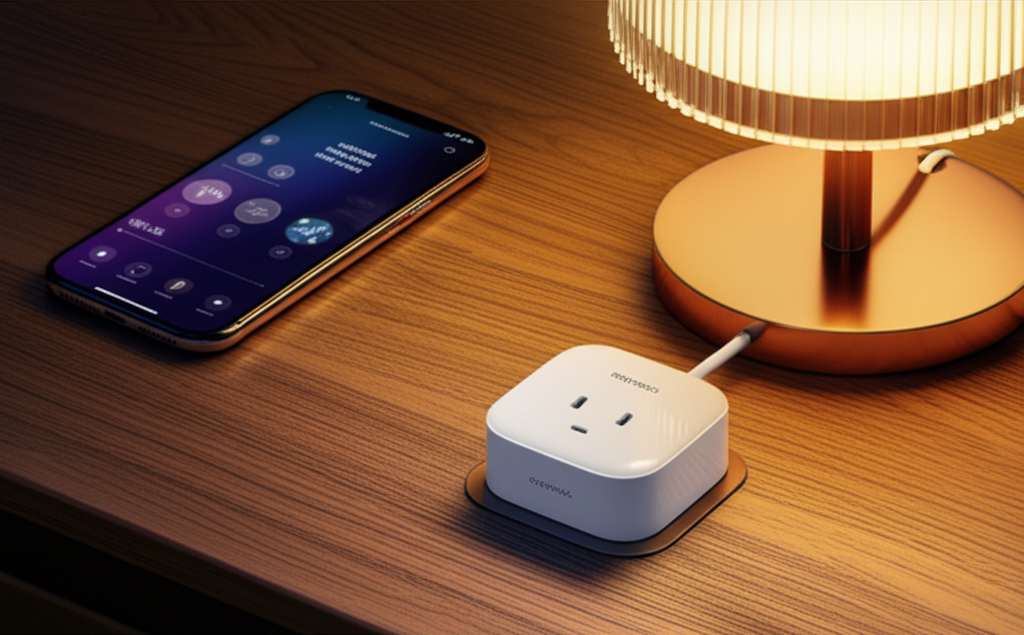
The plug’s design is compact, ensuring it won’t block adjacent outlets, which is a common issue with larger smart plugs. Its straightforward appearance means it blends seamlessly into most home decors. The build quality feels solid, promising durability for everyday use.
Getting Started: A Seamless Setup Process
Setting up the Meross Smart WiFi Plug Mini is refreshingly simple, even for those new to smart home gadgets. The entire process is managed through the Meross app, which is available for both iOS and Android devices. You won’t need a separate hub, as it connects directly to your existing WiFi network.
First, download the Meross app from your device’s app store. Next, plug the Meross Smart WiFi Plug Mini into your desired outlet and connect your appliance to it. The app will then guide you through connecting the plug to your 2.4GHz WiFi network.
This intuitive setup ensures that you can start enjoying smart control within minutes of unboxing. The app provides clear instructions and visual cues throughout the process, making it a stress-free experience for users of all technical skill levels.
Key Features of the Meross Smart WiFi Plug Mini
The Meross Smart WiFi Plug Mini offers a suite of features designed to enhance convenience and control. These functionalities are what elevate your standard appliances to smart devices, offering a level of automation and remote access previously unimaginable.
One of the most significant features is remote control. Through the Meross app, you can turn connected devices on or off from anywhere with an internet connection. This provides peace of mind and the ability to manage your home remotely.
Another crucial feature is scheduling and timers. You can set specific times for devices to turn on or off automatically. This is perfect for managing lighting, ensuring appliances aren’t left running unnecessarily, and even for creating a lived-in look while you’re away.
Voice control integration is also a major draw. The Meross Smart WiFi Plug Mini works seamlessly with popular voice assistants like Amazon Alexa and Google Assistant. This allows for hands-free operation, making it incredibly convenient to manage your connected devices.
The Meross app also provides energy monitoring capabilities for some models, allowing you to track the power consumption of connected appliances. This can help you identify energy-hungry devices and make more informed decisions about your electricity usage.
Finally, the compact design is a practical feature. Its small size means it occupies only one outlet space and usually doesn’t obstruct the second socket. This is a significant advantage over bulkier smart plugs that can create awkward configurations.
App Control: Your Command Center for Smart Devices
The Meross app is the central hub for managing your Smart WiFi Plug Mini and other Meross smart devices. It’s designed with a clean interface that makes it easy to navigate and control your connected appliances. The app is your remote control, scheduler, and energy monitor all rolled into one.
Within the app, you can easily switch devices on and off with a single tap. You can also create custom schedules, set countdown timers, and group devices together for synchronized control. The app’s intuitive design ensures that even novice users can quickly master its functionalities.
For a more comprehensive smart home experience, the Meross app also allows you to set up scenes and automations. For example, you could create a “Good Morning” scene that turns on your coffee maker and a lamp simultaneously. This level of customization truly unlocks the potential of a smart home.
Voice Command Convenience: Hands-Free Smart Home Living
The ability to control your devices with your voice is one of the most liberating aspects of smart home technology. The Meross Smart WiFi Plug Mini integrates effortlessly with major voice assistants, including Amazon Alexa and Google Assistant, transforming your home into a voice-activated environment.
Imagine being snuggled up on the couch and realizing you forgot to turn off the living room lamp. Instead of getting up, you can simply say, “Alexa, turn off the living room lamp,” and it’s done. This hands-free convenience adds a significant layer of comfort and ease to your daily life.
Setting up voice control involves linking your Meross account to your Amazon Alexa or Google Home app. Once connected, you can assign names to your smart plugs (e.g., “Desk Fan,” “Kitchen Light”) to make voice commands more natural and intuitive. This seamless integration makes managing your home feel futuristic and incredibly simple.
Scheduling and Timers: Automate Your Life for Efficiency
Scheduling and timer functions are where the Meross Smart WiFi Plug Mini truly shines in bringing automation to your home. These features allow you to set devices to turn on or off at specific times or after a set duration, enhancing both convenience and energy efficiency.
For instance, you can schedule your coffee maker to start brewing just before your alarm goes off, ensuring a fresh cup of coffee is ready as you wake up. Similarly, you can set outdoor lights to turn on at dusk and off at dawn, enhancing security and ambiance.
The countdown timer function is equally useful. Need to run a fan for just an hour? Set a timer, and it will automatically switch off, preventing it from running longer than necessary. This simple automation can lead to significant energy savings and peace of mind.
Energy Monitoring: Understanding Your Power Consumption
Some models of the Meross Smart WiFi Plug Mini offer an integrated energy monitoring feature, which is a powerful tool for understanding and managing your home’s electricity usage. This feature provides real-time data on the power consumption of any appliance plugged into the smart plug.
By tracking how much energy a device uses, you can identify which appliances are the biggest energy hogs. This insight allows you to make informed decisions, such as opting for more energy-efficient appliances or adjusting usage patterns. For example, you might discover that a seemingly innocuous device is consuming a surprising amount of power even when in standby mode.
This capability not only helps in reducing your electricity bills but also contributes to a more sustainable lifestyle. Monitoring energy consumption empowers you to take control of your home’s environmental footprint.
Compatibility and Integration: Works with Your Existing Ecosystem
The Meross Smart WiFi Plug Mini is designed for broad compatibility, ensuring it can fit into your existing smart home setup or serve as the foundation for a new one. It primarily connects via your home’s 2.4GHz Wi-Fi network, which is standard for most smart home devices.
It integrates seamlessly with major smart home platforms and voice assistants. This includes:
Amazon Alexa: Control devices with voice commands through Echo devices.
Google Assistant: Use Google Home or Nest devices for voice control.
Apple HomeKit: For users invested in the Apple ecosystem, Meross offers HomeKit-compatible versions of their plugs, allowing control via Siri and the Home app. (Ensure you purchase the HomeKit-certified model).
IFTTT (If This Then That): This powerful automation platform allows you to create custom applets that connect Meross devices with a vast array of other apps and services.
This extensive compatibility means you aren’t locked into a single ecosystem. You can mix and match devices from different brands and still maintain a unified smart home experience. This flexibility is crucial for building a smart home that truly meets your needs.
Meross vs. Competitors: Where Does the Mini Plug Stand?
When comparing the Meross Smart WiFi Plug Mini to other smart plugs on the market, several factors come into play, including price, features, app quality, and ecosystem integration. Meross often strikes a compelling balance, offering a feature-rich experience at a competitive price point.
Price: Meross is generally more affordable than premium brands like Wemo or Philips Hue (which often requires a hub). This makes it an excellent choice for budget-conscious consumers or those looking to outfit multiple outlets.
Features: Most Meross plugs offer core smart plug functionalities: remote control, scheduling, and voice assistant integration. Some competitors might offer more advanced features like detailed energy monitoring on all models or specific security certifications, but Meross covers the essential needs for most users effectively.
App and Ecosystem: The Meross app is functional and generally well-received, though some users find competitor apps like Kasa (TP-Link) or Smart Life to be more polished or feature-rich. However, Meross’s compatibility with Alexa, Google Assistant, and often HomeKit (check specific models) ensures it plays well with popular smart home ecosystems.
Reliability: Meross has a reputation for reliable performance. While individual experiences can vary, their products generally offer stable connectivity and responsive control.
In essence, the Meross Smart WiFi Plug Mini offers a superb value proposition. It delivers the core smart home experience effectively and affordably, making it a strong contender, especially for those starting their smart home journey.
Frequently Asked Questions About the Meross Smart WiFi Plug Mini
Q1: Do I need a separate hub for the Meross Smart WiFi Plug Mini?
No, the Meross Smart WiFi Plug Mini connects directly to your home’s 2.4GHz Wi-Fi network. You do not need a separate hub, which simplifies setup and reduces costs.
Q2: What appliances can I use with the Meross Smart WiFi Plug Mini?
You can use it with most standard small appliances like lamps, fans, coffee makers, and even Christmas lights. However, it’s crucial to check the maximum power rating of the plug and ensure it’s not exceeded by the appliance to avoid damage or safety hazards. It is not suitable for high-power devices like electric heaters or large appliances.
Q3: Can I control the plug when I’m not at home?
Yes, as long as your Meross Smart WiFi Plug Mini is connected to your Wi-Fi and your smartphone has an internet connection, you can control it remotely from anywhere in the world via the Meross app.
Q4: Is the Meross Smart WiFi Plug Mini compatible with Apple HomeKit?
Some Meross Smart WiFi Plugs are compatible with Apple HomeKit, but not all. You must specifically look for models that are advertised as “HomeKit-enabled” or “Works with Apple HomeKit.” Always check the product packaging or description before purchasing.
Q5: How do I reset the Meross Smart WiFi Plug Mini if it’s not working?
To reset the plug, typically you need to press and hold the power button on the device for about 5-10 seconds until the indicator light starts flashing rapidly. This will clear its settings, and you can then re-add it to the Meross app.
Q6: Can I use multiple Meross Smart WiFi Plug Minis in my home?
Absolutely. You can add as many Meross Smart WiFi Plug Minis as you need to your Meross app, allowing you to control multiple devices throughout your home. You can group them and manage them individually or collectively.
Conclusion: Bringing Smart Simplicity to Your Home
The Meross Smart WiFi Plug Mini proves that smart home technology doesn’t have to be complicated or expensive. It’s an incredibly accessible and effective solution for anyone looking to add convenience, automation, and a touch of modern control to their daily lives. From effortless voice commands to smart scheduling, this compact device transforms ordinary appliances into intelligent tools.
Its straightforward setup, reliable performance, and broad compatibility with major smart home ecosystems make the Meross Smart WiFi Plug Mini an essential addition for both smart home beginners and seasoned enthusiasts. It’s a small investment that delivers significant improvements in comfort and efficiency. If you’re ready to step into a smarter home, the Meross Smart WiFi Plug Mini is an excellent place to start.


Belayet Hossain is a Senior Tech Expert and Certified AI Marketing Strategist. Holding an MSc in CSE (Russia) and over a decade of experience since 2011, he combines traditional systems engineering with modern AI insights. Specializing in Vibe Coding and Intelligent Marketing, Belayet provides forward-thinking analysis on software, digital trends, and SEO, helping readers navigate the rapidly evolving digital landscape. Connect with Belayet Hossain on Facebook, Twitter, Linkedin or read my complete biography.