
Published on: 26/09/2025 | Updated on: September 26, 2025
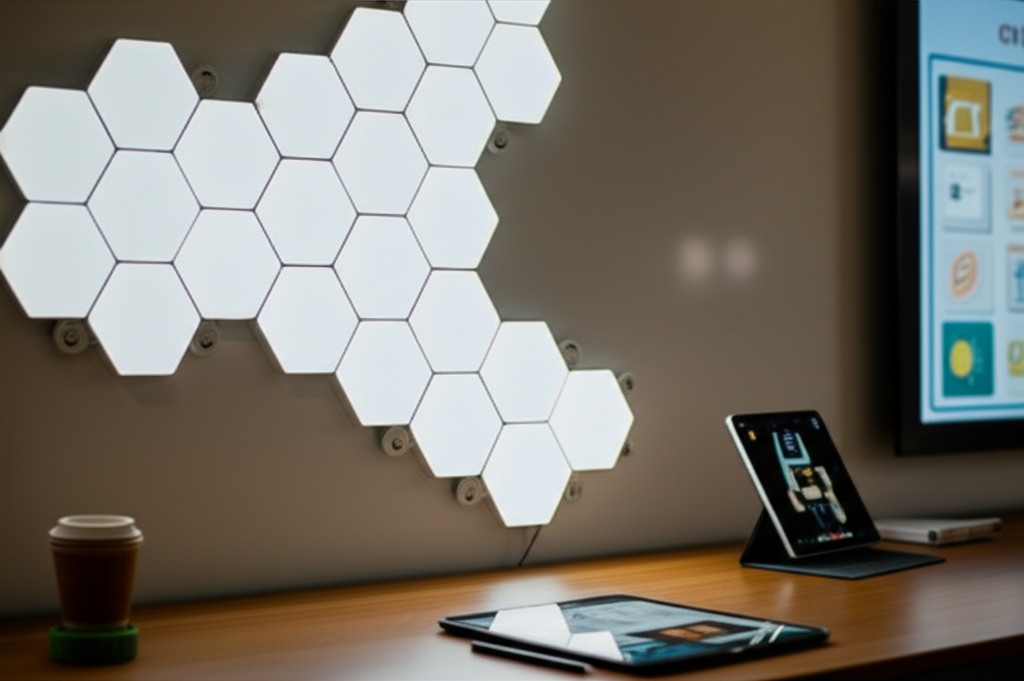
Nanoleaf Shapes Hexagons are a brilliant fusion of interactive lighting and educational tools, transforming any classroom into an engaging, tech-forward learning environment.
As a seasoned tech analyst, I’ve seen my fair share of gadgets promising to revolutionize education. Many fall flat, but some truly stand out. Today, I want to talk about one such innovation: the Nanoleaf Shapes Hexagons. These aren’t just pretty lights; they’re a powerful, adaptable, and frankly, genius piece of classroom technology that can spark creativity and enhance learning in ways you might not expect. If you’re looking to bring a modern, engaging, and interactive element to your learning space, you’re in the right place. We’ll dive deep into what makes these hexagonal panels so special and how they can become an essential part of your teaching toolkit.
Why Nanoleaf Shapes Hexagons Are a Game-Changer for Classrooms
The Nanoleaf Shapes Hexagons are far more than just decorative lighting. They represent a significant leap in how we can integrate dynamic visual elements into educational settings. Their modular design allows for endless customization, while their smart features enable interactive learning experiences. This technology moves beyond static posters or whiteboards, offering a vibrant, responsive canvas for both teachers and students.
In today’s digitally driven world, classrooms need tools that reflect and leverage modern technology. The Nanoleaf Shapes Hexagons perfectly bridge the gap between aesthetic appeal and functional educational utility. They create an environment that is not only visually stimulating but also encourages active participation and deeper engagement with subject matter. Their versatility means they can adapt to various age groups and subjects, making them a truly valuable asset.
Understanding the Core of Nanoleaf Shapes Hexagons
At their heart, Nanoleaf Shapes Hexagons are modular, smart LED light panels. Each hexagonal panel can display millions of colors and sync with music, screen content, or react to touch. The genius lies in their ability to connect together in almost any configuration imaginable, allowing for personalized designs that can be as simple or complex as needed. This modularity is key to their adaptability in a classroom setting.
The panels are controlled via the Nanoleaf app, offering a wealth of customization options. You can create static color scenes, dynamic animations, or even use pre-set “Routines” designed for focus, relaxation, or energy. The integration with smart home ecosystems further expands their potential, allowing for voice control and automation that can streamline classroom management. Their energy efficiency is also a significant plus for any school environment.
The Educational Potential: More Than Just Pretty Lights
The true power of Nanoleaf Shapes Hexagons in an educational context lies in their interactive capabilities. Imagine using them to visualize complex concepts, create interactive quizzes, or even foster collaborative problem-solving. For younger students, they can be used for color recognition games or as a visual timer. Older students might use them to map out historical timelines, illustrate scientific processes, or even as a dynamic display for coding projects.
The ability to create custom light shows and animations makes abstract subjects more tangible and exciting. For instance, a science teacher could program a sequence to demonstrate the stages of photosynthesis, or a math teacher could use them to visualize geometric patterns. This visual reinforcement can significantly improve comprehension and retention, catering to diverse learning styles.
Unleashing Creativity: Design and Customization in the Classroom
The modular nature of Nanoleaf Shapes Hexagons is where their true genius shines for classroom application. Teachers and students can physically arrange the panels on walls, creating unique shapes and patterns that can be changed as needed. This hands-on aspect encourages creativity and teamwork, turning the installation process itself into a collaborative learning activity.
The Nanoleaf app provides an intuitive interface for designing layouts and color schemes. Whether you’re creating a calming ocean scene for a quiet reading corner or a vibrant, energetic display for a presentation, the possibilities are virtually limitless. This level of personalization ensures that the technology can be tailored to the specific needs and aesthetic preferences of any classroom. It’s a canvas for learning, designed by the learners themselves.
Interactive Learning: Engaging Students with Dynamic Displays
Nanoleaf Shapes Hexagons excel at creating interactive learning experiences. Features like screen mirroring allow the lights to react to content displayed on a computer or tablet, making digital lessons more immersive. For example, watching a nature documentary could be enhanced by lights that mimic the colors of the scene. This sensory engagement can deepen understanding and make learning more memorable.
Touch interaction is another powerful feature. Students can tap the panels to trigger different colors, sounds, or effects, turning lessons into playful games. This kinesthetic learning approach is particularly effective for younger children and can be adapted for various subjects, from counting to spelling. The ability to transform a passive learning experience into an active one is invaluable.
Practical Classroom Applications and Use Cases
The versatility of Nanoleaf Shapes Hexagons opens up a wide array of practical applications for the classroom. Here are just a few examples:
Visual Timers: Set a specific color to fade or change as time elapses, providing a clear visual cue for activities.
Concept Visualization: Illustrate abstract ideas in science, math, or social studies through dynamic color patterns and sequences.
Interactive Quizzes: Assign different colors or light patterns to answer choices and have students touch the corresponding panel.
Mood Lighting: Create calming or energizing atmospheres to suit different learning activities, from focused study to group discussions.
Award Displays: Highlight student achievements with custom light sequences or patterns.
Coding Projects: Integrate with platforms like Raspberry Pi or Arduino for students to learn basic programming by controlling the lights.
Art and Design: Serve as a digital canvas for students to explore color theory and digital art.
This adaptability ensures that Nanoleaf Shapes Hexagons can be a valuable tool across multiple subjects and grade levels. Their ability to serve diverse pedagogical needs makes them a truly worthwhile investment.
Setting Up Your Nanoleaf Shapes Hexagons: A Simple Guide
Getting your Nanoleaf Shapes Hexagons up and running in the classroom is straightforward. The starter kits typically include everything you need: the hexagonal panels, mounting tape, power adapter, and controller. The panels connect to each other using small linkers that slide into the edges.
1. Plan Your Layout: Before mounting, arrange your panels on the floor to visualize your desired design. Consider the available wall space and the overall aesthetic you want to achieve.
2. Clean the Surface: Ensure the wall surface is clean, dry, and smooth for optimal adhesion of the mounting tape.
3. Mount the Panels: Peel and stick the mounting tape to the back of each panel, then firmly press them onto the wall. The linkers will connect them as you place them adjacent to each other.
4. Connect the Power: Attach the controller and power adapter to the designated panel.
5. Download the App: Search for “Nanoleaf” in your device’s app store and download the official application.
6. Pair with the App: Follow the in-app instructions to connect your Nanoleaf Shapes Hexagons to your Wi-Fi network.
The Nanoleaf app is where you’ll unlock the full potential, from creating custom scenes to setting schedules and exploring the Nanoleaf community’s creations. It’s designed to be user-friendly, even for those new to smart lighting technology.
Integrating Nanoleaf Shapes Hexagons with Existing Classroom Tech
Nanoleaf Shapes Hexagons are designed to play well with other technology. They integrate seamlessly with popular smart home platforms like Google Assistant, Amazon Alexa, and Apple HomeKit. This means you can control the lights using voice commands, which is incredibly convenient for a busy teacher.
For more advanced educational applications, consider integrating them with educational software or learning management systems. While direct integration might require some custom coding or use of platforms like IFTTT (If This Then That), the possibilities are vast. For instance, you could trigger specific light patterns based on student progress in an online learning module. Exploring these integrations can unlock even deeper levels of engagement and personalized learning experiences.
Pros and Cons: A Balanced Perspective
Like any technology, Nanoleaf Shapes Hexagons have their strengths and weaknesses that are important to consider for a classroom environment.
Pros:
Highly Engaging: Transforms passive learning into interactive experiences.
Visually Stimulating: Enhances understanding of abstract concepts.
Customizable and Modular: Adaptable to any space and learning need.
Encourages Creativity: Students can participate in design and programming.
Smart Home Integration: Voice control and automation capabilities.
Energy Efficient: Uses LED technology, reducing power consumption.
Durable Design: Panels are built to last.
Cons:
Cost: Can be a significant investment, especially for larger classroom setups.
Requires Wi-Fi: Needs a stable internet connection for full functionality.
Mounting: Requires smooth, paintable walls; not ideal for all surfaces.
Potential for Distraction: If not used purposefully, the lights could become a distraction.
* App Dependency: Relies heavily on the smartphone app for advanced features.
Weighing these factors will help determine if Nanoleaf Shapes Hexagons are the right fit for your specific classroom needs and budget.
Future-Proofing Your Classroom with Smart Lighting
The educational landscape is rapidly evolving, with technology playing an increasingly central role. Investing in smart, adaptable tools like Nanoleaf Shapes Hexagons is a way to future-proof your classroom. These panels are not just a trend; they represent a shift towards more dynamic, personalized, and engaging learning environments. As AI and interactive technologies continue to develop, the potential applications for smart lighting in education will only grow.
By embracing innovations like Nanoleaf Shapes Hexagons, educators can create learning spaces that are not only technologically advanced but also inspiring and conducive to deeper learning. This forward-thinking approach prepares students for a future where technology is seamlessly integrated into all aspects of life.
Frequently Asked Questions (FAQ)
Q1: Are Nanoleaf Shapes Hexagons safe for a classroom environment?
Yes, Nanoleaf panels are designed with safety in mind. They use low-voltage LEDs and come with secure mounting hardware. Always follow installation instructions carefully.
Q2: Can I control Nanoleaf Shapes Hexagons without a smartphone?
While the app offers the most extensive control, basic on/off and scene selection can often be managed through voice commands if integrated with a smart assistant like Alexa or Google Assistant.
Q3: How many panels can I connect together?
The Nanoleaf controller can typically handle up to 500 panels for Nanoleaf Shapes, though it’s recommended to stay within a reasonable number for optimal performance and stability.
Q4: Do the Nanoleaf Shapes Hexagons require a special type of wall?
They work best on smooth, clean, and dry surfaces like painted walls. Avoid textured wallpaper or surfaces that might not support the adhesive.
Q5: Can students use Nanoleaf Shapes Hexagons without direct teacher supervision?
For younger students, supervised use is recommended. Older students can be empowered to use them for projects, with clear guidelines and objectives set by the teacher.
Q6: How durable are the Nanoleaf Shapes Hexagons for daily classroom use?
Nanoleaf products are generally quite durable, designed for long-term use. However, like any electronic device, they should be handled with reasonable care to prevent physical damage.
Conclusion: Illuminating the Future of Learning
Nanoleaf Shapes Hexagons are more than just a stylish addition to a classroom; they are an essential, genius piece of technology that can profoundly impact student engagement and learning outcomes. Their blend of interactive lighting, customizable design, and smart capabilities makes them an incredibly versatile tool for educators. From visualizing complex data to creating dynamic learning games, these hexagonal panels offer a vibrant, responsive canvas for education. While the initial investment might be a consideration, the long-term benefits in terms of student engagement, creativity, and a future-ready learning environment are undeniable. I believe Nanoleaf Shapes Hexagons are a smart investment for any forward-thinking educational institution looking to illuminate the path to deeper understanding.


Belayet Hossain is a Senior Tech Expert and Certified AI Marketing Strategist. Holding an MSc in CSE (Russia) and over a decade of experience since 2011, he combines traditional systems engineering with modern AI insights. Specializing in Vibe Coding and Intelligent Marketing, Belayet provides forward-thinking analysis on software, digital trends, and SEO, helping readers navigate the rapidly evolving digital landscape. Connect with Belayet Hossain on Facebook, Twitter, Linkedin or read my complete biography.