


Published on: 26/09/2025 | Updated on: September 26, 2025
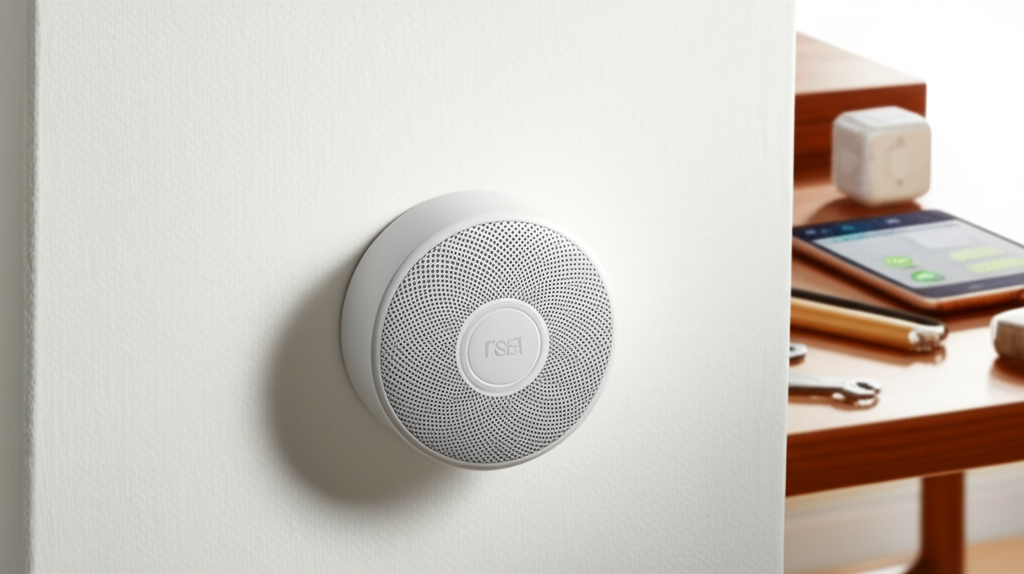
The Nest Protect Smoke & Carbon Monoxide Alarm is a revolutionary smart device that redefines home safety, offering advanced detection, intelligent alerts, and peace of mind through its AI-powered features.
Welcome to the future of home safety! We all want our homes to be sanctuaries, but the lurking dangers of smoke and carbon monoxide can shatter that peace in an instant. Traditional alarms are often loud and confusing, leaving us unsure of the threat. This can lead to delayed reactions and unnecessary panic. But what if your smoke alarm could do more than just shriek? What if it could tell you what the danger is and where it’s located, even alerting you when you’re away? In this guide, I’ll walk you through how the Nest Protect Smoke & Carbon Monoxide Alarm is changing the game, offering an essential safety breakthrough powered by smart technology.
Why Nest Protect is a Game-Changer for Home Safety
Nest Protect isn’t just another smoke detector; it’s a sophisticated, AI-driven safety system designed to provide unparalleled protection. It moves beyond simple sound alerts to offer clear, actionable information, making it a truly essential addition to any modern home. This intelligent device aims to eliminate the confusion and anxiety associated with traditional alarms.
Beyond the Beep: Understanding Nest Protect’s Innovation

The core of Nest Protect’s innovation lies in its ability to differentiate between different types of threats and communicate them intelligently. Unlike older alarms that just blast a generic siren, Nest Protect uses a combination of sensors and AI to identify the specific hazard and vocalize it. This provides immediate clarity and helps occupants respond more effectively.
The AI Advantage: How Nest Protect Learns and Adapts
Nest Protect leverages artificial intelligence and machine learning to enhance its detection capabilities. It continuously monitors its environment and learns patterns to reduce false alarms while ensuring critical events are not missed. This adaptive nature means your safety system becomes more attuned to your home over time.
Unpacking the Smart Features of Nest Protect
The Nest Protect Smoke & Carbon Monoxide Alarm is packed with intelligent features that set it apart from conventional safety devices. These features work in concert to provide comprehensive protection and user-friendly interaction. From its multi-stage sensing to its self-testing capabilities, every aspect is designed with user safety and convenience in mind.
Multi-Stage Sensing: A Smarter Way to Detect Danger
This alarm uses a combination of photoelectric and ionization smoke sensors. This dual approach allows it to detect both fast-burning fires and smoldering ones more effectively than single-sensor alarms. It’s a crucial advancement in early warning systems.
Pathlight and Heads-Up Alerts: Illuminating Safety
When you walk by Nest Protect in the dark, its Pathlight feature gently illuminates your path, enhancing visibility. More importantly, it provides a “Heads-Up” alert, a spoken notification before the full alarm sounds, informing you of the potential danger. This early, calm communication can prevent unnecessary panic.
Carbon Monoxide Detection: Silent Killer, Loud Warning
The integrated carbon monoxide detector is vital. Carbon monoxide is a colorless, odorless gas that can be deadly. Nest Protect’s sensitive CO sensor will alert you immediately if dangerous levels are detected, giving you crucial time to evacuate and seek fresh air.
Self-Testing and Continuous Monitoring
Nest Protect automatically tests its sensors and battery regularly. It doesn’t wait for a monthly manual test to tell you if it’s working. This continuous self-monitoring ensures the device is always ready to protect your home.
Nest Protect vs. Traditional Alarms: A Clear Difference
The distinction between Nest Protect and traditional smoke and CO alarms is significant. While traditional alarms offer a basic level of safety, Nest Protect provides a far more advanced, integrated, and user-friendly experience. This difference is crucial for modern households seeking robust protection.
Ease of Installation and Setup
Setting up Nest Protect is designed to be straightforward. Whether you choose the wired or battery-powered version, the installation process is guided by the Nest app, making it accessible even for those who aren’t tech experts. This ease of use ensures you can get your home protected quickly.
App Integration and Remote Notifications
One of the most powerful features of Nest Protect is its integration with the Google Home app. This allows you to receive alerts on your smartphone or tablet, no matter where you are. If smoke or CO is detected while you’re at work or on vacation, you’ll be notified instantly.
False Alarm Reduction
Traditional alarms are notorious for false alarms caused by cooking or steam. Nest Protect uses advanced algorithms and sensor fusion to significantly reduce these nuisance alerts, so you’re only alerted to genuine threats. This reliability builds trust in the system.
Voice Alerts and Specificity
Instead of a generic alarm sound, Nest Protect uses clear voice alerts. It can tell you “Smoke detected in the kitchen” or “Carbon monoxide detected upstairs,” guiding you to the source of the problem. This specificity is invaluable during an emergency.
The AI-Powered Detection System Explained
Nest Protect’s AI is not just a buzzword; it’s the engine behind its superior safety performance. This technology allows the device to interpret sensor data with remarkable accuracy and provide timely, relevant information. Understanding this AI integration helps appreciate the advanced protection it offers.
Sensor Fusion for Enhanced Accuracy
By combining data from multiple sensors – photoelectric, ionization, and CO – Nest Protect creates a more complete picture of potential hazards. This sensor fusion technique minimizes the risk of false positives and negatives, leading to more reliable detection. It’s a sophisticated approach to a critical safety function.
Machine Learning for Smarter Responses
The device employs machine learning algorithms to analyze sensor readings over time. This allows it to adapt to your home’s environment and distinguish between everyday occurrences and genuine emergencies. The system learns what constitutes a real threat, becoming more intelligent with use.
Predictive Analytics for Proactive Safety
While not explicitly stated as a primary feature, the underlying AI principles can contribute to predictive capabilities. By analyzing patterns and environmental data, future iterations or integrated systems could potentially identify conditions that might lead to hazards, offering proactive warnings. This is the cutting edge of smart home safety.
Nest Protect’s Role in a Connected Smart Home Ecosystem
Nest Protect seamlessly integrates into the broader Google Home ecosystem, enhancing its utility and connectivity. This integration allows for coordinated responses and greater convenience, making your entire home smarter and safer. It’s more than just a standalone device; it’s part of a connected safety net.
Integration with Google Home App
The Google Home app serves as the central hub for managing your Nest Protect. You can check its status, view event history, adjust settings, and receive alerts all from your smartphone. This unified control simplifies managing your smart home devices.
Automated Actions and Routines
Through the Google Home app, Nest Protect can trigger other smart devices in your home. For example, if an alarm is triggered, it could initiate smart lights to turn on, or smart locks to unlock for easier evacuation. This interconnectedness amplifies its safety benefits.
Voice Control and Information Retrieval
You can ask Google Assistant questions about your Nest Protect, such as “Hey Google, is the Nest Protect okay?” or “Hey Google, what triggered the alarm?” This voice interaction provides quick access to crucial safety information.
Installation and Maintenance: Keeping Your Nest Protect Running
Ensuring your Nest Protect is correctly installed and maintained is key to its effective operation. While designed for ease of use, understanding the process and ongoing requirements guarantees continuous protection. Proper setup and care are essential for maximizing its safety benefits.
Choosing Between Wired and Battery-Powered Models
Nest Protect comes in both wired and battery-powered versions. The wired model connects to your home’s electrical system, with a battery backup for power outages. The battery-powered model offers simpler installation without needing to connect to mains power, relying solely on its long-lasting battery.
Step-by-Step Installation Guide
Installation typically involves mounting the device, connecting it to your Wi-Fi network via the Google Home app, and performing initial setup. The app guides you through each step, including testing the device. Following the app’s instructions is paramount for a successful installation.
Battery Replacement and Device Lifespan
For battery-powered models, battery replacement is straightforward when needed. The device will alert you well in advance. Both wired and battery models have a recommended lifespan of about 7-10 years, after which they should be replaced to ensure optimal performance.
Regular Testing and App Updates
While Nest Protect self-tests, it’s good practice to periodically test it via the app. Keeping the Google Home app and the Nest Protect firmware updated ensures you have the latest features and security patches. These simple actions maintain peak performance.
The Future of Home Safety: Nest Protect’s Vision
Nest Protect represents a significant leap forward, but it also hints at the future direction of home safety technology. The ongoing integration of AI and IoT promises even more sophisticated and proactive safety solutions. Google’s commitment to innovation suggests continued advancements in this vital area.
AI’s Expanding Role in Home Security
As AI technology matures, we can expect even more intelligent features in home safety devices. This could include advanced anomaly detection, predictive maintenance for home systems, and even integrated emergency response coordination. AI is poised to make our homes not just smarter, but fundamentally safer.
The Evolution of Smart Alarms
The trend is moving towards interconnected, intelligent safety systems that go beyond basic detection. Future smart alarms will likely offer more personalized alerts, integrate with wearable technology, and provide richer data analytics for homeowners. Nest Protect is at the forefront of this evolution.
Google’s Commitment to Smart Home Innovation
Google’s investment in Nest and its broader smart home ecosystem signals a long-term vision for connected living. This commitment ensures that products like Nest Protect will continue to receive updates and evolve, offering enhanced safety and convenience for years to come.
Addressing Common Concerns and Questions
It’s natural to have questions when considering a new piece of technology, especially one related to home safety. Nest Protect has addressed many common concerns through its intelligent design and features. Here, I’ll tackle some frequently asked questions to provide clarity and reassurance.
Frequently Asked Questions (FAQ)
Is Nest Protect worth the cost compared to cheaper alarms?
While Nest Protect has a higher upfront cost, its advanced features like remote notifications, voice alerts, and reduced false alarms offer significant value. For many, the added peace of mind and intelligent functionality justify the investment. It’s an investment in comprehensive safety.
Do I need Wi-Fi for Nest Protect to work?
Nest Protect requires Wi-Fi to send notifications to your phone and for advanced features like remote control and updates. However, it will still function as a local smoke and CO alarm even if your Wi-Fi is down, alerting you audibly within the home. Connectivity enhances its capabilities but isn’t strictly necessary for basic alarm functions.
How often does Nest Protect need its battery replaced?
The battery-powered version of Nest Protect uses long-lasting AA batteries that typically last up to 5 years. The device will provide ample warning when the batteries are low, usually several months in advance, so you won’t be caught off guard. The wired version uses a battery backup that lasts for years.
Can Nest Protect be integrated with other smart home systems besides Google Home?
Currently, Nest Protect is primarily designed for integration within the Google Home ecosystem. While some third-party integrations might exist through platforms like IFTTT (If This Then That), its core functionality and best experience are achieved within the Google Home app.
What happens if my Nest Protect loses power?
If the wired Nest Protect loses power, its battery backup will immediately take over, ensuring continuous protection. The battery-powered version relies solely on its battery, which is designed for longevity and provides advance warning when replacement is needed.
How does Nest Protect differentiate between smoke and steam from cooking?
Nest Protect uses a combination of sensors and intelligent algorithms to differentiate between real smoke and steam. The photoelectric sensor is less prone to false alarms from steam than older ionization sensors, and AI helps analyze the pattern of detection to reduce nuisance alerts from cooking.
What is the lifespan of a Nest Protect device?
Nest Protect devices have a recommended lifespan of approximately 7 to 10 years. After this period, the sensors may degrade, and it’s crucial to replace the unit to maintain optimal safety performance. The app will typically notify you when the device is nearing its end of life.
Conclusion: Investing in Smarter, Safer Living
The Nest Protect Smoke & Carbon Monoxide Alarm is far more than just a detector; it’s an intelligent guardian for your home. Its advanced AI, multi-stage sensing, and seamless app integration provide a level of safety and peace of mind that traditional alarms simply cannot match. By offering clear, actionable alerts and continuous self-monitoring, Nest Protect empowers you to protect your loved ones more effectively.
This essential safety breakthrough ensures you are informed, whether you’re at home or away, transforming a potentially chaotic emergency into a manageable situation. For anyone looking to upgrade their home safety with cutting-edge technology, the Nest Protect Smoke & Carbon Monoxide Alarm stands out as a superior choice, embodying the future of smart, secure living.

Belayet Hossain is a Senior Tech Expert and Certified AI Marketing Strategist. Holding an MSc in CSE (Russia) and over a decade of experience since 2011, he combines traditional systems engineering with modern AI insights. Specializing in Vibe Coding and Intelligent Marketing, Belayet provides forward-thinking analysis on software, digital trends, and SEO, helping readers navigate the rapidly evolving digital landscape. Connect with Belayet Hossain on Facebook, Twitter, Linkedin or read my complete biography.