


Published on: 26/09/2025 | Updated on: September 26, 2025
The Philips Hue Motion Sensor is an indispensable addition to your smart home, seamlessly automating your lighting to enhance convenience, security, and energy efficiency. Discover how this small device unlocks the full potential of your Philips Hue system.
Tired of fumbling for light switches in the dark or leaving lights on unnecessarily? Smart lighting offers a brilliant solution, but sometimes the full potential feels just out of reach. The Philips Hue Motion Sensor is a game-changer, bridging the gap between your smart bulbs and intelligent automation. It’s the key to unlocking truly hands-free, responsive lighting that adapts to your life.
What Makes the Philips Hue Motion Sensor a Smart Home Essential?
The Philips Hue Motion Sensor transforms your smart lighting from reactive to proactive. It’s designed to detect movement and trigger specific lighting scenes or actions within your Hue ecosystem. This simple yet powerful device elevates your smart home experience by adding an intuitive layer of automation.
The Core Functionality: Motion Detection for Smarter Lighting

At its heart, the Philips Hue Motion Sensor uses passive infrared (PIR) technology to detect changes in heat signatures, indicating the presence of movement. When it senses motion, it sends a signal to your Philips Hue Bridge, which then communicates with your Hue lights. This triggers pre-defined actions, making your lighting truly dynamic and responsive to your presence.
Beyond Basic On/Off: Advanced Automation Possibilities
The real magic of the Philips Hue Motion Sensor lies in its versatility. You can configure it to turn lights on when you enter a room and off when you leave, saving energy and hassle. But it goes further; you can set different light colors or brightness levels based on the time of day or specific motion events.
Unpacking the Philips Hue Motion Sensor: Design and Setup
Philips has a reputation for elegant and user-friendly designs, and the Motion Sensor is no exception. Its compact, wireless form factor makes it easy to place discreetly in any room. Setup is designed to be straightforward, integrating seamlessly with the existing Philips Hue app.
Design and Aesthetics: Discreet Integration
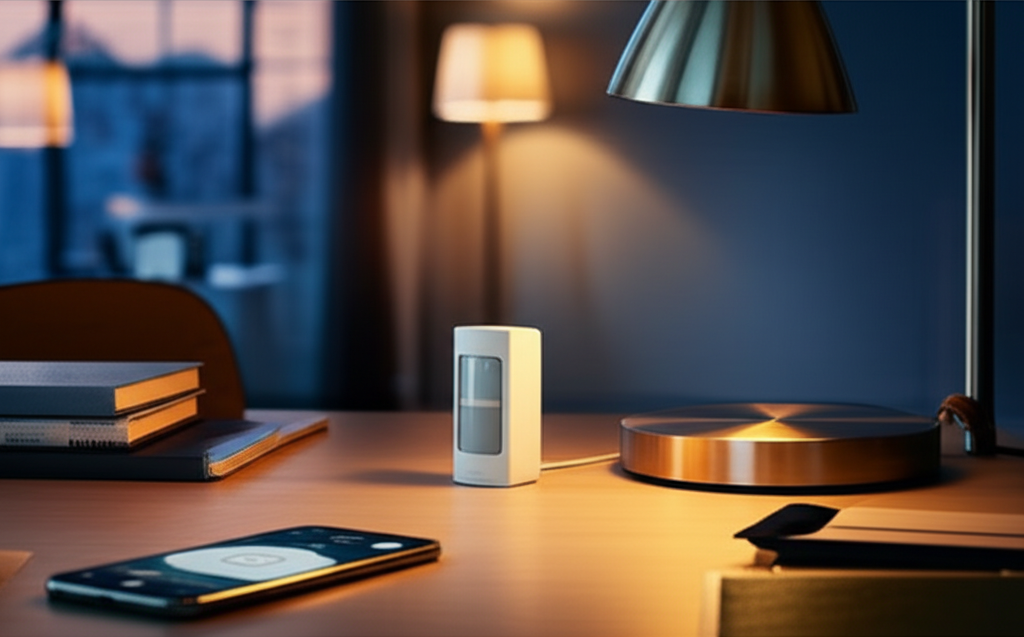
The Philips Hue Motion Sensor is small, typically white, and blends easily into most home decor. Its minimalist design means it won’t be an eyesore, allowing it to be mounted on walls, shelves, or even ceilings without drawing undue attention. This thoughtful design ensures functionality doesn’t compromise your home’s aesthetic.
Seamless Setup with the Philips Hue App
Getting the Philips Hue Motion Sensor up and running is remarkably simple. After ensuring you have a Philips Hue Bridge and the app installed, you’ll pair the sensor directly through the Hue app. The process involves a few taps, and the app guides you through placement and configuration.
Powering Your Sensor: Battery Life and Replacement
This sensor is battery-powered, typically using a standard button-cell battery (like a CR2450). Philips estimates a battery life of a few years under normal usage, which is impressive. When the battery does eventually need replacing, the Hue app will notify you well in advance, preventing any unexpected downtime.
Key Features That Elevate Your Smart Lighting
The Philips Hue Motion Sensor isn’t just a basic motion detector; it’s packed with features designed for a sophisticated smart home experience. These capabilities allow for highly customized automation that truly enhances convenience and ambiance.
Adjustable Sensitivity and Detection Range
You can fine-tune the sensor’s sensitivity and detection range within the Philips Hue app. This is crucial for preventing false triggers from pets or drafts while ensuring it reliably detects human presence. Such customization prevents annoyance and ensures the automation works precisely as you intend.
Day and Night Settings for Tailored Automation
A standout feature is the ability to set different automations for day and night. For instance, the sensor can turn on a bright light when motion is detected during the day, but only activate a dim, warm nightlight after sunset. This intelligent adaptation makes the sensor incredibly versatile for various scenarios.
Integrated Temperature Sensor for Advanced Triggers
The Philips Hue Motion Sensor also includes an ambient temperature sensor. While not its primary function, this data can be used in more advanced automations, such as triggering actions when the room temperature reaches a certain threshold. This adds another layer of smart home integration.
Wireless Connectivity: Freedom of Placement
Operating wirelessly via Zigbee protocol (communicating with the Hue Bridge), the sensor offers immense freedom in placement. You don’t need to worry about proximity to power outlets or complex wiring, making installation quick and flexible across your home.
Where to Place Your Philips Hue Motion Sensor for Maximum Impact
Strategic placement is key to unlocking the full potential of your Philips Hue Motion Sensor. Thinking about where you frequently enter, exit, or spend time will help you maximize its utility and ensure reliable performance.
High-Traffic Areas: Entryways and Hallways
Entryways and hallways are prime locations for motion sensors. They ensure you’re greeted with light as soon as you arrive home or navigate your house at night. Placing a sensor near your front door or in a main hallway provides immediate convenience and enhances security.
Essential Rooms: Bathrooms and Closets
Consider placing sensors in bathrooms and closets. They can automatically turn on the light when you need it most, preventing fumbling in the dark. This is especially useful for children’s rooms or guest bathrooms where convenience is highly valued.
Living Spaces: Living Rooms and Bedrooms
In living areas or bedrooms, motion sensors can be configured for ambiance. Perhaps a gentle, dim light turns on when you get up in the middle of the night, or the main lights activate as you enter the room. This creates a more comfortable and responsive environment.
Strategic Placement for Energy Savings
Placing sensors in rooms that are frequently left unoccupied, like home offices or guest rooms, can significantly contribute to energy savings. The sensor ensures lights automatically switch off when the room is empty, reducing wasted electricity.
Integrating the Philips Hue Motion Sensor into Your Smart Home Ecosystem
The true power of the Philips Hue Motion Sensor is realized when it’s integrated into a broader smart home setup. It works seamlessly with your existing Philips Hue system and can even interact with other smart devices.
The Central Role of the Philips Hue Bridge
The Philips Hue Bridge is essential for the Motion Sensor to function. It acts as the central hub, translating the sensor’s signals into commands for your Hue lights. Without the Bridge, the sensor cannot communicate with your bulbs and create automations.
Advanced Automations within the Philips Hue App
The Philips Hue app is your command center for setting up sophisticated automations. You can define triggers (motion detected, time of day) and actions (turn on light, set color, dimness level). The app makes customizing these routines intuitive and user-friendly.
Expanding Beyond Hue: IFTTT and Third-Party Integrations
For even more advanced control, the Philips Hue Motion Sensor can be leveraged through platforms like IFTTT (If This Then That). This allows you to connect your Hue system to a vast array of other smart devices and online services. For example, motion detection could trigger a smart plug or send you a notification.
Voice Assistant Compatibility: Alexa, Google Assistant, Siri
While the sensor itself doesn’t directly interact with voice assistants, the automations it triggers can be controlled or modified via them. You can ask Alexa or Google Assistant to adjust your motion-activated lighting scenes, adding another layer of convenience.
Philips Hue Motion Sensor vs. Other Smart Home Motion Detectors
When considering smart home motion sensors, Philips Hue offers a compelling, albeit ecosystem-specific, solution. Understanding its strengths and weaknesses relative to general smart home sensors can help you make the best choice.
Ecosystem Lock-in: Hue’s Strength and Weakness
The Philips Hue Motion Sensor is designed to work best within the Philips Hue ecosystem, requiring a Hue Bridge. This is a strength if you’re already invested in Hue, ensuring seamless integration and reliable performance. However, it can be a limitation if you’re using a different smart home hub.
Feature Set: Day/Night, Temperature Sensor
Compared to many generic motion sensors, the Philips Hue Motion Sensor stands out with its integrated temperature sensor and sophisticated day/night automation capabilities directly within the Hue app. Many simpler sensors offer basic motion detection and little else.
Cost and Value Proposition
The Philips Hue Motion Sensor is a premium product, often priced higher than basic Z-Wave or Zigbee motion detectors. However, the added features, seamless integration with the Hue system, and Philips’ reputation for quality often justify the cost for dedicated Hue users.
Alternative Smart Home Hub Integrations
If you use hubs like SmartThings, Hubitat, or Home Assistant, you might find more universal Zigbee or Z-Wave motion sensors that offer broader compatibility. These might require more complex setup but can integrate with a wider range of devices beyond a single brand.
Troubleshooting Common Philips Hue Motion Sensor Issues
Even the best smart home devices can sometimes encounter hiccups. Here are some common issues with the Philips Hue Motion Sensor and how to resolve them.
Sensor Not Detecting Motion Reliably
Check Placement: Ensure the sensor is angled correctly and not obstructed. Move it to a higher-traffic area if necessary.
Adjust Sensitivity: Use the Hue app to increase the motion sensitivity setting.
Temperature Extremes: Very hot or cold environments can sometimes affect PIR sensor performance.
Battery Level: Low battery can impact performance. Check the battery status in the app and replace if needed.
Lights Not Turning On/Off as Expected
Bridge Connectivity: Ensure your Philips Hue Bridge is online and connected to your network.
App Configuration: Double-check your automation routines in the Hue app for any errors in triggers or actions.
Bulb Status: Make sure the target Hue lights are powered on and properly paired with the Bridge.
Sensor Range/Angle: The sensor might not be detecting you within its programmed range or angle.
False Triggers (Lights Turning On Unintentionally)
Lower Sensitivity: Reduce the motion sensitivity in the Hue app to ignore minor movements.
Pet Settings: If you have pets, ensure the pet immunity settings (if applicable, or by adjusting placement/angle) are configured.
Environmental Factors: Fast-changing heat sources (like direct sunlight on a radiator) can sometimes cause false positives. Adjust placement away from these.
Sensor Unresponsive in the Hue App
Re-pair Sensor: Try removing and re-adding the sensor in the Philips Hue app.
Restart Bridge: Power cycle your Philips Hue Bridge by unplugging it for 30 seconds and plugging it back in.
Check Battery: Ensure the battery is correctly inserted and has sufficient charge.
Maximizing Energy Efficiency with the Philips Hue Motion Sensor
One of the most significant benefits of smart home automation is energy conservation, and the Philips Hue Motion Sensor plays a crucial role in this. By ensuring lights are only on when needed, it directly contributes to lower electricity bills and a reduced environmental footprint.
Automating Lights Off in Unoccupied Rooms
The primary energy-saving function is automatically turning off lights in rooms that are empty. This is particularly effective in areas like spare bedrooms, home offices, or even bathrooms where lights might be accidentally left on for extended periods. The sensor’s ability to detect absence ensures lights are never wasted.
Optimizing Brightness and Color Temperature
Beyond just turning lights on and off, the Motion Sensor can be configured to set specific lighting conditions. For example, it could activate a lower brightness level or a warmer color temperature when motion is detected at night. This reduces energy consumption compared to full brightness and provides a more comfortable, less disruptive light.
Reducing “Phantom Load”
Many electronic devices consume power even when turned off, known as phantom load. While the Motion Sensor doesn’t directly address this, by ensuring your main lights are off when not in use, it reduces your overall household electricity consumption, indirectly contributing to energy efficiency.
Enhancing Home Security with Smart Motion Detection
While primarily an automation tool, the Philips Hue Motion Sensor can also be a valuable component of your home security strategy. Its ability to detect movement can provide an extra layer of awareness and deterrence.
Deterrence Through Illumination
When motion is detected outside or in less-used areas of your home after dark, the sensor can trigger lights to turn on. This sudden illumination can surprise and deter potential intruders, making your home appear occupied and less of an easy target.
Smart Alerts and Notifications
By integrating with IFTTT or similar platforms, motion detection can be used to send you alerts. If motion is detected in a specific zone (like a hallway or near a window) when you’re away, you could receive a notification on your smartphone, providing immediate awareness.
Integration with Security Cameras
In more advanced setups, motion detected by the Hue sensor could potentially trigger recording on compatible smart security cameras. This ensures that any unusual activity is captured for later review, providing valuable evidence if needed.
The Future of Philips Hue Motion Sensors and Smart Lighting
The evolution of smart home technology is rapid, and devices like the Philips Hue Motion Sensor are at the forefront. Future iterations and integrations promise even more intuitive and powerful automation.
Enhanced AI and Machine Learning
Future sensors might incorporate more advanced AI to better distinguish between people, pets, and inanimate objects, leading to even more refined automations and fewer false triggers. Machine learning could allow sensors to adapt to your household’s unique patterns over time.
Increased Interoperability and Standards
As smart home standards evolve (like Matter), we can expect greater interoperability between different brands and ecosystems. This could mean Hue sensors working more seamlessly with non-Hue devices, or vice versa, offering users more flexibility.
Integrated Environmental Sensing
Beyond temperature, future sensors might include humidity, air quality, or even light level sensors that can contribute to a more comprehensive smart home environment, triggering automations for comfort, health, and energy management.
Smaller, Smarter, and More Discreet Designs
Manufacturers will likely continue to push for smaller, more aesthetically pleasing designs that can be integrated even more discreetly into home decor, making smart technology feel less intrusive and more natural.
Frequently Asked Questions About the Philips Hue Motion Sensor
What is the Philips Hue Motion Sensor?
The Philips Hue Motion Sensor is a wireless device that detects movement and triggers actions within your Philips Hue smart lighting system, such as turning lights on or off.
Do I need a Philips Hue Bridge for the Motion Sensor to work?
Yes, the Philips Hue Motion Sensor requires a Philips Hue Bridge to connect to your Wi-Fi network and communicate with your Hue lights and the Hue app.
How is the Philips Hue Motion Sensor powered?
It is powered by a replaceable coin-cell battery, typically a CR2450, which offers a long lifespan of several years under normal usage.
Can the Philips Hue Motion Sensor detect pets?
Yes, the sensor has settings within the Hue app that can help reduce false triggers from pets, allowing you to customize its sensitivity to ignore smaller movements.
Can I use the Philips Hue Motion Sensor outdoors?
No, the Philips Hue Motion Sensor is designed for indoor use only and is not weather-resistant. Exposing it to the elements can damage the device.
How do I set up automations with the Motion Sensor?
You can configure automations within the Philips Hue app by selecting the Motion Sensor as a trigger and defining specific actions for your Hue lights, such as turning them on to a certain brightness or color when motion is detected.
Can the sensor detect movement through walls?
No, the Philips Hue Motion Sensor uses infrared technology to detect heat signatures, so it cannot detect movement through solid objects like walls or doors.
Conclusion: The Philips Hue Motion Sensor is a Smart Investment
The Philips Hue Motion Sensor is more than just an accessory; it’s an essential component for anyone looking to unlock the true potential of their Philips Hue smart lighting system. Its ability to automate lighting based on presence adds unparalleled convenience, enhances security, and promotes energy efficiency. The thoughtful design, easy setup, and robust features, including day/night settings and temperature sensing, make it a standout device in the smart home market. While it requires a Hue Bridge, the seamless integration and sophisticated control it offers within the Hue ecosystem are well worth the investment for a truly intelligent and responsive home. Upgrading your smart lighting with the Philips Hue Motion Sensor is a simple yet impactful step towards a more automated, comfortable, and efficient living space.

Belayet Hossain is a Senior Tech Expert and Certified AI Marketing Strategist. Holding an MSc in CSE (Russia) and over a decade of experience since 2011, he combines traditional systems engineering with modern AI insights. Specializing in Vibe Coding and Intelligent Marketing, Belayet provides forward-thinking analysis on software, digital trends, and SEO, helping readers navigate the rapidly evolving digital landscape. Connect with Belayet Hossain on Facebook, Twitter, Linkedin or read my complete biography.