


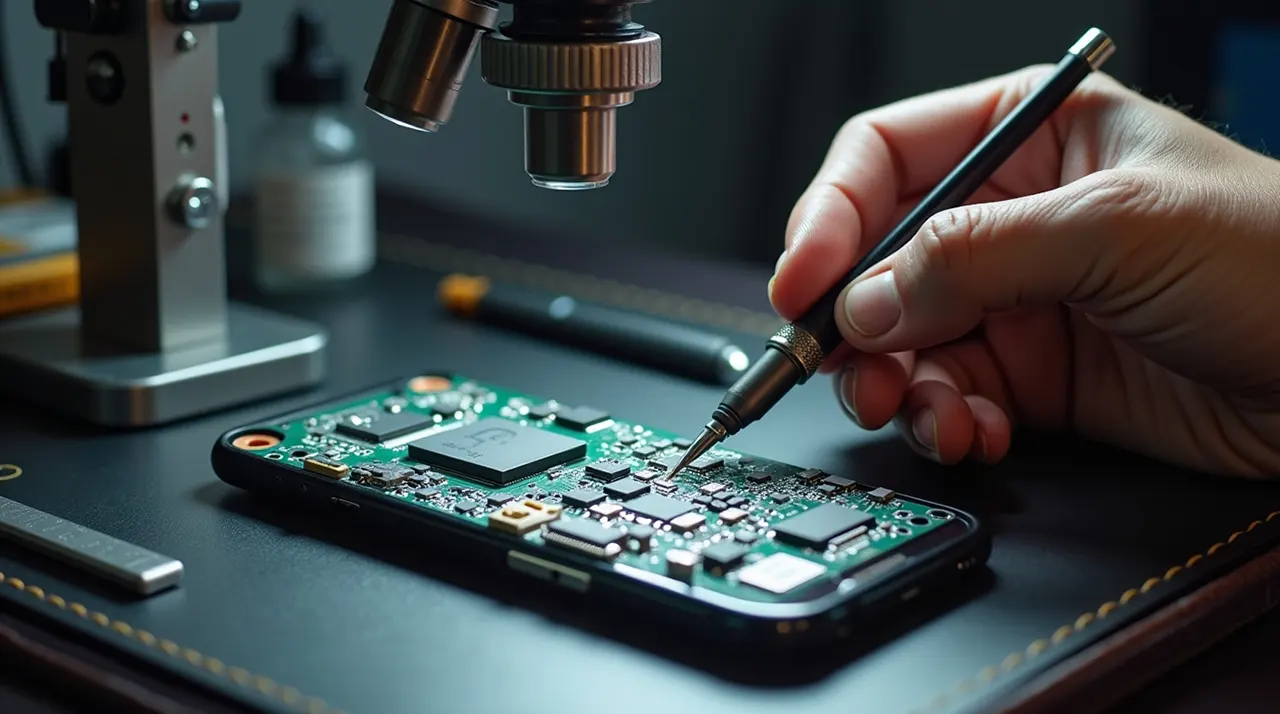
Phone motherboard repair is a complex but achievable skill. This guide offers a breakthrough approach, detailing essential tools, diagnostic steps, and safe repair techniques for technicians and enthusiasts to tackle common and advanced motherboard issues with confidence.
The heart of your smartphone is its motherboard. This tiny circuit board holds all the crucial components. When it fails, your phone might not turn on, charge, or function correctly. Many people think a broken motherboard means a new phone. But often, it can be repaired. This guide will show you how. We’ll cover what causes motherboard damage. We’ll also explain the tools you need. You will learn safe ways to fix it. Let’s dive into the world of phone motherboard repair.
What is a Phone Motherboard and Why Does It Fail?
A phone motherboard is like the brain and nervous system of your device. It’s a printed circuit board (PCB). It connects all the other parts, like the processor, memory, cameras, and battery. If this board has a problem, the whole phone stops working.
Motherboard failures happen for several reasons. Dropping your phone can cause physical damage. Water or liquid spills are also a common cause. Tiny components can overheat and burn out. Sometimes, a bad software update can corrupt important data on the board. Manufacturing defects can also lead to early failure.
Overview of Motherboard Components – Why Each Part Matters
Your phone’s motherboard is like the control center of a spaceship. Every small component plays a role. Understanding them helps you diagnose problems faster.
Key Components:
- CPU (Central Processing Unit): Runs all your phone’s tasks. If this fails, the phone might not start or can crash randomly.
- Power IC (Integrated Circuit): Sends electricity to different parts. Problems here can stop charging or powering on.
- Memory (RAM and Flash): Stores temporary and permanent data. Faulty memory can cause freezing or app crashes.
- Charging IC and USB Port: Handles the charging process. Water or loose connectors often damage these.
- Connectivity Chips: Wi‑Fi, Bluetooth, and cellular chips. Failures cause no network or dropped connections.
- Audio ICs: Handle sound output and microphone input. Faults may cause distorted sound or no audio.
- Traces and PCB Layers: Thin circuits that carry signals. Damage can stop communication between components.
Tip: Knowing which part does what helps you narrow down the problem quickly. Even small mistakes here can save hours of trial and error.
Signs Your Phone’s Motherboard Might Be Damaged
Recognizing motherboard issues is the first step. Your phone might show several warning signs. These signs can be confusing at first. But they often point to a motherboard problem.
Common symptoms include the phone not turning on at all. It might also restart randomly. Your phone might get very hot even when not in heavy use. If your battery drains too fast, it could be a sign. Other issues are Wi-Fi or Bluetooth not working. Touchscreen problems can also stem from the motherboard.
Quick Diagnostic Checklist for Phone Symptoms
Before opening your phone, you can check for common signs that indicate motherboard issues. Think of this like a step-by-step detective guide:
Symptom: Phone won’t turn on
- Test the battery.
- Check power IC and main fuses.
Symptom: Phone won’t charge
- Inspect USB port for dirt or corrosion.
- Test charging IC voltage.
Symptom: Random restarts or freezes
- Test memory and CPU.
- Check temperature sensors or overheating indicators.
Symptom: Wi-Fi, Bluetooth, or cellular issues
- Check antenna connections and RF chips.
- Look for water damage on these parts.
Symptom: Distorted audio or no sound
- Check audio IC and connectors.
This checklist saves time and prevents unnecessary disassembly.
Essential Tools for Phone Motherboard Repair
Repairing a phone motherboard requires specialized tools. You cannot fix it with just a screwdriver. Safety is also very important. Static electricity can easily damage sensitive components.
Here are some must-have tools:
Soldering Iron: A fine-tipped soldering iron is needed for micro-soldering. Look for one with adjustable temperature control.
Magnifying Glass/Microscope: Motherboard components are tiny. You need to see them clearly. A good microscope is essential.
Anti-static Wrist Strap: This prevents static electricity from damaging the board. You must wear it during repairs.
Tweezers: Fine-tipped, anti-static tweezers are crucial. They help handle tiny screws and components.
Pry Tools and Opening Picks: These help open the phone case safely. You don’t want to scratch or break plastic parts.
Heat Gun/Soldering Station: For removing and replacing surface-mount components.
Multimeter: To test for voltage, continuity, and resistance on the board.
Isopropyl Alcohol (99%): For cleaning flux residue and dirt.
Flux and Solder Paste: These help solder flow correctly.
Repair Manuals/Schematics: Knowing your specific phone model’s layout is vital.
Using the right tools makes the repair safer and more successful. It also prevents further damage.
Diagnosing Motherboard Issues: A Step-by-Step Approach
Before you start fixing, you must diagnose the problem. This means finding out exactly what is wrong. It’s like being a detective for your phone.
1. Visual Inspection: Look for obvious signs of damage. Check for burnt components or corrosion. Use your microscope for a close look.
2. Check for Power: Does the phone turn on? Does it charge? Use a multimeter to check battery voltage. Check charging port voltage.
3. Test Components: If the phone powers on but has other issues, test individual components. Is the camera working? Is Wi-Fi enabled?
4. Read Error Codes: If the phone shows error messages, look them up. This can point to specific hardware failures.
5. Use Diagnostic Software: Some phones have built-in diagnostics. You can also find third-party apps.
Careful diagnosis saves time and effort. It ensures you fix the right problem.
Understanding Common Motherboard Faults and Their Causes
Different faults require different repair methods. Knowing the common issues helps you prepare.
Power IC Failure: This chip controls power distribution. A failure means the phone won’t turn on or charge. It often results from liquid damage or power surges.
Display Issues: If the screen is blank or has lines, it might be a display connector or the motherboard’s graphics chip.
Audio Problems: No sound, distorted sound, or microphone issues can be related to audio codecs on the motherboard.
Connectivity Failures: Wi-Fi, Bluetooth, or cellular signal problems can point to issues with their respective chips on the motherboard.
Water Damage: Liquid ingress causes corrosion. This can short-circuit components and destroy traces on the board.
Each fault has a unique set of symptoms and causes. Understanding these helps target the repair.
How to Identify Components on Your Motherboard
Many beginners fail because they can’t find the right components. Here’s a clear method:
- Check Labels: Most motherboards have small labels printed next to parts. They indicate the IC type or connector.
- Use a Magnifier or Microscope: Tiny chips and circuits are too small for the naked eye.
- Trace Connections: Follow thin lines (traces) from a connector to ICs to understand which parts are connected.
- Reference Schematics: Official phone schematics are often online. They show exactly where each part is.
Pro Tip: Always mark or label parts when disassembling. This prevents errors during reassembly.
Soldering & Chip Techniques: DIY Phone Motherboard Repair Made Easy
Repairing a phone motherboard requires precision, patience, and the right tools. Whether you are a beginner learning DIY phone motherboard repair or a technician handling complex issues, understanding soldering and chip techniques is essential. This section covers all steps, from basic soldering to advanced chip reballing and reworking, using proper motherboard repair tools.
1. Preparing for Soldering
Before touching your motherboard:
- Workspace Setup: Ensure good lighting and ventilation. Work on a clean, stable surface.
- ESD Safety: Wear an anti-static wrist strap and use an anti-static mat. Static electricity can fry delicate components instantly.
- Tools You Need:
- Fine-tipped soldering iron with adjustable temperature
- Hot air rework station
- Desoldering pump or braid
- Magnifying glass or microscope
- Tweezers, pry tools, flux, solder paste, and other essential motherboard repair tools
2. Safe Soldering Techniques
Soldering small components is delicate but doable. Follow these steps for safe DIY phone motherboard repair:
- Clean the Area: Use 99% isopropyl alcohol to remove dirt, grease, or flux residue.
- Apply Flux: Flux helps solder flow smoothly and prevents cold joints.
- Tin the Tip: Apply a small amount of solder to your iron tip for better heat transfer.
- Solder Components:
- Carefully position the component using tweezers.
- Briefly touch the soldering iron tip to both the pad and the component pin.
- Apply a small amount of solder until it joins the parts.
- Remove Excess Solder: If you use too much, remove it with a desoldering pump or braid.
- Inspect Your Work: Use a microscope to ensure solid connections and no solder bridges.
Tip: Practice on old boards before working on your main phone to build confidence.
3. Advanced Techniques for Common Motherboard Problems
Some common motherboard problems like dead CPUs, faulty PMICs, or damaged graphics chips require advanced techniques. These include reballing and reworking chips:
Reballing Chips
- What It Is: Removing a chip, cleaning its solder balls, and reattaching it.
- When to Use: Usually for graphics chips, BGA components, or when solder joints fail.
- Steps:
- Heat the chip with a hot air station to lift it safely.
- Clean old solder and apply new solder balls.
- Carefully place it back and solder it evenly.
Reworking Chips
- What It Is: Replacing a damaged chip entirely.
- Steps:
- Heat and remove the faulty chip using hot air.
- Place the new chip precisely.
- Solder all pins carefully, avoiding bridges or overheating.
- Tip: Extreme accuracy is crucial. One mistake can ruin the motherboard.
4. Combining Basic and Advanced Skills
When learning how to fix motherboard issues:
- Start with basic soldering techniques: small connectors, charging ICs, or simple components.
- Move to advanced chip rework only after mastering safe soldering and using all necessary motherboard repair tools.
- Use the diagnostic checklist to identify common motherboard problems before attempting repairs.
Pro Tip: Only attempt Level 2 or Level 3 repairs if you have proper tools and hands-on practice. Otherwise, consult a professional technician.
5. Key Takeaways for DIY Phone Motherboard Repair
- Safety first: ESD protection saves your components.
- Always use the right motherboard repair tools.
- Practice soldering on spare boards before touching your phone.
- Understand the type of problem: power IC failures, display issues, or connectivity problems often dictate the repair method.
- Advanced techniques like reballing and chip reworking are powerful but high-risk. Only attempt if confident.
Safe Disassembly & Reassembly Workflow
Opening a phone is like performing surgery. One wrong move can break something permanently.
Disassembly Steps:
- Turn off the phone. Remove SIM and memory cards.
- Use plastic spudgers instead of metal tools.
- Remove screws carefully. Keep them sorted by size.
- Gently disconnect flex cables. Never pull them hard.
Reassembly Steps:
- Reconnect flex cables first, screws last.
- Test the phone before sealing the case.
- Re-seat components gently to avoid bending the motherboard.
Mistakes to avoid:
- Using excessive force.
- Losing screws or connectors.
- Touching components with bare hands (static can fry chips).
Levels of Repair Complexity
Not all repairs are equal. Understanding complexity prevents frustration.
Level 1 – Basic Repairs:
- Replacing charging ports or connectors.
- Cleaning minor corrosion.
- Fast and low-risk.
Level 2 – Intermediate Repairs:
- Soldering small ICs.
- Fixing power lines or fuses.
- Requires steady hands and basic microscope work.
Level 3 – Advanced Repairs:
- Micro-soldering tiny BGA chips.
- Reballing CPUs or PMICs.
- High-risk; mistakes can destroy the motherboard.
Tip: Only attempt Level 2 or 3 repairs if you have proper tools and practice. Otherwise, a professional is safer.
Troubleshooting Common Motherboard Problems with a Multimeter
A multimeter is your best friend for diagnosing electrical issues. It helps you measure voltage, resistance, and continuity. This tells you if power is flowing correctly.
Checking for Shorts: Measure resistance between power rails and ground. A very low resistance (close to zero ohms) indicates a short circuit. You then need to find the faulty component causing it.
Testing Power Rails: Measure voltage at key points on the motherboard. Check if power rails are providing the expected voltage. This confirms if the power management IC is working.
Verifying Connections: Test for continuity between different points on the board. This ensures that traces and connections are intact. If there’s no continuity, a trace might be broken.
Using a multimeter systematically helps pinpoint the exact failure point. It guides your repair efforts.
Protecting Your Phone and Yourself: ESD Safety and Best Practices
Electrostatic discharge (ESD) is a silent killer of electronics. A small static shock can destroy sensitive components. Proper ESD safety is non-negotiable.
Wear an Anti-static Wrist Strap: Always connect this to a grounded point. It safely discharges static from your body.
Use an Anti-static Mat: Work on an anti-static mat. This protects the components from static electricity.
Avoid Carpeted Areas: Static electricity builds up more on carpets. Try to work in a clean, hard-floored area.
Handle Components Carefully: Avoid touching the pins or circuits directly. Hold components by their edges.
Ground Your Tools: Ensure your soldering iron and other tools are properly grounded.
Following these practices protects both the phone and you. It prevents accidental damage during repair.
Preventing Motherboard Damage
Prevention saves money. Here’s how:
- Avoid water exposure; use protective cases.
- Don’t overheat your phone; remove it from direct sunlight.
- Use original chargers to prevent voltage spikes.
- Clean your phone regularly to prevent dust buildup.
Pro Tip: Simple habits can double your phone’s lifespan.
When to Seek Professional Help for Phone Motherboard Repair
Phone motherboard repair is challenging. Not all issues can be fixed at home. Sometimes, it’s best to leave it to the experts.
If you lack the right tools or experience, you risk causing more damage. Some repairs, like fixing a completely shattered motherboard, are extremely difficult. Complex BGA chip work also requires advanced skills. If your phone is still under warranty, professional repair might void it.
For severe damage or if you’re unsure, consult a reputable repair shop. They have the specialized equipment and expertise. This ensures a higher chance of a successful repair.
Data Protection & Backup Tips
Repairing the motherboard can risk your files. Protect your data first:
- Back up everything: Photos, contacts, apps, and messages. Use cloud storage or computer backup.
- Recovery tools: If the phone won’t turn on, some apps can read storage directly.
- Be careful during repair: Avoid touching the storage chips directly.
Tip: A professional can often recover data even from severely damaged motherboards.
Expected Repair Times & Cost Estimates
Knowing cost and time helps you plan repairs.
| Repair Type | Time | Notes |
|---|---|---|
| Connector Replacement | 1–2 hours | Simple, low cost |
| Charging IC / Power IC | 2–6 hours | Requires soldering |
| BGA Chip Reballing | 1–3 days | Advanced, high skill required |
Costs depend on:
- Phone model and brand
- Severity of damage
- Technician skill and location
Tip: Always get a quote before starting major repairs.
Frequently Asked Questions About Phone Motherboard Repair
Q1: Can a water-damaged phone motherboard be repaired?
Yes, sometimes. Cleaning corrosion and replacing damaged parts can work. Immediate action is key.
Q2: Is phone motherboard repair expensive?
It can be, depending on the damage and the phone model. It’s often cheaper than buying a new phone.
Q3: How long does phone motherboard repair take?
It varies. Simple fixes might take an hour. Complex repairs can take several hours or days.
Q4: Can I replace the entire motherboard?
Yes, you can buy replacement motherboards. But this is also a complex process. Ensure compatibility.
Q5: What is a “short” on a motherboard?
A short means electricity is flowing where it shouldn’t. This can happen when two circuits touch. It causes components to fail.
Q6: How do I know if the motherboard is truly broken?
If your phone shows no signs of life, won’t charge, or has multiple hardware failures, the motherboard is a likely suspect.
Conclusion
Phone motherboard repair is a demanding but rewarding skill. It requires patience, the right tools, and a commitment to safety. By understanding the symptoms, using proper diagnostic methods, and employing careful repair techniques like soldering and ESD protection, you can tackle many common motherboard failures. Always remember to practice safety and know when to seek professional help for advanced issues. Mastering phone motherboard repair opens doors to significant cost savings and extends the life of your valuable devices.
If you found this guide helpful, consider subscribing to our newsletter for more in-depth repair tutorials and tool reviews.

Belayet Hossain is a Senior Tech Expert and Certified AI Marketing Strategist. Holding an MSc in CSE (Russia) and over a decade of experience since 2011, he combines traditional systems engineering with modern AI insights. Specializing in Vibe Coding and Intelligent Marketing, Belayet provides forward-thinking analysis on software, digital trends, and SEO, helping readers navigate the rapidly evolving digital landscape. Connect with Belayet Hossain on Facebook, Twitter, Linkedin or read my complete biography.