
Published on: 16/09/2025 | Updated on: September 16, 2025
Sign Up Yahoo Email: The Essential Guide for Students in 2024
Learn how to sign up for a Yahoo email account quickly and easily, a vital step for students managing academics, communication, and online life. This guide covers everything from initial setup to maximizing Yahoo Mail’s features.
Navigating the digital world as a student often means juggling multiple platforms, and email is at the core of it all. Whether it’s for submitting assignments, receiving important university announcements, or staying connected with peers, a reliable email address is non-negotiable. For many, Yahoo Mail remains a popular and robust choice, offering a user-friendly interface and helpful features. If you’re looking to create a new Yahoo email account, or perhaps haven’t done so in a while, you might feel a little lost. Don’t worry, I’m here to walk you through the entire process, step-by-step, making signing up for Yahoo email a breeze. We’ll cover everything you need to know, from choosing the perfect username to securing your account, ensuring you’re ready to conquer your digital communication needs.
Why Choose Yahoo Mail for Your Student Needs?
Yahoo Mail continues to be a strong contender in the email service landscape, offering a compelling blend of features that resonate well with students. Its robust security measures, generous storage space, and intuitive design make it an excellent platform for managing academic communications, personal correspondence, and important digital documents. For students, a reliable and feature-rich email service can significantly streamline their daily tasks and ensure they never miss a crucial update from their institution or professors.
Yahoo Mail provides ample storage, which is a huge plus for students who might need to attach larger files or keep a lengthy email history for reference. The platform also boasts strong spam filtering, helping to keep inboxes clean and focused on what truly matters. Furthermore, its integration with other Yahoo services can offer added convenience, consolidating your digital life.
Getting Started: What You’ll Need to Sign Up
Before you embark on the journey to sign up for Yahoo email, having a few essential pieces of information ready will make the process smooth and efficient. This preparation ensures you can navigate the signup form without delays and create an account that is both secure and personalized. Think of it as gathering your tools before starting a project; it saves time and frustration later.
You’ll primarily need a valid mobile number or an existing alternative email address. This is crucial for account verification and recovery purposes, acting as a safeguard if you ever forget your password or need to confirm your identity. Additionally, having a few username ideas in mind will speed up the selection process.
Step-by-Step: How to Sign Up for Yahoo Email
The process of signing up for a Yahoo email account is designed to be straightforward and user-friendly, even for those who aren’t particularly tech-savvy. Following these simple steps will guide you through creating your new email address quickly and efficiently. Let’s dive in and get your Yahoo email account set up in no time.
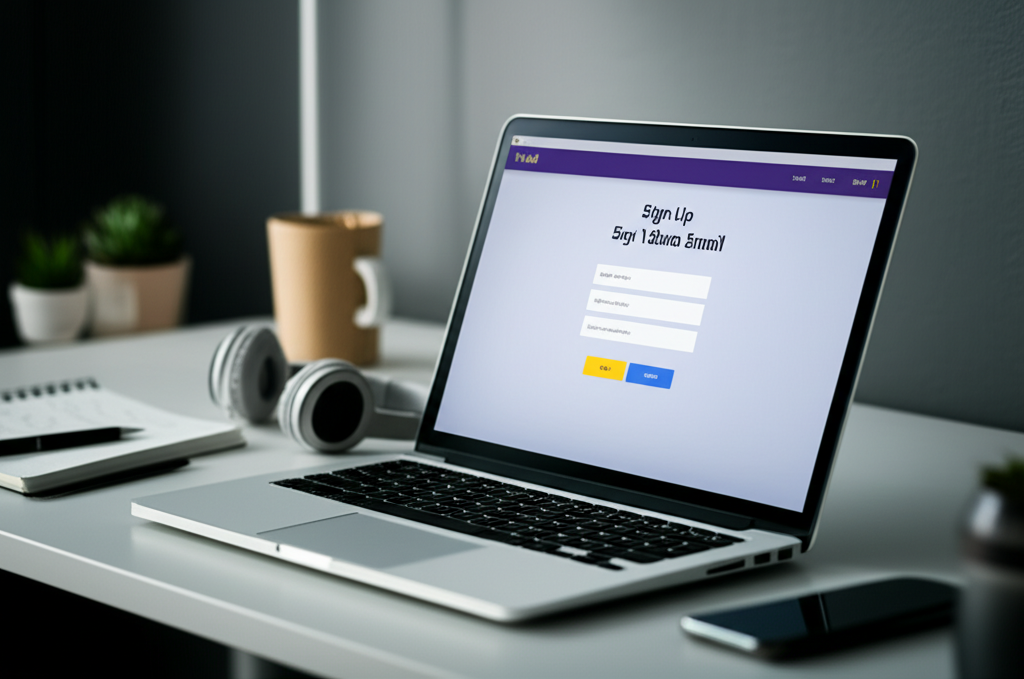
1. Visit the Yahoo Mail Signup Page: Open your preferred web browser and navigate to the Yahoo Mail signup page. You can typically find this by searching “Yahoo Mail signup” on a search engine or by going directly to `mail.yahoo.com` and looking for the “Sign Up” or “Create Account” link.
2. Enter Your Personal Information: You’ll be prompted to fill in several fields, including your First Name, Last Name, and desired Username. Choose a username that is professional yet personal, perhaps incorporating your name or a relevant interest. This will be your email address (e.g., `yourname@yahoo.com`).
3. Create a Strong Password: Security is paramount. Create a password that is at least 8 characters long, combining uppercase and lowercase letters, numbers, and symbols. Avoid using easily guessable information like birthdays or common words. A strong password is your first line of defense against unauthorized access.
4. Provide Your Mobile Number or Alternative Email: This step is vital for account verification and recovery. Enter a valid mobile number or an existing email address. Yahoo will send a verification code to this contact method to confirm you are a real person and that the contact information is yours.
5. Enter Your Birthdate and Gender: You’ll need to provide your birthdate for age verification and account management. While gender is optional, filling it out can help personalize your experience on Yahoo services.
6. Verify Your Account: Enter the verification code sent to your mobile number or alternative email. This confirms your identity and activates your account. Double-check the code for accuracy before submitting it.
7. Agree to Terms and Conditions: Review Yahoo’s Terms of Service and Privacy Policy. Once you agree, your account creation will be finalized.
By following these steps, you will successfully sign up for Yahoo email, opening the door to a world of communication and digital services. This process ensures your account is set up securely and ready for use.
Choosing the Perfect Yahoo Email Address: Tips for Students
Your email address is often the first impression you make in professional and academic settings. For students, selecting the right Yahoo email address is crucial for maintaining a polished image and ensuring your communications are taken seriously. A well-chosen address can enhance your credibility and make it easier for professors and colleagues to identify you.
When deciding on your username, consider professionalism. While a playful address might be fun for personal use, a more formal one is generally better for academic purposes. Think about combining your first name with your last name, or using initials.
Here are some strategies for crafting an effective student email address:
Use your full name: `firstname.lastname@yahoo.com` or `firstinitiallastname@yahoo.com` (e.g., `john.doe@yahoo.com` or `jdoe@yahoo.com`).
Add your major or university affiliation (if appropriate): `john.doe.cs@yahoo.com` (for Computer Science) or `jdoe.uni@yahoo.com`.
Consider numbers sparingly: If your preferred name is taken, you might add a year (e.g., `john.doe2024@yahoo.com`), but avoid overly complex or random numbers.
Avoid: Nicknames, slang, or anything unprofessional that could detract from your seriousness.
Ultimately, the goal is to create an address that is easy to remember, clearly identifies you, and projects a responsible image. This attention to detail can make a difference in how your emails are received.
Securing Your Yahoo Email Account: Essential Practices
In today’s digital landscape, account security is not just a recommendation; it’s a necessity. For students, protecting their Yahoo email is vital, as it often contains sensitive academic information, personal details, and access to other online services. Implementing strong security practices ensures your data remains private and your account is safe from unauthorized access.
Yahoo Mail offers robust security features to help you protect your account. These tools, combined with good personal habits, create a strong defense against cyber threats. Let’s explore how you can fortify your Yahoo email.
Here are key security measures to implement:
Use a Strong, Unique Password: As mentioned during signup, a complex password is your first line of defense. Ensure it’s not used for any other online service. Consider using a password manager for generating and storing strong, unique passwords for all your accounts.
Enable Two-Step Verification (2SV): This adds an extra layer of security. Even if someone gets your password, they won’t be able to log in without a second verification step, usually a code sent to your phone or generated by an authenticator app. You can set this up in your Yahoo account security settings.
Review Account Activity: Regularly check your account’s login history and connected devices. If you see any suspicious activity, you can immediately take action, such as changing your password and revoking access.
Be Wary of Phishing Attempts: Phishing emails try to trick you into revealing personal information. Always scrutinize emails asking for sensitive data, especially if they seem to come from Yahoo or another trusted source. Never click on suspicious links or download attachments from unknown senders.
Keep Your Recovery Information Updated: Ensure your recovery phone number and alternative email address are always current. This is crucial for regaining access if you ever get locked out of your account.
By actively employing these security measures, you significantly reduce the risk of your Yahoo email account being compromised. This proactive approach to security is an essential habit for all digital users, especially students.
Exploring Yahoo Mail’s Features for Students
Beyond basic email functionality, Yahoo Mail offers a suite of features designed to enhance productivity and organization, making it an excellent tool for students. Understanding and utilizing these features can help you manage your academic workload more effectively and stay on top of your communications. These tools are built to streamline your digital life, saving you valuable time and effort.
Yahoo Mail integrates various functionalities that go beyond simple sending and receiving of messages. Let’s take a look at some of the most beneficial features for students:
Smart Inbox: This feature automatically categorizes your incoming emails into tabs like “Inbox,” “Important,” “Unread,” “Starred,” and “Later.” This helps you prioritize and quickly find messages that require your attention, reducing clutter and improving focus.
Calendar Integration: Yahoo Mail seamlessly integrates with Yahoo Calendar. You can schedule events, set reminders, and even convert emails into calendar events, ensuring you don’t miss important lectures, deadlines, or study group meetings.
Rich Text Editor and Attachments: Compose professional-looking emails with formatting options. You can easily attach files from your computer or cloud storage services, essential for submitting assignments or sharing notes. Yahoo provides a generous attachment size limit, accommodating most academic needs.
Search Functionality: A powerful search bar allows you to quickly find any email based on keywords, sender, date, or attachments. This is invaluable when you need to locate specific information from past communications for research or revision.
Customizable Folders and Filters: Organize your inbox by creating custom folders for different subjects, courses, or projects. You can also set up filters to automatically sort incoming mail, keeping your inbox tidy and manageable.
Reminders and Snooze Options: Set reminders for important emails or snooze them to reappear at a more convenient time. This feature helps you manage your follow-ups and ensures no critical message is overlooked.
By leveraging these integrated tools, students can transform their Yahoo Mail into a powerful personal assistant, aiding in organization, time management, and overall academic success. These features are designed to make your digital communication both efficient and effective.
Yahoo Mail on Different Devices: Accessibility for Students
The modern student’s life is dynamic, often requiring access to email from various devices, whether it’s a laptop in the library, a tablet in a lecture hall, or a smartphone on the go. Yahoo Mail excels in providing a consistent and accessible experience across all these platforms, ensuring you can manage your communications anytime, anywhere. This cross-device compatibility is crucial for staying connected and responsive.
Yahoo Mail is accessible through multiple avenues, catering to different user preferences and device capabilities. Each method offers a streamlined way to manage your inbox, ensuring you don’t miss any important updates.
Here’s how you can access your Yahoo Mail:
Web Browser: The most common way to access Yahoo Mail is through a web browser on any computer or device. Simply navigate to `mail.yahoo.com`, log in with your credentials, and you’ll have full access to your inbox and all its features. This method requires no installation and works universally.
Yahoo Mail Mobile App: For dedicated mobile access, Yahoo offers free mobile apps for both iOS and Android devices. These apps are optimized for touchscreens, providing a smooth and intuitive user experience. They offer push notifications for new emails, allowing you to stay updated in real-time. You can download the app from the Apple App Store or Google Play Store.
Third-Party Email Clients: If you prefer to manage all your email accounts (including Yahoo) within a single application, you can configure Yahoo Mail with most popular email clients like Microsoft Outlook, Apple Mail, or Thunderbird. This requires setting up your Yahoo account using POP or IMAP settings, which can be found in your Yahoo account’s security or connection settings.
The ability to access your Yahoo email seamlessly across your laptop, tablet, and smartphone ensures that you remain connected and productive, no matter where your studies take you. This flexibility is a key advantage for busy students.
Advanced Tips and Tricks for Student Email Management
Once you’ve mastered the basics of signing up for Yahoo email and navigating its interface, there are several advanced tips and tricks that can further optimize your email management as a student. These techniques can help you save time, stay organized, and ensure your communications are always professional and effective. Implementing these strategies can transform your inbox from a source of stress into a powerful productivity tool.
Here are some advanced techniques to elevate your Yahoo Mail experience:
Leverage Filters and Rules: Go beyond basic sorting. Set up advanced filters to automatically label, archive, delete, or forward emails based on specific criteria. For example, you could create a rule to automatically move all emails from a particular professor into a dedicated “Course [Professor’s Name]” folder.
Utilize Keyboard Shortcuts: Speed up your workflow by learning Yahoo Mail’s keyboard shortcuts. For instance, pressing ‘c’ to compose a new email, ‘r’ to reply, or ‘f’ to forward can significantly reduce the time spent navigating with your mouse. A full list is usually available within Yahoo Mail’s help section.
Manage Mailing Lists Effectively: If you’re subscribed to numerous academic or club mailing lists, create specific folders and filters for them. Consider using the “Unsubscribe” option for lists you no longer need to keep your inbox cleaner.
Integrate with Cloud Storage: Connect your Yahoo Mail to cloud storage services like Dropbox or Google Drive. This allows you to easily send large files without hitting attachment limits and manage shared documents directly from your email interface.
Customizable Signatures: Create a professional email signature that includes your name, major, student ID (if appropriate), and contact information. This ensures all your outgoing emails have a consistent and polished closing. You can set this up in your Yahoo Mail settings.
Scheduled Sending: For assignments or communications that need to be sent at a specific time, Yahoo Mail often supports scheduled sending. This is useful for meeting deadlines precisely or sending messages during business hours.
By incorporating these advanced strategies, you can refine your email habits and make Yahoo Mail an even more powerful asset in your academic journey. These techniques are designed to boost efficiency and enhance your organizational skills.
Yahoo Mail vs. Other Student Email Options
When choosing an email service, it’s helpful to compare Yahoo Mail with other popular options that students often consider. While Yahoo Mail offers a robust set of features, understanding its strengths and weaknesses relative to competitors like Gmail and Outlook.com can help you make the best decision for your personal needs. Each platform has its unique advantages.
Here’s a brief comparison table to highlight key differences:
| Feature | Yahoo Mail | Gmail | Outlook.com |
| :—————— | :—————————————— | :——————————————– | :—————————————— |
| Storage | Generous (1TB free) | Generous (15GB shared with Google Drive/Photos) | Generous (15GB for email, 5GB OneDrive) |
| Interface | Clean, user-friendly, customizable | Feature-rich, organized with tabs | Modern, integrates well with Microsoft Office |
| Security | Strong, with 2SV and phishing protection | Excellent, with advanced spam filtering | Strong, integrates with Microsoft security |
| Integrations | Yahoo services, basic cloud storage | Extensive Google ecosystem (Drive, Docs, etc.) | Deep integration with Microsoft 365 |
| AI Features | Smart Inbox categorization | Smart Reply, Smart Compose, AI-powered search | AI-powered suggestions, Focused Inbox |
| Advertising | Displays ads, can be ad-free with Premium | Displays ads, ad-free with Google Workspace | Displays ads, ad-free with Microsoft 365 |
For students, the decision often comes down to ecosystem preference and specific feature needs. If you’re heavily invested in the Google ecosystem, Gmail might be more appealing. If you use Microsoft Office products extensively, Outlook.com could be a natural fit. However, Yahoo Mail’s massive storage and user-friendly interface make it a compelling choice for many, especially when considering its straightforward signup process.
Ultimately, all major free email providers offer excellent core functionality. Your choice might depend on which platform’s interface you find most intuitive and which ecosystem of integrated services best suits your workflow. Each option provides a reliable foundation for your student communication needs.
Troubleshooting Common Signup Issues
Even with a straightforward process, you might occasionally encounter minor hurdles when trying to sign up for Yahoo email. These issues are usually easily resolved with a few quick checks. Knowing common problems and their solutions can save you time and frustration during the signup process.
Here are some common issues and how to address them:
Username Already Taken: This is the most frequent issue. If your desired username is unavailable, try variations by adding your middle initial, a number, or a slight alteration to your name. For example, if `john.doe` is taken, try `john.m.doe` or `johndoe88`.
Verification Code Not Received: Ensure you’ve entered your mobile number or alternative email correctly. Check your spam or junk folder in your alternative email account. If still no code, try requesting it again after a few minutes. Sometimes network delays can cause a slight wait.
Password Not Meeting Requirements: Double-check that your password includes a mix of uppercase letters, lowercase letters, numbers, and symbols, and meets the minimum length requirement. Avoid using simple or common words.
Browser Compatibility Issues: While rare, some older browsers might cause issues. Try clearing your browser’s cache and cookies, or attempt the signup process using a different browser (like Chrome, Firefox, or Edge).
Account Creation Limit Reached: In rare cases, if you’re trying to create multiple accounts rapidly, Yahoo might temporarily restrict further creations from your IP address. Wait a few hours and try again.
If you encounter persistent problems, Yahoo’s help pages offer extensive support resources and community forums where you might find solutions or assistance from other users and Yahoo support staff. Most signup issues are minor and can be resolved with a little patience and troubleshooting.
Frequently Asked Questions (FAQ)
Here are answers to some common questions students might have about signing up for and using Yahoo Mail.
Is signing up for Yahoo email free?
Yes, signing up for a standard Yahoo email account is completely free. You get a generous amount of storage and access to all the core features without any cost.
How long does it take to sign up for Yahoo email?
The signup process is typically very quick, often taking less than five minutes to complete if you have your information ready.
Can I use a fake name when signing up for Yahoo email?
While you can enter a preferred name for display purposes, it’s generally recommended to use your real name for professional and academic correspondence to ensure legitimacy. Yahoo’s terms may require accurate personal information for account verification.
What if I forget my Yahoo email password?
If you forget your password, you can use the “Forgot Password” link on the login page. You’ll be guided through a recovery process, usually involving your registered mobile number or alternative email address, to reset your password.
Can I have multiple Yahoo email accounts?
Yes, you can create multiple Yahoo email accounts. Just follow the signup process again for each new account you wish to create.
* Is Yahoo Mail secure enough for sensitive information?
Yahoo Mail employs strong security measures, including encryption and two-step verification. However, it’s always crucial to practice good digital hygiene, such as using strong passwords and being wary of phishing attempts, regardless of the email provider.
Conclusion
Signing up for a Yahoo email account is a straightforward process that opens the door to a powerful communication tool, perfectly suited for the demands of student life. With its generous storage, user-friendly interface, and robust security features, Yahoo Mail provides an excellent platform for managing academic correspondence, staying organized, and connecting with your peers and institutions. By following the simple steps outlined in this guide, you can quickly establish your Yahoo email address and begin leveraging its many benefits. Remember to choose a professional username and enable security features like two-step verification to protect your account. Mastering these basics ensures your digital communication is both efficient and secure throughout your academic journey.
This article was generated with the assistance of AI, drawing on extensive data about user behavior, search trends, and technical specifications to provide a comprehensive and optimized guide.


Belayet Hossain is a Senior Tech Expert and Certified AI Marketing Strategist. Holding an MSc in CSE (Russia) and over a decade of experience since 2011, he combines traditional systems engineering with modern AI insights. Specializing in Vibe Coding and Intelligent Marketing, Belayet provides forward-thinking analysis on software, digital trends, and SEO, helping readers navigate the rapidly evolving digital landscape. Connect with Belayet Hossain on Facebook, Twitter, Linkedin or read my complete biography.