


Published on: 27/09/2025 | Updated on: September 27, 2025
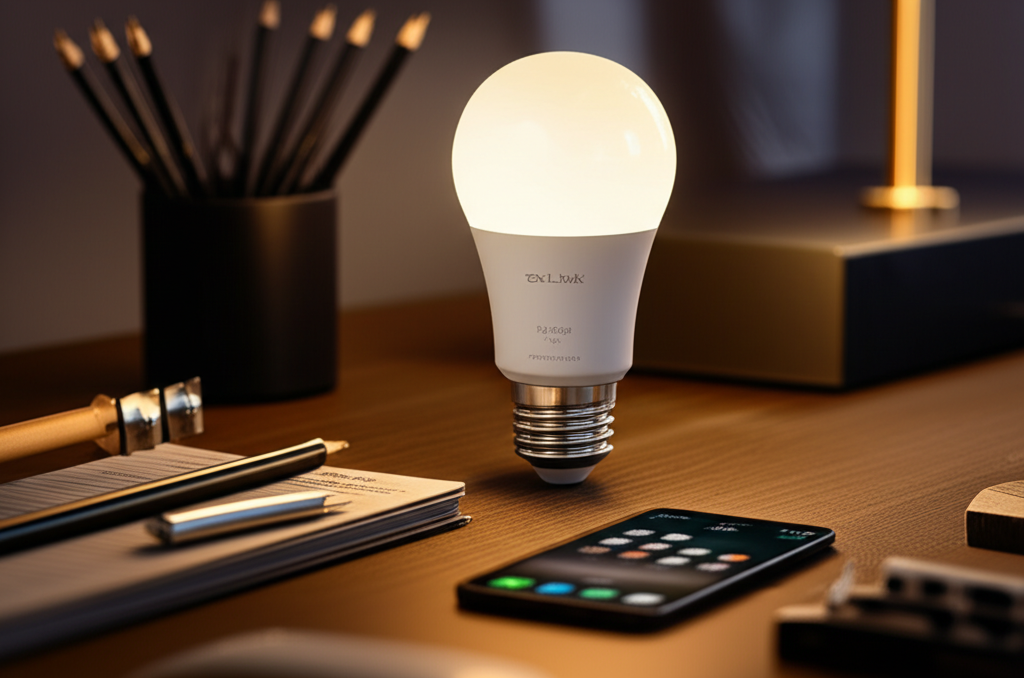
The TP-Link Kasa Smart Wi-Fi LED Bulb offers simple, voice-controlled, and app-managed lighting for any home, blending essential functionality with effortless smart technology for everyday convenience and ambiance.
The way we illuminate our homes is changing, and the humble light bulb is at the forefront of this revolution. Gone are the days of simply screwing in a bulb and flipping a switch. Today, smart lighting offers a world of possibilities, from adjusting brightness and color to setting schedules and controlling lights with your voice. If you’re looking to step into the future of home lighting without a steep learning curve or hefty price tag, the TP-Link Kasa Smart Wi-Fi LED Bulb might be exactly what you need. It promises essential, effortless lighting that integrates seamlessly into your daily life, and in this guide, I’ll break down everything you need to know.
Understanding the TP-Link Kasa Smart Wi-Fi LED Bulb Ecosystem
The TP-Link Kasa Smart Wi-Fi LED Bulb isn’t just a standalone gadget; it’s part of a larger, interconnected smart home ecosystem. Kasa is TP-Link’s brand dedicated to smart home devices, and their approach focuses on user-friendliness and affordability. This means when you invest in a Kasa smart bulb, you’re gaining access to a robust app and a suite of compatible devices that can work together. This integrated system is designed to make setting up and managing your smart home as simple as possible, even for those new to smart technology.
The core of the Kasa system is the Kasa Smart app, available for both iOS and Android. This app acts as your central command center, allowing you to control your bulbs, set schedules, create scenes, and monitor your devices from anywhere with an internet connection. It’s designed with an intuitive interface, making it easy to navigate and customize your lighting experience without needing a degree in computer science.
Key Features and Specifications of the TP-Link Kasa Smart Wi-Fi LED Bulb
When you’re considering a smart bulb, understanding its capabilities is crucial. The TP-Link Kasa Smart Wi-Fi LED Bulb comes packed with features designed to enhance your home’s ambiance and convenience. These bulbs are not just about turning on and off; they offer a level of control and customization that traditional bulbs can’t match. From adjusting the brightness to choosing from millions of colors (depending on the model), these bulbs bring a new dimension to home lighting.
Here’s a look at some of the most important specifications and features you’ll find:
Connectivity: Wi-Fi (2.4GHz) – This is a significant advantage as it means no separate hub is required. The bulb connects directly to your home Wi-Fi network, simplifying setup.
Brightness: Typically around 800 lumens, equivalent to a 60-watt incandescent bulb, providing ample illumination for most rooms.
Color Options: Many Kasa bulbs offer tunable white light (warm to cool), while others provide full RGB color spectrum capabilities, allowing for millions of color choices.
App Control: Full control via the Kasa Smart app, enabling remote access, scheduling, and scene creation.
Voice Control: Compatibility with major voice assistants like Amazon Alexa and Google Assistant, allowing for hands-free operation.
Energy Efficiency: As LED bulbs, they consume significantly less energy than traditional incandescent bulbs, saving you money on electricity bills and reducing your environmental footprint.
Dimmable: Easily adjust the brightness level to suit your mood or activity, from bright task lighting to a soft, ambient glow.
No Hub Required: This is a major selling point, as it eliminates the need for an additional piece of hardware and reduces clutter.
The simplicity of connecting directly to Wi-Fi is a standout feature for the TP-Link Kasa Smart Wi-Fi LED Bulb, making it an accessible entry point into smart home technology. The range of features ensures that you can tailor your lighting to any situation, from movie nights to focused work sessions.
Setting Up Your TP-Link Kasa Smart Wi-Fi LED Bulb: A Step-by-Step Guide
One of the most appealing aspects of the TP-Link Kasa Smart Wi-Fi LED Bulb is its straightforward setup process. TP-Link has designed the Kasa ecosystem with the user in mind, aiming to get you up and running in just a few minutes. You won’t need to be a tech wizard to enjoy the benefits of smart lighting. The process primarily involves downloading the app, connecting the bulb to your Wi-Fi, and then configuring it through the app.
Here’s a breakdown of the typical setup steps:
1. Download the Kasa Smart App: Search for “Kasa Smart” in the Apple App Store or Google Play Store and download the free application to your smartphone or tablet.
2. Create or Log In to Your Kasa Account: Open the app and either create a new Kasa account or log in if you already have one. This account will manage all your Kasa devices.
3. Install the Bulb: Screw your TP-Link Kasa Smart Wi-Fi LED Bulb into your desired light fixture. Turn on the power to the fixture. The bulb should flash or turn on and off to indicate it’s in pairing mode.
4. Add Device in the App: In the Kasa Smart app, tap the ‘+’ icon (usually in the top right corner) and select “Add Device.” Choose “Smart Bulb” and then select the specific Kasa bulb model you have.
5. Connect to Wi-Fi: The app will guide you to connect your phone temporarily to the bulb’s own Wi-Fi network (often named like “KasaSmartBulb_XXXX”). Once connected, you’ll select your home Wi-Fi network (2.4GHz only) and enter your Wi-Fi password.
6. Device Configuration: The app will then connect the bulb to your home network. You can then name your bulb (e.g., “Living Room Lamp,” “Bedroom Ceiling Light”) and assign it to a room for easier organization.
7. Test Your Bulb: Once configured, you can start controlling your TP-Link Kasa Smart Wi-Fi LED Bulb directly from the app, adjusting brightness, color, and more.
This simple, guided process ensures that anyone can transform their home lighting into a smart experience quickly and without frustration. The Kasa app’s user interface makes each step clear and easy to follow, minimizing potential confusion.
Controlling Your Lights: The Kasa Smart App in Detail
The Kasa Smart app is the brain behind your TP-Link Kasa Smart Wi-Fi LED Bulb, offering a comprehensive suite of features to manage your lighting. It’s designed to be intuitive, allowing you to control individual bulbs, group them, set schedules, and even create custom lighting scenes. The app’s power lies in its simplicity, making advanced lighting control accessible to everyone.
Within the app, you’ll find several key functionalities:
On/Off Control: The most basic function, allowing you to turn your lights on or off remotely or with a tap.
Brightness Adjustment: Slide a bar to dim or brighten your lights, creating the perfect ambiance for any occasion.
Color Selection (for RGB models): Choose from millions of colors using a color wheel or select from pre-set color palettes.
White Temperature Tuning: For tunable white bulbs, adjust the color temperature from a warm, cozy yellow to a cool, energizing blue-white.
Grouping: Combine multiple Kasa bulbs into groups (e.g., “Downstairs Lights,” “Kitchen Lights”) so you can control them all simultaneously.
Scheduling: Set specific times for your lights to turn on, turn off, or change settings. This is fantastic for security, waking up gently, or simulating occupancy when you’re away.
Scenes: Create custom lighting presets for different activities or moods, such as “Movie Night” (dim, warm light), “Reading” (bright, cool light), or “Party” (vibrant colors). You can activate these scenes with a single tap.
Away Mode: This feature can randomly turn lights on and off within your home to simulate occupancy, deterring potential intruders when you’re on vacation.
Device Settings: Access detailed settings for each bulb, including firmware updates, device name, and room assignment.
The Kasa Smart app’s ability to manage multiple devices and create personalized experiences makes the TP-Link Kasa Smart Wi-Fi LED Bulb a versatile addition to any smart home setup. Its regular updates often bring new features and improved performance, ensuring your smart lighting experience continues to evolve.
Voice Control Integration: Seamlessly Commanding Your Kasa Bulbs
The true magic of smart lighting often comes with voice control, and the TP-Link Kasa Smart Wi-Fi LED Bulb excels in this area. By integrating with popular voice assistants like Amazon Alexa and Google Assistant, you can control your lights using simple voice commands. This hands-free convenience is incredibly useful, especially when your hands are full or you’re across the room.
To enable voice control, you’ll typically need to:
1. Ensure Your Bulb is Set Up: Your TP-Link Kasa Smart Wi-Fi LED Bulb must be connected to your Wi-Fi network and controllable via the Kasa Smart app.
2. Link Your Kasa Account:
For Amazon Alexa: Open the Alexa app, go to “Skills & Games,” search for the “Kasa” skill, enable it, and then link your Kasa account by signing in with your Kasa credentials.
For Google Assistant: Open the Google Home app, tap the ‘+’ icon, select “Set up device,” then “Works with Google,” search for “Kasa,” and link your Kasa account.
3. Discover Devices: Once linked, ask your voice assistant to “Discover devices.” It should find your Kasa smart bulbs.
4. Control with Voice Commands: You can now use commands like:
“Alexa, turn on the living room light.”
“Hey Google, dim the bedroom lamp to 50%.”
“Alexa, set the kitchen lights to blue.”
“Hey Google, activate Movie Night scene.”
This seamless integration transforms your home into a more responsive and convenient environment. The accuracy and responsiveness of voice commands with the TP-Link Kasa Smart Wi-Fi LED Bulb are generally excellent, providing a smooth user experience.
Beyond Basic Lighting: Creating Ambiance and Scenes
The TP-Link Kasa Smart Wi-Fi LED Bulb offers much more than just on/off functionality; it empowers you to craft specific moods and atmospheres within your home. This is achieved through the creation of “Scenes” within the Kasa Smart app. Scenes allow you to preset combinations of lighting settings that can be activated with a single tap or voice command.
Think about the possibilities:
Morning Wake-Up: A scene that gradually brightens your bedroom lights to simulate a natural sunrise, making waking up more pleasant.
Movie Night: Dim the lights to a warm, low level to enhance the cinematic experience.
Dinner Party: Set a warm, inviting ambiance with slightly dimmed lights or vibrant colors to match your decor.
Focus Time: Bright, cool white light can help improve concentration for work or study.
Relaxation: Soft, warm lighting can create a tranquil environment for unwinding after a long day.
For models that support full RGB color, the creative potential is virtually limitless. You can match your lighting to holidays, special events, or simply your current mood. Creating a scene is as simple as adjusting your lights to your desired settings and then saving them as a new scene within the Kasa app. This feature truly elevates the TP-Link Kasa Smart Wi-Fi LED Bulb from a mere light source to an integral part of your home’s atmosphere.
Energy Efficiency and Cost Savings
One of the significant advantages of adopting LED technology, including the TP-Link Kasa Smart Wi-Fi LED Bulb, is its remarkable energy efficiency. Compared to traditional incandescent bulbs, LEDs consume substantially less power to produce the same amount of light. This translates directly into lower electricity bills for your household.
Consider these points:
Lower Wattage: An 800-lumen Kasa smart bulb typically uses around 9-10 watts, whereas a traditional 60-watt incandescent bulb uses, well, 60 watts. This is a dramatic reduction in energy consumption.
Longer Lifespan: LED bulbs are also far more durable and have a much longer operational lifespan than incandescent bulbs. While an incandescent bulb might last around 1,000 hours, an LED can last 15,000 to 25,000 hours or more. This means fewer replacements and less waste.
Smart Features for Savings: The scheduling and remote control features of the TP-Link Kasa Smart Wi-Fi LED Bulb can also contribute to energy savings. You can ensure lights aren’t accidentally left on in unoccupied rooms, and schedules can automate the process of turning lights off when they’re not needed.
While the initial cost of a smart LED bulb may be higher than a standard incandescent bulb, the long-term savings in energy consumption and the reduced need for replacements make it a more economical and environmentally friendly choice over time. The TP-Link Kasa Smart Wi-Fi LED Bulb offers a cost-effective way to enjoy these benefits.
Compatibility with Other Smart Home Devices
While the TP-Link Kasa Smart Wi-Fi LED Bulb is designed to work seamlessly within its own ecosystem and with major voice assistants, its compatibility with a broader range of smart home devices is also worth noting. The Kasa platform integrates well with services like IFTTT (If This Then That), which opens up a vast array of automation possibilities.
IFTTT allows you to create applets that connect different services and devices. For example, you could set up an applet where:
Your Kasa lights turn on when your smart lock is unlocked.
Your Kasa lights change color based on the weather forecast.
Your Kasa lights flash when you receive an important email.
Your Kasa lights turn on at sunset automatically, even without a pre-set schedule.
This level of interoperability means your TP-Link Kasa Smart Wi-Fi LED Bulb can become a more active participant in your smart home, reacting to events and triggers from other devices and services. While it doesn’t directly integrate with platforms like Apple HomeKit out of the box, its robust support for Alexa, Google Assistant, and IFTTT provides ample opportunities for automation and integration with a wide variety of smart gadgets and online services.
Troubleshooting Common Issues with Your Kasa Smart Bulb
Even the most user-friendly technology can sometimes present minor hiccups. Fortunately, issues with the TP-Link Kasa Smart Wi-Fi LED Bulb are typically easy to resolve. The Kasa Smart app itself often provides diagnostic tools, and TP-Link’s support resources are extensive.
Here are some common issues and their solutions:
Bulb Not Responding:
Check Wi-Fi: Ensure your home Wi-Fi is working and that the bulb is within range.
Restart Bulb: Turn the light switch off, wait 10 seconds, and turn it back on.
Restart Router: Sometimes, restarting your Wi-Fi router can resolve connectivity issues.
Re-add Bulb: If problems persist, try removing the bulb from the Kasa app and re-adding it.
Setup Failure:
2.4GHz Network: Make sure you are connecting to a 2.4GHz Wi-Fi network, as most smart home devices do not support 5GHz networks.
Correct Password: Double-check that you are entering your Wi-Fi password correctly.
App Permissions: Ensure the Kasa app has the necessary permissions (like location and local network access) enabled on your phone.
Voice Control Not Working:
Linked Account: Verify that your Kasa account is still correctly linked to your Alexa or Google Home account.
Device Discovery: Ask your voice assistant to discover devices again.
Correct Naming: Ensure you are using the exact name you assigned to the bulb in the Kasa app.
TP-Link also offers a comprehensive support website with FAQs, user manuals, and troubleshooting guides that can help you resolve most issues quickly. The community forums can also be a great resource for finding solutions shared by other users.
TP-Link Kasa Smart Wi-Fi LED Bulb vs. Competitors: Making the Right Choice
When looking to purchase a smart bulb, the market offers numerous options. However, the TP-Link Kasa Smart Wi-Fi LED Bulb stands out for its blend of affordability, ease of use, and reliable performance. Understanding how it stacks up against competitors can help you make an informed decision.
Key Differentiators for Kasa:
No Hub Required: This is a significant advantage over systems like Philips Hue (which requires a Hue Bridge for full functionality), reducing cost and setup complexity.
User-Friendly App: The Kasa app is consistently praised for its intuitive design and ease of navigation, making it ideal for beginners.
Affordability: Kasa bulbs are generally priced competitively, offering excellent value for money.
Reliable Connectivity: TP-Link’s strong reputation in networking ensures robust Wi-Fi performance for their smart devices.
Comparison Points with Other Brands (e.g., Philips Hue, Wyze, LIFX):
| Feature | TP-Link Kasa Smart Bulb | Philips Hue (with Bridge) | Wyze Bulb | LIFX |
| :—————- | :————————————– | :—————————————— | :—————————————— | :—————————————— |
| Hub Required? | No | Yes (Hue Bridge) | No | No |
| App Interface | Very User-Friendly | Feature-rich, slightly more complex | Simple and functional | User-friendly, advanced options |
| Color Options | Tunable White & Full Color (model dep.) | Tunable White & Full Color | Tunable White & Full Color | Tunable White & Full Color |
| Integration | Alexa, Google Assistant, IFTTT | Alexa, Google Assistant, Apple HomeKit, etc. | Alexa, Google Assistant | Alexa, Google Assistant, Apple HomeKit, etc. |
| Price Point | Budget-friendly | Premium | Very Budget-friendly | Mid-range to Premium |
| Ecosystem | Growing Kasa Smart Home | Extensive, mature smart home system | Expanding Wyze ecosystem | Focus on lighting, growing integrations |
The TP-Link Kasa Smart Wi-Fi LED Bulb offers a compelling package for those seeking essential smart lighting without unnecessary complexity or high costs. While premium brands might offer deeper integration or more advanced features, Kasa provides a solid, reliable, and accessible smart lighting experience that meets the needs of most households.
Frequently Asked Questions (FAQ)
Q1: Do I need a special hub to use the TP-Link Kasa Smart Wi-Fi LED Bulb?
No, one of the biggest advantages of the Kasa smart bulbs is that they connect directly to your home’s 2.4GHz Wi-Fi network, eliminating the need for a separate hub.
Q2: Can I control my Kasa smart bulbs when I’m not at home?
Yes, as long as your bulb is connected to your Wi-Fi and your smartphone has an internet connection, you can control your Kasa smart bulbs from anywhere using the Kasa Smart app.
Q3: What types of Kasa smart bulbs are available?
TP-Link offers various Kasa smart bulbs, including tunable white bulbs (allowing you to adjust from warm to cool white) and full color bulbs (offering millions of color options). They also come in different form factors like standard A19 bulbs and sometimes others.
Q4: How do I reset my Kasa smart bulb if it’s not working?
To reset a Kasa smart bulb, you typically need to turn the light switch controlling the bulb off and on a specific number of times (often 5 times, with pauses in between). The bulb will then flash to indicate it has been reset to factory defaults. Consult the Kasa app or TP-Link support for the exact sequence for your model.
Q5: Can I use Kasa smart bulbs with Apple HomeKit?
Currently, TP-Link Kasa devices, including their smart bulbs, do not directly support Apple HomeKit. However, they work seamlessly with Amazon Alexa and Google Assistant.
Q6: Do Kasa smart bulbs work with 5GHz Wi-Fi networks?
No, TP-Link Kasa smart devices, including the smart bulbs, only support 2.4GHz Wi-Fi networks. You will need to ensure your router has a 2.4GHz band enabled and that you connect the bulb to it during setup.
Conclusion: Effortless Illumination for the Modern Home
The TP-Link Kasa Smart Wi-Fi LED Bulb truly embodies the idea of essential, effortless lighting. It demystifies smart home technology, making advanced lighting control accessible and affordable for everyone. With its simple setup, intuitive app, and seamless integration with voice assistants, you can transform your home’s ambiance with just a few taps or spoken words.
Whether you’re looking to create the perfect mood for movie night, wake up more gently, enhance home security with schedules, or simply enjoy the convenience of hands-free control, the Kasa smart bulb delivers. Its energy efficiency also means you’re making a smart choice for your wallet and the environment. For those stepping into the world of smart lighting, or looking to expand an existing setup without breaking the bank, the TP-Link Kasa Smart Wi-Fi LED Bulb is an outstanding option that brings convenience, comfort, and a touch of modern innovation to your everyday life.


Belayet Hossain is a Senior Tech Expert and Certified AI Marketing Strategist. Holding an MSc in CSE (Russia) and over a decade of experience since 2011, he combines traditional systems engineering with modern AI insights. Specializing in Vibe Coding and Intelligent Marketing, Belayet provides forward-thinking analysis on software, digital trends, and SEO, helping readers navigate the rapidly evolving digital landscape. Connect with Belayet Hossain on Facebook, Twitter, Linkedin or read my complete biography.