


Published on: 27/09/2025 | Updated on: September 27, 2025
The TP-Link Kasa Smart Dimmer Switch offers intuitive, app-controlled lighting adjustments, creating perfect ambiance and saving energy. It seamlessly integrates with your smart home ecosystem, providing effortless control and enhanced convenience through its user-friendly interface and advanced features, making it an essential upgrade for modern living.
Tired of fumbling for light switches in the dark or dealing with harsh, unchangeable lighting? Imagine stepping into a perfectly lit room, the ambiance set just right, all controlled by your voice or a simple tap on your phone. The TP-Link Kasa Smart Dimmer Switch makes this a reality, transforming your home’s lighting from a static element into a dynamic, responsive part of your smart ecosystem. This guide will walk you through everything you need to know about this essential piece of smart home technology.
Why a Smart Dimmer Switch is a Game-Changer
Smart dimmer switches move beyond simple on/off functionality, offering granular control over your home’s illumination. They allow you to adjust brightness levels, schedule lighting changes, and even control lights remotely. This not only enhances convenience and ambiance but also contributes to energy savings by ensuring lights are only as bright as needed and are turned off when not in use.
A smart dimmer switch integrates seamlessly into your daily routines. You can program lights to gradually brighten in the morning, mimicking a sunrise, or dim down for movie nights. This level of customization was once the stuff of science fiction but is now readily available and surprisingly affordable.
Unpacking the TP-Link Kasa Smart Dimmer Switch: Design and Features
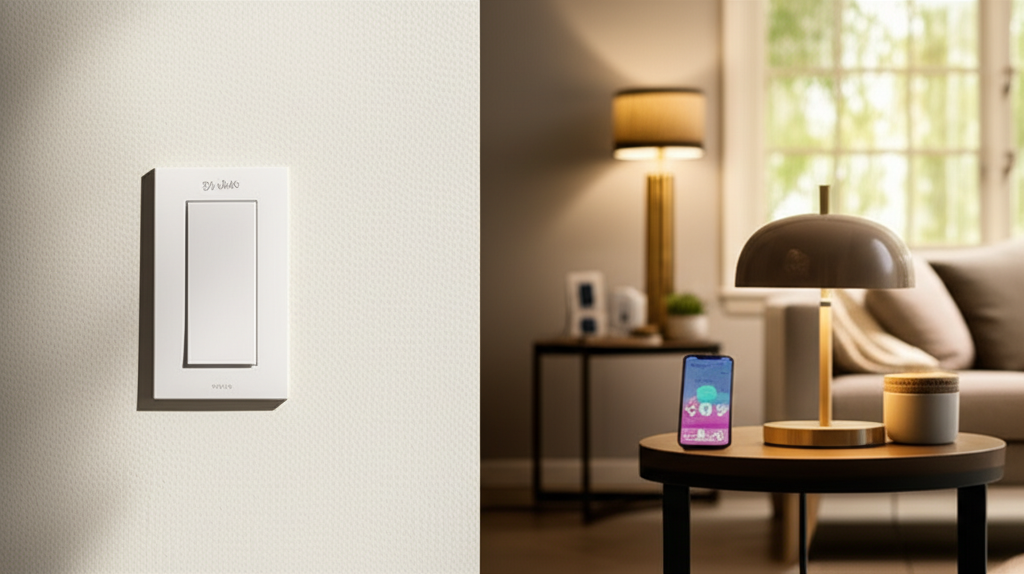
The TP-Link Kasa Smart Dimmer Switch, model HS220, is designed with both aesthetics and functionality in mind. Its clean, modern design blends well with most home decor, featuring a subtle LED indicator that helps you locate it in the dark without being obtrusive. The physical dimmer control is smooth and responsive, offering a tactile alternative to app control.
Key features include its ability to dim compatible LED, incandescent, and halogen bulbs. It supports Wi-Fi connectivity, meaning no separate hub is required, simplifying setup. The switch also boasts energy monitoring capabilities, allowing you to track your lighting consumption directly through the Kasa app.
Seamless Integration with the Kasa App

The Kasa Smart app is the central hub for controlling your TP-Link Kasa Smart Dimmer Switch. Available for both iOS and Android, the app provides an intuitive interface for managing all your Kasa devices. You can turn lights on or off, adjust brightness levels, set schedules, and create scenes from anywhere with an internet connection.
The app’s user-friendliness is a significant advantage. It guides you through the setup process step-by-step, making it accessible even for those new to smart home technology. Regular updates ensure new features are added and performance is continuously improved.
Voice Control: The Ultimate Convenience
One of the most compelling aspects of the TP-Link Kasa Smart Dimmer Switch is its compatibility with major voice assistants like Amazon Alexa and Google Assistant. This allows for hands-free control of your lighting. Simply say, “Alexa, dim the living room lights to 50%,” or “Hey Google, turn off the bedroom lamp,” and your lights respond instantly.
This hands-free operation is particularly useful when your hands are full or when you’re relaxing and don’t want to reach for your phone. It elevates the smart home experience from convenient to truly effortless. Exploring the integration with these platforms is a key step in unlocking the full potential of your smart dimmer.
Installation: A DIY-Friendly Process
Installing the TP-Link Kasa Smart Dimmer Switch is designed to be a straightforward DIY project, even for those with limited electrical experience. The package includes clear instructions, and the Kasa app provides further guidance. Before starting, ensure you turn off the power to the relevant circuit at your breaker box.
You’ll need basic tools like a screwdriver and potentially wire nuts. The process involves removing your old switch, connecting the wires to the Kasa switch (typically line, load, and ground), and securing it in the wall box. The app then guides you through connecting the switch to your Wi-Fi network.
Step-by-Step Installation Guide
1. Safety First: Turn off the power to the light switch circuit at your breaker box.
2. Remove Old Switch: Unscrew and gently pull out the existing light switch. Disconnect the wires.
3. Identify Wires: Locate the line (power in), load (to light fixture), and ground wires. The Kasa switch usually has clear labels for connection.
4. Connect Kasa Switch: Connect the corresponding wires to the terminals on the TP-Link Kasa Smart Dimmer Switch using wire nuts.
5. Mount the Switch: Carefully tuck the wires back into the wall box and screw the Kasa switch into place.
6. Restore Power: Turn the power back on at the breaker box.
7. App Setup: Follow the on-screen instructions in the Kasa Smart app to detect and configure your new smart dimmer.
This installation process typically takes about 15-30 minutes. If you’re unsure about any step, consulting a qualified electrician is always recommended for your safety.
Advanced Features: Beyond Basic Dimming
The TP-Link Kasa Smart Dimmer Switch offers a suite of advanced features that enhance its utility and appeal. These go beyond simple brightness adjustments, providing a more sophisticated lighting control experience. Understanding these features can help you leverage the switch to its full potential.
The energy monitoring function is a standout. It allows you to see how much energy your connected lights are consuming in real-time and historically. This data can help you identify energy-wasting habits and make informed decisions to reduce your electricity bills.
Scheduling and Scenes: Automate Your Ambiance
Scheduling is a core function of the Kasa Smart Dimmer Switch. You can set specific times for your lights to turn on, turn off, or adjust to a particular brightness level. This is perfect for security, simulating occupancy when you’re away, or ensuring a gentle wake-up call.
Scenes allow you to group multiple Kasa devices and set them to specific states with a single command. For example, a “Movie Night” scene could dim the living room lights, turn off hallway lights, and set a cozy ambiance. This feature adds a layer of sophisticated automation to your smart home.
Away Mode: Enhanced Security and Peace of Mind
The Away Mode feature on the Kasa Smart Dimmer Switch is a valuable tool for home security. When activated, it randomly turns lights on and off during specific periods, mimicking the pattern of someone being home. This can deter potential intruders while you’re on vacation or away for extended periods.
This intelligent automation provides peace of mind, knowing your home appears occupied. It’s a simple yet effective way to enhance your home’s security profile using smart technology.
Compatibility: What Bulbs and Systems Work?
The TP-Link Kasa Smart Dimmer Switch is designed to work with a wide range of lighting technologies. It is compatible with dimmable LED bulbs, incandescent bulbs, and halogen bulbs. However, it’s crucial to use bulbs that are explicitly labeled as “dimmable” to avoid flickering or other performance issues.
The switch itself requires a neutral wire for operation, which is standard in most modern homes but might be absent in older wiring. Always check your existing wiring before purchasing to ensure compatibility.
Smart Home Ecosystem Integration
Beyond voice assistants, the Kasa ecosystem itself is expanding. TP-Link offers a variety of Kasa smart devices, including plugs, cameras, and other switches, all controllable through the same Kasa Smart app. This allows for a unified smart home experience managed from a single platform.
While the HS220 doesn’t directly integrate with platforms like Apple HomeKit or Samsung SmartThings without workarounds, its strong compatibility with Alexa and Google Assistant covers the needs of a vast majority of smart home users. The focus on a robust proprietary ecosystem offers a reliable user experience.
Performance and Reliability: Real-World Usage
In real-world usage, the TP-Link Kasa Smart Dimmer Switch generally performs admirably. The app is responsive, and voice commands are typically executed without noticeable delay. The dimming is smooth, and the ability to set precise brightness levels is a significant upgrade over traditional dimmers.
Reliability is also a strong point for TP-Link devices. The connection to Wi-Fi is stable, and the switch consistently performs its scheduled tasks. Updates to the Kasa app and firmware have historically addressed bugs and introduced new functionalities, demonstrating TP-Link’s commitment to its products.
Troubleshooting Common Issues
Occasionally, users might encounter issues. If the switch is unresponsive, the first step is always to check your Wi-Fi connection and ensure the Kasa app is up to date. Power cycling the switch by turning off the circuit breaker for a minute can also resolve temporary glitches.
For connectivity problems, ensuring your Wi-Fi signal is strong at the switch’s location is crucial. If dimming issues arise, confirm that the bulbs used are indeed dimmable and compatible. The Kasa app’s support section and TP-Link’s customer service are excellent resources for more complex troubleshooting.
Energy Savings: A Smart Investment
The energy-saving potential of a smart dimmer switch like the TP-Link Kasa Smart Dimmer Switch is often underestimated. By allowing you to dim lights to lower levels, you directly reduce power consumption. LEDs are already energy-efficient, but dimming them further amplifies these savings.
Furthermore, the scheduling and remote control features ensure lights aren’t left on unnecessarily. The energy monitoring feature provides tangible data to reinforce these savings, making the switch a wise investment that pays for itself over time. This intelligent approach to lighting management contributes to both your wallet and the environment.
Comparing TP-Link Kasa Smart Dimmer Switch with Alternatives
When considering smart dimmer switches, several alternatives exist from brands like Lutron, Leviton, and Wemo. Each offers unique features and integration options. The TP-Link Kasa Smart Dimmer Switch stands out for its ease of use, no-hub-required Wi-Fi connectivity, and competitive pricing.
Lutron often leads in advanced features and ecosystem depth, particularly for whole-home systems, but usually at a higher price point and sometimes requiring a bridge. Wemo offers similar app-based control and voice assistant integration. The Kasa HS220 strikes a balance, offering robust smart functionality without the complexity or cost of some high-end alternatives.
| Feature | TP-Link Kasa HS220 | Lutron Caseta Wireless Smart Dimmer | Wemo Smart Dimmer |
| :——————— | :——————————— | :———————————- | :——————————– |
| Connectivity | Wi-Fi | Z-Wave/Clear Connect (Hub Req.) | Wi-Fi |
| Hub Required? | No | Yes (Lutron Smart Bridge) | No |
| Voice Assistant | Alexa, Google Assistant | Alexa, Google Assistant, HomeKit | Alexa, Google Assistant, HomeKit |
| Energy Monitoring | Yes | No | No |
| Scheduling/Scenes | Yes | Yes | Yes |
| Neutral Wire Required? | Yes | No | Yes |
| Price Point | Mid-range | Higher-end | Mid-range |
The choice often comes down to your existing smart home setup and budget. For users already invested in the Amazon or Google ecosystem, the Kasa HS220 is a compelling option due to its seamless integration and value.
The Future of Lighting Control with AI
The integration of AI into smart home devices is rapidly evolving, and lighting is no exception. While the current TP-Link Kasa Smart Dimmer Switch relies on user-defined schedules and voice commands, future iterations and related smart home technologies are likely to incorporate more advanced AI. Imagine a system that learns your daily routines and preferences, automatically adjusting lighting based on time of day, ambient light conditions, and even your presence in a room, all without explicit programming.
AI could optimize lighting not just for convenience but also for well-being, adjusting color temperature and brightness to enhance focus during work hours or promote relaxation in the evening. This proactive approach to lighting control promises a more intuitive and responsive smart home experience. TP-Link’s commitment to software updates suggests they are well-positioned to adopt such innovations.
Frequently Asked Questions (FAQ)
Can I use the TP-Link Kasa Smart Dimmer Switch with any light bulb?
No, you must use dimmable LED, incandescent, or halogen bulbs. Non-dimmable bulbs can cause flickering or damage the switch.
Does the TP-Link Kasa Smart Dimmer Switch require a hub?
No, it connects directly to your home’s Wi-Fi network, so no additional hub is needed.
Will this switch work in my older home that might not have a neutral wire?
The TP-Link Kasa Smart Dimmer Switch requires a neutral wire to function. You may need to have one installed by an electrician if your wiring lacks it.
Can I control the lights when I’m away from home?
Yes, as long as your switch is connected to Wi-Fi and your smartphone has an internet connection, you can control it remotely via the Kasa Smart app.
How does the energy monitoring feature work?
The switch tracks the power consumption of the connected lights and displays this data in the Kasa app, allowing you to monitor usage over time.
Is it difficult to set up schedules for the dimmer switch?
No, the Kasa Smart app provides a user-friendly interface for setting up schedules, making it easy to automate your lighting.
Conclusion: Essential Genius for Your Home
The TP-Link Kasa Smart Dimmer Switch (HS220) truly embodies essential genius. It takes a fundamental home utility—lighting—and imbues it with intelligence, convenience, and efficiency. From the intuitive app control and seamless voice assistant integration to the advanced scheduling and energy monitoring features, this smart dimmer switch elevates your living space.
Its straightforward installation makes it an accessible upgrade for any homeowner looking to step into the world of smart lighting. Whether you’re aiming to create the perfect ambiance for any occasion, enhance your home’s security, or simply reduce your energy consumption, the TP-Link Kasa Smart Dimmer Switch delivers a reliable and powerful solution. It’s more than just a switch; it’s a smart, indispensable component of a modern, connected home.

Belayet Hossain is a Senior Tech Expert and Certified AI Marketing Strategist. Holding an MSc in CSE (Russia) and over a decade of experience since 2011, he combines traditional systems engineering with modern AI insights. Specializing in Vibe Coding and Intelligent Marketing, Belayet provides forward-thinking analysis on software, digital trends, and SEO, helping readers navigate the rapidly evolving digital landscape. Connect with Belayet Hossain on Facebook, Twitter, Linkedin or read my complete biography.