
Published on: 18/09/2025 | Updated on: September 18, 2025
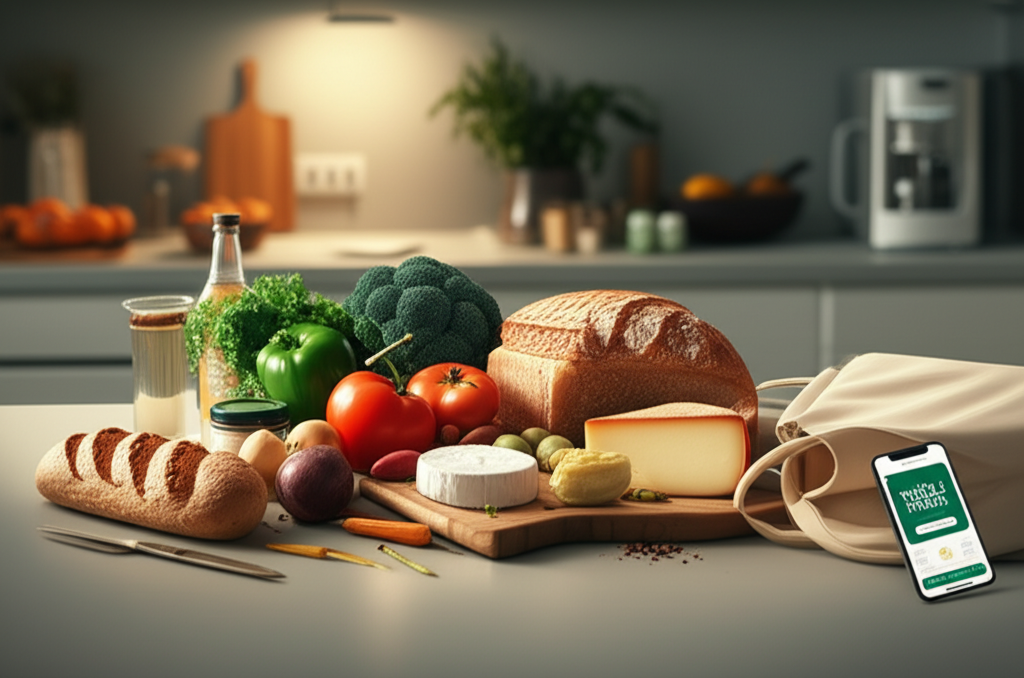
Whole Foods delivery brings the premium selection of organic and natural groceries directly to you, simplifying healthy eating with convenient online ordering and reliable doorstep service. This guide breaks down how to get your favorite Whole Foods items without leaving home.
Getting your hands on high-quality, organic groceries from Whole Foods Market used to mean a dedicated trip to the store. But with the rise of sophisticated delivery services, that’s no longer the case. If you’re looking to embrace a healthier lifestyle or simply want the convenience of having your favorite natural and organic products arrive at your door, understanding the ins and outs of Whole Foods delivery is key. This guide will walk you through everything you need to know, from placing your first order to optimizing your experience. Prepare to discover how effortless healthy eating can be.
What is Whole Foods Delivery?
Whole Foods delivery brings the premium selection of organic and natural groceries directly to you, simplifying healthy eating with convenient online ordering and reliable doorstep service. It’s your gateway to enjoying high-quality produce, artisanal goods, and pantry staples without the hassle of a physical shopping trip.
Whole Foods Market partners with Amazon to offer a seamless grocery delivery service, making it easier than ever to stock your kitchen with wholesome ingredients. You can browse their extensive catalog online, select your desired items, and schedule a convenient delivery window. This service is perfect for busy individuals, families, or anyone who values both health and convenience.
How Does Whole Foods Delivery Work?
Whole Foods delivery leverages Amazon’s robust logistics network to bring fresh groceries to your doorstep. You can place orders through the Amazon website or the dedicated Whole Foods Market section on Amazon. Once you’ve filled your virtual cart, you select a delivery time slot that works best for you.
The process is designed for ease of use. Simply navigate to the Whole Foods section on Amazon, add items to your cart, choose between delivery or curbside pickup, and confirm your order. Shoppers then pick your items with care, ensuring freshness and quality, before delivering them within your chosen window.
Choosing Your Whole Foods Delivery Method
Whole Foods delivery offers a few convenient options to suit your needs. You can opt for doorstep delivery, where your groceries are left at your door, or choose curbside pickup if you prefer to grab them yourself. Both methods aim to provide maximum convenience and flexibility.
Delivery: Groceries are brought directly to your home. This is ideal for those who are time-crunched or prefer not to leave the house.
Curbside Pickup: You drive to a designated Whole Foods Market location, and an associate brings your order directly to your car. This offers a quick and efficient way to get your groceries without parking or entering the store.
Each option aims to provide a seamless experience, ensuring you get your favorite Whole Foods items with minimal effort. The choice often depends on your daily schedule and personal preference for receiving your goods.
Delivery Fees and Membership Perks

Understanding the costs associated with Whole Foods delivery is crucial. Delivery fees can vary based on your location and the time slot you select. However, Amazon Prime members often enjoy significant benefits, including free delivery on qualifying orders and special discounts.
For Prime members, many Whole Foods orders over a certain threshold (often $35) qualify for free two-hour delivery. This makes Whole Foods delivery an incredibly attractive option for regular shoppers who are already part of the Amazon ecosystem. Additionally, Prime members receive exclusive discounts on select items throughout the store.
It’s worth noting that delivery fees can fluctuate, especially during peak shopping times or holidays. Always check the estimated fees during checkout to ensure you’re getting the best value. Membership perks are a substantial incentive for frequent users.
Navigating the Whole Foods Market on Amazon
The Whole Foods Market experience on Amazon is designed to be intuitive and user-friendly. You can search for specific products, browse by department, or explore curated collections to discover new items. The platform makes it easy to find exactly what you’re looking for, from organic produce to specialty cheeses.
Using the search bar is the quickest way to find particular items. You can also explore categories like “Produce,” “Meat & Seafood,” “Dairy & Eggs,” and “Pantry” to virtually wander the aisles. The platform often highlights seasonal items and popular deals, helping you make informed choices.
Tips for a Seamless Online Shopping Experience
To make your Whole Foods delivery experience as smooth as possible, a few tips can go a long way. Planning your meals, checking for deals, and understanding product availability are key to efficient online grocery shopping. It’s also beneficial to familiarize yourself with the substitution policy.
Plan Your Meals: Before you start browsing, have a general idea of what you want to cook or eat for the week. This helps prevent impulse buys and ensures you get everything you need.
Check for Deals: Amazon frequently features special offers and discounts on Whole Foods items. Keep an eye on the “Deals” section for savings.
Read Descriptions Carefully: Pay attention to product details, sizes, and ingredients to ensure you’re selecting the right items. This is especially important for perishable goods.
Understand Substitutions: If an item you ordered is out of stock, Whole Foods delivery often offers substitutions. You can usually specify your preferences for substitutions when you place your order.
By implementing these strategies, you can optimize your online shopping and ensure you receive exactly what you envision for your healthy meals. These small steps can significantly enhance your overall satisfaction with the service.
What You Can Order via Whole Foods Delivery
The range of products available through Whole Foods delivery is extensive, mirroring the offerings in their physical stores. You can get fresh produce, high-quality meats and seafood, dairy products, baked goods, pantry staples, and even household essentials delivered right to your door. The platform aims to be a one-stop shop for your organic and natural grocery needs.
From vibrant organic fruits and vegetables to responsibly sourced proteins and artisanal bread, almost everything you’d find in a Whole Foods Market is accessible online. This includes their popular 365 by Whole Foods Market brand, offering great value on everyday essentials. You can also find a wide selection of vegan, gluten-free, and other specialty diet items.
Fresh Produce and Perishables
The selection of fresh produce and perishables is a cornerstone of Whole Foods delivery. You can expect a wide variety of seasonal fruits, vegetables, herbs, and more, all sourced for quality and freshness. The service takes extra care to ensure these items arrive in optimal condition.
When ordering produce, you’ll often see options for specific weights or quantities. While you can’t pick out individual pieces like you would in-store, shoppers are trained to select the best available items. For items like avocados or bananas, you might be able to specify ripeness preferences.
Meat, Seafood, and Dairy
Whole Foods is renowned for its commitment to quality in its meat, seafood, and dairy selections, and this extends to their delivery service. You can find a broad array of choices, from grass-fed beef and responsibly farmed fish to organic milk and artisanal cheeses. The same standards of sourcing and quality apply to online orders.
The platform typically provides detailed information about the origin and sourcing of these products, allowing you to make informed decisions aligned with your values. Whether you’re looking for lean proteins for a healthy meal or gourmet cheeses for a special occasion, the delivery service has you covered.
Pantry Staples and Specialty Items
Beyond fresh items, Whole Foods delivery offers a comprehensive selection of pantry staples and specialty goods. This includes everything from organic grains, pasta, and sauces to gluten-free products, vegan alternatives, and international foods. Their 365 brand provides budget-friendly options for many everyday necessities.
You’ll also find a wide range of beverages, snacks, supplements, and even pet food. The online catalog is continuously updated, ensuring you have access to both familiar favorites and exciting new finds. Discovering new healthy snacks or ingredients for your next culinary adventure is part of the appeal.
Optimizing Your Whole Foods Delivery Experience
To truly maximize the benefits of Whole Foods delivery, a few strategic approaches can make a significant difference. Beyond just placing orders, consider how you can integrate the service seamlessly into your routine and ensure you’re always getting the best value and quality. Smart planning is key to unlocking its full potential.
Scheduling Your Delivery Wisely
Choosing the right delivery window is essential for convenience and ensuring someone is available to receive your order, especially for perishable items. Consider your daily schedule, work commitments, and even the weather when selecting a time. Off-peak hours might offer more availability and potentially lower fees.
Many people find that scheduling deliveries during a time when they are typically home, such as evenings or weekends, works best. This minimizes the need to rush or make special arrangements. If you opt for doorstep delivery, consider using insulated bags for extra protection, especially during warmer months.
Managing Substitutions and Preferences
Whole Foods delivery understands that inventory can fluctuate. Their substitution policy allows you to specify how you’d like out-of-stock items handled. You can choose to allow substitutions, decline them entirely, or even provide specific instructions for what you’d accept.
When placing your order, look for the option to manage substitutions. You can often set preferences for the entire order or for specific items. This ensures that you receive items you’re happy with, even if your first choice isn’t available. Clear communication on your preferences minimizes potential disappointment.
Leveraging Amazon Prime Benefits
As mentioned, Amazon Prime members receive some of the most significant advantages of Whole Foods delivery. Free two-hour delivery on qualifying orders and exclusive discounts are just the beginning. Prime members also get access to Prime-exclusive deals and savings throughout the Whole Foods Market selection on Amazon.
If you’re a frequent shopper of Whole Foods, consolidating your grocery orders through Amazon Prime can lead to substantial savings over time. It also simplifies your shopping by integrating it with your existing Amazon account and delivery preferences. The convenience and cost savings are hard to beat for active Prime users.
Whole Foods Delivery vs. Other Grocery Delivery Services
When comparing Whole Foods delivery to other services, several factors come into play. Whole Foods differentiates itself through its unwavering focus on organic, natural, and high-quality ingredients. While other services might offer broader selections or different price points, Whole Foods delivery targets a specific consumer who prioritizes these values.
Here’s a quick comparison:
| Feature | Whole Foods Delivery (via Amazon) | Other Major Grocery Delivery Services (e.g., Instacart, Shipt) |
| :—————— | :————————————————————– | :————————————————————- |
| Product Focus | Organic, natural, high-quality, artisanal | Broad range, including conventional and organic options |
| Brand Identity | Premium, health-conscious, sustainable | Convenience, variety, competitive pricing |
| Pricing | Generally higher, but Prime members get free delivery/discounts | Varies widely; subscription models common |
| Delivery Speed | Often two-hour delivery for Prime members | Varies; often same-day or next-day options available |
| Membership | Amazon Prime offers significant benefits | Often requires separate subscription for best rates |
| Item Availability | Subject to Whole Foods Market inventory | Subject to inventory of partnered local supermarkets |
Whole Foods delivery excels for those who specifically seek out the Whole Foods brand and its ethos. If your priority is certified organic produce, ethically sourced meats, and a curated selection of specialty health foods, this service is likely your top choice. Other services might be better suited if you prioritize the widest possible selection from multiple stores or the absolute lowest prices on conventional items.
The choice often boils down to your personal priorities and shopping habits. Whole Foods delivery offers a distinct value proposition for health-conscious consumers already integrated into the Amazon ecosystem. Its focus on quality and natural ingredients remains its strongest differentiator.
Troubleshooting Common Whole Foods Delivery Issues
Even with advanced systems, occasional issues can arise with any delivery service. Understanding how to address common problems with Whole Foods delivery can save you time and frustration. Promptly contacting customer support is usually the first step in resolving any discrepancies.
Missing or Incorrect Items: If an item is missing from your order or you received something different than what you ordered, report it immediately through your Amazon account. You can typically request a refund or a replacement.
Damaged Items: Perishable items can sometimes be damaged during transit. Document the damage with photos if possible and contact customer service. They are usually accommodating with refunds for damaged goods.
* Late Deliveries: While rare, deliveries can sometimes be delayed. If your delivery is significantly late, especially for time-sensitive items, reach out to Amazon customer support for assistance.
Being proactive and clear when reporting issues is crucial for a swift resolution. Most problems are handled efficiently through the Amazon platform, ensuring your satisfaction.
The Future of Whole Foods Delivery and AI Integration
The integration of Whole Foods Market into Amazon’s platform is a clear indicator of the future direction for grocery delivery. We can expect continued enhancements driven by AI and machine learning. These technologies are poised to make the entire process even more personalized and efficient.
AI is already playing a role in optimizing delivery routes, predicting customer demand, and personalizing product recommendations. Future innovations could include more sophisticated inventory management to reduce out-of-stock items, AI-powered recipe suggestions based on your past purchases, and even robotic assistance in fulfillment centers.
The synergy between Whole Foods’ commitment to quality and Amazon’s technological prowess promises an evolving and increasingly convenient grocery delivery experience. Expect more seamless interactions and smarter features as AI continues to be integrated.
Frequently Asked Questions about Whole Foods Delivery
What is the minimum order for Whole Foods delivery?
The minimum order for Whole Foods delivery typically aligns with Amazon’s general grocery delivery requirements, often around $35 for Prime members to qualify for free delivery. However, this can vary by region and specific promotions. Always check the current minimums during checkout.
Can I use Whole Foods Market gift cards for delivery orders?
Yes, you can use Whole Foods Market gift cards for delivery orders placed through Amazon. Ensure the gift card is added to your Amazon account balance before you complete your purchase.
How do I provide specific instructions for my delivery?
When placing your order on Amazon, there’s usually a section for delivery instructions. You can add notes for the driver, such as “leave at the back door” or “buzz apartment #123.”
What happens if an item I ordered is out of stock?
Whole Foods delivery typically offers substitutions for out-of-stock items. You can set your preferences for substitutions when you order, choosing to allow them, decline them, or specify what you’ll accept.
Are there specific times when Whole Foods delivery is cheaper?
Delivery fees can sometimes vary based on the time slot. While not always explicitly stated, off-peak hours might occasionally have lower fees or better availability. Prime members often receive free delivery regardless of the time slot for qualifying orders.
Can I get delivery from any Whole Foods Market location?
Your delivery options are generally based on your geographic location and the specific Whole Foods Market stores that service your area through Amazon’s logistics. You’ll see available delivery windows and store origins during checkout.
Conclusion
Whole Foods delivery has transformed the way many of us access high-quality, healthy groceries. By leveraging Amazon’s extensive infrastructure, it offers a convenient and reliable solution for stocking your pantry with organic produce, natural meats, and a wide array of specialty items. Whether you’re a busy professional, a parent juggling multiple responsibilities, or simply someone who values the ease of online shopping, Whole Foods delivery is an invaluable service.
From understanding the nuances of delivery fees and Prime member perks to mastering the online interface and managing substitutions, this guide has equipped you with the knowledge to make the most of Whole Foods delivery. The platform is continually evolving, with AI promising even smarter features in the future. Embrace the convenience and start enjoying fresh, wholesome ingredients delivered right to your doorstep today.

Belayet Hossain is a Senior Tech Expert and Certified AI Marketing Strategist. Holding an MSc in CSE (Russia) and over a decade of experience since 2011, he combines traditional systems engineering with modern AI insights. Specializing in Vibe Coding and Intelligent Marketing, Belayet provides forward-thinking analysis on software, digital trends, and SEO, helping readers navigate the rapidly evolving digital landscape. Connect with Belayet Hossain on Facebook, Twitter, Linkedin or read my complete biography.