


Published on: 27/09/2025 | Updated on: September 27, 2025
Wyze Cam Pan: Essential Classroom Security Breakthrough for Enhanced Safety and Oversight
The Wyze Cam Pan offers an affordable, AI-powered solution for classroom security, providing teachers and administrators with crucial peace of mind and enhanced oversight. This guide explores its features, benefits, and how it can revolutionize safety in educational settings.
Ensuring a safe and secure learning environment is paramount for any educational institution. From bustling elementary schools to busy university campuses, the need for reliable security measures is constant. However, traditional security systems can be prohibitively expensive, especially for smaller schools or individual classrooms. This is where innovative, budget-friendly technology steps in, offering powerful solutions without breaking the bank. The Wyze Cam Pan has emerged as a surprising yet effective tool, bringing advanced surveillance capabilities to a price point accessible to many. Let’s dive into how this smart device can be a game-changer for classroom security, offering not just surveillance but intelligent insights.
Understanding the Evolving Needs of Classroom Security
The landscape of classroom security has dramatically shifted. It’s no longer just about preventing theft or vandalism; it’s about creating a safe haven where learning can flourish without fear. This includes monitoring for potential safety hazards, ensuring student well-being, and providing a transparent view of daily activities for authorized personnel. Traditional CCTV systems often lack the flexibility and smart features needed for modern educational environments. They can be costly to install, maintain, and often don’t offer the real-time insights that are crucial for immediate response.
The Wyze Cam Pan: A Closer Look at its Core Capabilities
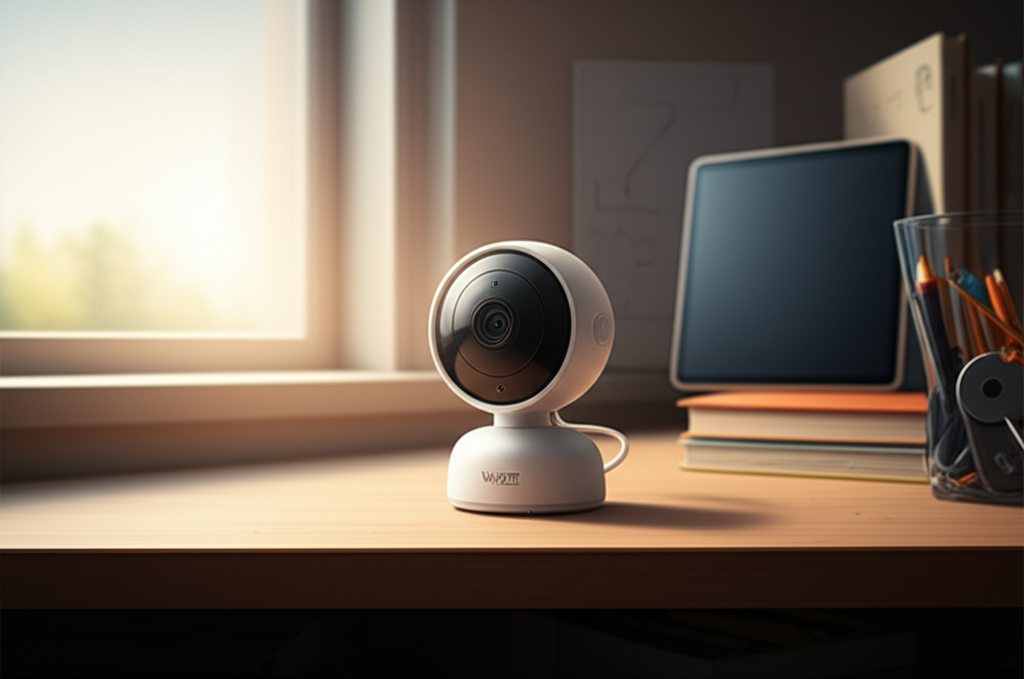
The Wyze Cam Pan is a compact, Wi-Fi-enabled indoor camera designed for smart home surveillance. Its standout feature is its pan and tilt functionality, allowing it to rotate 360 degrees horizontally and tilt 93 degrees vertically. This wide field of view is crucial for covering an entire classroom. Coupled with its 1080p HD video quality, night vision, and two-way audio, it provides a comprehensive visual and auditory record of any space.
Key Specifications and Features of the Wyze Cam Pan

Wyze has packed a lot of functionality into a small, affordable device. Its specifications make it a compelling option for a variety of surveillance needs, including those in an educational setting.
| Feature | Specification | Benefit for Classrooms |
| :—————— | :——————————————- | :———————————————————— |
| Resolution | 1080p Full HD | Clear, detailed video for identifying individuals and events. |
| Field of View | 110° | Wide angle to capture a significant portion of the room. |
| Pan & Tilt | 360° Pan, 93° Tilt | Covers the entire classroom without needing multiple cameras. |
| Night Vision | 8 Infrared LEDs (up to 30 ft) | Provides clear visibility in low-light or no-light conditions. |
| Audio | Two-way communication (built-in mic & speaker) | Allows for real-time communication or deterring unwanted activity. |
| Motion Detection | Smart Motion Detection (AI-powered) | Alerts users to movement, reducing false alarms. |
| Storage | MicroSD card (up to 32GB) or Cloud | Flexible options for recording and reviewing footage. |
| Connectivity | Wi-Fi (2.4GHz) | Easy setup and integration into existing networks. |
| Power | USB Cable | Simple power requirements. |
| App Integration | Wyze App (iOS & Android) | Remote access, control, and viewing from anywhere. |
The integration of these features creates a powerful surveillance tool that is surprisingly easy to set up and use, making it an attractive proposition for schools. Its affordability doesn’t mean a compromise on essential functionalities.
AI-Powered Security: Enhancing Classroom Vigilance
The “AI-first” aspect of the Wyze Cam Pan lies in its intelligent motion detection. Instead of just triggering an alert on any movement, it can differentiate between people, pets, and other motion. This significantly reduces the number of false alerts teachers might receive, allowing them to focus on genuine security events. For a classroom, this means being notified only when a person is detected, which is far more relevant for security and oversight.
This smart detection capability extends to other potential features through firmware updates or integrations, further enhancing its utility. The device learns and adapts, becoming a more intelligent guardian over time. This intelligent approach ensures that the alerts you receive are meaningful and actionable.
How AI Motion Detection Works and Its Classroom Impact
The Wyze Cam Pan utilizes sophisticated algorithms to analyze the video feed in real-time. When it detects movement, it analyzes the pattern and shape of the object. If it identifies a human figure, it triggers an alert. This is far superior to older motion detection systems that would be set off by a curtain blowing in the wind or a shadow.
For a classroom, this means a teacher can be confident that an alert signifies a real event. This is crucial for maintaining focus on teaching rather than constantly checking a device for a false alarm. It helps create a more responsive and efficient security protocol.
Seamless Integration and Ease of Use for Educators
One of the biggest hurdles for implementing new technology in schools is the complexity of setup and operation. The Wyze Cam Pan excels here, designed for user-friendliness. Setup typically involves plugging in the camera, downloading the Wyze app, and following a few simple on-screen instructions to connect it to your Wi-Fi network.
The Wyze app itself is intuitive, allowing for live viewing, camera control (panning and tilting), and access to recorded footage. This ease of use ensures that teachers and administrators can quickly adopt and benefit from the technology without extensive training. It’s a plug-and-play solution that minimizes disruption.
Setting Up the Wyze Cam Pan in a Classroom Environment
Getting started with the Wyze Cam Pan is remarkably straightforward. Here’s a typical setup process:
1. Unbox and Power On: Connect the camera to a power source using the provided USB cable and adapter.
2. Download the Wyze App: Install the free Wyze app on your smartphone or tablet from the App Store or Google Play.
3. Create an Account: Sign up for a Wyze account or log in if you already have one.
4. Add Device: In the app, tap the “+” icon and select “Add Device,” then choose “Wyze Cam Pan.”
5. Connect to Wi-Fi: Follow the in-app instructions to connect the camera to your school’s 2.4GHz Wi-Fi network. This usually involves scanning a QR code displayed on your phone with the camera.
6. Position the Camera: Mount the camera in a strategic location within the classroom using the included mounting plate and screws, or place it on a shelf. Ensure it has a clear line of sight to the areas you want to monitor.
7. Configure Settings: Customize motion detection zones, alert settings, and recording preferences within the app.
The entire process can often be completed in under 15 minutes, making it incredibly efficient for busy school staff. This rapid deployment is a significant advantage for any educational institution.
Enhancing Safety Beyond Basic Surveillance
The Wyze Cam Pan offers more than just eyes on the classroom; it provides tools that actively contribute to a safer environment. The two-way audio feature, for instance, can be used for positive reinforcement or to address minor issues without needing to be physically present. More importantly, in a critical situation, it can be used for communication or to issue instructions.
Night vision ensures that the camera remains effective even after school hours, deterring potential intruders and providing evidence if an incident occurs. The ability to remotely access live feeds means that administrators can check in on classrooms from anywhere, at any time. This constant accessibility is a powerful deterrent and a valuable resource.
Utilizing Two-Way Audio for Classroom Management and Safety
The built-in microphone and speaker on the Wyze Cam Pan are surprisingly effective for their size. This feature can be used in several ways:
Positive Reinforcement: A teacher can remotely praise a student’s good behavior or offer a quick word of encouragement.
Deterrence: In the event of unauthorized entry or disruptive behavior, the ability to speak through the camera can startle and deter individuals.
Communication: In emergencies, it can facilitate quick communication between administrators and individuals in the classroom, or even act as an alert system.
This interactive capability adds a layer of dynamic engagement that static security cameras simply cannot offer. It transforms the camera from a passive observer into an active participant in maintaining order and safety.
Cost-Effectiveness and Affordability for Schools
Price is often a major barrier for schools looking to upgrade their security infrastructure. The Wyze Cam Pan revolutionizes this by offering advanced features at a fraction of the cost of traditional commercial security cameras. This affordability makes it possible for schools with limited budgets to implement effective surveillance solutions across multiple classrooms.
This economic advantage allows schools to allocate resources to other critical areas while still ensuring a high level of safety. It democratizes access to smart security technology, making it available to a wider range of educational institutions. Investing in Wyze Cam Pan is a smart financial decision for enhanced security.
Comparing Wyze Cam Pan to Traditional Classroom Security Systems
When you look at the market for security cameras, traditional systems can quickly become overwhelming in terms of cost. Professional installation, complex wiring, and expensive hardware are the norm. The Wyze Cam Pan bypasses many of these issues.
Cost: Wyze Cam Pan is typically priced under $50, while traditional systems can cost hundreds or thousands of dollars for comparable coverage.
Installation: Wyze is DIY-friendly, requiring only Wi-Fi and power. Traditional systems often need professional installation.
Features: Wyze offers AI-powered motion detection, two-way audio, and pan/tilt at a budget price. Many traditional systems lack these integrated smart features or charge extra for them.
Scalability: It’s easy to add more Wyze cameras as needed, making it scalable for growing school needs. Expanding traditional systems can be more complex and costly.
This comparison highlights the significant value proposition of the Wyze Cam Pan for educational settings. It provides a robust feature set without the exorbitant price tag.
Addressing Privacy Concerns and Ethical Considerations
Implementing any surveillance technology in a classroom naturally brings up privacy concerns for students and staff. It is crucial to establish clear policies and communicate them openly. The Wyze Cam Pan, like any camera, should be used ethically and legally.
Wyze offers features like motion detection zones, allowing users to exclude sensitive areas from recording. Clear signage indicating that the classroom is under surveillance is also essential. Transparency and adherence to school and district policies are key to successful and ethical implementation.
Best Practices for Ethical Deployment in Schools
To ensure the Wyze Cam Pan is used responsibly and ethically in a classroom, consider these best practices:
Policy Development: Create a clear, written policy outlining the purpose of the cameras, who has access to footage, how long footage is stored, and when recording is active.
Transparency: Inform students, parents, and staff that cameras are in use. Post visible signs in the classroom indicating surveillance.
Purpose Limitation: Use the cameras strictly for security and safety monitoring, not for general student surveillance or disciplinary actions unrelated to safety.
Data Security: Secure your Wyze account with a strong password and enable two-factor authentication. Understand Wyze’s data privacy policies.
Privacy Zones: Utilize any available privacy features within the Wyze app to mask specific areas if necessary.
* Regular Review: Periodically review camera footage access logs and policies to ensure compliance and effectiveness.
By adhering to these guidelines, schools can leverage the benefits of the Wyze Cam Pan while respecting the privacy rights of everyone in the educational environment. Responsible deployment builds trust and ensures the technology serves its intended purpose.
Leveraging the Wyze App for Advanced Control and Monitoring
The Wyze app is the central hub for managing the Wyze Cam Pan. It’s more than just a viewer; it’s a control panel that unlocks the camera’s full potential. Users can pan and tilt the camera remotely, set up custom motion detection zones, schedule recordings, and view live streams from anywhere with an internet connection.
The app also provides access to recorded footage stored on a MicroSD card or through a Wyze subscription service. Notifications for motion events are delivered directly to your smartphone, ensuring you are alerted promptly. This level of remote control and accessibility is invaluable for busy school administrators.
Customizing Notifications and Motion Detection Zones
One of the most powerful features within the Wyze app is the ability to customize motion detection. You can define specific areas within the camera’s view where motion should be detected, and areas where it should be ignored. This is incredibly useful in a classroom setting.
For example, you might want to ignore motion from a window that frequently gets triggered by swaying trees, but ensure that any movement near a doorway is flagged. You can also adjust the sensitivity of the motion detection. Furthermore, you can set schedules for when motion alerts are active, ensuring you only receive notifications during school hours or after hours, as needed. This granular control minimizes distractions and maximizes the usefulness of the alerts.
Integration with Other Smart Devices and Platforms
While the Wyze Cam Pan shines as a standalone device, its compatibility with other smart home ecosystems can further enhance its utility. Wyze products often integrate with platforms like Amazon Alexa and Google Assistant, allowing for voice control of camera functions. This can be particularly helpful for teachers or staff who are already using these assistants for other tasks.
Imagine being able to say, “Hey Google, show me the classroom camera,” and having the live feed appear on a connected smart display. This seamless integration streamlines access to security information and makes it more convenient to monitor the environment. Explore potential integrations to maximize your smart security setup.
Wyze Ecosystem and Future Potential
Wyze offers a growing ecosystem of smart home products, including smart plugs, bulbs, and sensors. While direct integration with these for classroom security might be limited, the overall brand ethos focuses on affordable, accessible smart technology. This suggests a future where more sophisticated AI features and integrations could become available, further bolstering the Wyze Cam Pan’s capabilities. Staying updated with Wyze’s software and firmware updates is key to unlocking new functionalities.
Frequently Asked Questions About Wyze Cam Pan for Classrooms
What is the main benefit of using the Wyze Cam Pan in a classroom?
The Wyze Cam Pan provides an affordable, AI-powered solution for enhanced classroom security and oversight, offering clear video, wide coverage, and intelligent motion detection.
Is the Wyze Cam Pan easy to set up in a school environment?
Yes, setup is designed to be simple and user-friendly, typically involving downloading the Wyze app and connecting the camera to your Wi-Fi network, often completable within minutes.
Can I monitor the classroom remotely using the Wyze Cam Pan?
Absolutely. The Wyze app allows you to view live feeds and access recordings from your smartphone or tablet from anywhere with an internet connection.
Does the Wyze Cam Pan record audio?
Yes, it has a built-in microphone for audio recording and also features two-way audio, allowing you to speak through the camera.
How does the AI motion detection of the Wyze Cam Pan work?
The AI differentiates between people, pets, and other motion, sending alerts only for relevant events, thus reducing false alarms and improving efficiency for educators.
What are the privacy considerations for using Wyze cameras in schools?
It’s crucial to have clear policies, inform all parties of surveillance, use cameras ethically for security, and secure your Wyze account.
Can I store recordings from the Wyze Cam Pan?
Yes, recordings can be stored on a MicroSD card inserted into the camera or via a Wyze Cam Plus subscription for cloud storage.
Conclusion: A Smart, Secure Future for Learning Spaces
The Wyze Cam Pan represents a significant leap forward in making advanced classroom security accessible and practical. Its combination of high-definition video, 360-degree pan and tilt, AI-powered motion detection, and user-friendly app control offers peace of mind and enhanced safety for students and educators alike. The affordability of this device democratizes smart security, allowing schools of all sizes to implement robust monitoring solutions without breaking the bank. By carefully considering ethical deployment and privacy, the Wyze Cam Pan can be a powerful, positive addition to any learning environment, fostering a safer and more secure future for education.

Belayet Hossain is a Senior Tech Expert and Certified AI Marketing Strategist. Holding an MSc in CSE (Russia) and over a decade of experience since 2011, he combines traditional systems engineering with modern AI insights. Specializing in Vibe Coding and Intelligent Marketing, Belayet provides forward-thinking analysis on software, digital trends, and SEO, helping readers navigate the rapidly evolving digital landscape. Connect with Belayet Hossain on Facebook, Twitter, Linkedin or read my complete biography.