


Published on: 01/11/2025 | Updated on: November 1, 2025
Get your phone fixed by experts with proven solutions for common device problems. This guide covers everything from cracked screens to battery issues, helping you decide when to repair and when to upgrade.
Your smartphone is like a tiny supercomputer in your pocket. It connects you to friends, family, work, and all the information in the world. But what happens when it breaks? A cracked screen, a dead battery, or a glitchy app can feel like a disaster. Don’t worry, though! This guide will walk you through expert phone repair options. We’ll cover common problems and their proven fixes. You’ll learn what to look for in a repair service and when DIY might be an option. Let’s get your device back in top shape.
Why Expert Phone Repair is Essential for Your Device
Expert phone repair ensures your device is handled by skilled technicians using the right tools and parts, leading to a reliable fix and preventing further damage. This professional approach saves you time and money in the long run. It also helps maintain your phone’s value and performance. Trying to fix complex issues yourself can often make things worse.
Many people face common phone problems like a shattered screen or a battery that won’t hold a charge. These issues can make your phone unusable or frustrating to operate. Opting for expert repair means you get a diagnosis from someone who knows phones inside and out. They can pinpoint the exact problem and use specialized equipment to fix it. This is crucial for modern smartphones, which are intricate pieces of technology.
Common Phone Problems and Their Expert Fixes
From physical damage to software glitches, phones encounter a variety of issues. Understanding these common problems is the first step to finding the right solution. Expert technicians are trained to handle a wide range of these issues efficiently and effectively. They have access to the parts and knowledge needed for a successful repair.
Cracked or Shattered Screens

A cracked phone screen is one of the most frequent complaints. It happens from drops, impacts, or even pressure in a pocket. A shattered screen makes it hard to see and use your phone. It can also be dangerous, with sharp glass shards.
Expert repair shops can replace your entire screen assembly. This includes the glass, the display panel, and the digitizer (which senses your touch). They use high-quality replacement screens that match your phone’s original display. This ensures the colors are vibrant and touch sensitivity is perfect. The process usually takes less than an hour for many popular models.
Battery Drain and Performance Issues
Does your phone die quickly, even after charging? A degraded battery is often the culprit. Batteries have a limited lifespan and lose their capacity over time. Heavy app usage and software issues can also drain your battery faster.
An expert technician can diagnose battery problems accurately. They can determine if the issue is the battery itself or a software glitch. If the battery is at fault, they can replace it with a new, high-quality one. This can significantly extend your phone’s daily usage time. For example, the average smartphone battery might last 2-3 years before needing replacement. [Source: Statista]
Water Damage and Liquid Ingress
Accidents happen, and dropping your phone in water is a common, serious issue. Even a small amount of liquid can corrode internal components. This can lead to immediate malfunctions or problems that appear later. Quick action is vital for water-damaged phones.
Expert repair services often have specialized tools and techniques for water damage. They can carefully disassemble the phone, clean affected components, and dry everything thoroughly. Sometimes, specific parts may need to be replaced. The success rate depends on the type of liquid and how quickly the phone was addressed. Prompt professional attention offers the best chance of recovery.
Faulty Charging Ports
If your phone won’t charge, or the cable feels loose, the charging port might be damaged. This can be caused by debris, wear and tear, or physical force. A damaged port makes keeping your phone powered up impossible.
Technicians can clean out debris from the charging port. If the port is physically damaged, they can replace the entire charging port assembly. This is often a relatively quick and inexpensive repair. It restores your ability to charge your phone reliably. Ensure the technician uses a compatible and quality replacement part.
Speaker and Microphone Problems
Can you hear callers clearly? Can they hear you? Issues with speakers or microphones can disrupt calls and media playback. These problems can stem from debris, software glitches, or damage to the internal components.
Expert repair involves cleaning the speaker and microphone grilles. If they are still not working, the technician can replace the faulty speaker or microphone module. This ensures clear audio for both incoming and outgoing sound. It’s a straightforward repair for most smartphone models.
When to Choose Expert Phone Repair Over DIY
While some minor issues might be tempting to fix yourself, many phone problems require specialized knowledge and tools. Attempting complex repairs without expertise can lead to further damage. This often results in a more expensive repair bill or even an irreparable device.
The Complexity of Modern Smartphones
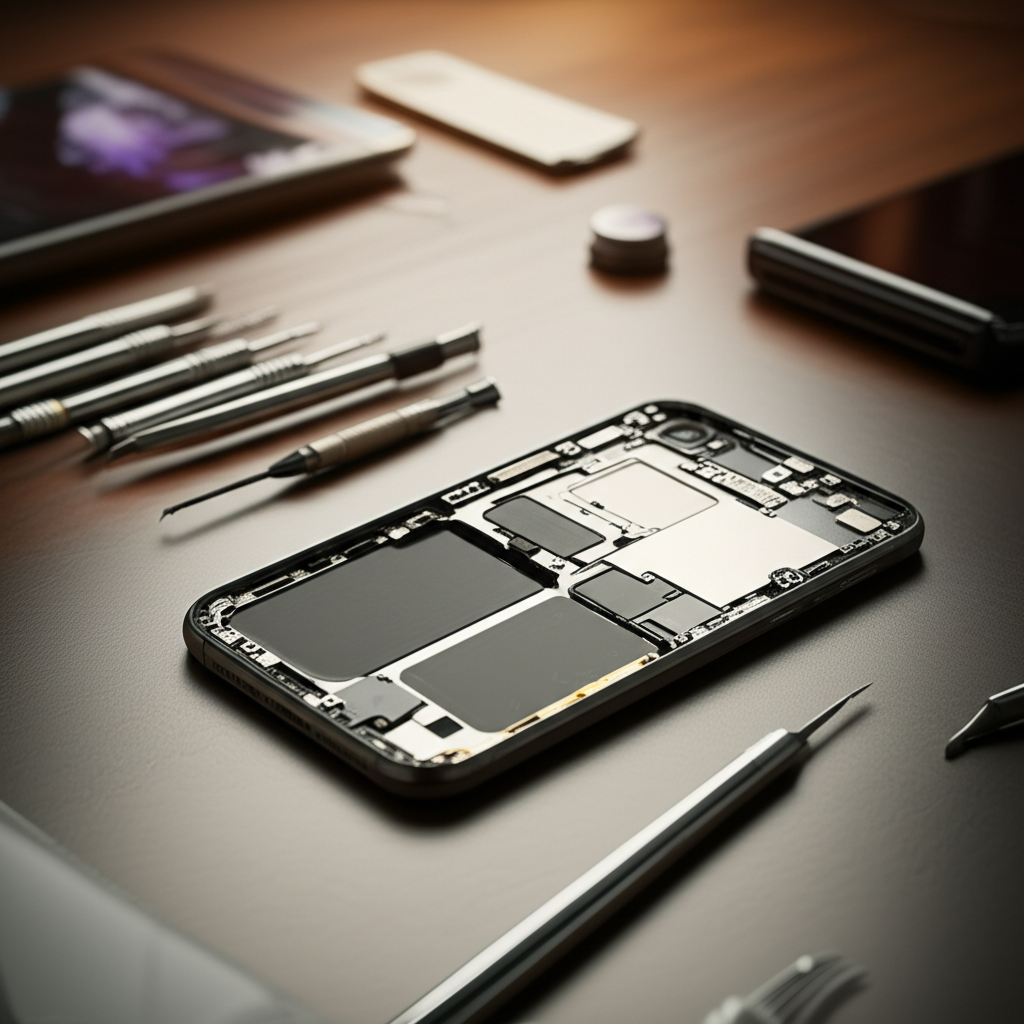
Today’s smartphones are incredibly complex. They pack advanced processors, tiny components, and delicate internal structures into very thin bodies. Disassembling them requires specific tools like precision screwdrivers, heat guns, and suction cups. Without the right equipment, you risk damaging internal cables or components.
Risk of Further Damage
Using the wrong tools or applying too much force can easily break delicate parts. For instance, attempting to pry open a phone without the correct technique can damage the screen, frame, or internal connectors. This can turn a simple repair into a much larger, costlier problem. A cracked screen replacement, for example, requires careful handling to avoid tearing ribbon cables.
Warranty and Insurance Considerations
Many DIY repairs can void your phone’s manufacturer warranty. If your phone is still under warranty, it’s often best to go through the official channels first. Expert third-party repair shops can often offer repairs without voiding warranties, especially if they use OEM-quality parts. Always check your warranty terms before attempting any repair.
Access to Quality Parts
Reputable expert repair services have access to high-quality replacement parts. These parts are often tested and guaranteed. Using cheap, low-quality parts from unverified sources can lead to performance issues, reduced durability, and even safety concerns. Expert shops ensure the parts they use are compatible and reliable.
Finding a Trustworthy Expert Phone Repair Service
Choosing the right repair shop is crucial for a successful outcome. Not all repair services are created equal. Look for signs of professionalism, expertise, and good customer service. A good repair shop will give you confidence in their ability to fix your device.
What to Look for in a Repair Shop
Reputation and Reviews: Check online reviews on platforms like Google, Yelp, or Apple Maps. Look for consistent positive feedback regarding their repairs and customer service. A shop with many positive reviews is usually a safe bet.
Warranty on Repairs: A reputable shop will offer a warranty on their parts and labor. This shows they stand behind their work. A warranty period of 90 days to a year is common.
Experienced Technicians: Inquire about the technicians’ training and experience. Are they certified? Do they specialize in your phone brand? Experienced technicians are more likely to diagnose and fix complex issues correctly.
Quality of Parts: Ask about the type of parts they use. Do they offer OEM (Original Equipment Manufacturer) parts or high-quality aftermarket alternatives? High-quality parts ensure your phone functions as it should.
* Transparency in Pricing: Get a clear, upfront estimate for the repair cost. Avoid shops that are vague about pricing or add hidden fees. A good shop will explain the charges before starting work.
Manufacturer vs. Third-Party Repair
Both manufacturer-authorized repair services and independent third-party shops have their pros and cons. The best choice depends on your specific situation and priorities.
| Repair Type | Pros | Cons |
| :—————– | :—————————————————————- | :———————————————————————- |
| Manufacturer | Uses genuine OEM parts; maintains warranty; highly trained techs. | Can be more expensive; may take longer; limited repair options. |
| Third-Party | Often faster and more affordable; wider availability; flexible. | Part quality can vary; may void warranty; technician skill varies. |
Manufacturer repairs, like those offered by Apple or Samsung service centers, use genuine parts and are performed by certified technicians. This is ideal if your phone is under warranty or you prioritize absolute originality. However, they can be pricier and take longer.
Independent third-party repair shops, like uBreakiFix or local specialists, often offer faster turnaround times and more competitive pricing. Many are highly skilled and use good quality parts. It’s essential to research these shops carefully to ensure they are trustworthy.
DIY Phone Repair: When It Might Be an Option
While I generally recommend expert help, there are a few very simple fixes you might attempt yourself. These are usually for issues that don’t involve complex internal components. Always proceed with caution and be prepared to stop if you feel unsure.
Simple Troubleshooting Steps
Before considering any repair, try these basic troubleshooting steps. Often, software issues can be resolved without any physical intervention. These steps can save you time and money.
1. Restart Your Phone: This is the simplest fix for many minor glitches. It clears temporary files and can resolve software conflicts.
2. Update Software: Ensure your phone’s operating system and apps are up to date. Updates often include bug fixes that can resolve performance issues.
3. Check App Permissions: Some apps might cause battery drain or performance slowdowns. Review app permissions and disable those that are unnecessary.
4. Clear Cache: For specific app issues, clearing the app’s cache can help. Go to your phone’s settings, find the app, and select “Clear Cache.”
Replacing a Battery (with Caution)
For older phones where the battery is easily accessible, a DIY battery replacement might be feasible. Many online tutorials demonstrate this process. However, for most modern smartphones, batteries are glued in and require specialized tools and significant care to remove without damaging other components. If you attempt this, ensure you purchase a high-quality battery replacement kit specifically designed for your phone model.
Cleaning Ports
If your charging port or headphone jack is dirty, it can cause connection issues. You can try cleaning these ports gently. Use a can of compressed air or a dry, non-metallic tool like a wooden toothpick. Be extremely careful not to damage the internal contacts.
The Cost of Expert Phone Repair vs. Buying New
When your phone needs a repair, a common question is whether it’s more cost-effective to fix it or buy a new one. This decision depends on several factors, including the cost of the repair, the age of your phone, and its current condition.
Repair Cost Analysis
The price of phone repairs varies greatly. A screen replacement might cost $100-$300, while a battery replacement could be $50-$100. These figures can change based on your phone model and the repair service. You can find average repair costs for popular models online. [Source: Consumer Reports]
Compare the repair cost to the price of a new or refurbished phone. If your phone is relatively new and the repair cost is less than 25% of a new device, repair is often the better option. If your phone is several years old and the repair is expensive, it might be time to consider an upgrade.
Age and Condition of Your Phone
An older phone might have other components that could fail soon, even after a repair. If your phone is already showing signs of aging or has multiple issues, investing in a repair might not be worthwhile. A new phone, even an affordable model, might offer better performance and longevity.
Environmental Impact
Choosing repair over replacement is also a more environmentally friendly choice. E-waste is a growing problem, and repairing your phone reduces the need for manufacturing new devices. This conserves resources and reduces pollution. Many people are choosing repair for sustainability reasons.
Protecting Your Phone to Minimize Future Repairs
Preventative measures are always better than repairs. Taking good care of your phone can significantly reduce the likelihood of damage and extend its lifespan. Simple habits can save you a lot of hassle and money.
Using Protective Cases and Screen Protectors
A good quality case absorbs impact from drops. A tempered glass screen protector can prevent scratches and cracks on your display. These accessories are relatively inexpensive compared to repair costs. They are the first line of defense against physical damage.
Avoiding Water and Extreme Temperatures
Keep your phone away from water and excessive moisture. Even “water-resistant” phones can be damaged by submersion or prolonged exposure. Also, avoid leaving your phone in very hot or very cold environments, as extreme temperatures can harm the battery and internal components.
Regular Software Maintenance
Keep your phone’s software updated. Regularly restart your phone and delete unused apps. This helps maintain smooth performance and can prevent software-related issues that might require a repair. Good software hygiene is as important as physical protection.
Frequently Asked Questions About Expert Phone Repair
Q1: How long does expert phone repair usually take?
A1: Most common repairs, like screen or battery replacements, can often be done in 1-2 hours. Some more complex issues might take a few days. It depends on the phone model and part availability.
Q2: Is it cheaper to repair my phone or buy a new one?
A2: It often depends on the phone’s age and the repair cost. For newer phones, repair is usually much cheaper than buying new. For older phones, it might be time for an upgrade if the repair is costly.
Q3: Can I trust third-party phone repair shops?
A3: Yes, many third-party shops are very trustworthy. Look for shops with good reviews, a warranty on their work, and experienced technicians. Avoid shops that seem unprofessional or lack transparency.
Q4: Will repairing my phone void my warranty?
A4: If your phone is still under manufacturer warranty, using a non-authorized repair service might void it. However, many third-party shops use high-quality parts and offer their own warranty, so check with the shop.
Q5: What are the signs my phone needs professional repair?
A5: Signs include a cracked screen, a battery that dies very quickly, a charging port that doesn’t work, no sound from speakers, or persistent software glitches that don’t resolve with troubleshooting.
Q6: Can water-damaged phones be repaired?
A6: Sometimes. The success depends on how quickly you get it to a professional and the extent of the damage. Experts can clean and dry internal components, but corrosion can be irreversible.
Conclusion: Expert Phone Repair – Your Best Option for Device Longevity
When your phone encounters problems, seeking expert phone repair is often the smartest and most reliable solution. From cracked screens to battery woes, skilled technicians have the knowledge, tools, and quality parts to bring your device back to life. While DIY fixes are tempting for minor issues, the complexity of modern smartphones makes professional service a safer bet to avoid further damage. Always research your repair options, compare costs, and consider the age of your device. By choosing expert repair, you not only save money but also contribute to reducing electronic waste. Keep your device running smoothly and reliably for longer with the help of trusted experts.
If you found this guide helpful, consider subscribing for more tech tips and device insights!

Belayet Hossain is a Senior Tech Expert and Certified AI Marketing Strategist. Holding an MSc in CSE (Russia) and over a decade of experience since 2011, he combines traditional systems engineering with modern AI insights. Specializing in Vibe Coding and Intelligent Marketing, Belayet provides forward-thinking analysis on software, digital trends, and SEO, helping readers navigate the rapidly evolving digital landscape. Connect with Belayet Hossain on Facebook, Twitter, Linkedin or read my complete biography.