


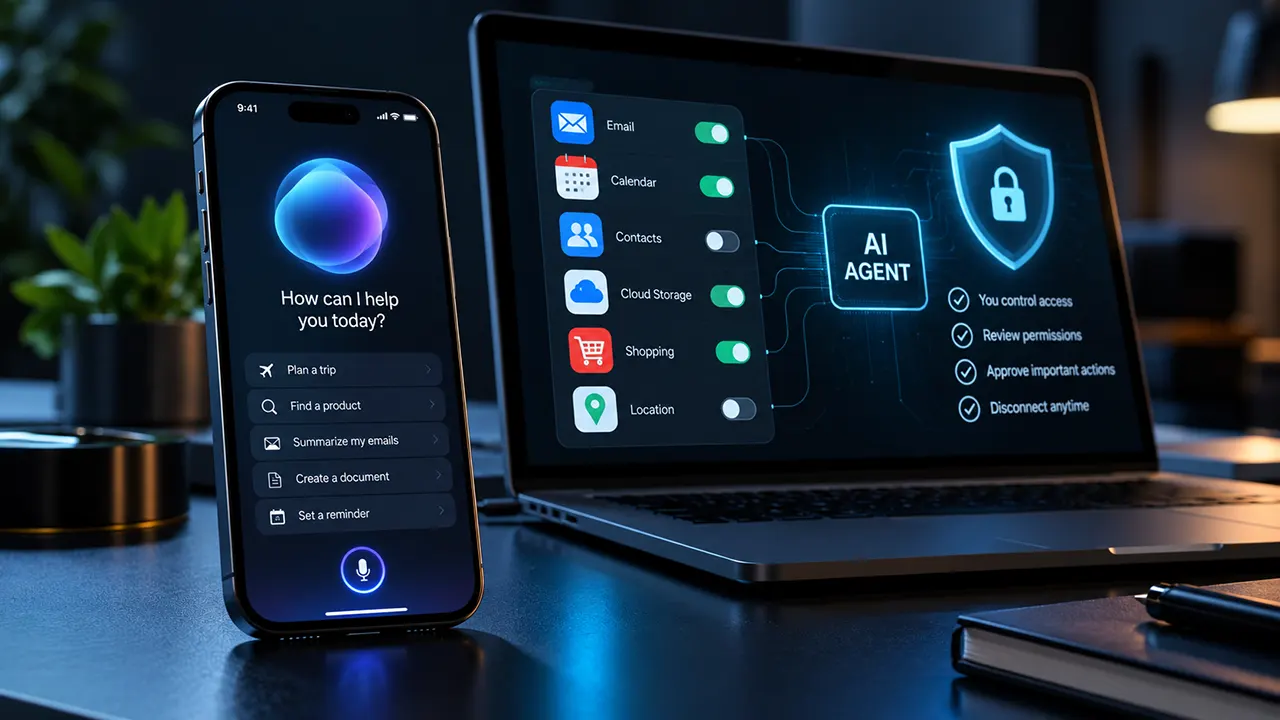
The Muse AI app from Meta may be worth trying if you want an AI agent to manage tasks across connected services. However, you should review its privacy disclosures, start with limited access, and keep approval controls enabled. Meta describes safeguards for sensitive actions, but its claims do not replace independent verification. If you handle confidential information, consider the risks before connecting sensitive accounts.
Meta Muse promises something more ambitious than a chatbot. Instead of simply answering questions, it can work on tasks, use connected services, and continue operating in the background. That convenience makes privacy and account access important parts of the download decision.
This guide examines the official app listing, Meta’s published security documentation, Apple’s privacy controls, and independent reporting. It is a research-based assessment, not a hands-on review. We have not independently tested the current app’s permission prompts or security behavior.
Is Meta Muse available for your iPhone?
Muse from Meta is listed in Apple’s App Store under Meta Platforms, Inc. The Canadian App Store listing specifies iOS 18.0 or later and an age rating of 18+. Check the current US listing for the requirements that apply to your device.
How to identify the official Muse app
Use the official Muse from Meta App Store listing to confirm the developer before installing.
Check these details:
- Developer: Meta Platforms, Inc.
- Product name: Muse from Meta.
- Compatibility: Verify your iPhone’s iOS version against the current listing.
- Age requirements: Check the current age rating and account eligibility rules.
- Privacy disclosures: Review the developer-provided App Privacy information.
Do not choose an app just because its name contains “Muse AI.” Other developers may use similar names without having any connection to Meta.
Is Muse free to download?
Meta describes Muse as a free service with usage limits. The company says users can wait for their free allowance to refresh or upgrade to a paid subscription. Confirm current US pricing and plan limits directly on Meta’s official Muse page before subscribing.
Availability can also vary by region and rollout stage. If the official listing does not allow you to install the app, do not assume that a similarly named application is an equivalent alternative.
What does the Muse AI app actually do?
Muse is a personal AI agent. Unlike a chatbot that primarily generates responses, an AI agent can work through tasks, use connected tools, and take actions within the permissions it has been granted.
Meta says Muse can help with research, reminders, document creation, price monitoring, and tasks involving connected services. It can also continue working in the background after you close the app. These are advertised capabilities, not a guarantee that every task will succeed.
Why an AI agent needs careful access controls
Imagine asking Muse to organize an upcoming trip. It might need calendar information to check your availability, email access to find a booking confirmation, and web access to research options.
Each connection may make the task more useful. It can also expose information you would not ordinarily share with a simple question-and-answer chatbot.
The key distinction is between access and authorization. Connecting an account does not automatically mean every possible action should be permitted. Meta’s connector guidelines distinguish reading information from changing data and performing sensitive actions such as purchases or sending emails.
That distinction should guide your setup decisions.
Is Meta Muse safe, and what are the privacy concerns?
There is no responsible way to label an AI agent completely safe or completely unsafe based on a product description alone. Muse has documented security controls, but users should evaluate the available evidence, understand what data may be processed, and decide whether the convenience justifies the access.
What Meta says about Muse security
Meta describes Muse as running in a dedicated cloud-based environment called Muse Secure VM. The company says connected-service credentials are stored in an isolated environment, sensitive actions require user approval, and users can review activity and disconnect services.
Meta also states that users can opt out of having their interactions used to train its AI models. Check the current settings and documentation to confirm how that option works.
These are important design commitments. However, they are claims from the product’s developer, not independent proof that every safeguard works perfectly in every situation.
What independent reporting has raised
In September 2026, an Inc. columnist reported that Muse on Mac appeared to access private Messages content without the expected permission. Meta disputed the account, stating that both Full Disk Access and the Messages connector had to be enabled for the integration to read message content. The company also argued that the reported behavior could not occur without the required authorization.
The report and Meta’s response describe a disputed incident involving the Mac version. It should not be presented as proof that the current iPhone app bypasses Apple’s permissions.
The practical lesson is narrower but important: users should understand what access they have granted, review an agent’s activity, and avoid connecting sensitive information until they are comfortable with the controls.
What the App Store privacy label tells you
Apple’s App Privacy disclosures for Muse list multiple categories of data that Meta says may be collected and linked to a user’s identity. These include location, contact information, contacts, user content, browsing and search history, financial information, purchases, identifiers, usage data, sensitive information, and diagnostics. The listing notes that practices may vary according to the features used and the user’s age.
This is a broad disclosure, not proof that every category is collected from every user during every session. Apple also states that the developer supplies this information and that Apple has not verified it.
Read the App Store privacy information alongside Meta’s privacy and security documentation.
Remember that operating-system permissions do not reveal every aspect of backend data processing, data retention, or model training.
Which Muse AI permissions should you allow?
The safest approach is to grant access only when you need a specific feature. Do not connect every available service during setup just to see what the agent can do.
The table below is a decision guide, not a verified list of permission prompts displayed by the current iPhone app. Actual access options depend on the app version, available integrations, and the services you connect.
| Access or connection | Why it might be needed | Safer starting choice |
|---|---|---|
| Notifications | Task updates and reminders | Enable only if useful |
| Calendar | Scheduling and availability checks | Leave disconnected until needed |
| Contacts or messages | Communication-related tasks, where supported | Avoid initially unless essential |
| Location | Location-aware assistance | Prefer limited access where available |
| Inbox research and email-related tasks | Connect only for a clearly defined purpose | |
| Financial services | Financial information and account-related tasks | Avoid initially |
| Health information | Personalized health or activity-related tasks | Avoid unless a specific need justifies it |
| Shopping services | Product research and transaction-related tasks | Require review of each consequential action |
iPhone permissions are different from connected accounts
An iOS permission controls access to a category of information or device capability. A connected service may instead use an account authorization mechanism, such as OAuth, to grant access to a particular service.
Muse’s own connector guidelines describe read-only access where possible and distinguish ordinary changes from sensitive actions.
This means you should review both your iPhone settings and the services connected inside Muse. Checking one does not replace checking the other.
What happens when you deny access?
The result depends on the feature. If a task requires calendar information and you deny calendar access, Muse may be unable to complete that task as requested. Other functions may continue working.
You do not need to enable every permission to use an app. Try a task that does not require sensitive information first. If Muse later requests additional access, decide whether that particular feature is worth the trade-off.
How to review Muse permissions on an iPhone
Apple provides controls for reviewing and changing the information third-party apps can access. You can also use App Privacy Report to examine permission use and network activity.
Follow these steps before connecting important accounts.
- Open Settings. Go to Settings on your iPhone.
- Open Privacy & Security. Select the category relevant to the information you want to protect, such as Contacts, Calendars, Photos, or Location Services.
- Review the available app access. If Muse appears in the relevant category, check whether its access is appropriate for your intended use.
- Change unnecessary permissions. Turn off access you do not need, using the options available for that category.
- Review App Privacy Report. If available on your iOS version, enable it under Settings → Privacy & Security → App Privacy Report. Review the information it records about permission use and network activity.
- Check Muse’s own settings. Review connected services, granted permissions, activity, and approval preferences within the app.
The available controls vary by data category. Not every type of account authorization appears in the iPhone’s permission list.
One important limitation: App Privacy Report can provide useful evidence about device-level access and network activity, but it is not a complete audit of what a service does with data after receiving it.
How to revoke Muse permissions and disconnect services
Removing a device permission and disconnecting a connected account are separate actions. If you want to stop using an integration, review both.
Turn off an iPhone permission
Return to Settings → Privacy & Security and select the relevant category. Turn off Muse’s access if it appears there. You can also review app-specific settings in Settings when the relevant controls are available.
Disconnect a service from Muse
Open Muse and find its connected-service or permission settings. Select the service you want to disconnect and follow the available instructions.
Meta’s documentation says users can change access or disconnect services. The exact labels and navigation may change, so verify the current interface rather than relying on an untested menu path.
Review past activity and account data
Before removing a connection, inspect any available activity history and determine whether the agent has already sent messages, changed records, or completed transactions.
Disconnecting a service prevents future access within the scope of that connection, but it does not automatically undo completed actions.
If you want to leave Muse entirely, look for its account deletion and data deletion options. Confirm what happens to stored files, connected-service credentials, backups, and retained data. Uninstalling an app alone should not be treated as proof that all account data has been deleted or every external authorization has been revoked.
Can Meta Muse shop safely, and what are its limits?
Muse can perform shopping-related tasks in supported circumstances, but a connected account does not guarantee that every retailer will allow the agent to operate. Retailer policies, authentication requirements, technical restrictions, and the specific integration can affect what works.
Meta says its agent asks for approval before sensitive actions such as purchases and allows users to manage permission settings.
Why shopping integrations may fail
A retailer may restrict automated access or require additional verification. A connection can also fail because the necessary feature is unavailable or the account authorization is incomplete.
Reports about Muse and Amazon access illustrate why shopping compatibility should be verified rather than assumed. Check the current status of the specific integration before relying on it.
Use this checklist before approving a purchase
Before allowing Muse to complete a transaction, verify:
- The exact product and seller.
- The quantity and final price, including shipping and taxes where shown.
- The delivery address and payment method.
- Any recurring charge, subscription, or additional fee.
- The final order details before confirming.
Do not treat a general request such as “find the best option” as permission to buy anything. Research, recommendations, and transactions are different actions.
For sensitive actions, keep approval controls enabled. Meta’s connector guidelines specify that sensitive write actions require approval each time, rather than being permanently authorized through an “Always allow” setting.
Who should avoid connecting sensitive accounts?
Muse may be useful for people who want an agent to handle routine work. However, connecting more data is not automatically better.
Consider keeping sensitive services disconnected if you:
- Handle confidential client documents or trade secrets.
- Receive password-reset links or authentication codes in your email.
- Manage financial accounts that you do not want an AI agent to access.
- Store sensitive health or personal information in connected services.
- Cannot regularly review the agent’s actions and account permissions.
You can still evaluate the app using tasks that require little or no sensitive data. For example, ask it to research a public topic or organize information you deliberately provide. Add access only if a particular task makes the additional permission worthwhile.
The decision is not simply whether you trust Meta. It is whether the specific task justifies giving an AI agent access to the particular information it needs.
Final verdict: Should you download Meta Muse?
Muse is worth considering if you want an AI agent that does more than generate answers, but it is not necessary to connect your important accounts immediately.
For a first trial, use a non-sensitive task, inspect the available controls, and learn how to disconnect services before granting broader access. If your work involves confidential information or you are uncomfortable with the disclosed data practices, waiting is a reasonable choice.
Before you install, read the current official Muse listing and Meta’s security explanation. Make the decision based on the features you actually need, not just the promise of automation.
Frequently asked questions about the Muse AI app
1. Is Muse from Meta the same as Meta AI?
Muse and Meta AI are related to Meta’s AI products, but they are not interchangeable names for the same experience. Meta describes Muse as a personal AI agent designed to perform tasks across connected services, while a conventional AI assistant may primarily answer questions and generate content. Check the current official product pages to confirm which features belong to each product.
2. Can you use Meta Muse without connecting your email?
The answer depends on the tasks you want to perform and the current app’s capabilities. You can begin by testing functions that do not require email access, where available. If Muse requests an email connection for a particular task, review the requested access and decide whether the benefit justifies it before proceeding.
3. Does deleting Muse disconnect linked accounts?
Do not assume that uninstalling Muse automatically revokes every external account authorization or deletes all data held by the service. Review Muse’s connected-service settings and the relevant third-party account’s security settings. If you want your data deleted, check Meta’s current account and data deletion instructions separately.
4. Can Meta Muse complete purchases on every shopping website?
No universal compatibility guarantee exists. Shopping depends on the retailer, available integrations, authentication requirements, and current restrictions. Even when an integration works, review the product, seller, price, delivery information, and final order before approving a purchase. Confirm the current status of any specific retailer you plan to use.
5. How can you check whether Muse is using an iPhone permission?
Open Settings → Privacy & Security and select the relevant information category, such as Contacts, Calendars, or Location Services. Review the apps listed and change access as needed. You can also enable App Privacy Report to inspect recorded permission use and network activity, although this does not reveal every form of backend data processing.
6. Does denying a permission stop the entire app from working?
Not necessarily. Denying a permission may prevent a specific feature from working while leaving unrelated functions available. The result depends on which access you deny and what the task requires. Start with limited access and grant additional permissions only when you understand why the app needs them.

Belayet Hossain is a Senior Tech Expert and Certified AI Marketing Strategist. Holding an MSc in CSE (Russia) and over a decade of experience since 2011, he combines traditional systems engineering with modern AI insights. Specializing in Vibe Coding and Intelligent Marketing, Belayet provides forward-thinking analysis on software, digital trends, and SEO, helping readers navigate the rapidly evolving digital landscape. Connect with Belayet Hossain on Facebook, Twitter, Linkedin or read my complete biography.